https://github.com/tomjs/vscode-reload
在状态栏添加一个可配置的重载窗口按钮。Add a configurable reload window button to the status bar.
https://github.com/tomjs/vscode-reload
reaload vscode window
Last synced: 6 months ago
JSON representation
在状态栏添加一个可配置的重载窗口按钮。Add a configurable reload window button to the status bar.
- Host: GitHub
- URL: https://github.com/tomjs/vscode-reload
- Owner: tomjs
- License: mit
- Created: 2024-01-14T17:32:30.000Z (over 2 years ago)
- Default Branch: main
- Last Pushed: 2024-06-29T15:27:40.000Z (about 2 years ago)
- Last Synced: 2024-11-08T00:52:38.304Z (over 1 year ago)
- Topics: reaload, vscode, window
- Language: TypeScript
- Homepage:
- Size: 143 KB
- Stars: 0
- Watchers: 0
- Forks: 0
- Open Issues: 0
-
Metadata Files:
- Readme: README.md
- Changelog: CHANGELOG.md
- License: LICENSE
Awesome Lists containing this project
README
# Reload Window
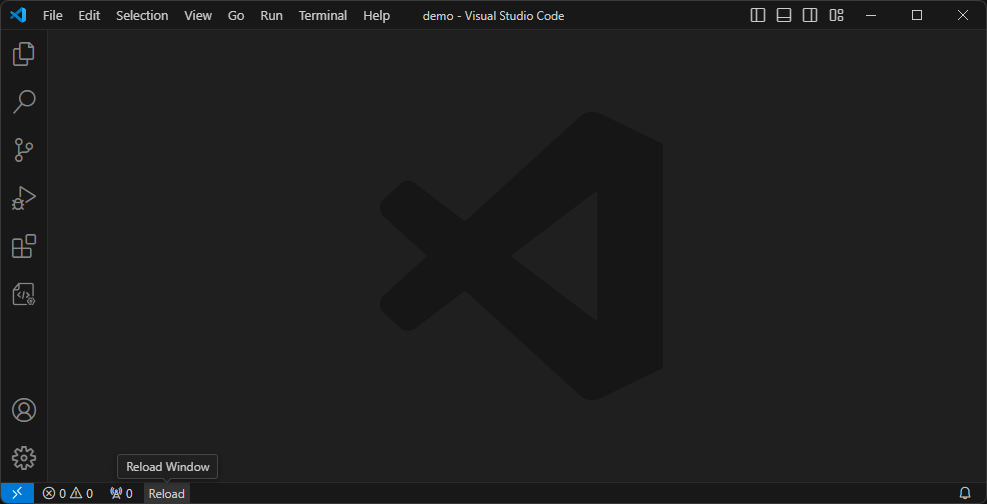
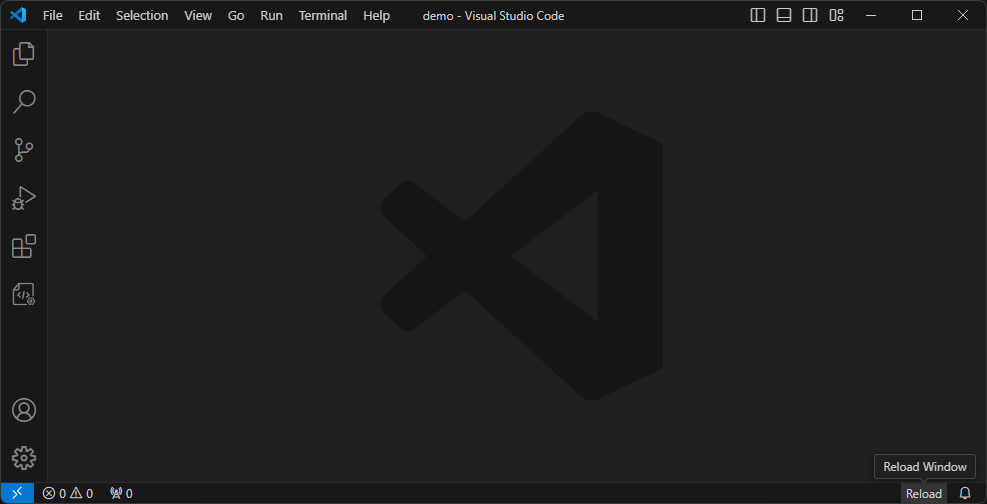
> 在状态栏左侧/右侧添加一个可配置的重载窗口按钮。
前端项目安装npm依赖或编译代码后可能需要重启vscode,以前是通过命令,后来找到了这个 [Reload](https://marketplace.visualstudio.com/items?itemName=natqe.reload) 扩展帮我简化了操作。非常感谢 [natqe](https://github.com/natqe) 的 [reload](https://github.com/natqe/reload) 的给与我灵感。
> Add a configurable reload window button to the left/right side of the status bar.
Front-end projects may need to restart vscode after installing npm dependencies or compiling code. I used to use commands, but then I found this [Reload](https://marketplace.visualstudio.com/items?itemName=natqe.reload) extension to help me simplify it. operate. Many thanks to [natqe](https://github.com/natqe)’s [reload](https://github.com/natqe/reload) for giving me inspiration.
## 截图 Screenshots
- 左 left
- 右 right
## 设置 Settings
### 示例 Examples
```json
{
"tomjs.reload.position": "right",
"tomjs.reload.text": "Reload",
"tomjs.reload.tooltip": "I'll be back!"
}
```
### 中文
- `tomjs.reload.position`: 状态栏中重载按钮的位置,默认为 `right`.
- `left`: 显示在状态栏左下角
- `right`: 显示在状态栏右下角
- `tomjs.reload.text`: 重新加载按钮的文本,默认为 `重载`.
- `tomjs.reload.tooltip`: 重新加载按钮的提示,默认为 `重载窗口`.
### English
- `tomjs.reload.position`: The position of the reload button in the status bar, default is `right`.
- `left`: Show on the left side of the status bar.
- `right`: Show on the right side of the status bar.
- `tomjs.reload.text`: The text of the reload button in the status bar. default: `Reload`.
- `tomjs.reload.tooltip`: The tooltip of the reload button in the status bar. default: `Reload Window`.