https://github.com/tomowang/hugo-theme-tailwind
Clean card Hugo theme for blog, created by using tailwindcss
https://github.com/tomowang/hugo-theme-tailwind
gohugo hugo hugo-blog hugo-blog-template hugo-blog-theme hugo-theme tailwind tailwind-theme tailwindcss theme
Last synced: 4 months ago
JSON representation
Clean card Hugo theme for blog, created by using tailwindcss
- Host: GitHub
- URL: https://github.com/tomowang/hugo-theme-tailwind
- Owner: tomowang
- License: mit
- Created: 2023-10-21T16:20:37.000Z (over 2 years ago)
- Default Branch: main
- Last Pushed: 2025-04-07T14:29:40.000Z (about 1 year ago)
- Last Synced: 2025-04-07T15:33:44.633Z (about 1 year ago)
- Topics: gohugo, hugo, hugo-blog, hugo-blog-template, hugo-blog-theme, hugo-theme, tailwind, tailwind-theme, tailwindcss, theme
- Language: CSS
- Homepage: https://hugo-theme-tailwind.tomo.dev/
- Size: 4.34 MB
- Stars: 146
- Watchers: 4
- Forks: 59
- Open Issues: 2
-
Metadata Files:
- Readme: README.md
- License: LICENSE
Awesome Lists containing this project
README
# Hugo Theme Tailwind



[](https://gohugo.io/)
[](https://tailwindcss.com/)

Hugo theme built using [Tailwind CSS](https://tailwindcss.com/), mostly for bloggers.
Check [https://hugo-theme-tailwind.tomo.dev/](https://hugo-theme-tailwind.tomo.dev/) for demo.
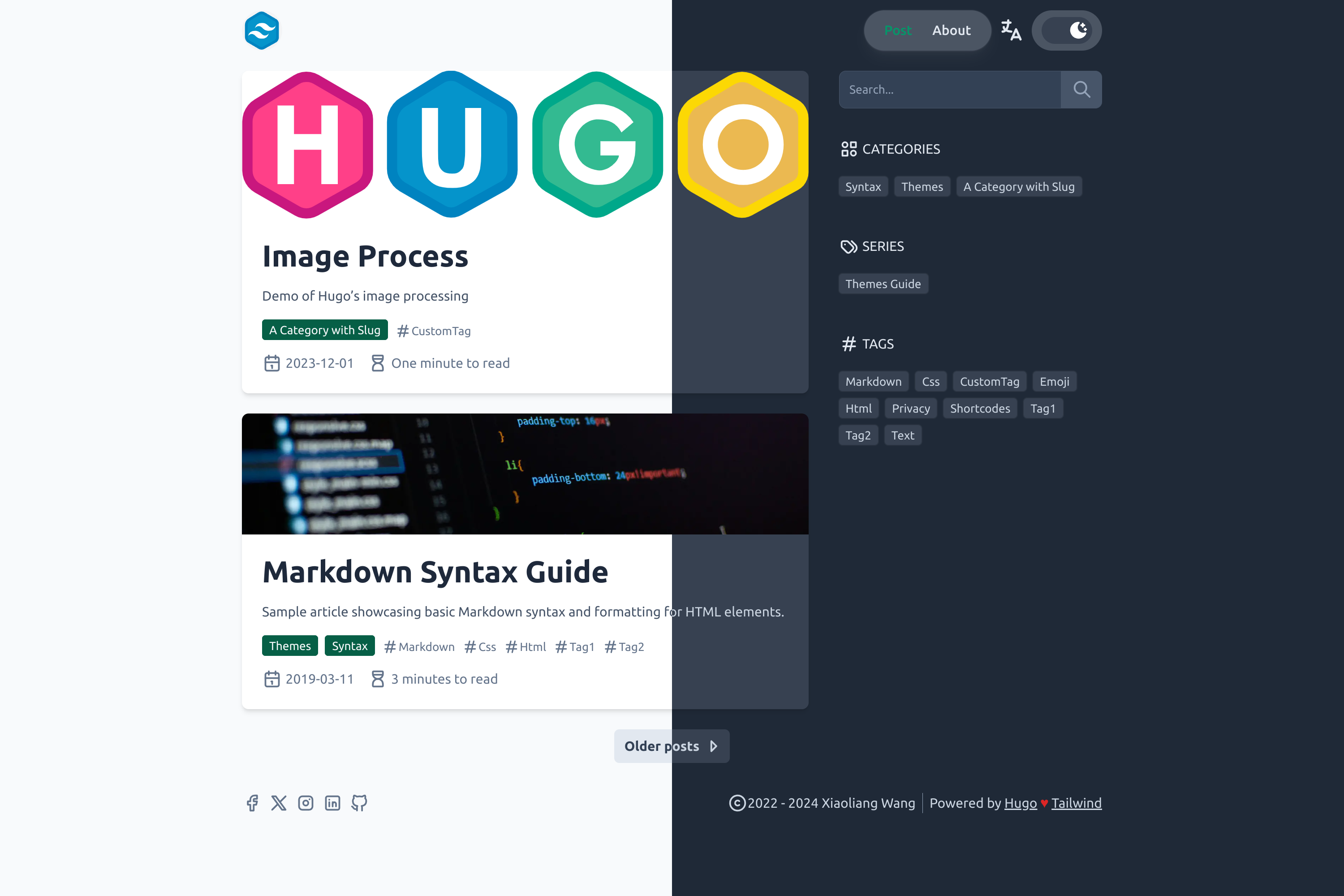
## Features
* High Lighthouse score
* Dark mode - switch between light and dark mode, or default by system prefers.
* SVG icons thanks to [tabler icons](https://tabler-icons.io/)
* Google Analytics - add your Google Analytics ID to `hugo.toml`
* Comments settings for [disqus](https://disqus.com/) and [giscus](https://giscus.app/)
* Social media link data settings
* Additional short code: bilibili, asciinema, n8n-demo
* Responsive design
* Multilingual
* Default image process for lazy load and srcset
* Search (by using [fuse.js](https://fusejs.io/) and [mark.js](https://markjs.io/))
* Image support for article (using `image` param in front matter)
* Structured data [JSON-LD](https://json-ld.org/) for article (enable `jsonLD` in config file or front matter)
* Simple [PWA](https://web.dev/add-manifest/) support - check `params.pwa` in config file
## Installation
You can install the theme by using git submodule or hugo module.
### Git Submodule
Add the theme as a submodule by running the following command in the
root directory of your Hugo site:
```bash
git submodule add https://github.com/tomowang/hugo-theme-tailwind.git themes/tailwind
# Or to update to the latest version
git submodule update --remote
```
### Hugo Module
1. First, initialize module for your Hugo site: `hugo mod init github.com/username/xxxx`
2. Then, add module import in your `hugo.toml`:
```toml
[module]
[[module.imports]]
path = "github.com/tomowang/hugo-theme-tailwind"
```
3. Finally, run `hugo mod get -u` to download the theme.
## Configuration
> [!IMPORTANT]
> The exampleSite's `giscus` setting uses my own profile repo.
> You **SHOULD** change it to your own repo (by using ).
You can use the following configuration for basic usage.
```toml
baseURL = "https://example.com/"
title = "Hugo Theme Tailwind Example Site"
author = "Your Name"
copyright = "Your Name"
pagination.pagerSize = 10
languageCode = "en"
theme = "tailwind"
[markup]
_merge = "deep"
[params]
# dir name of your blog content (default is `content/posts`).
# the list of set content will show up on your index page (baseurl).
contentTypeName = "posts"
[params.header]
logo = "logo.webp"
title = ""
[params.footer]
since = 2023
poweredby = true
[menu]
[[menu.main]]
identifier = "post"
name = "Post"
pageRef = "/posts"
weight = 10
[[menu.main]]
identifier = "about"
name = "About"
pageRef = "/about"
weight = 20
[taxonomies]
category = "categories"
tag = "tags"
series = "series"
```
For advanced usage, please refer to config directory `config/_default` and
`exampleSite/config/_default`.
Some of the configuration options are:
* `markup`: goldmark and options for markdown rendering
* `params.header`: header settings (logo and sticky navbar)
* `params.footer`: footer settings (copyright years, powered by, etc.)
* `contentTypeName`: dir name of your blog content (default is `content/posts`).
* `params.taxonomies.icons`: icons for taxonomies (categories, tags, series, etc.).
* `params.giscus`: giscus settings
* `params.social_media`: social media links shown in the footer
* `params.search`: search settings
* `params.author`: author used in the JSON-LD
* `params.showAuthor`: show author name in article list and article page
* `params.jsonLD`: enable or disable JSON-LD (default disabled)
* `params.pwa`: enable or disable PWA (default disabled)
For social media link data, you can refer entries in `params.social_media.items`
(You can add more or disable existing entries in `params.social_media.items`).
```toml
[[social_media.items]]
enabled = false
title = 'Facebook'
icon = 'brand-facebook'
link = 'https://www.facebook.com/'
```
## Development
### Extend functionality
The theme folder structure is as follows:
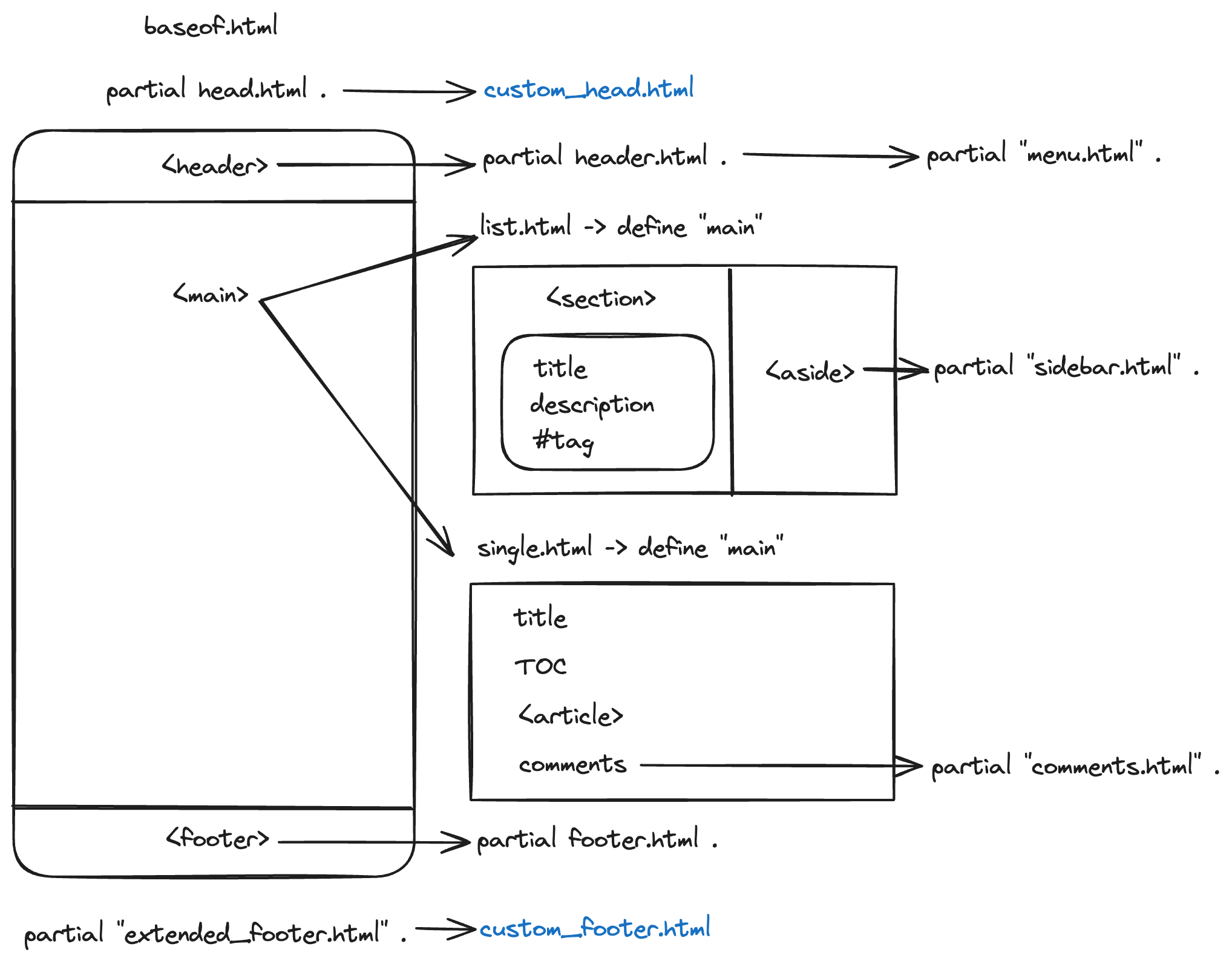
You can extend the theme by creating following files in your site folder:
* `layouts/partials/custom_head.html`
* `layouts/partials/custom_footer.html`
### Update stylesheets
This theme use Tailwind CSS for styling. If you want to make some changes,
use `pnpm install` to install dependencies.
* Development: `pnpm dev`, this will generate css for theme users and start example site.
> `exampleSite` is fetched from https://github.com/gohugoio/hugoBasicExample
with some modifications.
### Add new icons
Search the icon in [tabler icons](https://tabler-icons.io/).
**Download** or **Copy SVG** and paste to `theme/tailwind/assets/icons/`.
Remember to remove `width="24" height="24"` in the SVG file. Use the icon file
name in your site configuration. Or if you want to update theme layout content,
you can use the following code.
```html
{{ partial "icon.html" "brightness-down" }}
```
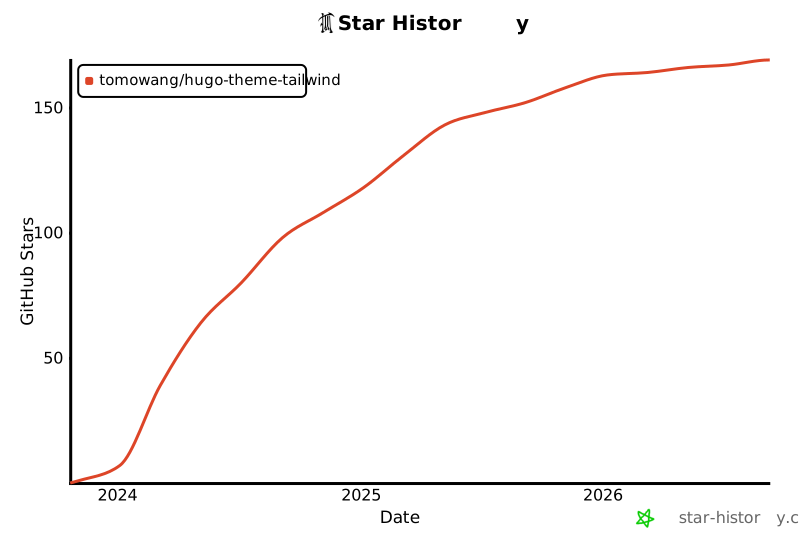
## Star History
[](https://star-history.com/#tomowang/hugo-theme-tailwind&Date)