https://github.com/ton-blockchain/ton4j
Java libraries for interacting with TON blockchain.
https://github.com/ton-blockchain/ton4j
blockchain fift func java mylocalton telegram ton tonlib tonlibjson
Last synced: 3 months ago
JSON representation
Java libraries for interacting with TON blockchain.
- Host: GitHub
- URL: https://github.com/ton-blockchain/ton4j
- Owner: ton-blockchain
- License: gpl-3.0
- Created: 2022-09-30T18:32:41.000Z (almost 4 years ago)
- Default Branch: main
- Last Pushed: 2026-03-24T07:21:26.000Z (4 months ago)
- Last Synced: 2026-03-25T09:02:07.199Z (4 months ago)
- Topics: blockchain, fift, func, java, mylocalton, telegram, ton, tonlib, tonlibjson
- Language: Java
- Homepage:
- Size: 139 MB
- Stars: 124
- Watchers: 2
- Forks: 43
- Open Issues: 17
-
Metadata Files:
- Readme: README.md
- License: LICENSE
- Agents: AGENTS.md
Awesome Lists containing this project
README
# Java SDK for The Open Network (TON)
[](https://www.gnu.org/licenses/gpl-3.0)
[![Based on TON][ton-svg]][ton]



Java libraries and wrapper for interacting with TON blockchain. ton4j requires minimum `Java 11`.
## Maven [![Maven Central][maven-central-svg]][maven-central]
```xml
org.ton.ton4j
smartcontract
2.0.2
```
## Jitpack [![JitPack][jitpack-svg]][jitpack]
```xml
jitpack.io
https://jitpack.io
```
```xml
org.ton.ton4j
ton4j
2.0.2
```
## Repository structure
You can use each submodule individually. Click the module below to get more details.
* [Tonlib](tonlib/README.md) - use external Tonlib shared library to communicate with TON blockchain.
* [Adnl](adnl/README.md) - Lite-client based on native ADNL protocol.
* [SmartContract](smartcontract/README.md) - create and deploy custom and predefined smart-contracts.
* [Cell](cell/README.md) - create, read and manipulate Bag of Cells.
* [BitString](bitstring/README.md) - construct bit-strings.
* [Address](address/README.md) - create and parse TON wallet addresses.
* [Mnemonic](mnemonic/README.md) - helpful methods for generating deterministic keys for TON blockchain.
* [Emulator](emulator/README.md) - wrapper for using with external precompiled emulator shared library.
* [Exporter](exporter/README.md) - TON database reader/exporter that uses RocksDB Java JNA libraries.
* [Liteclient](liteclient/README.md) - wrapper for using with external precompiled lite-client binary.
* [TonCenter Client V2](toncenter/README.md) - wrapper used to send REST calls
towards [TonCenter API v2](https://toncenter.com/api/v2/) .
* [TonCenter Client V3](toncenter-indexer-v3/README.md) - wrapper used to send REST calls
towards [TonCenter Indexer API v3](https://toncenter.com/api/v3/) .
* [Fift](fift/README.md) - wrapper for using external precompiled fift binary.
* [Func](func/README.md) - wrapper for using external precompiled func binary.
* [Tolk](tolk/README.md) - wrapper for using external precompiled tolk binary.
* [TonConnect](tonconnect/README.md) – implementation of a TON Connect standard.
* [Disassembler](disassembler/README.md) - TON Smart Contract disassembler.
* [TL-B](tlb/README.md) - TL-B structures and their de/serialization.
* [TL](tl/README.md) - TL structures and their de/serialization. Used mainly for lite-server queries and responses as
well as for RockDB key/values.
* [Utils](utils/README.md) - create private and public keys, convert data, etc.
## How to use
- [Connection](#connection)
- [Tonlib shared library](#tonlib)
- [ADNL lite-client](#adnl-lite-client)
- [Native lite-client](#native-lite-client)
- [TonCenter API V2](#toncenter-api-v2)
- [TonCenter API V3](#toncenter-api-v3)
- [Ton Provider](#ton-provider)
- [Smart contract address](#smart-contract-address)
- [Wallets](#Wallets)
- [Create](#create-wallet)
- [Transfer](#transfer-toncoins-in-testnet)
- [Deploy and transfer with externally signed](#deploy-and-transfer-toncoins-signed-externally)
- [Transfer to up to 4 recipients](#Transfer-to-up-to-4-recipients)
- [Transfer to up to 1000 recipients](#Transfer-to-up-to-1000-recipients)
- [Transfer to up to 1000 recipients using Secp256k1 and externally signed](#Transfer-to-up-to-1000-recipients-using-Secp256k1-and-externally-signed)
- [Send message to a contract](#send-a-message-to-a-contract)
- [Send message signed externally](#send-message-signed-externally)
- [Accounts](#Accounts)
- [List transactions](#get-account-transactions)
- [List messages](#get-account-messages)
- [Get balance](#get-account-balance)
- [Get state](#get-account-state)
- [Get block](#get-blockchain-block)
- [Mnemonic](#Generate-mnemonic-and-keypair)
- [NFT](#NFT)
- [Mint NFT collection](#Mint-NFT-collection)
- [Mint NFT item](#Mint-NFT-item)
- [Get NFT information](#Get-NFT-information)
- [Transfer NFT](#Transfer-NFT)
- [Change NFT collection owner](#Change-NFT-collection-owner)
- [Edit NFT collection content](#Edit-NFT-collection-content)
- [Create your own NFT marketplace](#Create-your-own-NFT-marketplace)
- [Sell NFT](#Sell-NFT)
- [Cancel NFT sale](#Cancel-NFT-sale)
- [Buy NFT](#Buy-NFT)
- [Jettons](#Jettons)
- [Create USDT jetton wallet](#Create-USDT-jetton-wallet)
- [Transfer USDT to a single wallet](#Transfer-USDT-to-a-single-wallet)
- [Transfer USDT to multiple wallets](#Transfer-USDT-to-multiple-wallets)
- [Mint Jetton](#Mint-jetton)
- [Get Jetton information](#Get-jetton-information)
- [Edit minter jetton content](#Edit-minter-jetton-content)
- [Edit jetton admin address](#Edit-jetton-admin-address)
- [Transfer Jetton](#Transfer-jetton)
- [Burn Jettons](#Burn-jettons)
- [DNS](#DNS)
- [Resolve](#Resolve-DNS-records)
- [Deploy own root DNS](#Deploy-own-root-DNS)
- [Smart Contracts](#Smart-Contracts)
- [Retrieve contract's information](#Smart-Contracts)
- [Develop custom smart contract](#Develop-custom-smart-contract)
- [BitString](#BitString)
- [Cells](#Cells)
- [Create using CellBuilder](#Cell-Builder)
- [Parse using CellSlice](#Cell-Slice)
- [Hashmaps / Dicts](#Hashmaps)
- [TLB Loader/Serializer](#TLB-Serialize-Deserialize)
- [Emulators](#Emulators)
- [TVM emulator](#tvm-emulator)
- [TX emulator](#Transaction-emulator)
- [TON Connect](#ton-connect)
- [Smart contract disassembler](#Smart-contract-disassembler)
- [Notes](#notes)
## Connection
In the TON ecosystem you can interact with a TON blockchain in four ways:
- **Tonlib shared library** — connect to lite-server via tonlibjson.so/dll/dylib shared library;
- **ADNL lite-client** — used to connect to lite-server using native Java ADNL protocol implementation; In the current
implementation it does not download proofs on start and thus is much faster than tonlibjson.
- **Native lite-client** — a java wrapper for compiled lite-client executable. Handles and parses responses returned by
lite-client. Obsolete way of connecting to TON blockchain and should not be used.
- **TonCenter API** — a java wrapper to interact with a [TonCenter HTTP API](https://toncenter.com/) service. For
production usage consider getting an API key.
`TonProvider` interface is used to unite three most commonly used clients `Tonlib`, `AdnlLiteClient` and `TonCenter`.
It is preferable to use it in all smart contract builders. See below.
To quickly run the below snippets, add a `lomboc` dependency to your project:
```xml
org.projectlombok
lombok
1.18.38
```
and then other dependencies for particular use cases, like one of the below:
```java
org.ton.ton4j
tonlib
2.0.2
```
### Tonlib
Connect to the TON Mainnet with the latest tonlibjson downloaded from the TON Github release.
You can also specify an absolute path to your tonlibjson shared library.
```java
org.ton.ton4j
tonlib
2.0.2
```
```java
Tonlib tonlib =
Tonlib.builder()
.pathToTonlibSharedLib(Utils.getTonlibGithubUrl())
.testnet(false)
.build();
BlockIdExt block = tonlib.getLast().getLast();
log.info("block {}", block);
```
More examples with Tonlibjson can be found in [tests](tonlib/src/test/java/org/ton/ton4j/tonlib/TestTonlibJson.java).
### ADNL lite-client
Connect to the TON **Mainnet** using an ADNL lite-client.
```java
org.ton.ton4j
adnl
2.0.2
```
```java
AdnlLiteClient client = AdnlLiteClient.builder().mainnet().build();
MasterchainInfo info = client.getMasterchainInfo();
```
Connect to the TON **Testnet**
```java
AdnlLiteClient client = AdnlLiteClient.builder().testnet().build();
MasterchainInfo info = client.getMasterchainInfo();
```
Connect to **MyLocalTon**
```java
AdnlLiteClient client = AdnlLiteClient.builder().myLocalTon().build();
MasterchainInfo info = client.getMasterchainInfo();
```
More examples with AdnlLiteClient can be found
in [tests](adnl/src/test/java/org/ton/ton4j/adnl/AdnlLiteClientTest.java).
### Native lite-client
```xml
org.ton.ton4j
liteclient
2.0.2
```
Download lite-client executable and run its methods and parse the results
```java
LiteClient liteClient =
LiteClient.builder()
.testnet(false)
.pathToLiteClientBinary(Utils.getLiteClientGithubUrl())
.build();
String last = liteClient.executeLast();
log.info("Last command stdOut: {}", last);
ResultLastBlock lastParsed = LiteClientParser.parseLast(last);
log.info("Last command parsed: {}", lastParsed);
liteClient.executeRunMethod(
"EQDCJVrezD71y-KPcTIG-YeKNj4naeiR7odpQgVA1uDsZqPC",
"(-1,8000000000000000,20301499):070D07EB64D36CCA2D8D20AA644489637059C150E2CD466247C25B4997FB8CD9:D7D7271D466D52D0A98771F9E8DCAA06E43FCE01C977AACD9DE9DAD9A9F9A424",
"seqno", "");
```
Download the latest block's dump and parse it
```java
LiteClient liteClient =
LiteClient.builder()
.testnet(false)
.pathToLiteClientBinary(Utils.getLiteClientGithubUrl())
.build();
String stdoutLast = liteClient.executeLast();
ResultLastBlock blockIdLast = LiteClientParser.parseLast(stdoutLast);
String stdoutDumpblock = liteClient.executeDumpblock(blockIdLast);
Block block = LiteClientParser.parseDumpblock(stdoutDumpblock, false, true);
log.info(block.toString());
```
More examples on how to work with LiteClient wrapper can be found
in [tests](liteclient/src/test/java/org/ton/ton4j/liteclient/LiteClientTest.java).
### TonCenter API V2
```xml
org.ton.ton4j
toncenter
2.0.2
```
Run get method on smart contract. Empty API KEY means the default public rate limit is applied.
```java
TonCenter client = TonCenter.builder().apiKey("").network(Network.MAINNET).build();
try {
TonResponse response = client.runGetMethod("UQBmzW4wYlFW0tiBgj5sP1CgSlLdYs-VpjPWM7oPYPYWQBqW", "seqno", new ArrayList<>());
log.info("response {}", response.getResult());
log.info("Get method 'seqno' executed successfully");
} finally {
client.close();
}
```
Get seqno alternative way
```java
TonCenter client = TonCenter.builder().apiKey("").network(Network.MAINNET).build();
try {
long seqno = client.getSeqno(tonWallet);
log.info("Get method 'seqno' executed successfully, seqno {}", seqno);
} finally {
client.close();
}
```
More TonCenter V2 examples in [tests](toncenter/src/test/java/org/ton/ton4j/toncenter/TonCenterTest.java).
### TonCenter API V3
Get account states
```java
TonCenterV3 client =
TonCenterV3.builder()
.mainnet()
.connectTimeout(Duration.ofSeconds(15))
.readTimeout(Duration.ofSeconds(30))
.apiKey("")
.build();
List addresses = Collections.singletonList("0:a44757069a7b04e393782b4a2d3e5e449f19d16a4986a9e25436e6b97e45a16a");
AccountStatesResponse response = client.getAccountStates(addresses, true);
log.info("Retrieved {} account states", response.getAccounts().size());
```
Get top accounts by balance
```java
TonCenterV3 client =
TonCenterV3.builder()
.mainnet()
.connectTimeout(Duration.ofSeconds(15))
.readTimeout(Duration.ofSeconds(30))
.apiKey("")
.build();
try {
List response = client.getTopAccountsByBalance(10, 0);
log.info("Retrieved {} top accounts", response.size());
if (!response.isEmpty()) {
log.info("Top account balance: {}", response.get(0).getBalance());
}
log.info(response.toString());
} finally {
client.close();
}
```
Get traces. If you get error `{"error":"timeout: context deadline exceeded"}`, then use your own TON Center API KEY.
```java
TonCenterV3 client =
TonCenterV3.builder()
.mainnet()
.connectTimeout(Duration.ofSeconds(60))
.readTimeout(Duration.ofSeconds(60))
.apiKey("")
.build();
try {
TracesResponse response = client.getTraces("0:a44757069a7b04e393782b4a2d3e5e449f19d16a4986a9e25436e6b97e45a16a", null,null, null, null, null, null, null, null, null, null, 10, 0, "desc");
log.info("Retrieved traces");
} finally {
client.close();
}
```
More TonCenter V3 examples
in [tests](toncenter-indexer-v3/src/test/java/org/ton/ton4j/toncenterv3/TonCenterV3Test.java).
### Ton Provider
```xml
org.ton.ton4j
smartcontract
2.0.2
```
All `ton4j` wallet and smart contract classes accept `TonProvider` interface, e.g.:
TonCenter as a TON client provider
```java
TonCenter tonCenterClient = TonCenter.builder().apiKey("").mainnet().build();
WalletV3R1 contract = WalletV3R1.builder().keyPair("keyPair").tonProvider(tonCenterClient).walletId(42).build();
```
AdnlLiteClient as a TON client provider
```java
AdnlLiteClient adnlLiteClient = AdnlLiteClient.builder().mainnet().build();
WalletV3R1 contract = WalletV3R1.builder().keyPair("keyPair").tonProvider(adnlLiteClient).walletId(42).build();
```
Tonlib as a TON client provider
```java
Tonlib tonlib =
Tonlib.builder()
.testnet(true)
.pathToTonlibSharedLib(Utils.getTonlibGithubUrl())
.ignoreCache(false)
.build();
WalletV3R1 contract = WalletV3R1.builder().tonProvider(tonlib).walletId(42).build();
```
#### Interface
All TON clients in `ton4j` implement at least the following methods; however, individually each TON client has many more
methods.
```java
BigInteger getBalance(Address address);
long getSeqno(Address address);
BigInteger getPublicKey(Address address);
long getSubWalletId(Address address);
boolean isDeployed(Address address);
void waitForDeployment(Address address, int timeoutSeconds);
void waitForBalanceChange(Address address, int timeoutSeconds);
void printAccountMessages(Address account);
void printAccountMessages(Address account, int historyLimit);
void printAccountTransactions(Address account);
void printAccountTransactions(Address account, int historyLimit);
void printAccountTransactions(Address account, int historyLimit, boolean withMessages);
Transaction sendExternalMessageWithConfirmation(Message externalMessage);
SendResponse sendExternalMessage(Message externalMessage);
```
## Smart contract address
```xml
org.ton.ton4j
address
2.0.2
```
In TON smart contract address has various [formats](https://docs.ton.org/foundations/addresses/formats).
```java
TweetNaclFast.Signature.KeyPair keyPair = Utils.generateSignatureKeyPair();
Tonlib tonlib = Tonlib.builder().pathToTonlibSharedLib(Utils.getTonlibGithubUrl()).build();
WalletV3R2 wallet = WalletV3R2.builder().tonProvider(tonlib).keyPair(keyPair).walletId(42).build();
String raw = wallet.getAddress().toRaw();
log.info("rawAddress: {}", raw);
String bounceableTestnet = wallet.getAddress().toBounceableTestnet();
String nonBounceableTestnet = wallet.getAddress().toNonBounceableTestnet();
log.info("bounceableTestnet: {}", bounceableTestnet);
log.info("nonBounceableTestnet: {}", nonBounceableTestnet);
String bounceableMainnet = wallet.getAddress().toBounceable();
String nonBounceableMainnet = wallet.getAddress().toNonBounceable();
log.info("bounceableMainnet: {}", bounceableMainnet);
log.info("nonBounceableMainnet: {}", nonBounceableMainnet);
```
Parse and convert base64 address to raw format
```java
Address address = Address.of("EQDKbjIcfM6ezt8KjKJJLshZJJSqX7XOA4ff-W72r5gqPrHF");
String rawAddress = address.toRaw();
```
More examples in [tests](address/src/test/java/org/ton/ton4j/address/TestAddress.java).
## Wallets
```xml
org.ton.ton4j
smartcontract
2.0.2
```
In TON there are [many types of wallets](https://docs.ton.org/standard/wallets/history), i.e., smart contracts.
The most popular ones are V3R2 and V4R2 and V5R1.
Some of them are advanced versions of the previous ones, and some have specific purpose, like vesting and multisig.
### Create wallet
Create a simple wallet V3R2 in the Mainnet
```java
// prepare
TweetNaclFast.Signature.KeyPair keyPair = Utils.generateSignatureKeyPair();
TonProvider adnlLiteClient = AdnlLiteClient.builder().mainnet().build();
WalletV3R2 contract = WalletV3R2.builder().tonProvider(adnlLiteClient).keyPair(keyPair).walletId(42).build();
// to deploy a wallet, you have to top it up with some toncoins first
String nonBounceableAddress = contract.getAddress().toNonBounceable();
// now send some toncoins to nonBounceableAddress, normally up to 0.1 toncoins is enough, then deploy the wallet
contract.deploy();
```
### Transfer toncoins in Testnet
```java
// generate keypair, create TonProvider and define wallet
TweetNaclFast.Signature.KeyPair keyPair = Utils.generateSignatureKeyPair();
TonProvider adnlLiteClient = AdnlLiteClient.builder().testnet().build();
WalletV3R2 contract = WalletV3R2.builder().tonProvider(adnlLiteClient).keyPair(keyPair).walletId(42).build();
// to deploy a wallet, you have to top it up with some toncoins first
String nonBounceableAddress = contract.getAddress().toNonBounceable();
log.info("non-bounceable address: {}", nonBounceableAddress);
// in testnet you can use a helper method that uses Testnet Faucet to top up the address with test toncoins
TestnetFaucet.topUpContract(adnlLiteClient, Address.of(nonBounceableAddress), Utils.toNano(1));
// send deploy message
contract.deploy();
// wait till wallet is deployed
contract.waitForDeployment();
// check if wallet is deployed
log.info("deployed: {}", contract.isDeployed());
// send toncoins
WalletV3Config config =
WalletV3Config.builder()
.walletId(42)
.seqno(contract.getSeqno())
.destination(Address.of(TestnetFaucet.BOUNCEABLE))
.amount(Utils.toNano(0.8))
.comment("testWalletV3R2-42")
.build();
// transfer coins from a new wallet (back to faucet)
contract.send(config);
```
### Deploy and transfer toncoins signed externally
```java
TonProvider adnlLiteClient = AdnlLiteClient.builder().testnet().build();
TweetNaclFast.Signature.KeyPair keyPair = Utils.generateSignatureKeyPair();
byte[] publicKey = keyPair.getPublicKey();
// we use only a public key to create a wallet,
WalletV3R2 contract = WalletV3R2.builder().tonProvider(adnlLiteClient).publicKey(publicKey).walletId(42).build();
BigInteger balance = TestnetFaucet.topUpContract(tonlib, contract.getAddress(), Utils.toNano(0.1));
log.info("walletId {} new wallet {} balance: {}",
contract.getWalletId(),
contract.getName(),
Utils.formatNanoValue(balance));
// deploy using an externally signed body
Cell deployBody = contract.createDeployMessage();
// sign deploy body with a private key wherever you want
byte[] signedDeployBodyHash = Utils.signData(keyPair.getPublicKey(), keyPair.getSecretKey(), deployBody.hash());
contract.deploy(signedDeployBodyHash);
contract.waitForDeployment();
// send toncoins
WalletV3Config config =
WalletV3Config.builder()
.walletId(42)
.seqno(contract.getSeqno())
.destination(Address.of(TestnetFaucet.BOUNCEABLE))
.amount(Utils.toNano(0.08))
.comment("testWalletV3R2-signed-externally")
.build();
// transfer coins from a new wallet (back to faucet) using an externally signed body
Cell transferBody = contract.createTransferBody(config);
// sign the transfer body with a private key wherever you want
byte[] signedTransferBodyHash = Utils.signData(keyPair.getPublicKey(), keyPair.getSecretKey(), transferBody.hash());
SendResponse sendResponse = contract.send(config, signedTransferBodyHash);
log.info("sendResponse: {}", sendResponse);
```
### Transfer to up to 4 recipients
In TON there are [several ways](smartcontract/README-WALLETS.md) how to transfer toncoins to multiple users.
You can use WalletV2R2 to send toncoins to up to four recipients
```java
TweetNaclFast.Signature.KeyPair keyPair = Utils.generateSignatureKeyPair();
TonProvider tonProvider = AdnlLiteClient.builder().testnet().liteServerIndex(2).build();
WalletV2R1 contract = WalletV2R1.builder().tonProvider(tonProvider).keyPair(keyPair).build();
String nonBounceableAddress = contract.getAddress().toNonBounceable();
String bounceableAddress = contract.getAddress().toBounceable();
log.info("non-bounceable address {}", nonBounceableAddress);
log.info(" bounceable address {}", bounceableAddress);
// top up new wallet using test-faucet-wallet
BigInteger balance = TestnetFaucet.topUpContract(tonProvider, Address.of(nonBounceableAddress), Utils.toNano(1));
log.info("new wallet {} balance: {}", contract.getName(), Utils.formatNanoValue(balance));
contract.deploy();
contract.waitForDeployment();
log.info("sending to 4 destinations...");
WalletV2R1Config config = WalletV2R1Config.builder()
.seqno(contract.getSeqno())
.destination1(Address.of("EQA84DSUMyREa1Frp32wxFATnAVIXnWlYrbd3TFS1NLCbC-B"))
.destination2(Address.of("EQCJZ3sJnes-o86xOa4LDDug6Lpz23RzyJ84CkTMIuVCCuan"))
.destination3(Address.of("EQBjS7elE36MmEmE6-jbHQZNEEK0ObqRgaAxXWkx4pDGeefB"))
.destination4(Address.of("EQAaGHUHfkpWFGs428ETmym4vbvRNxCA1o4sTkwqigKjgf-_"))
.amount1(Utils.toNano(0.15))
.amount2(Utils.toNano(0.15))
.amount3(Utils.toNano(0.15))
.amount4(Utils.toNano(0.15))
.build();
contract.sendWithConfirmation(config);
log.info("new wallet {} balance: {}", contract.getName(), Utils.formatNanoValue(contract.getBalance()));
log.info("seqno {}", contract.getSeqno());
```
Or you can use WalletV3R2 and construct a body with up to 4 recipients yourself.
Refer to [this](smartcontract/src/main/java/org/ton/ton4j/smartcontract/wallet/v2/WalletV2R2.java) example, method
`createTransferBody`, that contract cell with 4 references.
### Transfer to up to 1000 recipients
To send toncoins or custom payloads to more than 4 recipients, use Highload Wallet V3.
```java
TweetNaclFast.Signature.KeyPair keyPair = Utils.generateSignatureKeyPair();
AdnlLiteClient adnlClient = AdnlLiteClient.builder().testnet().liteServerIndex(2).build();
TonProvider tonProvider = adnlClient;
try {
HighloadWalletV3 contract = HighloadWalletV3.builder().tonProvider(tonProvider).keyPair(keyPair).walletId(42).build();
String nonBounceableAddress = contract.getAddress().toNonBounceable();
log.info("non-bounceable address {}", nonBounceableAddress);
BigInteger balance = TestnetFaucet.topUpContract(tonProvider, Address.of(nonBounceableAddress), Utils.toNano(2));
log.info("new wallet {} balance: {}", contract.getName(), Utils.formatNanoValue(balance));
HighloadV3Config config =
HighloadV3Config.builder()
.walletId(42)
.queryId(HighloadQueryId.fromSeqno(0).getQueryId())
.build();
contract.deploy(config);
contract.waitForDeployment();
config = HighloadV3Config.builder()
.walletId(42)
.queryId(HighloadQueryId.fromSeqno(1).getQueryId())
.body(contract.createBulkTransfer(createDummyDestinations(1000), BigInteger.valueOf(HighloadQueryId.fromSeqno(1).getQueryId())))
.build();
contract.send(config);
log.info("sent to 1000 recipients");
} finally {
adnlClient.close();
}
```
In the example above we used method `createDummyDestinations()`, replace it with your logic defining recipients
```java
public static List createDummyDestinations(int count) {
List result = new ArrayList<>();
for (int i = 0; i < count; i++) {
String dstDummyAddress = Utils.generateRandomAddress(0);
result.add(
Destination.builder()
.bounce(false)
.address(dstDummyAddress)
.amount(Utils.toNano(0.001))
.build());
}
return result;
}
```
### Transfer to up to 1000 recipients using Secp256k1 and externally signed
```java
AdnlLiteClient adnlClient = AdnlLiteClient.builder().testnet().liteServerIndex(2).build();
Secp256k1KeyPair keyPair = Utils.generateSecp256k1SignatureKeyPair();
byte[] pubKey = keyPair.getPublicKey();
HighloadWalletV3S contract =
HighloadWalletV3S.builder()
.tonProvider(adnlClient)
.publicKey(pubKey) // no private key is used
.walletId(42)
.build();
String nonBounceableAddress = contract.getAddress().toNonBounceable();
log.info("non-bounceable address {}", nonBounceableAddress);
// top up a new wallet using test-faucet-wallet
BigInteger balance = TestnetFaucet.topUpContract(adnlClient, Address.of(nonBounceableAddress), Utils.toNano(3));
log.info("new wallet {} balance: {}", contract.getName(), Utils.formatNanoValue(balance));
HighloadV3Config config =
HighloadV3Config.builder()
.walletId(42)
.queryId(HighloadQueryId.fromSeqno(0).getQueryId())
.build();
Cell deployBody = contract.createDeployMessage(config);
// sign deployBody without exposing the private key and come back with a signature
byte[] signedDeployBody = Utils.signDataSecp256k1(deployBody.hash(), keyPair.getPrivateKey(), pubKey).getSignature();
contract.deploy(config, signedDeployBody);
contract.waitForDeployment();
int queryId = HighloadQueryId.fromSeqno(1).getQueryId();
config = HighloadV3Config.builder()
.walletId(42)
.queryId(queryId)
.body(contract.createBulkTransfer(createDummyDestinations(1000), BigInteger.valueOf(HighloadQueryId.fromSeqno(1).getQueryId())))
.build();
Cell transferBody = contract.createTransferMessage(config);
// sign the transferBody without exposing the private key and come back with a signature
byte[] signedTransferBody = Utils.signDataSecp256k1(transferBody.hash(), keyPair.getPrivateKey(), keyPair.getPublicKey()).getSignature();
SendResponse sendResponse = contract.send(config, signedTransferBody);
log.info("sendResponse {} ", sendResponse);
log.info("sent to 1000 recipients");
```
### Send a message to a contract
You can also send a custom payload to a smart contract
```java
// prepare
TweetNaclFast.Signature.KeyPair keyPair = Utils.generateSignatureKeyPair();
AdnlLiteClient adnlLiteClient = AdnlLiteClient.builder().testnet().build();
WalletV3R2 contract = WalletV3R2.builder().tonProvider(adnlLiteClient).keyPair(keyPair).walletId(42).build();
// to deploy a wallet, you have to top it up with some toncoins first
String nonBounceableAddress = contract.getAddress().toNonBounceable();
log.info("non-bounceable address: {}", nonBounceableAddress);
// in testnet you can use a helper method that uses Testnet Faucet to top up the address with test toncoins
TestnetFaucet.topUpContract(adnlLiteClient, Address.of(nonBounceableAddress), Utils.toNano(1));
// deploy the wallet
contract.deploy();
// check if wallet is deployed
contract.isDeployed();
//send toncoins
WalletV3Config config =
WalletV3Config.builder()
.walletId(42)
.seqno(contract.getSeqno())
.destination(Address.of("destination-wallet-address"))
.amount(Utils.toNano(0.8))
.body(CellBuilder.beginCell().storeUint(2, 2).endCell()) // custom payload
.build();
// transfer toncoins from a new wallet (back to faucet)
contract.send(config);
```
### Send a message signed externally
In a critical infrastructure you store customers' private keys in a secure place, like HSM or cold storage.
In that case you sign data outside the main application and use already signed data within an application.
```java
TweetNaclFast.Signature.KeyPair keyPair = Utils.generateSignatureKeyPair();
byte[] publicKey = keyPair.getPublicKey();
AdnlLiteClient adnlLiteClient = AdnlLiteClient.builder().testnet().liteServerIndex(5).build();
WalletV3R2 wallet =
WalletV3R2.builder().tonProvider(adnlLiteClient).publicKey(publicKey).walletId(42).build();
log.info("pub key: {}", Utils.bytesToHex(publicKey));
log.info("wallet address: {}", wallet.getAddress().toBounceable());
BigInteger balance = TestnetFaucet.topUpContract(adnlLiteClient, wallet.getAddress(), Utils.toNano(0.1));
log.info("walletId {} new wallet {} balance: {}",
wallet.getWalletId(),
wallet.getName(),
Utils.formatNanoValue(balance));
// deploy using an externally signed body
Cell deployBody = wallet.createDeployMessage();
byte[] signedDeployBodyHash = Utils.signData(keyPair.getPublicKey(), keyPair.getSecretKey(), deployBody.hash());
wallet.deploy(signedDeployBodyHash);
log.info("deploying wallet");
wallet.waitForDeployment();
log.info("deployed");
// send toncoins
WalletV3Config config =
WalletV3Config.builder()
.walletId(42)
.seqno(wallet.getSeqno())
.destination(Address.of(TestnetFaucet.BOUNCEABLE))
.amount(Utils.toNano(0.08))
.comment("testWalletV3R2-signed-externally")
.build();
// transfer coins from a new wallet (back to faucet) using an externally signed body
Cell transferBody = wallet.createTransferBody(config);
byte[] signedTransferBodyHash = Utils.signData(keyPair.getPublicKey(), keyPair.getSecretKey(), transferBody.hash());
SendResponse sendResponse = wallet.send(config, signedTransferBodyHash);
log.info("sendResponse: {}", sendResponse);
```
More examples on how to work with TON wallets in [tests](smartcontract/src/test/java/org/ton/ton4j/smartcontract).
## Accounts
```xml
org.ton.ton4j
smartcontract
2.0.2
org.ton.ton4j
adnl
2.0.2
org.ton.ton4j
tonlib
2.0.2
```
### Get account transactions
With the help of an ADNL lite-client limited by 10 transactions
```java
AdnlLiteClient adnlLiteClient = AdnlLiteClient.builder().mainnet().build();
TransactionList transactionList = adnlLiteClient.getTransactions(Address.of("EQCD39VS5jcptHL8vMjEXrzGaRcCVYto7HUn4bpAOg8xqB2N"), 0, null, 10);
for (Transaction tx : transactionList.getTransactionsParsed()) {
log.info("tx {}", tx);
}
```
or
```java
AdnlLiteClient adnlLiteClient = AdnlLiteClient.builder().mainnet().build();
adnlLiteClient.printAccountTransactions(Address.of("EQCD39VS5jcptHL8vMjEXrzGaRcCVYto7HUn4bpAOg8xqB2N"));
```
or with messages
```java
AdnlLiteClient adnlLiteClient = AdnlLiteClient.builder().mainnet().build();
adnlLiteClient.printAccountTransactions(Address.of("EQCD39VS5jcptHL8vMjEXrzGaRcCVYto7HUn4bpAOg8xqB2N"), true);
```
With help of Tonlibjson shared library
```java
Tonlib tonlib = Tonlib.builder().pathToTonlibSharedLib(Utils.getTonlibGithubUrl()).testnet(false).build();
tonlib.printAccountTransactions(Address.of("EQCD39VS5jcptHL8vMjEXrzGaRcCVYto7HUn4bpAOg8xqB2N"), 20, true);
```
### Get account messages
With help of Tonlibjson shared library
```java
Tonlib tonlib = Tonlib.builder().pathToTonlibSharedLib(Utils.getTonlibGithubUrl()).testnet(false).build();
tonlib.printAccountMessages(Address.of("EQCD39VS5jcptHL8vMjEXrzGaRcCVYto7HUn4bpAOg8xqB2N"), 20);
```
### Get account balance
With help of Tonlibjson shared library
```java
Tonlib tonlib = Tonlib.builder().pathToTonlibSharedLib(Utils.getTonlibGithubUrl()).testnet(false).build();
log.info("balance {}", tonlib.getAccountBalance(Address.of("EQCD39VS5jcptHL8vMjEXrzGaRcCVYto7HUn4bpAOg8xqB2N")));
```
With help of ADNL lite-client
```java
AdnlLiteClient adnlLiteClient = AdnlLiteClient.builder().mainnet().build();
log.info("balance {}", adnlLiteClient.getBalance(Address.of("EQCD39VS5jcptHL8vMjEXrzGaRcCVYto7HUn4bpAOg8xqB2N")));
```
### Get account state
- Using TonCenter V3 client
```java
TonCenterV3 client =
TonCenterV3.builder()
.mainnet()
.connectTimeout(Duration.ofSeconds(15))
.readTimeout(Duration.ofSeconds(30))
.apiKey("")
.build();
try {
List addresses = Collections.singletonList("EQCD39VS5jcptHL8vMjEXrzGaRcCVYto7HUn4bpAOg8xqB2N");
AccountStatesResponse response = client.getAccountStates(addresses, true);
log.info("Retrieved {} account states", response.getAccounts().size());
log.info(response.toString());
} finally {
client.close();
}
```
Using an ADNL lite-client
```java
AdnlLiteClient adnlLiteClient = AdnlLiteClient.builder().mainnet().build();
MasterchainInfo info = adnlLiteClient.getMasterchainInfo();
AccountState accountState = adnlLiteClient.getAccountState(info.getLast(), Address.of("EQCD39VS5jcptHL8vMjEXrzGaRcCVYto7HUn4bpAOg8xqB2N"));
```
Many more examples on how to use different types of wallets can be found
in [tests](smartcontract/src/test/java/org/ton/ton4j/smartcontract).
## Get blockchain block
Get the most recent block using an ADNL lite-client, parsed as per TL-B schema
```java
AdnlLiteClient adnlLiteClient = AdnlLiteClient.builder().mainnet().build();
MasterchainInfo masterchainInfo = adnlLiteClient.getMasterchainInfo();
BlockData blockData = adnlLiteClient.getBlock(masterchainInfo.getLast());
log.info("Block {}", blockData.getBlock());
```
## Generate mnemonic and keypair
```xml
org.ton.ton4j
mnemonic
2.0.2
```
```java
// generate 24-word mnemonic
String mnemonic = Mnemonic.generateString(24);
// convert it to Pair
Pair keyPair = Mnemonic.toKeyPair(mnemonic);
// use generated mnemonic as a key pair for TON smart contracts
// 64-byte signature keypair (32 pub + 32 priv)
TweetNaclFast.Signature.KeyPair sigKeyPair = TweetNaclFast.Signature.keyPair_fromSeed(keyPair.getSecretKey());
// Quick random signature keypair (no mnemonic)
TweetNaclFast.Signature.KeyPair quickKeyPair = Utils.generateSignatureKeyPair();
```
## NFT
```xml
org.ton.ton4j
smartcontract
2.0.2
org.ton.ton4j
adnl
2.0.2
org.ton.ton4j
utils
2.0.2
```
Get familiar with [NFT](https://docs.ton.org/standard/tokens/nft/overview) in TON.
[Here](https://github.com/ton-blockchain/nft-contract) you can also look at the reference implementation of NFT (
non-fungible token) smart contract for TON.
### Mint NFT collection
For a quick demonstration we use `GenerateWallet.randomV3R1()` method that creates a WalletV3R1 smart contract with a
random private key in a testnet and tops it up automatically.
Firstly, you have to create an NFT collection and then mint NFT items.
```java
AdnlLiteClient adnlLiteClient = AdnlLiteClient.builder().testnet().build();
WalletV3R1 adminWallet = GenerateWallet.randomV3R1(adnlLiteClient, 7);
log.info("admin wallet address {}", adminWallet.getAddress());
// define NFT collection
NftCollection nftCollection =
NftCollection.builder()
.tonProvider(adnlLiteClient)
.adminAddress(adminWallet.getAddress())
.royalty(0.13)
.royaltyAddress(adminWallet.getAddress())
.collectionContentUri("https://raw.githubusercontent.com/ton-blockchain/ton4j/main/1-media/nft-collection.json")
.collectionContentBaseUri("https://raw.githubusercontent.com/ton-blockchain/ton4j/main/1-media/")
.nftItemCodeHex(WalletCodes.nftItem.getValue())
.build();
log.info("NFT collection address {}", nftCollection.getAddress());
// deploy NFT Collection
WalletV3Config adminWalletConfig =
WalletV3Config.builder()
.walletId(42)
.seqno(adminWallet.getSeqno())
.destination(nftCollection.getAddress())
.amount(Utils.toNano(1))
.stateInit(nftCollection.getStateInit())
.build();
adminWallet.send(adminWalletConfig);
```
### Mint NFT item
```java
adminWalletConfig =
WalletV3Config.builder()
.walletId(42)
.seqno(adminWallet.getSeqno())
.destination(nftCollection.getAddress())
.amount(Utils.toNano(1))
.body(NftCollection.createMintBody(
0, // query id
0, // NFT index in collection
Utils.toNano(0.006), // amount forwarded to cover its initial balance/fees.
adminWallet.getAddress(), // nftItemOwnerAddress
"nft-item-1.json")) // nftItemContentUri
.build();
// deploying NFT item #1
adminWallet.send(adminWalletConfig);
```
### Get NFT information
```java
CollectionData data = nftCollection.getCollectionData();
log.info("nft collection itemsCount {}", data.getItemsCount());
log.info("nft collection nextItemIndex {}", data.getNextItemIndex());
log.info("nft collection owner {}", data.getOwnerAddress());
Address nftItemAddress = nftCollection.getNftItemAddressByIndex(BigInteger.ZERO);
log.info("address at index 0 = {}", nftItemAddress);
log.info("nft collection royalty params {}", nftCollection.getRoyaltyParams());
```
### Transfer NFT
```java
adminWalletConfig =
WalletV3Config.builder()
.walletId(42)
.seqno(adminWallet.getSeqno())
.destination(nftItemAddress)
.amount(Utils.toNano(0.1))
.body(NftItem.createTransferBody(1, Address.of("EQCD39VS5jcptHL8vMjEXrzGaRcCVYto7HUn4bpAOg8xqB2N"), BigInteger.ONE, null, null))
.build();
adminWallet.send(adminWalletConfig);
```
### Change NFT collection owner
```java
adminWalletConfig =
WalletV3Config.builder()
.walletId(42)
.seqno(adminWallet.getSeqno())
.destination(nftCollection.getAddress())
.amount(Utils.toNano(0.055))
.body(NftCollection.createChangeOwnerBody(0, Address.of("EQCD39VS5jcptHL8vMjEXrzGaRcCVYto7HUn4bpAOg8xqB2N")))
.build();
adminWallet.send(adminWalletConfig);
```
### Edit NFT collection content
```java
adminWalletConfig =
WalletV3Config.builder()
.walletId(42)
.seqno(adminWallet.getSeqno())
.destination(nftCollection.getAddress())
.amount(Utils.toNano(0.055))
.body(NftCollection.createEditContentBody(0, "ton://my-new-nft/collection.json", "ton://my-new-nft/",0.005, Address.of("newRoyaltyAddress")))
.build();
adminWallet.send(adminWalletConfig);
```
### Create your own NFT marketplace
```java
NftMarketplace marketplace = NftMarketplace.builder().adminAddress(adminWallet.getAddress()).build();
WalletV3Config adminWalletConfig =
WalletV3Config.builder()
.walletId(42)
.seqno(adminWallet.getSeqno())
.destination(marketplace.getAddress())
.amount(Utils.toNano(1))
.stateInit(marketplace.getStateInit())
.build();
adminWallet.send(adminWalletConfig);
```
### Sell NFT
Using the above-created marketplace, you can deploy NFT items to it and sell them for TON.
```java
// create NFT Sale smart contract
NftSale nftSale =
NftSale.builder()
.tonProvider(adnlLiteClient)
.marketplaceAddress(marketplace.getAddress())
.nftItemAddress(nftItemAddress) // your NFT item address
.fullPrice(Utils.toNano(1.1))
.marketplaceFee(Utils.toNano(0.4))
.royaltyAddress(nftCollection.getAddress())
.royaltyAmount(Utils.toNano(0.3))
.build();
log.info("nft-sale address {}", nftSale.getAddress());
// deploy NFT sale smart contract on a marketplace from the admin wallet
Cell body = CellBuilder.beginCell()
.storeUint(1, 32)
.storeCoins(Utils.toNano(0.06))
.storeRef(nftSale.getStateInit().toCell())
.storeRef(CellBuilder.beginCell().endCell())
.endCell();
WalletV3Config adminWalletConfig = WalletV3Config.builder()
.walletId(42)
.seqno(adminWallet.getSeqno())
.destination(marketplace.getAddress())
.amount(Utils.toNano(0.06))
.body(body)
.build();
adminWallet.send(adminWalletConfig);
// now transfer your NFT to NFT sale smart contract
adminWalletConfig = WalletV3Config.builder()
.walletId(42)
.seqno(wallet.getSeqno())
.destination(nftItemAddress)
.amount(msgValue)
.body(NftItem.createTransferBody(BigInteger.ONE, nftSale.getAddress(), BigInteger.ONE, forwardPayload, Address.of("EQCD39VS5jcptHL8vMjEXrzGaRcCVYto7HUn4bpAOg8xqB2N")))
.build();
adminWallet.send(adminWalletConfig);
```
### Cancel NFT sale
When a user cancels the sale of his NFT item, the NFT item automatically moves from the NFT Sale smart contract back to
adminWallet,
and the NFT Sale smart contract becomes uninitialized.
```java
WalletV3Config adminWalletConfig = WalletV3Config.builder()
.walletId(42)
.seqno(adminWallet.getSeqno())
.destination(nftSale.getAddress())
.amount(Utils.toNano(0.055))
.body(NftSale.createCancelBody(queryId))
.build();
adminWallet.send(adminWalletConfig);
```
### Buy NFT
Let's buy our NFT item from the marketplace. Below the `NftItemBuyer` is the wallet that buys the NFT item.
```java
WalletV3Config nftItemBuyerWalletV3Config = WalletV3Config.builder()
.walletId(42)
.seqno(nftItemBuyer.getSeqno())
.destination(nftSale.getAddress())
.amount(Utils.toNano(1.2 + 1)) // fullPrice + minimalGasAmount (1ton) todo
.build();
nftItemBuyer.send(nftItemBuyerWalletV3Config);
```
More examples on how to work with NFT
in [tests](smartcontract/src/test/java/org/ton/ton4j/smartcontract/integrationtests/TestNft.java).
## Jettons
```xml
org.ton.ton4j
smartcontract
2.0.2
org.ton.ton4j
adnl
2.0.2
org.ton.ton4j
utils
2.0.2
```
Get familiar with [Jetton](https://docs.ton.org/standard/tokens/jettons/overview) in TON.
[Here](https://github.com/ton-blockchain/jetton-contract) you can also look at the reference implementation of Jetton V2
smart contract for TON.
### Create USDT jetton wallet
Load your keypair from either mnemonic or hex private key.
You also need to know a subwallet ID of your wallet, you need it for wallets of version V4 and V5.
You can get either by running `get_subwallet_id` on smart contract or using online explorers
like [tonviewer.com](tonviewer.com) or [tonscan.org](tonviewer.com), go to section `methods` and enter method name
`get_subwallet_id`.
```java
// load your secret phrase
TweetNaclFast.Signature.KeyPair keyPair = TweetNaclFast.Signature.keyPair_fromSeed(Mnemonic.toKeyPair("your-secret-phrase").getSecretKey());
// or specify it hex format
//byte[] secretKey = Utils.hexToSignedBytes("your-hex-secret-key");
// use when you have 64 bytes private key
//TweetNaclFast.Signature.KeyPair keyPair = TweetNaclFast.Signature.keyPair_fromSecretKey(secretKey);
// use when you have 32 bytes private key
//TweetNaclFast.Signature.KeyPair keyPair = TweetNaclFast.Signature.keyPair_fromSeed(secretKey);
AdnlLiteClient adnlLiteClient = AdnlLiteClient.builder().mainnet().build();
// define your wallet
WalletV5 myWallet = WalletV5.builder().tonProvider(adnlLiteClient).keyPair(keyPair).walletId("your-subwallet-id").isSigAuthAllowed(true).build();
log.info("myWallet address: {}", myWallet.getAddress().toBounceable());
// this is your USDT jetton wallet address
log.info("myJettonWallet address: {}", myWallet.getUsdtWalletAddressOffline().toBounceable());
log.info("myJettonWallet address: {}", myWallet.getUsdtWalletAddressOffline().toRaw());
// usdt balance
log.info("myJettonWallet balance: {}", myWallet.getUsdtBalance());
// you can get the same jetton's details using online methods
JettonWallet myJettonWallet = myWallet.getUsdtWallet();
//
log.info("myJettonWallet address: {}", myJettonWallet.getAddress().toBounceable());
log.info("myJettonWallet address: {}", myJettonWallet.getAddress().toRaw());
log.info("myJettonWallet balance: {}", myJettonWallet.getBalance());
// you can also get a balance of any jetton, not only usdt.
log.info("balance: {}",
ContractUtils.getJettonBalance(
adnlLiteClient,
address.of("EQAvlWFDxGF2lXm67y4yzC17wYKD9A0guwPkMs1gOsM__NOT"), // jetton's minter address, e.g. NOT coin
myWallet.getAddress()));
```
### Transfer USDT to a single wallet
Continuing the above example, transfer USDT to a single user
```java
WalletV5Config myWalletConfig =
WalletV5Config.builder()
.walletId("your-subwallet-id")
.seqno(myWallet.getSeqno())
.amount(Utils.toNano(0.01))
.recipients(
Collections.singletonList(
Destination.builder()
.bounce(true)
.address(myJettonWallet.getAddress().toBounceable())
.sendMode(SendMode.PAY_GAS_SEPARATELY_AND_IGNORE_ERRORS)
.amount(Utils.toNano(0.05))
.body(JettonWallet.createTransferBody(
0, // query id
Utils.toUsdt(0.1), // $0.1, number of jettons
Address.of("recipient-address"), // recipient
myJettonWallet.getAddress(), // response address
null, // custom payload
BigInteger.ONE, // forward amount
MsgUtils.createTextMessageBody("v5-jetton-tx-demo"))) // forward payload
.build()))
.build();
SendResponse sendResponse = myWallet.send(myWalletConfig);
log.info("sendResponse: {}", sendResponse);
```
### Transfer USDT to multiple wallets
```java
WalletV5Config myWalletConfig =
WalletV5Config.builder()
.walletId(2147483409)
.seqno(myWallet.getSeqno())
.amount(Utils.toNano(0.01))
.recipients(List.of(
Destination.builder()
.bounce(true)
.address(myJettonWallet.getAddress().toBounceable())
.sendMode(SendMode.PAY_GAS_SEPARATELY_AND_IGNORE_ERRORS)
.amount(Utils.toNano(0.05))
.body(JettonWallet.createTransferBody(
0,
Utils.toUsdt(0.01), // $0.1
Address.of("recipient-1"), // recipient
myJettonWallet.getAddress(), // response address
null, // custom payload
BigInteger.ONE, // forward amount
MsgUtils.createTextMessageBody("v5-jetton-tx-demo") ))// forward payload
.build(),
Destination.builder()
.bounce(true)
.address(myJettonWallet.getAddress().toBounceable())
.sendMode(SendMode.PAY_GAS_SEPARATELY_AND_IGNORE_ERRORS)
.amount(Utils.toNano(0.05))
.body(JettonWallet.createTransferBody(
0,
Utils.toUsdt(0.01), // $0.1
Address.of("recipient-2"), // recipient
myJettonWallet.getAddress(), // response address
null, // custom payload
BigInteger.ONE, // forward amount
MsgUtils.createTextMessageBody("v5-jetton-tx-demo") ))// forward payload
.build(),
Destination.builder()
.bounce(true)
.address(myJettonWallet.getAddress().toBounceable())
.sendMode(SendMode.PAY_GAS_SEPARATELY_AND_IGNORE_ERRORS)
.amount(Utils.toNano(0.05))
.body(JettonWallet.createTransferBody(
0,
Utils.toUsdt(0.01), // $0.1
Address.of("recipient-3"), // recipient
myJettonWallet.getAddress(), // response address
null, // custom payload
BigInteger.ONE, // forward amount
MsgUtils.createTextMessageBody("v5-jetton-tx-demo") ))// forward payload
.build(),
Destination.builder()
.bounce(true)
.address(myJettonWallet.getAddress().toBounceable())
.sendMode(SendMode.PAY_GAS_SEPARATELY_AND_IGNORE_ERRORS)
.amount(Utils.toNano(0.05))
.body(JettonWallet.createTransferBody(
0,
Utils.toUsdt(0.01), // $0.1
Address.of("recipient-4"), // recipient
myJettonWallet.getAddress(), // response address
null, // custom payload
BigInteger.ONE, // forward amount
MsgUtils.createTextMessageBody("v5-jetton-tx-demo") ))// forward payload
.build(),
Destination.builder()
.bounce(true)
.address(myJettonWallet.getAddress().toBounceable())
.sendMode(SendMode.PAY_GAS_SEPARATELY_AND_IGNORE_ERRORS)
.amount(Utils.toNano(0.05))
.body(JettonWallet.createTransferBody(
0,
Utils.toUsdt(0.01), // $0.1
Address.of("recepient-5"), // recipient
myJettonWallet.getAddress(), // response address
null, // custom payload
BigInteger.ONE, // forward amount
MsgUtils.createTextMessageBody("v5-jetton-tx-demo") ))// forward payload
.build()
))
.build();
SendResponse sendResponse = myWallet.send(myWalletConfig);
log.info("sendResponse: {}", sendResponse);
```
### Mint Jetton
```java
TonProvider adnlLiteClient = AdnlLiteClient.builder().testnet().liteServerIndex(2).build();
adminWallet = GenerateWallet.randomV4R2(adnlLiteClient, 2);
nextAdminWallet = GenerateWallet.randomV4R2(adnlLiteClient, 1);
log.info("admin wallet address {}", adminWallet.getAddress());
log.info("next admin wallet address {}", nextAdminWallet.getAddress());
JettonMinterV2 minter =
JettonMinterV2.builder()
.tonProvider(adnlLiteClient)
.adminAddress(adminWallet.getAddress())
.nextAdminAddress(nextAdminWallet.getAddress())
.content(
CellBuilder.beginCell()
.storeSnakeString(
"https://raw.githubusercontent.com/ton-blockchain/ton4j/main/1-media/neo-jetton.json")
.endCell())
.build();
log.info("jetton minter address {}", minter.getAddress());
// deploy jetton minter contract from the admin wallet
WalletV4R2Config walletV4Config =
WalletV4R2Config.builder()
.walletId(42)
.seqno(adminWallet.getSeqno())
.destination(minter.getAddress())
.amount(Utils.toNano(0.2))
.stateInit(minter.getStateInit())
.comment("deploy minter")
.build();
SendResponse sendResponse = adminWallet.send(walletV4Config);
log.info("sendResponse {}", sendResponse);
log.info("deploying minter...");
minter.waitForDeployment();
// mint jettons
walletV4Config =
WalletV4R2Config.builder()
.walletId(42)
.seqno(adminWallet.getSeqno())
.destination(minter.getAddress())
.amount(Utils.toNano(0.1))
.body(JettonMinterV2.createMintBody(
0, // query id
adminWallet.getAddress(),
Utils.toNano(0.1),
100500, // number of jettons to mint, mind the decimal point
null, // from address
null, // response address
BigInteger.ONE,
MsgUtils.createTextMessageBody("minting")))
.build();
sendResponse = adminWallet.send(walletV4Config);
log.info("sendResponse {}", sendResponse);
log.info("minting...");
```
### Get Jetton information
```java
JettonMinterData data = minter.getJettonData();
log.info("minter adminAddress {} {}", data.getAdminAddress(), data.getAdminAddress().toRaw());
log.info("minter totalSupply {}", data.getTotalSupply());
log.info("minter jetton content cell {}", data.getJettonContentCell());
```
### Edit minter jetton content
```java
walletV4Config =
WalletV4R2Config.builder()
.walletId(42)
.seqno(adminWallet.getSeqno())
.destination(minter.getAddress())
.amount(Utils.toNano(0.05))
.body(JettonMinterV2.createChangeMetaDataUriBody(
"http://localhost/nft-marketplace/my_collection_1.json", 0))
.build();
sendResponse = adminWallet.send(walletV4Config);
log.info("sendResponse {}", sendResponse);
```
### Edit jetton admin address
```java
walletV4Config =
WalletV4R2Config.builder()
.walletId(42)
.seqno(adminWallet.getSeqno())
.destination(minter.getAddress())
.amount(Utils.toNano(0.05))
.body(JettonMinterV2.createChangeAdminBody(0, Address.of("NEW_ADMIN_ADDRESS")))
.build();
sendResponse = adminWallet.send(walletV4Config);
log.info("send response {}", sendResponse);
```
### Transfer jetton
```java
walletV4Config =
WalletV4R2Config.builder()
.walletId(42)
.seqno(adminWallet.getSeqno())
.destination(adminJettonWallet.getAddress())
.amount(Utils.toNano(0.05))
.body(JettonWalletV2.createTransferBody(
0,
444, // number of jettons to transfer
Address.of("recipient-address"), // recipient
null, // response address
null, // custom payload
BigInteger.ONE, // forward amount
MsgUtils.createTextMessageBody("gift"))) // forward payload
.build();
sendResponse = adminWallet.send(walletV4Config);
assertThat(sendResponse.getCode()).isZero();
Utils.sleep(5, "transferring 444 jettons...");
log.info("admin balance {}", Utils.formatNanoValue(adminJettonWallet.getBalance()));
```
### Burn jettons
```java
walletV4Config =
WalletV4R2Config.builder()
.walletId(42)
.seqno(adminWallet.getSeqno())
.destination(adminJettonWallet.getAddress())
.amount(Utils.toNano(0.05))
.body(JettonWalletV2.createBurnBody(
0, // query id
111), // number of jettons to burn
adminWallet.getAddress()))
.build();
sendResponse = adminWallet.send(walletV4Config);
log.info("sendResponse {}", sendResponse);
```
More examples on how to mint Jettons, as well as administrate them, can be found
in [tests](smartcontract/src/test/java/org/ton/ton4j/smartcontract/integrationtests/TestJettonV2.java).
## DNS
```xml
org.ton.ton4j
smartcontract
2.0.2
```
With the help of `ton4j` you can resolve DNS name of any site or wallet.
You can even deploy your own DNS resolution smart contract, also called a root DNS contract.
In TON blockchain DNS names are NFT items, means you can deploy a collection of names, sell, buy, change and transfer
them.
### Resolve DNS records
In the mainnet using AdnlLiteClient
```java
AdnlLiteClient adnlLiteClient =
AdnlLiteClient.builder()
.configUrl(Utils.getGlobalConfigUrlTestnetGithub())
.build();
Dns dns = Dns.builder().tonProvider(adnlLiteClient).build();
Address rootAddress = dns.getRootDnsAddress();
log.info("root DNS address = {}", rootAddress.toBounceable());
Object result = dns.resolve("apple.ton");
log.info("apple.ton resolved to {}", ((Address) result).toBounceable());
Address addr = (Address) dns.getWalletAddress("foundation.ton");
log.info("foundation.ton resolved to {}", addr.toBounceable());
Address addr = (Address) dns.getSiteAddress("foundation.ton");
log.info("foundation.ton resolved to {}", addr.toBounceable());
```
### Deploy own root DNS
Before deploying root DNS smart contract, you have to deploy three NFT collections:
- address of ".ton" dns resolver smart contract in basechain
- address of ".t.me" dns resolver smart contract in basechain
- address of "www.ton" dns resolver smart contract in basechain
```java
WalletV3R1 adminWallet = GenerateWallet.randomV3R1(tonlib, 1);
DnsRoot dnsRootContract =
DnsRoot.builder()
.tonProvider(tonlib)
.wc(0)
.keyPair(adminWallet.getKeyPair())
.address1("address-of-nft-collection-for .ton")
.address2("address-of-nft-collection-for .t.me")
.address3("address-of-nft-collection-for .www.ton")
.build();
log.info("new root DNS address {}", dnsRootContract.getAddress());
WalletV3Config adminWalletConfig =
WalletV3Config.builder()
.walletId(42)
.seqno(1)
.destination(dnsRootContract.getAddress())
.amount(Utils.toNano(0.12))
.stateInit(dnsRootContract.getStateInit())
.build();
SendResponse sendResponse = adminWallet.send(adminWalletConfig);
assertThat(sendResponse.getCode()).isZero();
dnsRootContract.waitForDeployment();
assertThat(dnsRootContract.isDeployed()).isTrue();
```
More DNS examples on how to deploy a DNS collection and manipulate DNS items
see [here](smartcontract/src/test/java/org/ton/ton4j/smartcontract/integrationtests/TestDns.java).
## Smart Contracts
```xml
org.ton.ton4j
smartcontract
2.0.2
org.ton.ton4j
adnl
2.0.2
org.ton.ton4j
utils
2.0.2
```
You can fetch contract's data either by using directly TonProvider client or by calling ready-to-use getters of various
wallet contracts.
### Using GET methods from TON providers
#### AdnlLiteClient run method usage
Use AdnlLiteClient's `runMethod` to specify contract's address, method name and parameters
```java
// for the latest block
public RunMethodResult runMethod(Address accountAddress, String methodName, VmStackValue... params);
// for the particular block in the past
public RunMethodResult runMethod(BlockIdExt id, int mode, Address accountAddress, long methodId, byte[] methodParams)
```
below example shows how to call V4R2 contract's method `is_plugin_installed` with two parameters:
```java
RunMethodResult runMethodResult =
((AdnlLiteClient) provider)
.runMethod(
"your-wallet-v4-address",
"is_plugin_installed",
VmStackValueInt.builder().value(BigInteger.valueOf(pluginAddress.wc)).build(),
VmStackValueInt.builder().value(new BigInteger(hashPart)).build());
return runMethodResult.getIntByIndex(0).intValue() != 0;
```
Similar run methods are available in Tonlib and TonCenter providers
#### Tonlib run method usage
```java
public RunResult runMethod(Address contractAddress, String methodName);
public RunResult runMethod(Address contractAddress, String methodName, BlockIdExt blockId);
//example of calling get_public_key
RunResult result = ((Tonlib) provider).runMethod(getAddress(), "get_public_key");
```
#### TonCenter run method usage
```java
public TonResponse runGetMethod(String address, Object method, List> stack);
public TonResponse runGetMethod(String address, Object method, List> stack, Long seqno);
// example of calling wallet_id
TonResponse r = ((TonCenter) provider).runGetMethod(getAddress().toBounceable(), "wallet_id", new ArrayList<>());
```
### Using GET methods
`ton4j` provides Java classes for standard wallets, like `Multisig`, `Highload`, `V3R2` etc.
All of them have many ready-to-use helpful methods for standard methods, like `seqno`, `wallet_id`, `get_public_key`.
Some have specific methods only relevant for that contract, e.g. V4R2 has: `isPluginInstalled`, `getPluginsList`,
`getSubscriptionData`, `installPlugin`, `uninstallPlugin`.
### Develop custom smart contract
You can also develop TON smart contracts with a help of `SmartContractCompiler`.
`SmartContractCompiler` supports `tolk` and `func` compilers, and uses `GenericSmartContract` as a smart-contract
wrapper with basis methods for deployment.
#### Compile
If your contract has imports and dependencies on other files,
specify the top-level contract and make sure other files are available from the same directory.
Assume you have a custom smart contract written in Tolk
Simple contract
```java
import "@stdlib/gas-payments"
tolk 1.1
struct Storage {
id: uint32
counter: uint32
}
fun Storage.load() {
return Storage.fromCell(contract.getData())
}
fun Storage.save(self) {
contract.setData(self.toCell())
}
struct (0x7e8764ef) IncreaseCounter {
queryId: uint64 // query id, typically included in messages
increaseBy: uint32
}
struct (0x3a752f06) ResetCounter {
queryId: uint64
}
type AllowedMessage = IncreaseCounter | ResetCounter
fun onExternalMessage(extBody: slice) {
var storage = lazy Storage.load();
val msgId = extBody.loadUint(32);
val counter = extBody.loadUint(32);
assert (msgId == storage.id) throw 33;
acceptExternalMessage();
storage.id += 1;
storage.counter = counter;
storage.save();
}
fun onInternalMessage(in: InMessage) {
val msg = lazy AllowedMessage.fromSlice(in.body);
match (msg) {
IncreaseCounter => {
var storage = lazy Storage.load();
storage.counter += msg.increaseBy;
storage.save();
}
ResetCounter => {
var storage = lazy Storage.load();
storage.counter = 0;
storage.save();
}
else => {
assert (in.body.isEmpty()) throw 0xFFFF
}
}
}
fun onBouncedMessage(in: InMessageBounced) {
}
get fun currentCounter(): int {
val storage = lazy Storage.load();
return storage.counter;
}
get fun initialId(): int {
val storage = lazy Storage.load();
return storage.id;
}
```
Now let's compile it
```java
// create Tolk
TolkRunner tolkRunner =
TolkRunner.builder()
.tolkExecutablePath(Utils.getTolkGithubUrl())
.build();
// assign Tolk to SmartContractCompiler
SmartContractCompiler smartContractCompiler =
SmartContractCompiler.builder()
.tolkRunner(tolkRunner)
.contractPath("/home/user/smart-contract/simple.tolk")
.build();
// compile and get a code cell as a BoC
String codeBocHex = smartContractCompiler.compile();
log.info("codeBocHex {}", codeBocHex);
```
#### Deploy
Every smart contract in the TON ecosystem consists of its code and data (storage), thus you have to provide both during
the deployment.
If your smart contract does not use storage, you can have an empty data cell.
In the example below let's use [MyLocalTon Docker](https://github.com/neodix42/mylocalton-docker) or
[MyLocalTon Desktop](https://github.com/neodix42/mylocalton) app for deployment, instead of deploying to testnet or
mainnet.
Both Docker and Desktop versions of MyLocalTon on start expose a global config that can be used by Ton providers.
The URL for the config is always the same: http://127.0.0.1:8000/localhost.global.config.json
Deploy the above compiled smart contract
```java
// initialize a TON provider as a Tonlib client connected to MyLocalTon
Tonlib tonlib =
Tonlib.builder()
.pathToGlobalConfig("http://127.0.0.1:8000/localhost.global.config.json")
.pathToTonlibSharedLib(Utils.getTonlibGithubUrl())
.ignoreCache(false)
.build();
// define smart contract's initial data (storage) values
String dataCellHex =
CellBuilder.beginCell()
.storeUint(4, 32) // id
.storeUint(5, 32) // counter
.endCell()
.toHex();
GenericSmartContract genericSmartContract =
GenericSmartContract.builder()
.code(codeBocHex)
.data(dataCellHex)
.tonProvider(tonlib)
.build();
Address address = genericSmartContract.getAddress();
BigInteger balance = TestnetFaucet.topUpContract(tonlib, address, Utils.toNano(0.1));
log.info("balance genericSmartContract: {}", Utils.formatNanoValue(balance));
//deploy
SendResponse sendResponse = genericSmartContract.deployWithoutSignature(CellBuilder.beginCell().storeUint(4, 32).endCell());
log.info("sendResponse {}", sendResponse);
assertThat(sendResponse.getCode()).isZero();
tonlib.waitForDeployment(address);
// get currentCounter value
RunResult runResult = tonlib.runMethod(address, "currentCounter");
long currentCounter = ((TvmStackEntryNumber) runResult.getStack().get(0)).getNumber().longValue();
log.info("currentCounter {}", currentCounter);
```
## BitString
`BitString` used to construct an array of bits, and later read out of it.
BitString may contain up to 1023 bits, which is the maximum size of a cell.
Once you write anything to a BitString, it shifts the writing cursor and subsequent writes will be appended it.
The same happens when you read data from a BitString, it moves reading cursor forward.
Construct and read a BitString
```java
// write
BitString bitString = new BitString(3);
bitString.writeUint(7, 3);
assertThat(bitString.toBitString()).isEqualTo("111");
// read
bitString.readUint(3); // returns 7
```
Write signed integers (int)
```java
BitString bitString = new BitString(32);
bitString.writeInt(BigInteger.valueOf(200), 9);
assertThat(bitString.toBitString()).isEqualTo("011001000");
assertThat(bitString.toHex()).isEqualTo("644_");
BitString bitStringMax64 = new BitString(64); // Long.MAX_VALUE, 8 bytes
bitStringMax64.writeInt(new BigInteger("9223372036854775807"), 64);
assertThat(bitStringMax64.toBitString()).isEqualTo("0111111111111111111111111111111111111111111111111111111111111111");
BitString bitStringMax128 = new BitString(128);
bitStringMax128.writeInt(new BigInteger("92233720368547758070"), 128);
assertThat(bitStringMax128.toBitString()).isEqualTo("00000000000000000000000000000000000000000000000000000000000001001111111111111111111111111111111111111111111111111111111111110110");
BitString bitStringMaxA = new BitString(128);
bitStringMaxA.writeInt(new BigInteger("99999999999999999999999999999999999999"), 128);
assertThat(bitStringMaxA.toBitString()).isEqualTo("01001011001110110100110010101000010110101000011011000100011110100000100110001010001000100011111111111111111111111111111111111111");
BigInteger i = bitStringMaxA.readInt(128);
assertThat(i.toString(16).toUpperCase()).isEqualTo("4B3B4CA85A86C47A098A223FFFFFFFFF");
BitString bitStringMaxB = new BitString(256);
bitStringMaxB.writeInt(new BigInteger("9999999999999999999999999999999999999999999999999999999999"), 256);
assertThat(bitStringMaxB.toHex()).isEqualTo("000000000000000197D4DF19D605767337E9F14D3EEC8920E3FFFFFFFFFFFFFF");
```
Write unsigned integers (uint)
```java
BitString bitString = new BitString(16);
bitString.writeUint(BigInteger.valueOf(255), 8);
assertThat(bitString.toBitString()).isEqualTo("11111111");
assertThat(bitString.toHex()).isEqualTo("FF");
bitString = new BitString(64);
bitString.writeUint(BigInteger.valueOf(Long.MAX_VALUE), 64);
assertThat(bitString.toBitString()).isEqualTo("0111111111111111111111111111111111111111111111111111111111111111");
assertThat(bitString.toHex()).isEqualTo("7FFFFFFFFFFFFFFF");
bitString = new BitString(128);
bitString.writeUint(15, 4);
```
Read unsigned integers (uint)
```java
BitString bitString = new BitString(128);
bitString.writeUint(200, 8);
bitString.writeUint(400, 16);
bitString.writeUint(600000, 32);
bitString.writeUint(new BigInteger("9000000000000"), 64);
assertThat(bitString.readUint8().toString(10)).isEqualTo("200");
assertThat(bitString.readUint16().toString(10)).isEqualTo("400");
assertThat(bitString.readUint32().toString(10)).isEqualTo("600000");
assertThat(bitString.readUint64().toString(10)).isEqualTo("9000000000000");
```
Read signed integers (int)
```java
BitString bitString = new BitString(128);
bitString.writeInt(BigInteger.valueOf(20), 8);
bitString.writeInt(BigInteger.valueOf(400), 16);
bitString.writeInt(BigInteger.valueOf(600000), 32);
bitString.writeInt(new BigInteger("9000000000000"), 64);
assertThat(bitString.readInt8().toString(10)).isEqualTo("20");
assertThat(bitString.readInt16().toString(10)).isEqualTo("400");
assertThat(bitString.readInt32().toString(10)).isEqualTo("600000");
assertThat(bitString.readInt64().toString(10)).isEqualTo("9000000000000");
```
Write mixed data type to BitString
```java
BitString bitString = new BitString(1023);
bitString.writeInt(BigInteger.valueOf(-200), 16);
bitString.writeUint(BigInteger.valueOf(200), 9);
bitString.writeCoins(BigInteger.TEN);
bitString.writeString("A");
Address address = Address.of("0QAs9VlT6S776tq3unJcP5Ogsj-ELLunLXuOb1EKcOQi4-QO");
bitString.writeAddress(address);
```
You can also get a number of `free` and `used` bits using `getFreeBits` and `getUsedBits` methods.
There are lots of helpful methods, like `writeAddress`, `writeCoins`, `writeUint8`, `writeBytes`, `readBit`, `readBits`
etc.
More examples in [tests](bitstring/src/test/java/org/ton/ton4j/bitstring).
## Cells
The TON Virtual Machine (TVM) memory, persistent storage, and smart contract code consist of cells.
[Get familiar with the Cell concept in the official documentation.](https://docs.ton.org/foundations/serialization/cells#cells)
### Cell Builder
`CellBuilder` class helps to construct TON cell out of primitives as well as
from [Bag of Cells (BoC)](https://docs.ton.org/foundations/serialization/boc).
Construct ordinary Cell using CellBuilder with various types of data
```java
Cell cell1 =
CellBuilder.beginCell()
.storeBytes(new byte[] {65, 66, 67})
.storeUint(new BigInteger("538bd272cc81b9d5f470a18a946cbb8fb621ca57593836014e0f12fd5d34942f", 16), 256)
.storeString("test sdk")
.endCell();
Cell cell2 =
CellBuilder.beginCell()
.storeInt(new BigInteger("568E7E73CDA9C3D5FF8641E77EED4EE65EDB702EA100290F2E7A043771C9CA5A", 16), 256)
.storeCoins(Utils.toNano("2.56"))
.storeAddress(Address.of("0QAljlSWOKaYCuXTx2OCr9P08y40SC2vw3UeM1hYnI3gDY7I"))
.storeRef(cell1)
.endCell();
log.info("cell2 {}", cell2.print());
// serialize cell to BoC
byte[] boc = cell2.toBoc(true);
```
Construct Merkle Proof Cell Type
```java
Cell c =
CellBuilder.beginCell()
.storeUint(3, 8) // Merkle Proof Cell Type
.storeBytes(mc.getHash())
.storeUint(mc.getDepthLevels()[0], 16)
.storeRef(mc)
.cellType(CellType.MERKLE_PROOF)
.setExotic(true)
.endCell();
```
Construct Pruned Cell Type
```java
Cell c =
CellBuilder.beginCell()
.storeUint(1, 8) // Merkle Proof Cell Type
.storeBytes(mc.getHash())
.storeUint(mc.getDepthLevels()[0], 16)
.storeRef(mc)
.setExotic(true)
.cellType(CellType.PRUNED_BRANCH)
.endCell();
```
### Cell Serialization
To serialize a Cell means to transform it into BoC format.
To serialize any Cell you have to use `toBoc()` method, e.g.:
```java
Cell c1 = CellBuilder.beginCell().storeUint((long) Math.pow(2, 25), 26).endCell();
Cell c2 = CellBuilder.beginCell().storeUint((long) Math.pow(2, 37), 38).storeRef(c1).endCell();
Cell c3 = CellBuilder.beginCell().storeUint((long) Math.pow(2, 41), 42).endCell();
Cell c4 = CellBuilder.beginCell().storeUint((long) Math.pow(2, 42), 44).endCell();
Cell c5 =
CellBuilder.beginCell()
.storeAddress(Address.parseFriendlyAddress("0QAljlSWOKaYCuXTx2OCr9P08y40SC2vw3UeM1hYnI3gDY7I"))
.storeString("HELLO")
.storeRef(c2)
.storeRefs(c3, c4)
.endCell();
assertThat(c5.getUsedRefs()).isEqualTo(3);
byte[] serializedCell5 = c5.toBoc(false);
```
### Cell Deserialization
To deserialize a Cell means to transform it to Cell from BoC format. BoC can be provided in a format of an array of
bytes, hex or base64 string, e.g.:
```java
Cell c = CellBuilder.beginCell().storeUint(42, 7).endCell();
byte[] serializedCell = c.toBoc(true);
Cell dc = CellBuilder.beginCell().fromBoc(serializedCell).endCell();
```
Deserialize BoC
```java
Cell c = CellBuilder.beginCell()
.fromBoc("b5ee9c724101030100d700026fc00c419e2b8a3b6cd81acd3967dbbaf4442e1870e99eaf32278b7814a6ccaac5f802068148c314b1854000006735d812370d00764ce8d340010200deff0020dd2082014c97ba218201339cbab19f71b0ed44d0d31fd31f31d70bffe304e0a4f2608308d71820d31fd31fd31ff82313bbf263ed44d0d31fd31fd3ffd15132baf2a15144baf2a204f901541055f910f2a3f8009320d74a96d307d402fb00e8d101a4c8cb1fcb1fcbffc9ed5400500000000229a9a317d78e2ef9e6572eeaa3f206ae5c3dd4d00ddd2ffa771196dc0ab985fa84daf451c340d7fa")
.endCell();
log.info("CellType {}", c.getCellType());
log.info(c.toString());
log.info("length {}", c.getBitLength());
```
More examples on CellBuilder in [tests](cell/src/test/java/org/ton/ton4j/cell).
### Cell Slice
`CellSlice` used to parse Cell data
Let's construct a Cell first
```java
BitString bs0 = new BitString(10);
bs0.writeUint(40, 8);
Cell cRef0 = CellBuilder.beginCell().storeUint(1, 3).storeUint(100, 8).endCell();
Cell cRef1 = CellBuilder.beginCell().storeUint(2, 3).storeUint(200, 8).endCell();
Address addr = Address.of("0QAs9VlT6S776tq3unJcP5Ogsj-ELLunLXuOb1EKcOQi4-QO");
Cell c0 =
CellBuilder.beginCell()
.storeUint(10, 8)
.storeUint(20, 8)
.storeInt(30, 8)
.storeRef(cRef0)
.storeRef(cRef1)
.storeBitString(bs0)
.storeAddress(addr)
.endCell();
```
and now let's extract data out of it using `CellSlice` class
```java
CellSlice cs0 = CellSlice.beginParse(c0);
assertThat(cs0.loadUint(8).longValue()).isEqualTo(10);
assertThat(cs0.loadUint(8).longValue()).isEqualTo(20);
assertThat(cs0.loadUint(8).longValue()).isEqualTo(30);
CellSlice csRef0 = CellSlice.beginParse(cs0.loadRef());
CellSlice csRef1 = CellSlice.beginParse(cs0.loadRef());
assertThat(csRef0.loadUint(3)).isEqualTo(1);
assertThat(csRef0.loadUint(8)).isEqualTo(100);
assertThat(cs0.loadUint(8).longValue()).isEqualTo(40);
assertThat(csRef1.loadUint(3)).isEqualTo(2);
assertThat(csRef1.loadUint(8)).isEqualTo(200);
assertThat(cs0.loadAddress().toString(false)).isEqualTo(Address.of("0:2cf55953e92efbeadab7ba725c3f93a0b23f842cbba72d7b8e6f510a70e422e3").toString(false));
```
Another example of creating a Cell out of BoC and extracting uint value from it
```java
Cell c1 = CellBuilder.beginCell().fromBoc("b5ee9c72410101010003000001558501ef11").endCell();
CellSlice cs = CellSlice.beginParse(c1);
BigInteger i = cs.loadUint(7);
assertThat(i.longValue()).isEqualTo(42);
cs.endParse();
```
### Hashmaps
There are [several types of Hashmaps](https://docs.ton.org/foundations/whitepapers/tvm#3-3-hashmaps-or-dictionaries) (
also called Dicts) in TON.
- **Hashmap** - fixed size keys, hashmap cannot be empty;
- **HashmapE**- fixed size keys, hashmap can be empty;
- **PfxHashmap** - variable size keys, hashmap cannot be empty and the keys cannot be prefixes of each other;
- **PfxHashmapE** - variable size keys, hashmap can be empty;
- **AugHashmap** - fixed size keys, hashmap cannot be empty. Similar to the Hashmap. However, each intermediate node of
the Patricia tree representing an augmented hashmap is augmented by a value of type Y.
- **AugHashmapE** - fixed size keys, hashmap can be empty;
- **VarHashmap** - variable size keys, hashmap cannot be empty, not supported by ton4j;
- **VarHashmapE** - variable size keys, hashmap can be empty, not supported by ton4j;
#### Serialization
Example of serialization of TonHashMap with four elements
```java
TonHashMap x = new TonHashMap(9);
x.elements.put(100L, (byte) 1);
x.elements.put(200L, (byte) 2);
x.elements.put(300L, (byte) 3);
x.elements.put(400L, (byte) 4);
Cell dictCell =
x.serialize(
k -> CellBuilder.beginCell().storeUint((Long) k, 9).endCell().getBits(),
v -> CellBuilder.beginCell().storeUint((byte) v, 3).endCell());
```
Another example of TonHashMapE serialization
```java
TonHashMapE x = new TonHashMapE(9);
x.elements.put(100L, Address.of("0QAljlSWOKaYCuXTx2OCr9P08y40SC2vw3UeM1hYnI3gDY7I"));
x.elements.put(200L, Address.of("Uf-CRYz9HRGdb19t7DOZUfUjwUZmngz-zJvpD8vpmF3xqeXg"));
x.elements.put(300L, Address.of("UQCnuv+ZuR0QsIh5vwxUBuzzocSowbCa7ctdwl6QizBKzDiJ"));
x.elements.put(400L, Address.of("Ef8zMzMzMzMzMzMzMzMzMzMzMzMzMzMzMzMzMzMzMzMzM0vF"));
Cell dictCell =
x.serialize(
k -> CellBuilder.beginCell().storeUint((Long) k, 9).endCell().getBits(),
v -> CellBuilder.beginCell().storeAddress((Address) v).endCell());
```
#### Deserialization
When you deserialize Hashmap from Cell, you must pass deserialization methods (parsing rules) for keys and values.
Deserialize Hashmap stored in BoC
```java
String boc = "B5EE9C7241010501001D0002012001020201CF03040009BC0068054C0007B91012180007BEFDF218CFA830D9";
Cell cellWithDict = CellBuilder.beginCell().fromBoc(boc).endCell();
CellSlice cs = CellSlice.beginParse(cellWithDict);
TonHashMap dex = cs.loadDict(16, k -> k.readUint(16), v -> CellSlice.beginParse(v).loadUint(16));
log.info("Deserialized hashmap from cell {}", dex);
```
Deserialize HashMapE, that might be empty.
Notice we use `loadDictE` here.
```java
TonHashMapE x = new TonHashMapE(9);
x.elements.put(100L, Address.of("0QAljlSWOKaYCuXTx2OCr9P08y40SC2vw3UeM1hYnI3gDY7I"));
Cell dictCell =
x.serialize(
k -> CellBuilder.beginCell().storeUint((Long) k, 9).endCell().getBits(),
v -> CellBuilder.beginCell().storeAddress((Address) v).endCell());
Cell cellWithDict = CellBuilder.beginCell().storeDict(dictCell).endCell();
CellSlice cs = CellSlice.beginParse(cellWithDict);
TonHashMapE dex =
cs.loadDictE(9, k -> k.readUint(9), v -> CellSlice.beginParse(v).loadAddress());
log.info("Deserialized hashmap from cell {}", dex);
assertThat(dex.elements.size()).isEqualTo(1);
```
### TLB Serialize Deserialize
The Type Language Binary (TL-B) for TON Blockchain is a domain-specific language designed to describe the structure of
data in the TON Blockchain.
All TL-B types defined in [schema](https://github.com/ton-blockchain/ton/blob/master/crypto/block/block.tlb).
Special TL-B parsers can read schemes to deserialize binary data into different objects.
ton4j supports constructors and parsers of all TON TL-B types.
For example, if you know that BoC contains ValueFlow type, you can deserialize it in the following way
```java
Cell c = CellBuilder.beginCell()
.fromBoc("b5ee9c72410106010054000211b8e48dfb4a0eebb0040105022581fa7454b05a2ea2ac0fd3a2a5d348d2954008020202012004030015bfffffffbcbd0efda563d00015be000003bcb355ab466ad0001d43b9aca00250775d8011954fc40008b63e6951")
.endCell();
log.info("CellType {}", c.getCellType());
ValueFlow valueFlow = ValueFlow.deserialize(CellSlice.beginParse(c));
log.info("valueFlow {}", valueFlow);
assertThat(valueFlow.getFeesCollected().getCoins()).isEqualTo(2700000000L);
assertThat(valueFlow.getRecovered().getCoins()).isEqualTo(2700000000L);
assertThat(valueFlow.getFeesImported().getCoins()).isEqualTo(1000000000L);
assertThat(valueFlow.getFromPrevBlk().getCoins()).isEqualTo(new BigInteger("2280867924805872170"));
```
The next example shows how to create POJO, serialize it to Cell and deserialize back to a TL-B type Java object.
```java
Address src = Address.of("EQAOp1zuKuX4zY6L9rEdSLam7J3gogIHhfRu_gH70u2MQnmd");
InternalMessageInfo internalMessageInfo =
InternalMessageInfo.builder()
.iHRDisabled(false)
.bounce(true)
.bounced(false)
.srcAddr(
MsgAddressIntStd.builder().workchainId(src.wc).address(src.toBigInteger()).build())
.dstAddr(
MsgAddressIntStd.builder()
.workchainId((byte) 2)
.address(BigInteger.valueOf(2))
.build())
.value(CurrencyCollection.builder().coins(Utils.toNano(0.5)).build())
.createdAt(5L)
.createdLt(BigInteger.valueOf(2))
.build();
InternalMessageInfo loadedInternalMessageInfo = InternalMessageInfo.deserialize(CellSlice.beginParse(internalMessageInfo.toCell()));
```
## Emulators
```xml
org.ton.ton4j
emulator
2.0.2
```
TON provides two types of Emulators: `Transaction` and `TVM`.
Both are used to quickly test behavior in an emulated environment.
Both emulators require tonlibjson shared library.
### TVM Emulator
TVM emulator allows you to replay `run_method`, `external` and `internal` message against account's `StateInit` (
code+data)
#### Emulate run methods
```java
Tonlib tonlib = Tonlib.builder().pathToTonlibSharedLib(Utils.getTonlibGithubUrl()).build();
// create WalletV4R2
WalletV4R2 walletV4R2 = WalletV4R2.builder().tonProvider(tonlib).keyPair(keyPair).walletId(42).build();
// create TVM emulator
TvmEmulator tvmEmulator =
TvmEmulator.builder()
.pathToEmulatorSharedLib(Utils.getEmulatorGithubUrl())
.codeBoc(walletV4R2.getStateInit().getCode())
.dataBoc(walletV4R2.getStateInit().getData())
.verbosityLevel(TvmVerbosityLevel.UNLIMITED)
.build();
// execute method seqno against smart contract
GetMethodResult methodResult = tvmEmulator.runGetMethod(Utils.calculateMethodId("seqno"));
// or use a shorter version
GetMethodResult methodResult = tvmEmulator.runGetSeqNo();
// emulator a call of a method with parameters
String stackSerialized =
VmStack.builder()
.depth(0)
.stack(VmStackList.builder().tos(Collections.emptyList()).build())
.build()
.toCell()
.toBase64();
GetMethodResult methodResult = tvmEmulator.runGetMethod(Utils.calculateMethodId("get_plugin_list"), stackSerialized);
```
#### Emulate internal transaction
```java
Cell body =
CellBuilder.beginCell()
.storeUint(0x706c7567, 32) // op request funds
.endCell();
SendInternalMessageResult result = tvmEmulator.sendInternalMessage(body.toBase64(), Utils.toNano(0.11).longValue());
log.info("result sendInternalMessage, {}", result);
OutList actions = result.getActions();
log.info("compute phase actions {}", actions);
```
#### Emulate external message
```java
WalletV4R2Config config =
WalletV4R2Config.builder()
.operation(0)
.walletId(42)
.seqno(0)
.destination(Address.of("0:258e549638a6980ae5d3c76382afd3f4f32e34482dafc3751e3358589c8de00d"))
.amount(Utils.toNano(0.124))
.build();
Message msg = walletV4R2.prepareExternalMsg(config);
SendExternalMessageResult result = tvmEmulator.sendExternalMessage(msg.getBody().toBase64());
OutList actions = result.getActions();
log.info("compute phase actions {}", actions);
// send one more time
config =
WalletV4R2Config.builder()
.operation(0)
.walletId(42)
.seqno(1)
.destination(Address.of("0:258e549638a6980ae5d3c76382afd3f4f32e34482dafc3751e3358589c8de00d"))
.amount(Utils.toNano(0.123))
.build();
msg = walletV4R2.prepareExternalMsg(config);
tvmEmulator.sendExternalMessage(msg.getBody().toBase64());
assertEquals(2, tvmEmulator.runGetSeqNo().longValue());
```
### Transaction Emulator
The main difference between TVM and Transaction emulators is that the latter one executes transactions
against `ShardAccount` and proceeds additionally through the
Action [phase](https://docs.ton.org/foundations/phases#execution-phases).
```java
// create a test account to simulate tx against
Account testAccount =
Account.builder()
.isNone(false)
.address(MsgAddressIntStd.of("-1:0000000000000000000000000000000000000000000000000000000000000000"))
.storageInfo(StorageInfo.builder()
.storageUsed(StorageUsed.builder()
.cellsUsed(BigInteger.ZERO)
.bitsUsed(BigInteger.ZERO)
.build())
.storageExtraInfo(StorageExtraNone.builder().build())
.lastPaid(System.currentTimeMillis() / 1000)
.duePayment(BigInteger.ZERO)
.build())
.accountStorage(
AccountStorage.builder()
.balance(CurrencyCollection.builder().coins(Utils.toNano(2)) // initial balance
.build())
.accountState(AccountStateActive.builder()
.stateInit(StateInit.builder()
.code(CellBuilder.beginCell().fromBoc("b5ee9c7241010101004e000098ff0020dd2082014c97ba9730ed44d0d70b1fe0a4f260810200d71820d70b1fed44d0d31fd3ffd15112baf2a122f901541044f910f2a2f80001d31f31d307d4d101fb00a4c8cb1fcbffc9ed5470102286")
.endCell())
.build())
.build())
.accountStatus("ACTIVE")
.build())
.build();
// create a shard account to simulate against
ShardAccount shardAccount =
ShardAccount.builder()
.account(testAccount)
.lastTransHash(BigInteger.ZERO)
.lastTransLt(BigInteger.ZERO)
.build();
String shardAccountBocBase64 = shardAccount.toCell().toBase64();
// create an internal message to simulate
Message internalMsg =
Message.builder()
.info(
InternalMessageInfo.builder()
.srcAddr(
MsgAddressIntStd.builder()
.workchainId((byte) 0)
.address(BigInteger.ZERO)
.build())
.dstAddr(
MsgAddressIntStd.builder()
.workchainId((byte) 0)
.address(BigInteger.ZERO)
.build())
.value(CurrencyCollection.builder().coins(Utils.toNano(1)).build())
.bounce(false)
.createdAt(0)
.build())
.init(null)
.body(null)
.build();
String internalMsgBocBase64 = internalMsg.toCell().toBase64();
// simulate an internal message against the shard account
EmulateTransactionResult result = txEmulator.emulateTransaction(shardAccountBocBase64, internalMsgBocBase64);
log.info("result {}", result);
assertThat(result.isSuccess()).isTrue();
log.info("new shardAccount {}", result.getNewShardAccount());
log.info("new transaction {}", result.getTransaction());
log.info("new actions {}", result.getActions());
```
## TON connect
```xml
org.ton.ton4j
tonconnect
2.0.2
```
Read about the TON Connect and how it
works [here](https://docs.ton.org/develop/dapps/ton-connect/sign#how-does-it-work).
Below are step-by-step instructions how it works in `ton4j`.
```java
// prepare data for demonstration
AdnlLiteClient client = AdnlLiteClient.builder().myLocalTon().build();
byte[] secretKey = Utils.hexToSignedBytes("1bd726fa69d850a5c0032334b16802c7eda48fde7a0e24f28011b22159cc97b7");
TweetNaclFast.Signature.KeyPair keyPair = TweetNaclFast.Signature.keyPair_fromSeed(secretKey);
log.info("prvKey: {}", Utils.bytesToHex(secretKey));
log.info("pubKey: {}", Utils.bytesToHex(keyPair.getPublicKey()));
String addressStr = "0:1da77f0269bbbb76c862ea424b257df63bd1acb0d4eb681b68c9aadfbf553b93";
Address address = Address.of(addressStr);
Account account = client.getAccount(address);
log.info("account {}", account);
// Step 1. User initiates a sign-in process at the dapp's frontend, then dapp sends a request to the backend
// to generate a ton_proof payload
// Step 2. Backend generates a TonProof entity and sends it to a frontend
String payload = "doc-example-";
String sig = "";
String proof = String.format(
"{\n"
+ " \"timestamp\": 1722999580, \n"
+ " \"domain\": {\n"
+ " \"lengthBytes\": 16, \n"
+ " \"value\": \"xxx.xxx.com\"\n"
+ " }, \n"
+ " \"signature\": \"%s\", \n" + // <---------- to be updated
" \"payload\": \"%s\"\n"
+ " }",
sig, payload);
log.info("proof: {}", proof);
TonProof tonProof = gson.fromJson(proof, TonProof.class);
byte[] message = TonConnect.createMessageForSigning(tonProof, addressStr);
// Step 3. Frontend signs in to the wallet using TonProof and receives back a signed TonProof.
// Basically a user signs the payload with his private key.
byte[] signature = Utils.signData(keyPair.getPublicKey(), secretKey, message);
log.info("signature: {}", Utils.bytesToHex(signature));
// update TonProof by adding a signature
tonProof.setSignature(Utils.bytesToBase64SafeUrl(signature));
log.info("proof (updated): {}", tonProof);
// Step 4. Frontend sends signed TonProof to a backend for verification.
// If a smart contract does not have a get_public_key method, you can calculate a public key from
// its state init.
StateInit stateInit =
StateInit.builder()
.code(account.getStateInit().getCode())
.data(account.getStateInit().getData())
.build();
log.info("wallet code bocHex: {}", account.getStateInit().getCode().toHex());
log.info("wallet version {}", WalletCodes.getKeyByValue(account.getStateInit().getCode().toHex()));
BigInteger publicKeyRemote = client.getPublicKey(address);
// OR handover stateInit to calculate pubkey from contract's data
String accountString =
String.format(
"{\n"
+ " \"address\": \"%s\", \n"
+ " \"chain\": \"-239\", \n"
+ " \"walletStateInit\": \"%s\", \n" + // either this
" \"publicKey\": \"%s\"\n" + // or this
" }",
address.toRaw(), stateInit.toCell().toBase64(), publicKeyRemote.toString(16));
log.info("accountString: {}", accountString);
WalletAccount walletAccount = gson.fromJson(accountString, WalletAccount.class);
log.info("account:{}", walletAccount);
// Step 5. Backend verifies the proof
assertThat(TonConnect.checkProof(tonProof, walletAccount)).isTrue();
```
A shorter example
```java
String addressStr = "0:2d29bfa071c8c62fa3398b661a842e60f04cb8a915fb3e749ef7c6c41343e16c";
// backend prepares a payload and generates a TonProof
TonProof tonProof =
TonProof.builder()
.timestamp(1722999580)
.domain(Domain.builder().value("xxx.xxx.com").lengthBytes(16).build())
.payload("doc-example-")
.build();
// user wallet signs it
byte[] secretKey =
Utils.hexToSignedBytes("F182111193F30D79D517F2339A1BA7C25FDF6C52142F0F2C1D960A1F1D65E1E4");
TweetNaclFast.Signature.KeyPair keyPair = TweetNaclFast.Signature.keyPair_fromSeed(secretKey);
byte[] message = TonConnect.createMessageForSigning(tonProof, addressStr);
byte[] signature = Utils.signData(keyPair.getPublicKey(), secretKey, message);
log.info("signature: {}", Utils.bytesToHex(signature));
// and updates TonProof by adding a signature
tonProof.setSignature(Utils.bytesToBase64SafeUrl(signature));
// backend verifies if proof is valid
WalletAccount walletAccount =
WalletAccount.builder()
.chain(-239)
.address(addressStr)
.publicKey("82a0b2543d06fec0aac952e9ec738be56ab1b6027fc0c1aa817ae14b4d1ed2fb")
.build();
assertThat(TonConnect.checkProof(tonProof, walletAccount)).isTrue();
```
## Smart contract disassembler
Provides Fift-like code from a smart contract compiled source.
Decompile from Cell or BoC
```java
//Load Cell from BoC
Cell codeCell = Cell.fromBoc(code);
String result = Disassembler.fromCode(codeCell);
// or simply decompile directly from BoC
String result = Disassembler.fromBoc(codeAsBoc);
```
Get account code by address and disassemble it
```java
Tonlib tonlib = Tonlib.builder()
.testnet(false)
.pathToTonlibSharedLib(Utils.getTonlibGithubUrl())
.build();
Address address = Address.of("smart-contract-address");
FullAccountState accountState = tonlib.getAccountState(address);
byte[] accountStateCode = Utils.base64ToBytes(accountState.getAccount_state().getCode());
String disassembledInstructions = Disassembler.fromBoc(accountStateCode);
```
## Notes
- Testnet faucet only works on testnet. On the mainnet, top up the wallet address externally before deploying.
- Prefer public-key-only flows and external signing when private keys must not be exposed.
- More wallet and smart-contract examples live in `smartcontract/src/test/java/org/ton/ton4j/smartcontract`.
## Features
* ✅ BitString manipulations
* ✅ Cells serialization / deserialization
* ✅ TL-B serialization / deserialization
* ✅ TL serialization / deserialization
* ✅ Cell builder and cell slicer (reader)
* ✅ Tonlib, Lite-client, TVM/TX, Fift, Func and Tolk wrappers
* ✅ ADNL Lite-client
* ✅ TON RocksDB direct access
* ✅ TonConnect
* ✅ TonCenter V2 wrapper
* ✅ TonCenter Indexer V3 wrapper
* ✅ Fift, Func, Tolk wrappers
* ✅ BoC disassembler
* ✅ Extra-currency support and examples
* ✅ Support num, cell and slice as arguments for runMethod
* ✅ Render List, Tuple, Slice, Cell and Number results from runMethod
* ✅ Generate or import private key, sign, encrypt and decrypt using Tonlib
* ✅ Encrypt/decrypt with mnemonic
* ✅ Deploy contracts and send external messages using Tonlib
* ✅ Wallets: Simple (V1), V2, V3, V4 (plugins), V5, Lockup, ~~Highload~~/Highload-V3, Highload-V3S (Secp256k1), DNS,
Jetton/Jetton V2, StableCoin, NFT,
Payment-channels, ~~Multisig V1~~, Multisig V2
* ✅ HashMap, HashMapE, PfxHashMap, PfxHashMapE, HashMapAug, HashMapAugE serialization / deserialization
## Star History
[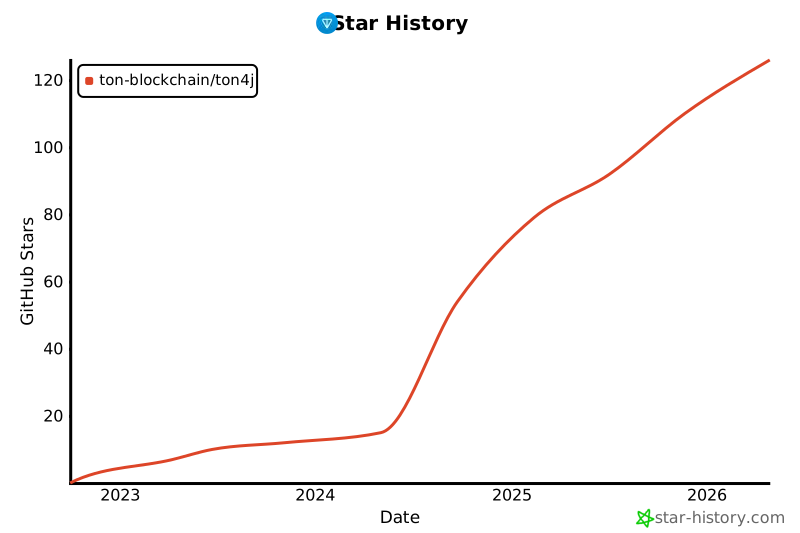](https://www.star-history.com/#ton-blockchain/ton4j&Date)
[maven-central-svg]: https://img.shields.io/maven-central/v/org.ton.ton4j/smartcontract
[maven-central]: https://mvnrepository.com/artifact/org.ton.ton4j/smartcontract
[jitpack-svg]: https://jitpack.io/v/ton-blockchain/ton4j.svg
[jitpack]: https://jitpack.io/#ton-blockchain/ton4j
[ton-svg]: https://img.shields.io/badge/Based%20on-TON-blue
[ton]: https://ton.org