https://github.com/tonykipkemboi/ollama_streamlit_demos
Streamlit UI for Ollama that has support for vision and chat models
https://github.com/tonykipkemboi/ollama_streamlit_demos
local localhost models ollama open-source streamlit
Last synced: 6 months ago
JSON representation
Streamlit UI for Ollama that has support for vision and chat models
- Host: GitHub
- URL: https://github.com/tonykipkemboi/ollama_streamlit_demos
- Owner: tonykipkemboi
- Created: 2024-02-29T06:17:09.000Z (almost 2 years ago)
- Default Branch: main
- Last Pushed: 2024-08-12T19:22:13.000Z (over 1 year ago)
- Last Synced: 2025-06-20T05:45:05.969Z (6 months ago)
- Topics: local, localhost, models, ollama, open-source, streamlit
- Language: Python
- Homepage:
- Size: 45.2 MB
- Stars: 77
- Watchers: 2
- Forks: 46
- Open Issues: 2
-
Metadata Files:
- Readme: README.md
Awesome Lists containing this project
- jimsghstars - tonykipkemboi/ollama_streamlit_demos - Streamlit UI for Ollama that has support for vision and chat models (Python)
README
# 🚀 Ollama x Streamlit Playground
This project demonstrates how to run and manage models locally using [Ollama](https://ollama.com/) by creating an interactive UI with [Streamlit](https://streamlit.io).
The app has a page for running chat-based models and also one for nultimodal models (_llava and bakllava_) for vision.
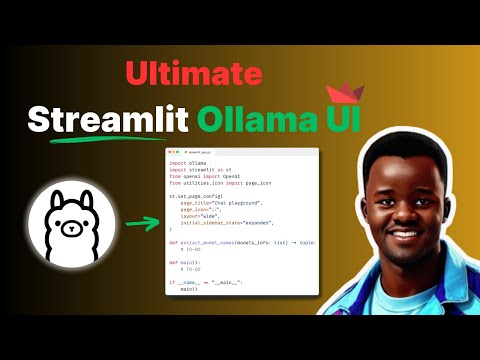
## App in Action

**Check out the video tutorial 👇**
## Features
- **Interactive UI**: Utilize Streamlit to create a user-friendly interface.
- **Local Model Execution**: Run your Ollama models locally without the need for external APIs.
- **Real-time Responses**: Get real-time responses from your models directly in the UI.
## Installation
Before running the app, ensure you have Python installed on your machine. Then, clone this repository and install the required packages using pip:
```bash
git clone https://github.com/tonykipkemboi/ollama_streamlit_demos.git
```
```bash
cd ollama_streamlit_demos
```
```bash
pip install -r requirements.txt
```
## Usage
To start the app, run the following command in your terminal:
```bash
streamlit run 01_💬_Chat_Demo.py
```
Navigate to the URL provided by Streamlit in your browser to interact with the app.
**NB: Make sure you have downloaded [Ollama](https://ollama.com/) to your system.**
## Contributing
Interested in contributing to this app?
- Great!
- I welcome contributions from everyone.
Got questions or suggestions?
- Feel free to open an issue or submit a pull request.
## Acknowledgments
👏 Kudos to the [Ollama](https://ollama.com/) team for their efforts in making open-source models more accessible!