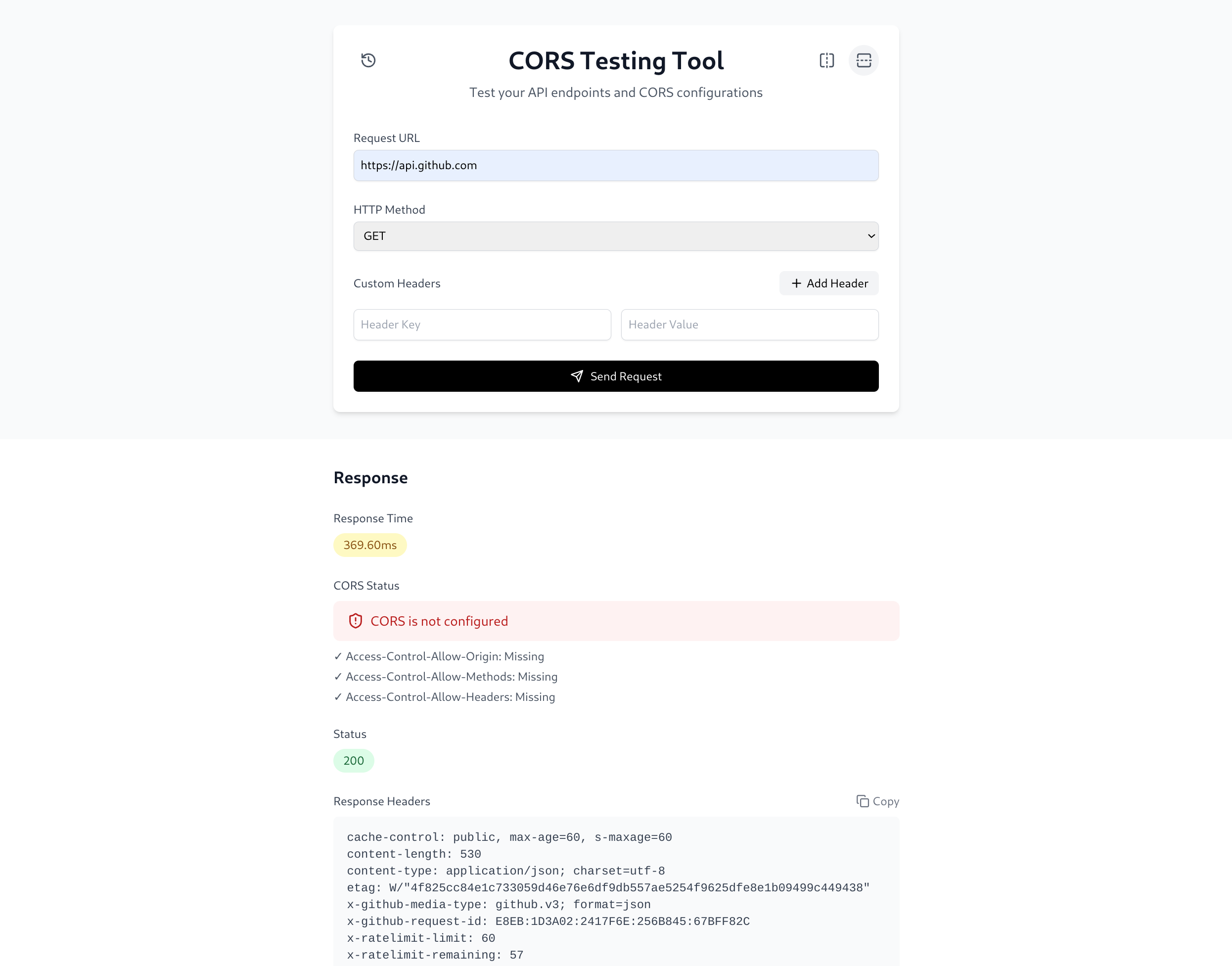
https://github.com/toowan0x1/corser
A simple web tool designed to test and analyze APIs and web applications for CORS vulnerabilities locally, providing detailed insights into preflight responses, headers, and potential issues.
https://github.com/toowan0x1/corser
cors cross-origin-resource-sharing
Last synced: about 1 year ago
JSON representation
A simple web tool designed to test and analyze APIs and web applications for CORS vulnerabilities locally, providing detailed insights into preflight responses, headers, and potential issues.
- Host: GitHub
- URL: https://github.com/toowan0x1/corser
- Owner: Toowan0x1
- Created: 2025-01-27T18:44:51.000Z (over 1 year ago)
- Default Branch: master
- Last Pushed: 2025-02-23T05:06:17.000Z (over 1 year ago)
- Last Synced: 2025-02-23T05:27:06.617Z (over 1 year ago)
- Topics: cors, cross-origin-resource-sharing
- Language: TypeScript
- Homepage:
- Size: 172 KB
- Stars: 0
- Watchers: 1
- Forks: 0
- Open Issues: 0
-
Metadata Files:
- Readme: README.md
Awesome Lists containing this project
README
# CORSer
A powerful and user-friendly web application for testing CORS (Cross-Origin Resource Sharing) configurations and API endpoints. This tool helps developers validate CORS settings, test API responses, and debug cross-origin issues with ease.
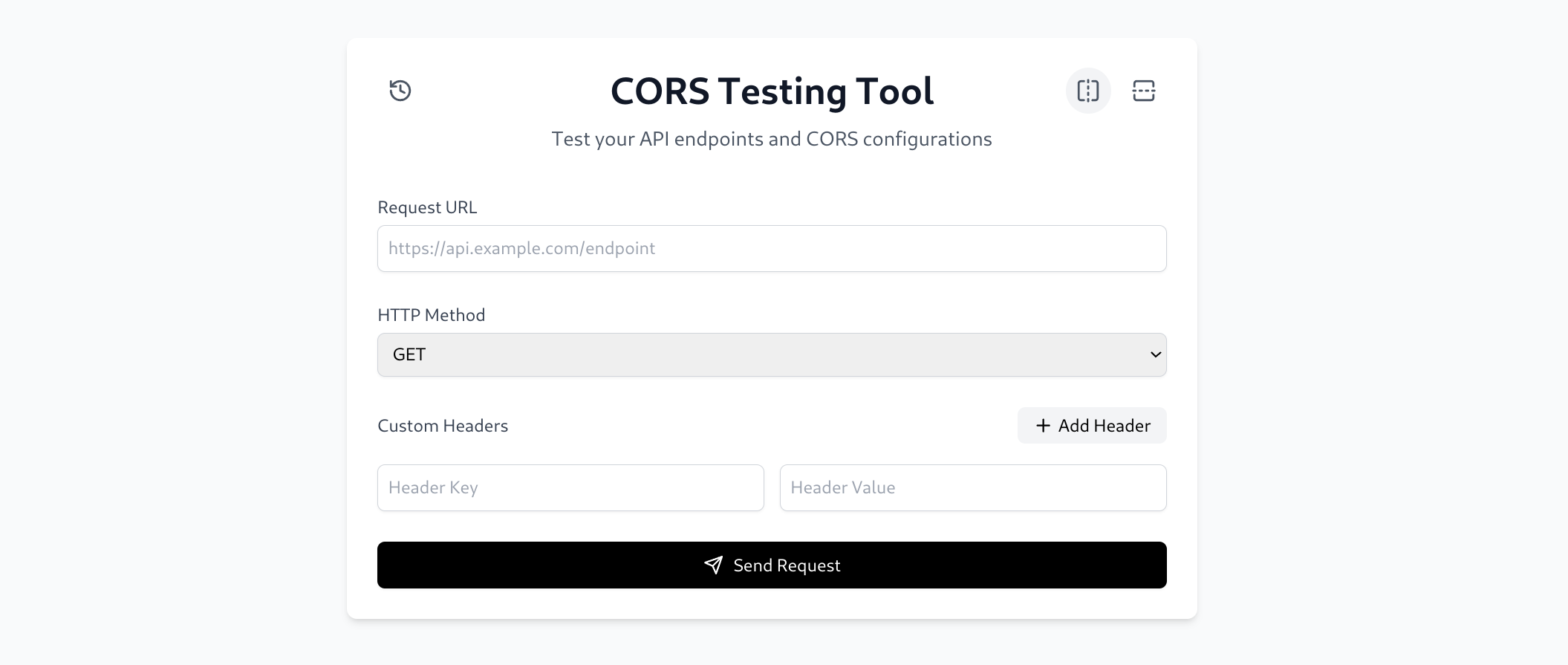
## Installation and Usage
### Option 1: Local Installation
1. Clone the repository:
```bash
git clone https://github.com/Toowan0x1/CORSer
cd CORSer
```
2. Install dependencies:
```bash
npm install
```
3. Start the development server:
```bash
npm run dev
```
4. Open your browser and navigate to:
```
http://localhost:5173
```
### Option 2: Docker Installation
1. Clone the repository:
```bash
git clone https://github.com/Toowan0x1/CORSer
cd CORSer
```
2. Build the Docker image:
```bash
docker build -t CORSer .
```
3. Run the container:
```bash
docker run -p 5173:5173 CORSer
```
4. Access the tool:
```
http://localhost:5173
```
## Usage Guide
### Making a Request
1. Enter the target URL in the URL input field
2. Select the HTTP method (GET, POST, PUT, DELETE)
3. Add any required headers using the "Add Header" button
4. Click "Send Request" to make the API call
### Understanding the Response
The response section displays:
- Response time with performance indicators
- CORS configuration status
- HTTP status code
- Response headers with copy functionality
- Formatted response body with copy functionality
## Features Implemented
##### 🔹 Request Customization
- Custom Headers: Add headers like Authorization, Content-Type, etc.
- HTTP Method Selection: Choose from GET, POST, PUT, DELETE, and more.
- Query Parameters Support: Append dynamic query parameters to requests.
##### 🔹 CORS Analysis & Debugging
- CORS Header Inspection: Analyze Access-Control-Allow-Origin, Access-Control-Allow-Methods, and Access-Control-Allow-Headers.
- Preflight Request Testing: Simulate OPTIONS requests to check preflight responses.
- Error Explanation: Provide insights into common CORS issues (e.g., missing headers, mismatched origins).
##### 🔹 Response Handling
- Response Display: View response headers, status codes, and body in a structured format.
- History Log: Save recent tests for quick re-testing and reference.
##### 🔹 User Interface
- Clean & Intuitive Design: Easy-to-use interface for testing API requests.
- Flexible Layout Options:
- Horizontal View: Side-by-side request and response display.
- Vertical View: Stacked layout with request on top and response below.