https://github.com/tosher/tsqleasy
TSQL Easy is a plugin for Sublime Text, that adds possibility to read/write/execute sql requests to Microsoft SQL Server through the use of pyodbc library.
https://github.com/tosher/tsqleasy
Last synced: about 1 year ago
JSON representation
TSQL Easy is a plugin for Sublime Text, that adds possibility to read/write/execute sql requests to Microsoft SQL Server through the use of pyodbc library.
- Host: GitHub
- URL: https://github.com/tosher/tsqleasy
- Owner: tosher
- License: other
- Created: 2014-05-04T11:19:01.000Z (about 12 years ago)
- Default Branch: master
- Last Pushed: 2019-04-06T11:02:23.000Z (about 7 years ago)
- Last Synced: 2025-03-26T07:36:22.367Z (about 1 year ago)
- Language: Python
- Homepage:
- Size: 1.06 MB
- Stars: 50
- Watchers: 6
- Forks: 9
- Open Issues: 1
-
Metadata Files:
- Readme: README.md
- License: license.md
Awesome Lists containing this project
README
# Sublime Text plugin: TSQL Easy
[TSQL Easy](https://github.com/tosher/TSQLEasy) is a plugin for Sublime Text 3 editor that adds possibility to read/write/execute sql requests to Microsoft SQL Server and some IDE-like functionality.
Server connections based on [pyODBC](https://code.google.com/p/pyodbc/) library.
**NOTE**: Sublime text 2 is not supported anymore. Please use Sublime text 3.
## Main features
* Manage connections to SQL Servers.
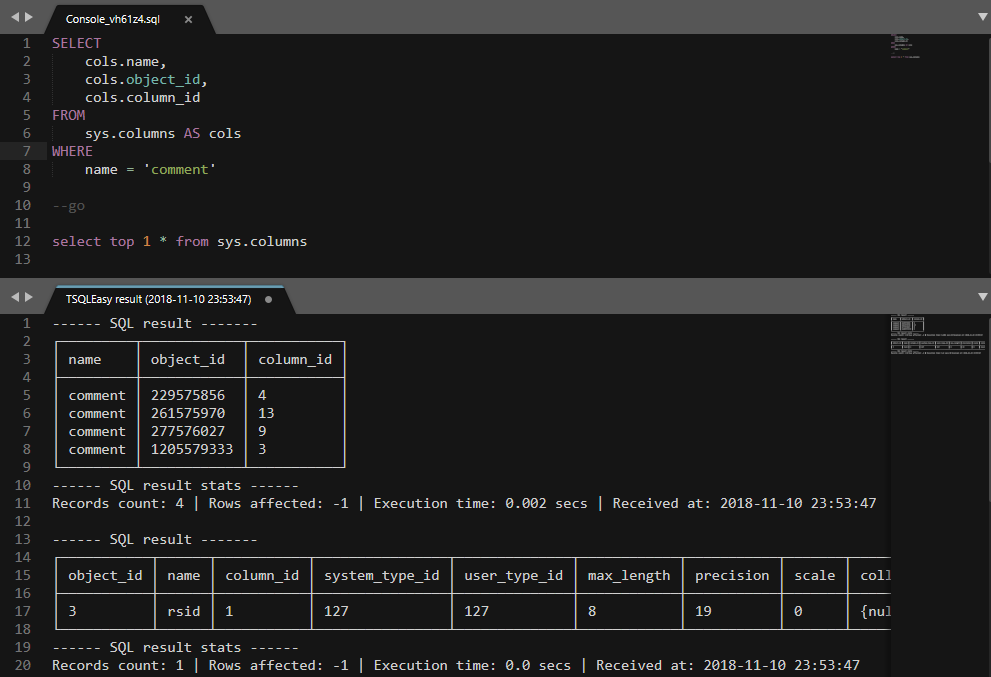
* Execute sql requests on SQL Server.
* Completions of table names from server.
* Completions of table columns from server.
* Possibility to receive code of procedure, functions by text under cursor.
* Possibility to open local files with the same name as stored procedure (function, etc.): **ProcedureName** -> **ProcedureName.sql**.
* Improved syntax highlighting for TSQL.
* Reports:
- Activity monitor
- Long running queries
**Warning!** Server connection required for full functionality or use fake server with empty **driver** value for work offline without completions, etc.
### PyODBC
Now, package includes [pyODBC](https://code.google.com/p/pyodbc/) (4.0.22) binaries:
* Windows: ST3 x64 (x32 with old pyodbc 3.0.7)
* Linux: ST3 x64
* OSX: ST3 x64
## Commands
* Open console - open new console for sql requests
* Server select - change predefined sql server connection
* Execute - execute the request (F5)
* Open server object - open procedure or function under cursor from server
* Open local object - open procedure or function under cursor from local path
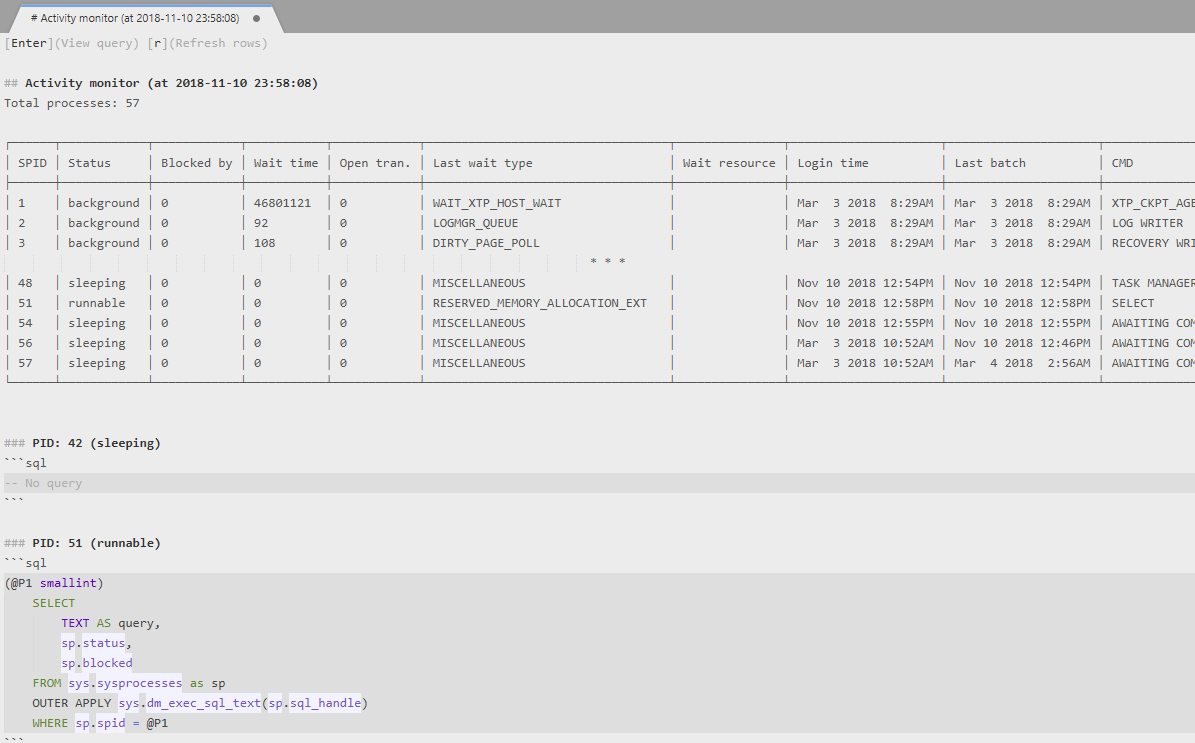
* Activity monitor (+refresh, +show query)
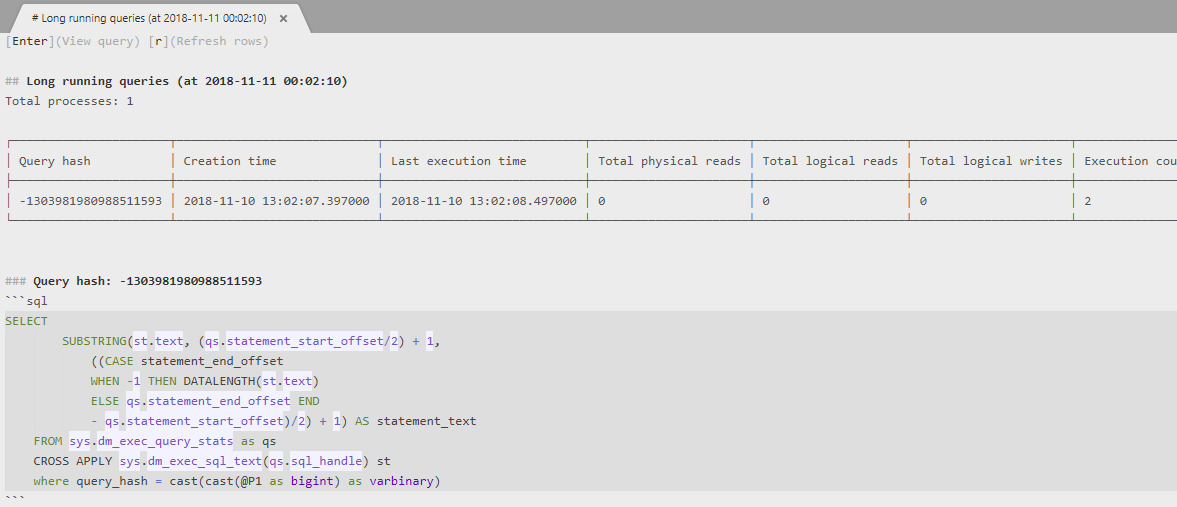
* Long running queries (+refresh, +show query)
## Installation
The easiest way to install this is with [Package Control](https://packagecontrol.io/packages/TSQLEasy).
* If you just went and installed [Package Control](https://packagecontrol.io/installation), you probably need to restart Sublime Text before doing this next bit.
* Bring up the Command Palette (Command+Shift+p on OS X, Ctrl+Shift+p on Linux/Windows).
* Select **Package Control: Install Package** (it'll take a few seconds)
* Select `TSQL Easy` when the list appears.
Package Control will automatically keep `TSQL Easy` up to date with the latest version.
## Screenshots
SQL Request
Activity monitor
Long running queries
## External dependencies
* [Terminaltables](https://robpol86.github.io/terminaltables/index.html)
* [Sqlparse](https://github.com/andialbrecht/sqlparse)