https://github.com/tpdlshdmlrkfmcla/stop-watch
Flutter 기반의 StopWatch(스톱워치) 앱 개발 프로젝트
https://github.com/tpdlshdmlrkfmcla/stop-watch
android flutterappli stopwatch
Last synced: 3 months ago
JSON representation
Flutter 기반의 StopWatch(스톱워치) 앱 개발 프로젝트
- Host: GitHub
- URL: https://github.com/tpdlshdmlrkfmcla/stop-watch
- Owner: tpdlshdmlrkfmcla
- Created: 2023-01-07T05:32:36.000Z (over 3 years ago)
- Default Branch: master
- Last Pushed: 2023-01-08T03:49:10.000Z (over 3 years ago)
- Last Synced: 2026-04-24T23:37:25.074Z (3 months ago)
- Topics: android, flutterappli, stopwatch
- Language: C++
- Homepage:
- Size: 315 KB
- Stars: 0
- Watchers: 1
- Forks: 0
- Open Issues: 0
-
Metadata Files:
- Readme: README.md
Awesome Lists containing this project
README
# stopwatch
```
개발 툴 : Flutter
개발 언어 : Dart
개발 일시 : 2023-01-07 ~ 2023-01-08
개발자 : Won Chi Hyeon
```
### 앱소개
```
앱 이름 : StopWatch
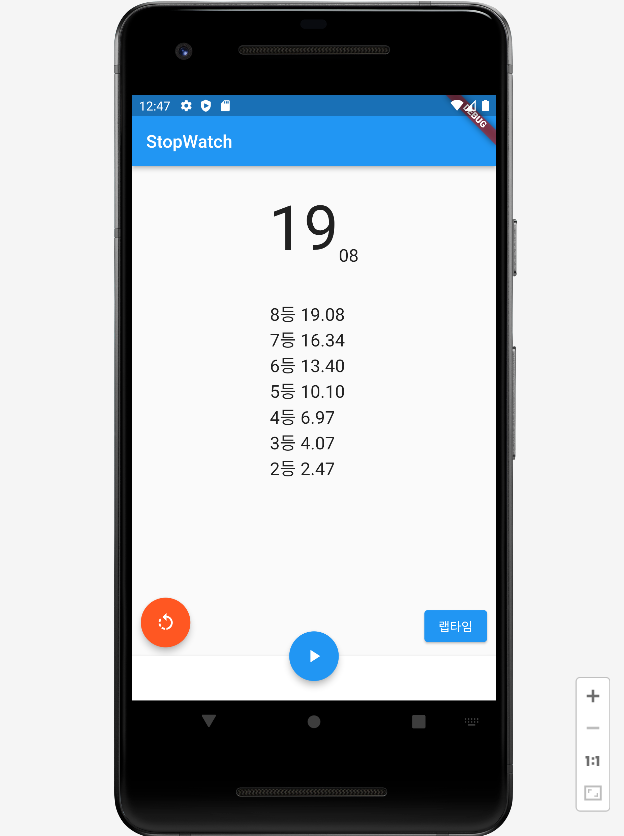
앱 기능 : 타이머를 시작, 일시정지하고 초기화할 수 있습니다.
타이머 실행 중에 랩타임을 측정하여 표시합니다.
표시된 랩타임은 위, 아래로 스크롤하여 확인할 수 있습니다.
핵심 구성 요소 : Timer : 일정 시간 간격으로 지정한 동작을 수행하게 하는 클래스
```
### 화면 구성
```
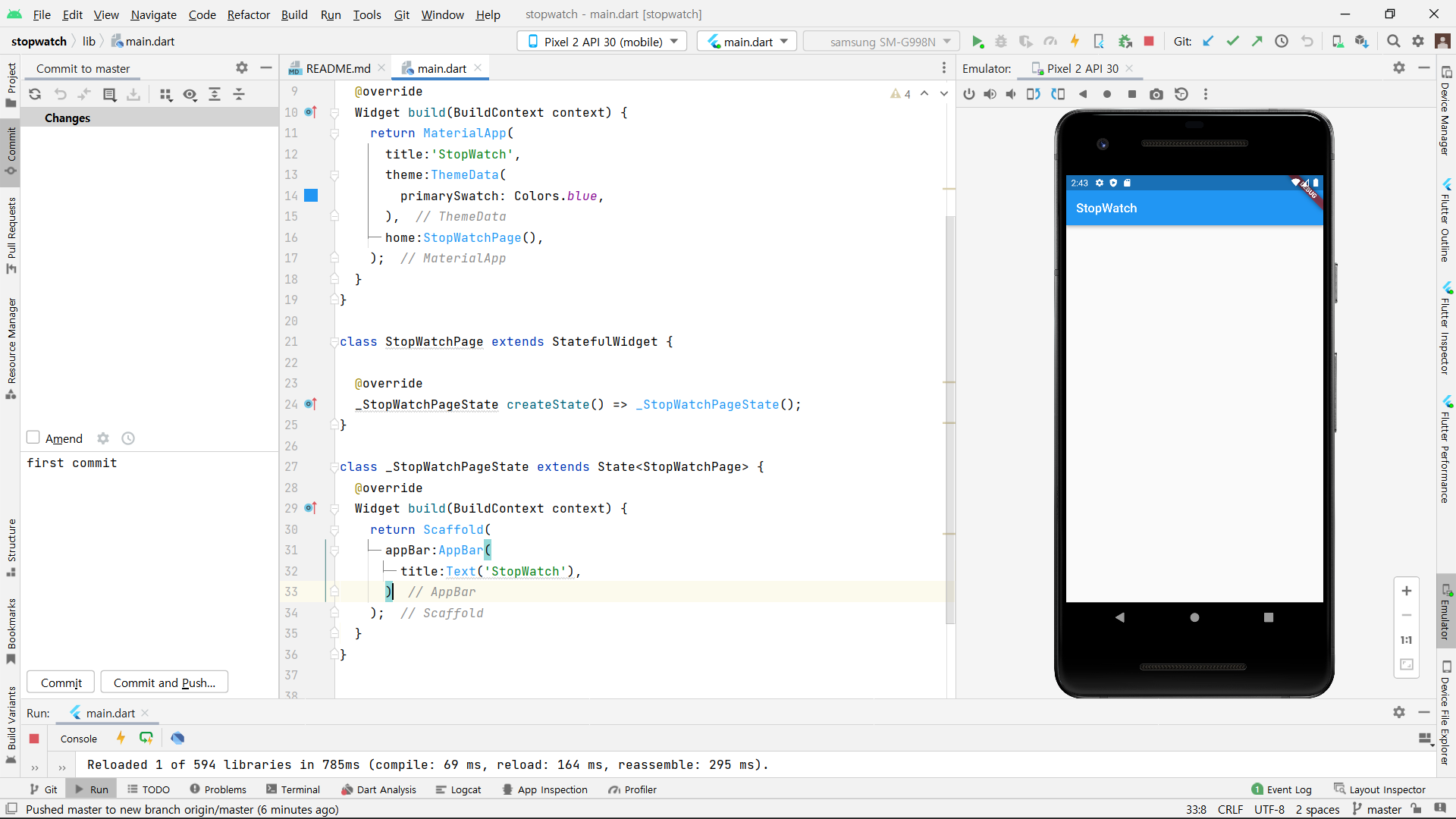
스톱워치는 화면이 하나인 앱입니다.
화면에 표시되는 시간은 계속 변화하기 때문에 상태가 있는 StatefulWidget으로 구성하였습니다.
```
#### 화면 하단 AppBar 생성
```
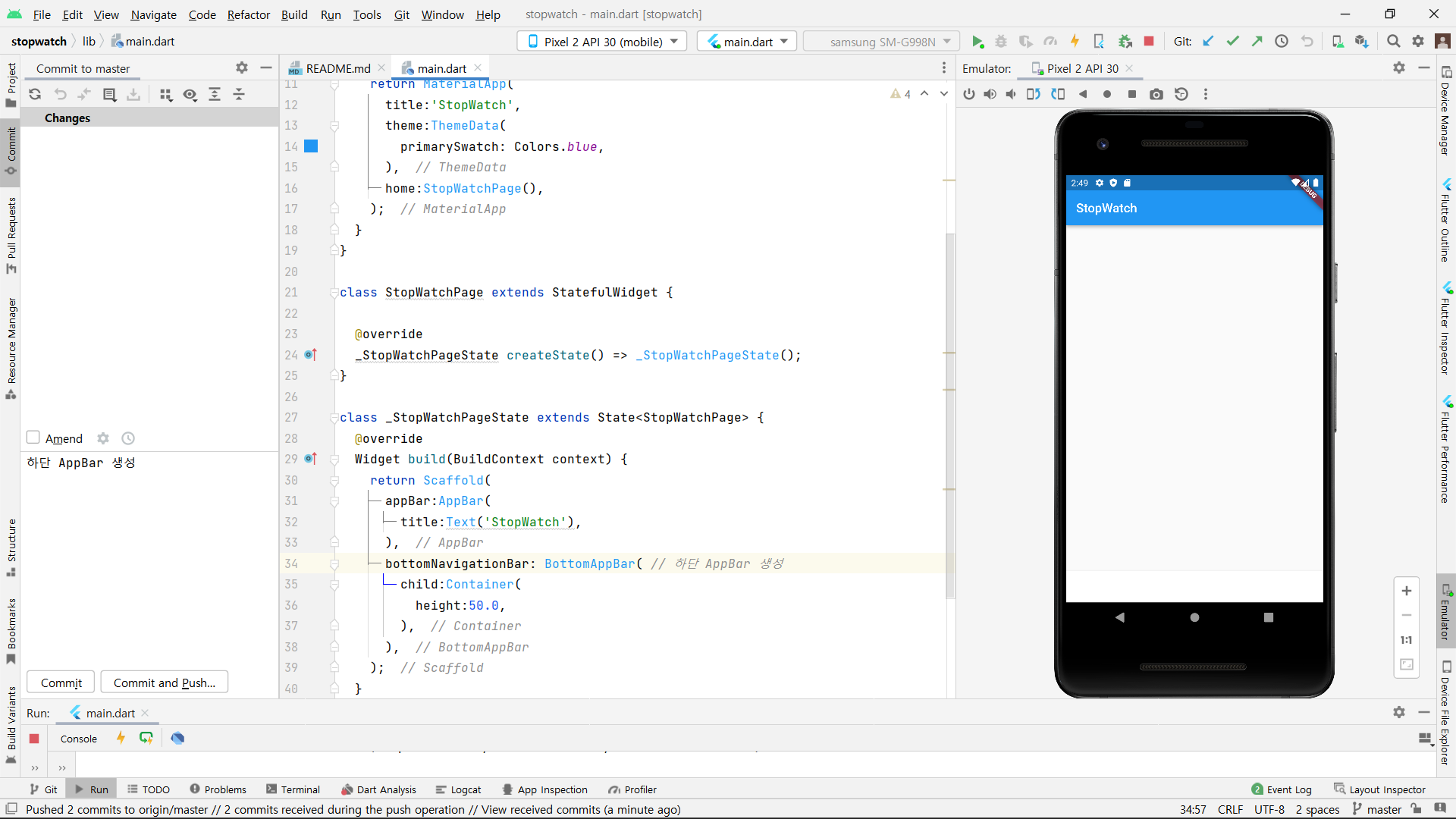
높이 50의 하단 AppBar를 생성하였습니다.
```
#### 시작 또는 일시정지 클릭 버튼 생성
```
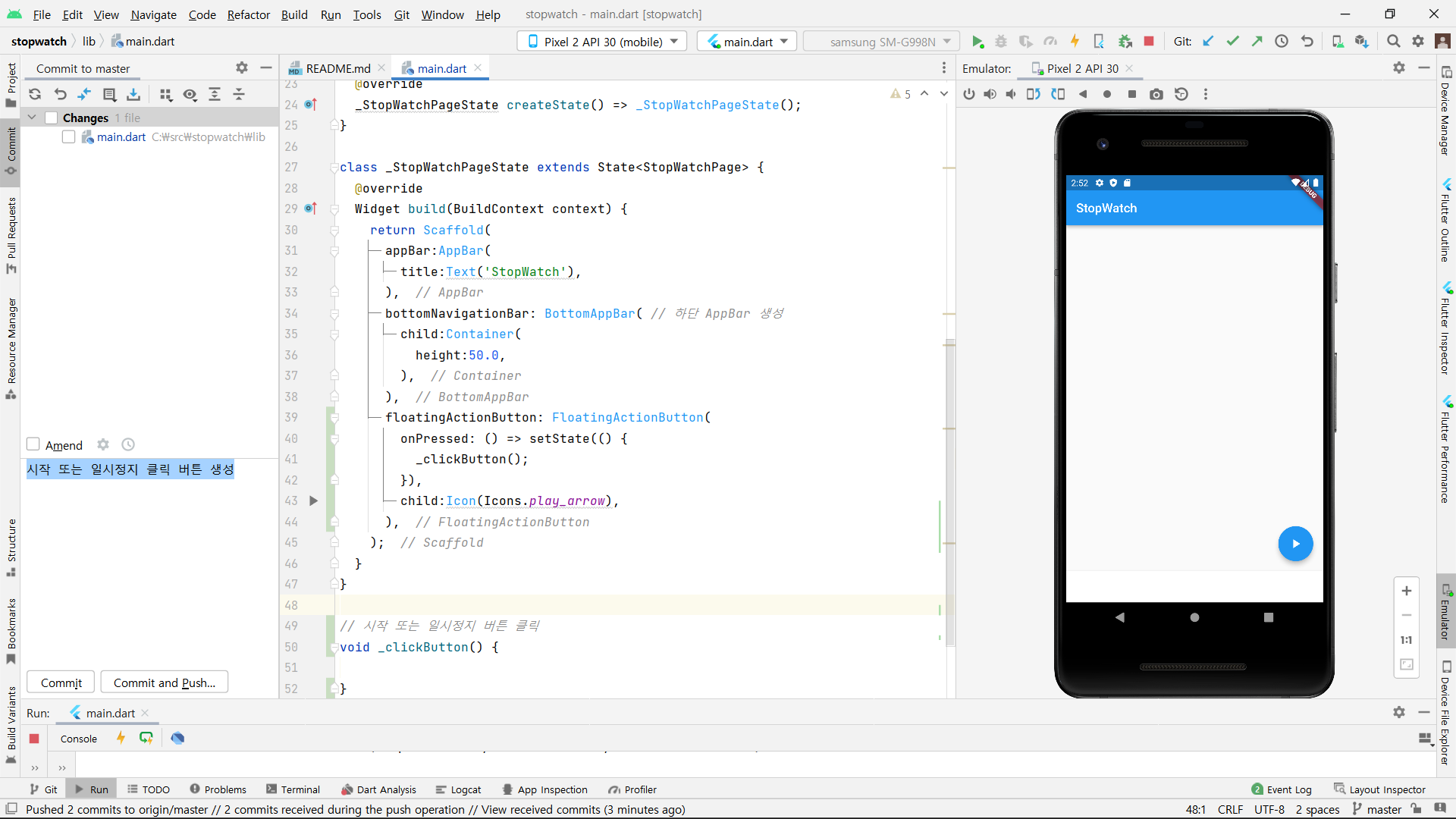
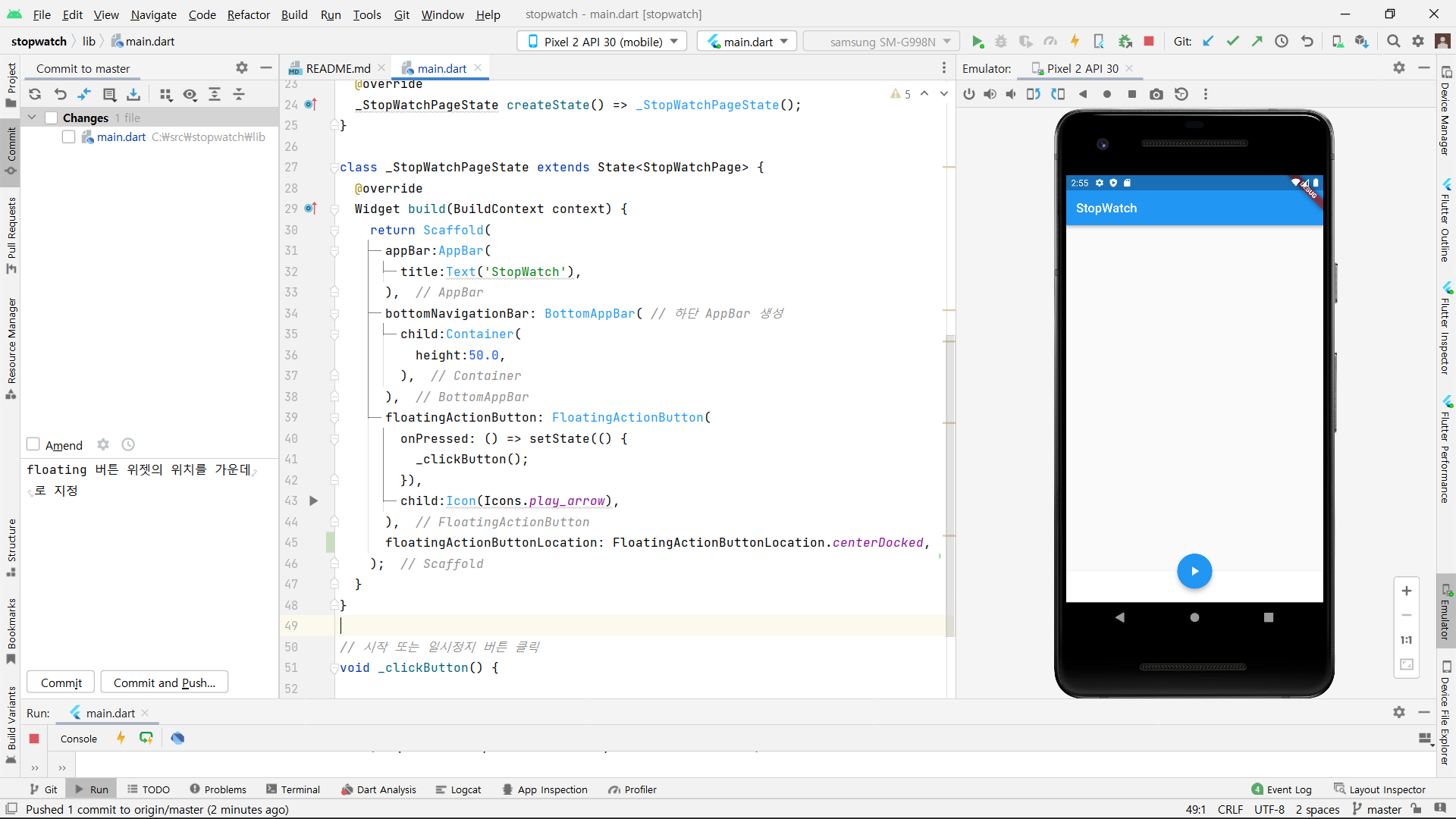
시작 또는 일시정지 클릭 버튼을 floatingActionButton을 생성하였습니다.
클릭했을 때 작동하는 이벤트 메서드는 나중에 작성합니다.
```
#### 버튼의 위치를 가운데로 설정
```
시작 또는 일시정지 클릭 버튼을 floatingActionButtonLocation 프로퍼티를 사용해서 위젯의 위치를 가운데로 지정합니다.
```
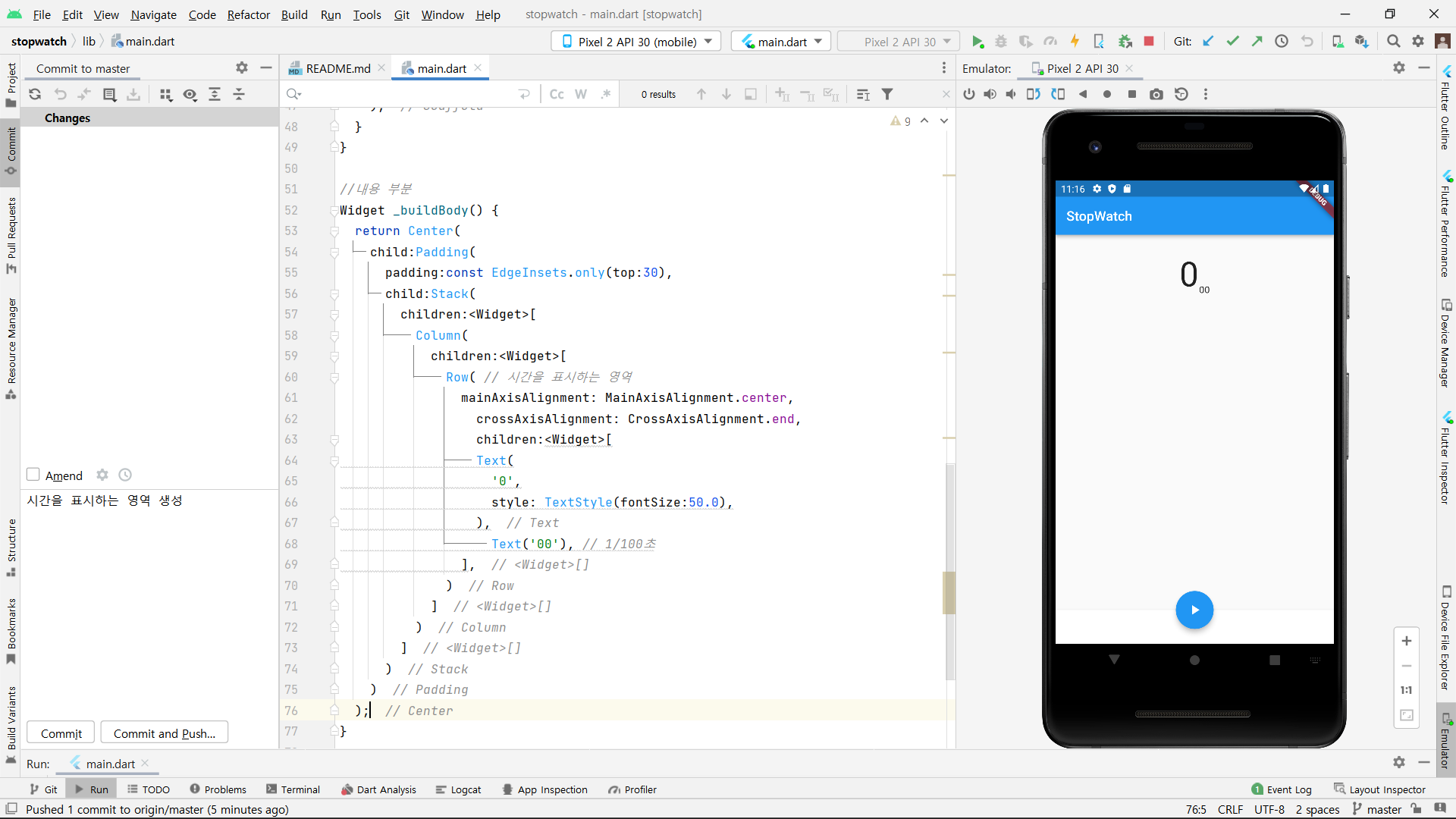
#### 스톱워치의 시간 영역 생성
```
스톱워치의 시간이 들어가는 영역을 생성하였습니다.
초 단위의 시간과 1/100 초 단위의 시간을 표시합니다.
```
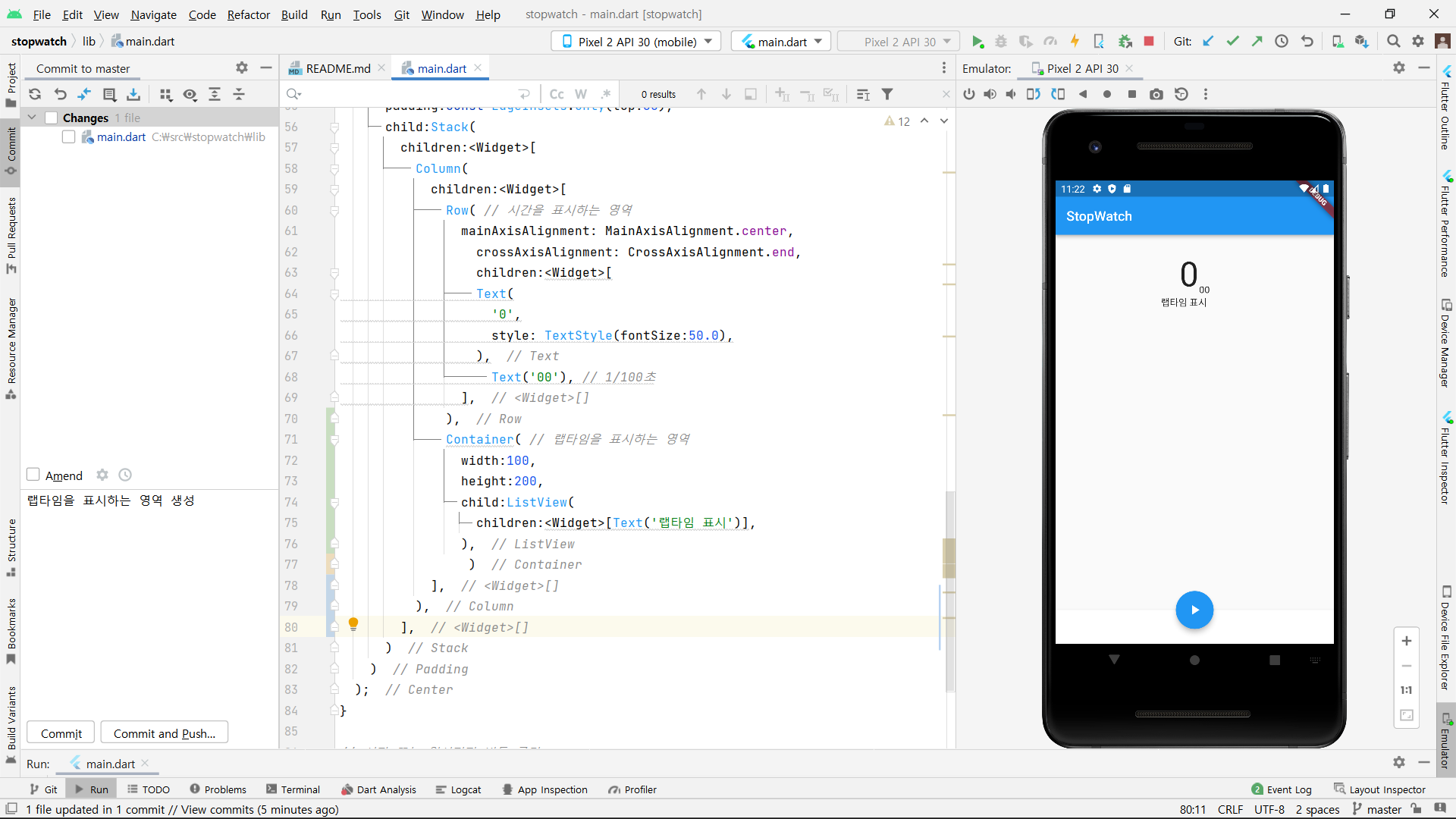
#### 랩타임을 표시하는 영역 생성
```
시간 영역 바로 밑에 랩타임을 표시하는 영역을 생성하였습니다.
```
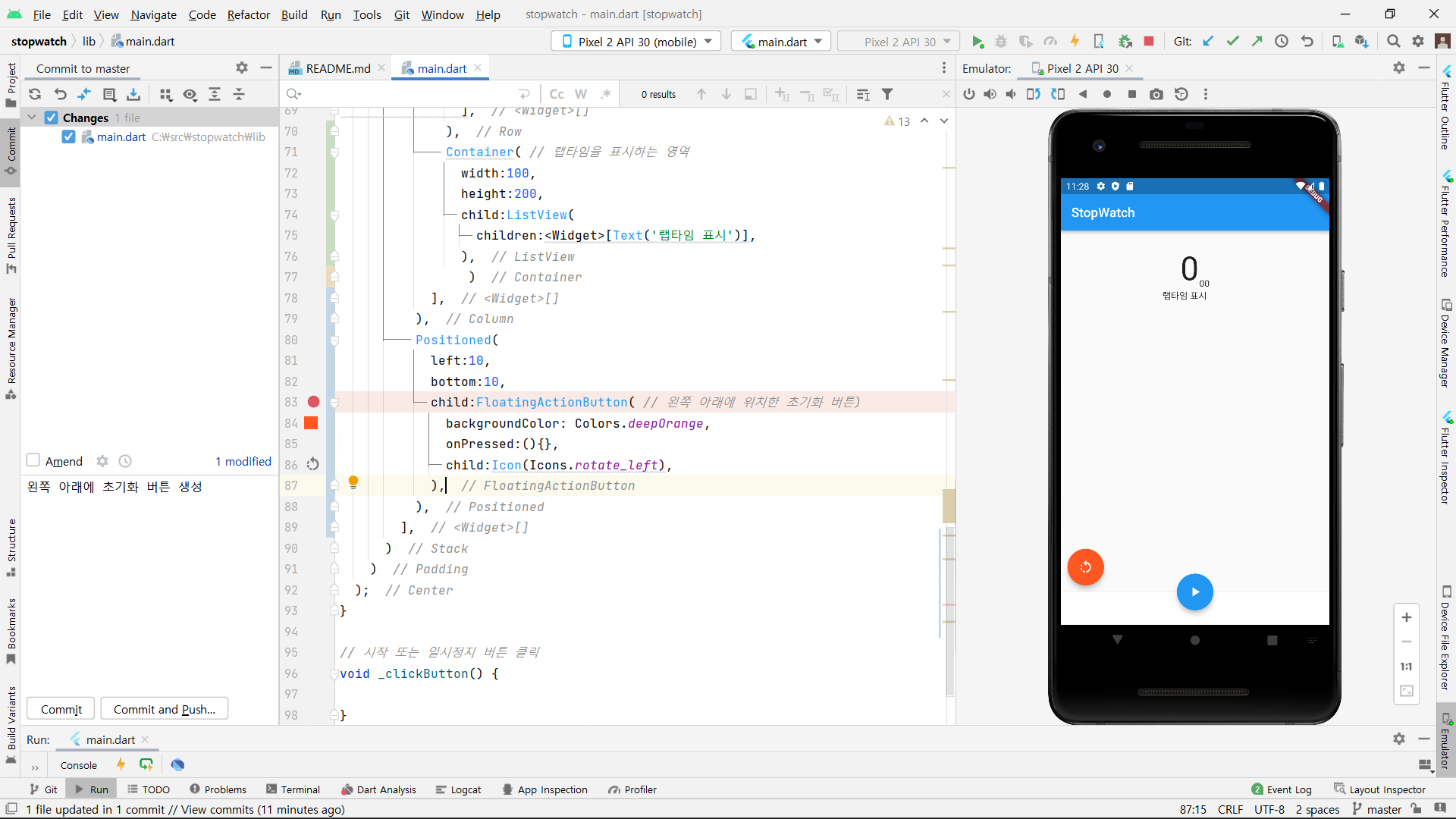
#### 초기화 버튼 생성
```
스톱워치의 시간을 0초 00 으로 초기화하는 버튼을 왼쪽 아래에 생성하였습니다.
```
#### 랩타임 버튼 생성
```
눌렀을 때 랩타임을 생성하는 버튼을 오른쪽 아래에 생성하였습니다.
```
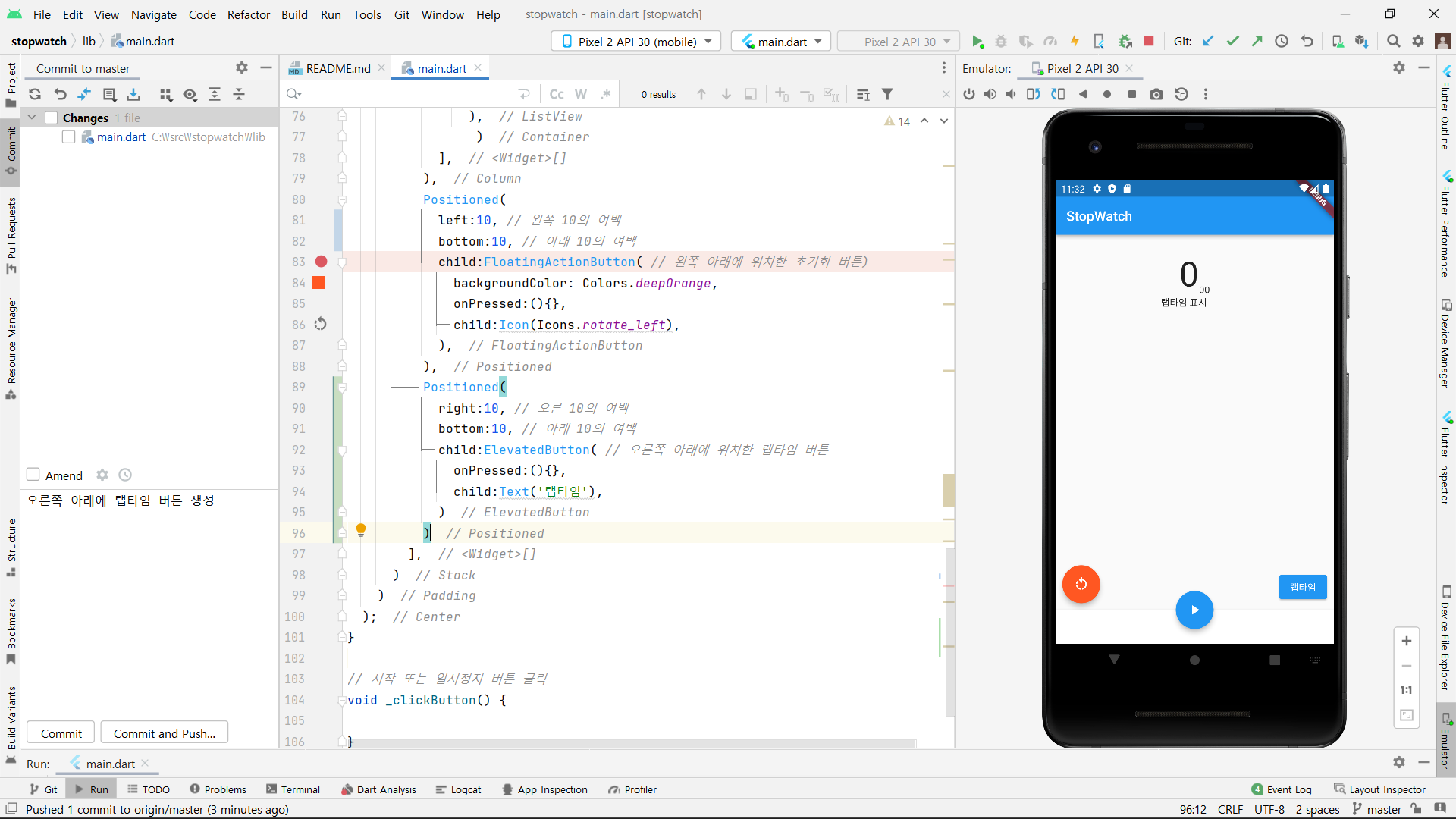
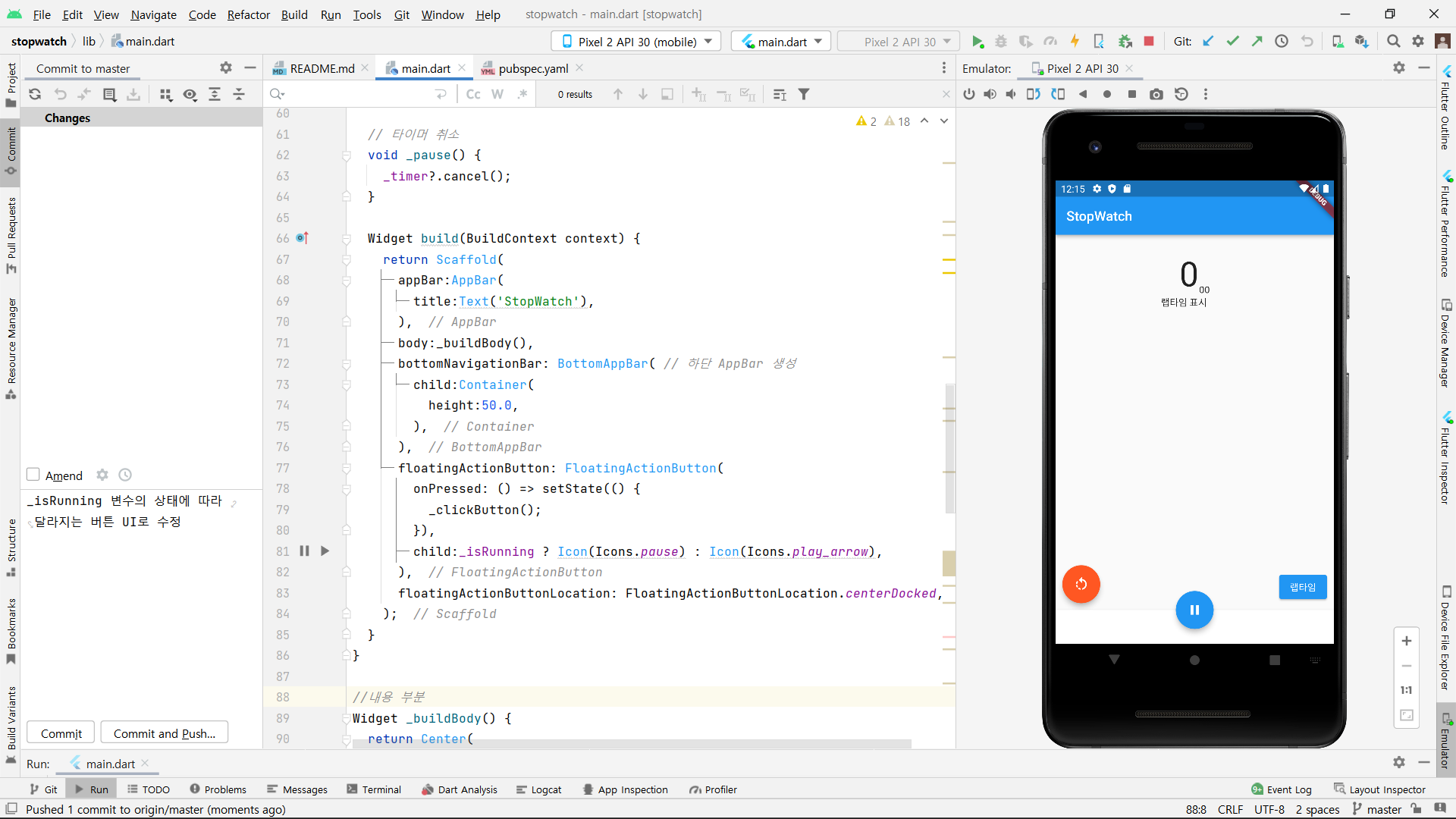
#### 타이머 클래스의 사용과 필요한 변수, 메서드 정의
```
타이머 클래스를 사용하기 위해 'dark:sync' 패키지를 임포트하였습니다.
또 시작/일시정지 버튼의 상태 변환 로직과 동작 로직을 작성하였습니다.
불리언 타입의 _isRunning 변수의 상태에 따라 아이콘이 달라지도록 작성하였습니다.
_isRunning이 동작 중 즉 true일 때 1/100초에 한 번씩 time 변수를 1 증가시키면서 pause 아이콘이 나타나도록 하고
_isRunning이 일시정지 즉 false일 때 타이머를 취소시키면서 play_arrow 아이콘이 나타나도록 설정하였습니다.
```
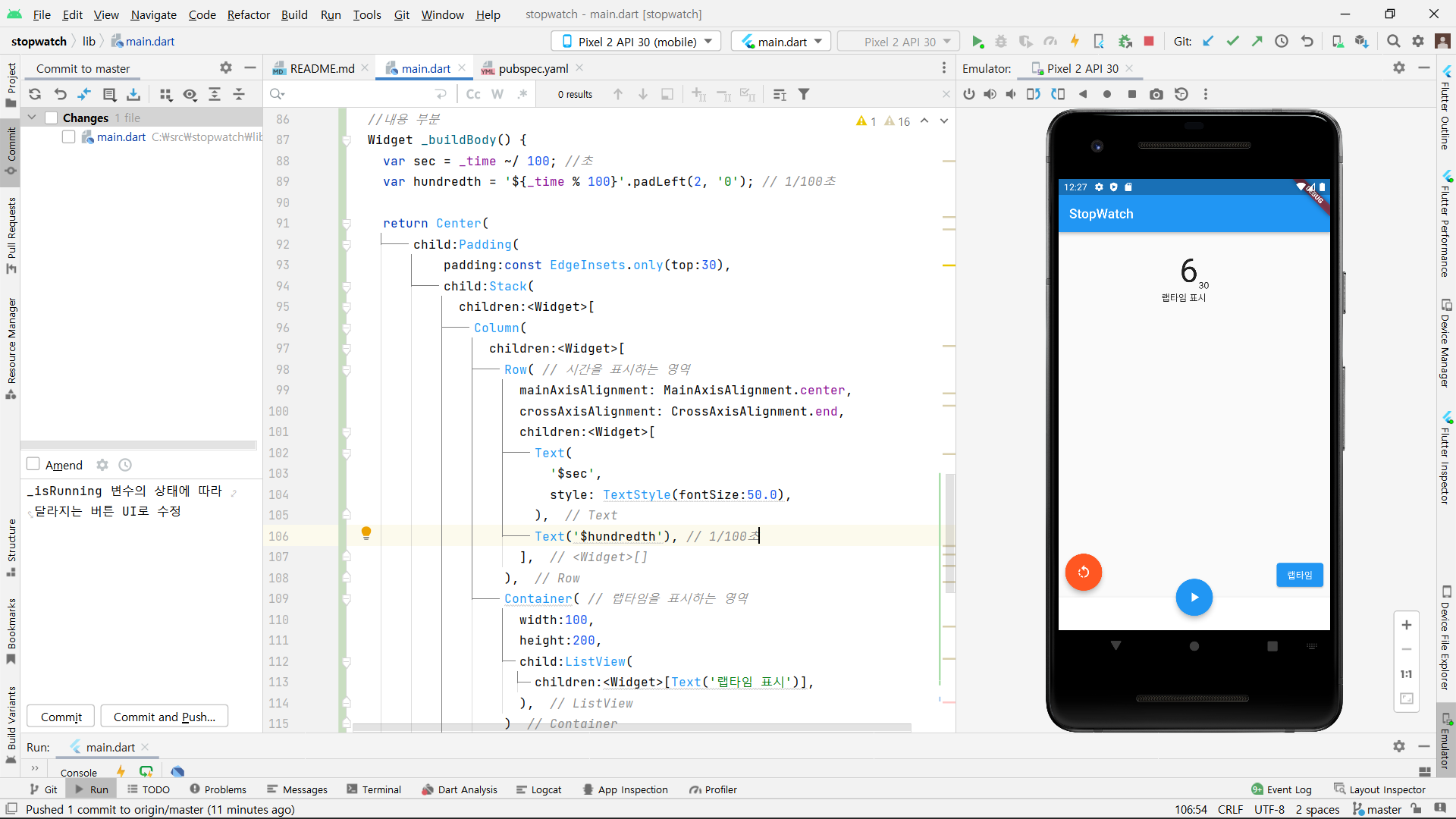
#### 시간 표시
```
동작 버튼을 눌렀을 때 작성한 _start() 메서드가 작동하여 시간이 바뀌도록 수정하였습니다.
일시정지 버튼을 눌렀을 때 작성한 _pause() 메서드가 작동하여 타이머가 멈추도록 수정하였습니다.
큰 숫자는 경과한 시간을 1/100초 단위의 시간을 100으로 다시 나눈 몫을 나타내고 작은 글씨는 1/100초 단위의 시간을 나타냅니다.
```
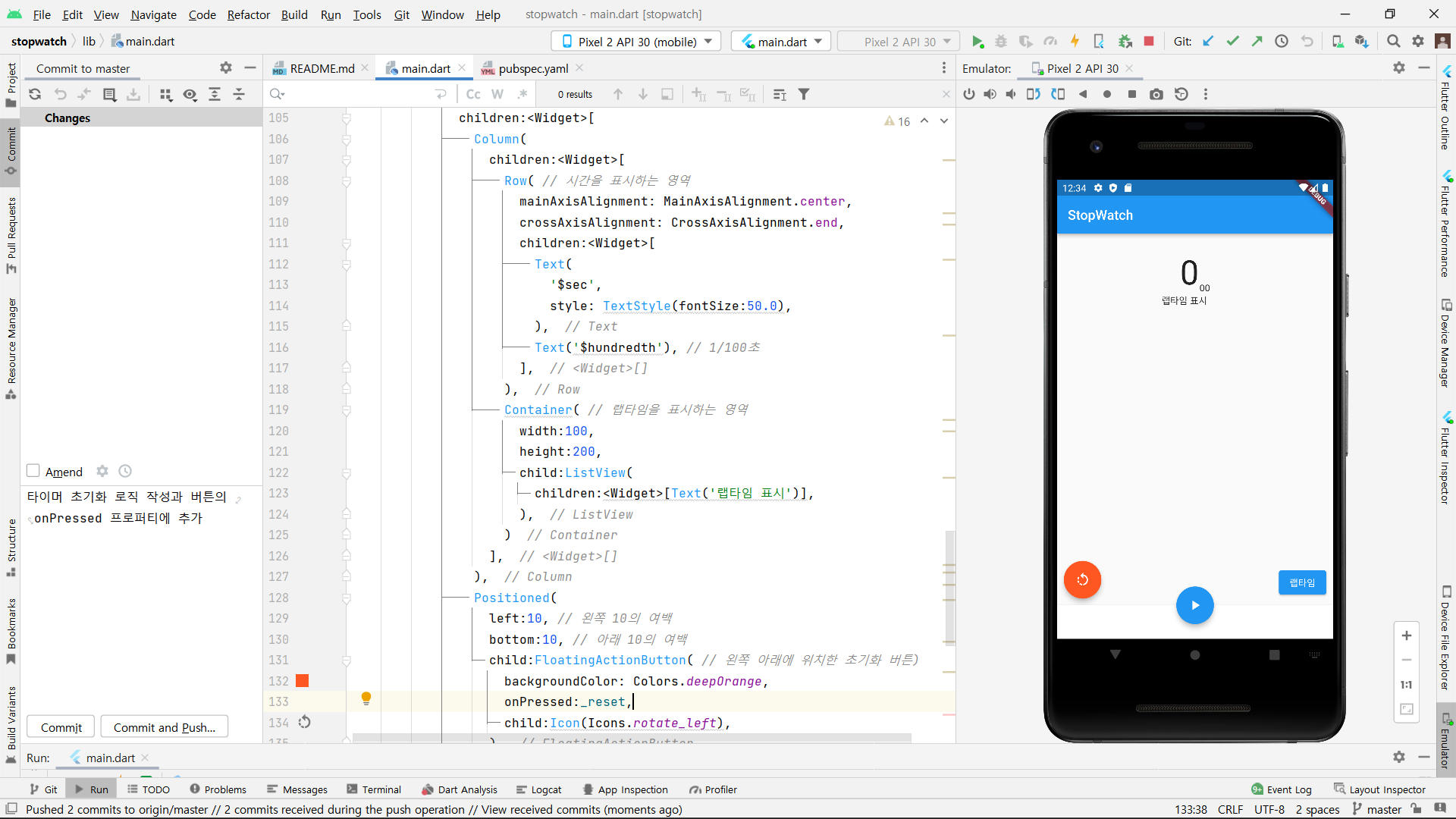
#### 타이머 초기화
```
타이머를 취소시키고, 랩타임과 _isRunning의 상태를 초기화하는 _reset 메서드를 작성한 후
초기화 버튼의 onPressed 프로퍼티에 적용하였습니다.
초기화 버튼을 누르게 되면 타이머가 즉시 종료되며 시간은 0으로 초기화되며 동작 아이콘으로 변경됩니다.
```
#### 랩타임 기록
```
랩타임 버튼을 누르면 실행되는 _recordLapTime() 메서드를 작성합니다.
랩타임 버튼을 눌렀을 때 현재의 초와 1/100 단위의 초를 넘겨받아서 ~등 시간의 형태로 나타나도록 설정합니다.
```
