https://github.com/tripflex/meteor-suiblocker
Meteor UI blocker/loader/spinner using Semantic UI dimmer and loader with Blaze
https://github.com/tripflex/meteor-suiblocker
Last synced: 12 months ago
JSON representation
Meteor UI blocker/loader/spinner using Semantic UI dimmer and loader with Blaze
- Host: GitHub
- URL: https://github.com/tripflex/meteor-suiblocker
- Owner: tripflex
- License: bsd-3-clause
- Created: 2018-01-04T16:34:47.000Z (over 8 years ago)
- Default Branch: master
- Last Pushed: 2018-08-29T14:22:58.000Z (almost 8 years ago)
- Last Synced: 2025-01-20T17:32:57.159Z (over 1 year ago)
- Language: CSS
- Size: 357 KB
- Stars: 3
- Watchers: 3
- Forks: 1
- Open Issues: 0
-
Metadata Files:
- Readme: README.md
- License: LICENSE
Awesome Lists containing this project
README
UI blocker and loader for Meteor using Semantic UI
=============
**_Author:_** Myles McNamara
**_Version:_** 1.2.1
Based on [Meteor UIBlocker](https://github.com/VeliovGroup/Meteor-UIBlocker/)
Using the [Semantic UI](https://github.com/Semantic-Org/Semantic-UI/tree/master/dist/components) dimmer, and loader CSS
https://github.com/Semantic-Org/Semantic-UI/tree/master/dist/components
As of version 1.1.0+, the back button (only on Android) is blocked when UI block is being shown. When it is not showing, back button still works like normal.
Version 1.2.0+ introduces new bluring feature, close button, async timeout, and auto close (see below for details)
### Demo
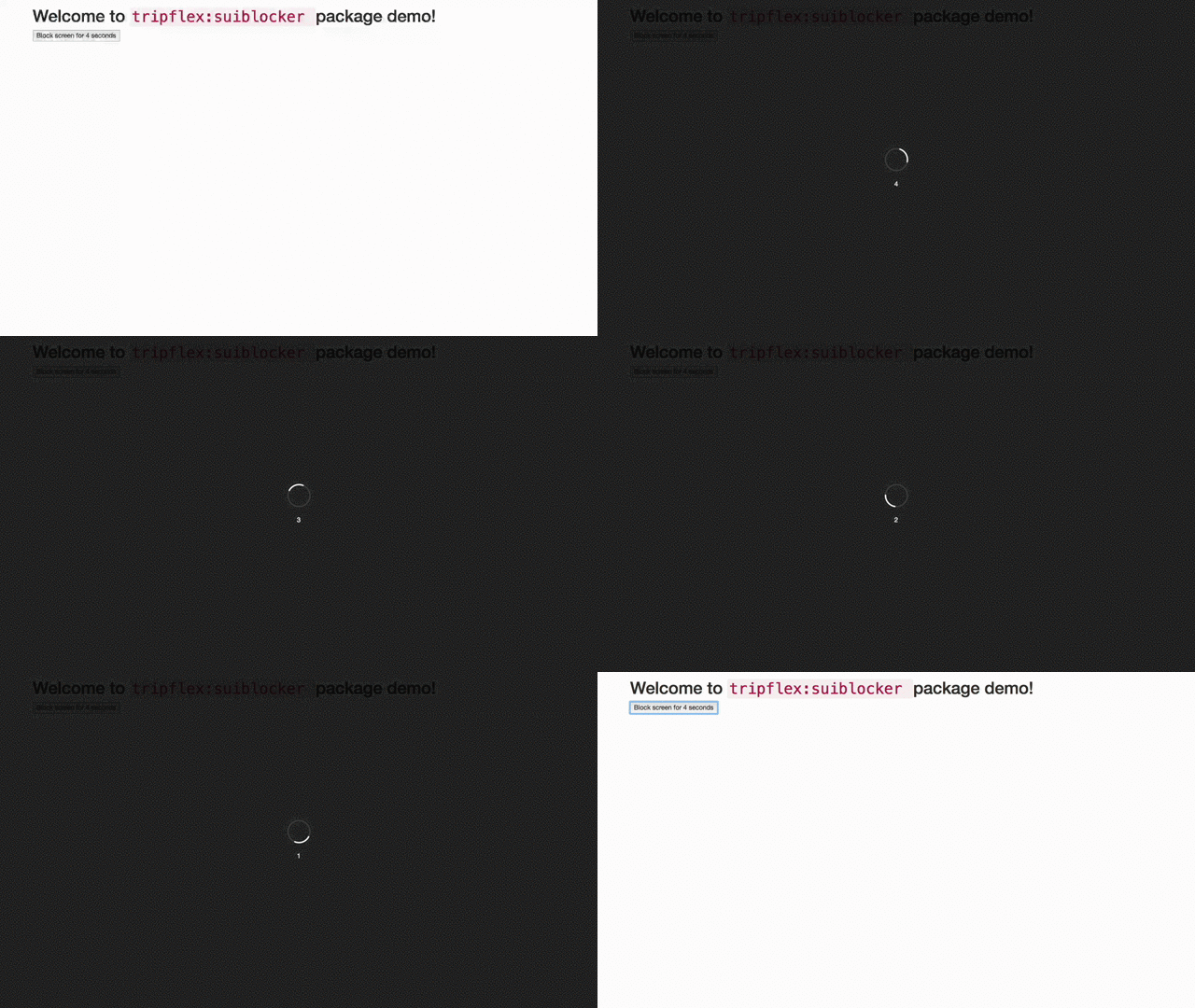
Live Demo: https://demo-kfvacvnspk.now.sh
Or you can build it yourself using [Meteor Kitchen](http://www.meteorkitchen.com)
### Installation
```shell
meteor add tripflex:suiblocker
```
### Basic Usage
##### Block screen:
```javascript
SUIBlock.block();
SUIBlock.block('some message'); // <-- Block with message
```
##### Unblock screen:
```javascript
SUIBlock.unblock();
```
##### Check if screen is blocked:
```javascript
if (SUIBlock.isBlocked) {
// Do something
}
```
##### `Meteor.status` example:
```javascript
Tracker.autorun(function () {
if (Meteor.status().connected) {
SUIBlock.unblock();
} else {
SUIBlock.block(Meteor.status().status);
}
});
```
##### Change message on the fly:
```javascript
SUIBlock.block('Sending email...');
Meteor.setTimeout(function () {
SUIBlock.message.set('Please wait...');
}, 1000);
```
##### `Meteor.call` example:
```javascript
SUIBlock.block('Sending email...');
Meteor.call('sendEmail', subject, body, function (err, res) {
SUIBlock.unblock();
});
```
### Advanced Usage
##### Block inside async function
```javascript
let myFunction = async function(){
await SUIBlock.asyncBlock( 'Our code is now synchornous while we wait!' );
// do something after waiting default of 2 seconds
}
```
##### Blur inside async function
```javascript
let myFunction = async function(){
await SUIBlock.asyncBlur( 'Our code is now synchornous while we wait!' );
// do something after waiting default of 2 seconds
}
```
##### Block usage inside non-async function
```javascript
SUIBlock.asyncBlock( 'Our code is now synchornous while we wait!' ).then( function(){
// do something after waiting default of 2 seconds
});
```
##### Blur usage inside non-async function
```javascript
SUIBlock.asyncBlur( 'Our code is now synchornous while we wait!' ).then( function(){
// do something after waiting default of 2 seconds
});
```
##### Showing close button immediately
```javascript
SUIBlock.block( 'Close button shows immediately!', true );
SUIBlock.blur( 'Close button shows immediately!', true ); // OR use blur to blur entire page
```
##### Showing close button after 5 seconds
```javascript
SUIBlock.block( 'Close button shows immediately!', 5000 );
```
##### Auto unblock/close after asyncTimeout (5 seconds)
```javascript
await SUIBlock.asyncBlock( 'I will automatically unblock in 5 seconds', 5000, true );
```
- The code above is the same as doing this:
```javascript
await SUIBlock.asyncBlock( 'I will automatically unblock in 5 seconds', 5000 );
SUIBlock.unblock();
```
### Methods & Method Docs
##### _Every argument for ALL methods are OPTIONAL_
```jsdoc
/**
* Block UI without Blur
*
* @param {string} [message] - Custom message to display
* @param {boolean|int} [showClose=false] - Pass TRUE to show close button immediately (false for not at all), or integer in milliseconds to wait before showing close button
* @param {int} [asyncTimeout=false] - Time in milliseconds to delay before returning resolved promise
* @param {boolean} [autoUnblock=false] - Specify true to auto close/unblock after asyncTimeout
* @param {boolean} [doBlur=false] - Pass TRUE to enable background blurring
* @returns {Promise|boolean}
*/
```
##### `SUIBlock.block(message, showClose, asyncTimeout, autoUnblock, doBlur)`
- This is the main method for this plugin, all arguments are optional, there are numerous helper methods below as well for easier method calling.
```jsdoc
/**
* Block UI with Blur
*
* @param {string} [message] - Custom message to display
* @param {boolean|int} [showClose=false] - Pass TRUE to show close button immediately (false for not at all), or integer in milliseconds to wait before showing close button
* @param {int} [asyncTimeout=false] - Time in milliseconds to delay before returning resolved promise
* @param {boolean} [autoUnblock=false] - Specify true to auto close/unblock after asyncTimeout
* @returns {Promise|boolean}
*/
```
##### `SUIBlock.blur(message, showClose, asyncTimeout, autoUnblock)`
- This method is the same as calling `SUIBlock.block(message, showClose, asyncTimeout, autoUnblock, true)`
```jsdoc
/**
* Async Timeout Block
*
* @async
* @param {string} [message] - Custom message to display
* @param {int} [asyncTimeout=2000] - Time in milliseconds to delay before returning resolved promise (default is 2000ms = 2s)
* @param {boolean} [autoUnblock=false] - Specify true to auto close/unblock after asyncTimeout
* @param {boolean|int} [showClose=false] - Pass TRUE to show close button immediately (false for not at all), or integer in milliseconds to wait before showing close button
* @param {boolean} [doBlur=false] - Pass TRUE to enable background blurring
* @returns {Promise}
*/
```
##### `SUIBlock.asyncBlock(message, asyncTimeout, autoUnblock, showClose, doBlur)`
- This method is the same as calling `SUIBlock.block( message, showClose, asyncTimeout, autoUnblock, doBlur )`
```jsdoc
/**
* Async Timeout Blur
*
* @async
* @param {string} [message] - Custom message to display
* @param {int} [asyncTimeout=2000] - Time in milliseconds to delay before returning resolved promise (default is 2000ms = 2s)
* @param {boolean} [autoUnblock=false] - Specify true to auto close/unblock after asyncTimeout
* @param {boolean|int} [showClose=false] - Pass TRUE to show close button immediately (false for not at all), or integer in milliseconds to wait before showing close button
* @returns {Promise}
*/
```
##### `SUIBlock.asyncBlur(message, asyncTimeout, autoUnblock, showClose)`
- This method is the same as calling `SUIBlock.block( message, showClose, asyncTimeout, autoUnblock, true )`
```jsdoc
/**
* Synchronous Sleep/Timeout
* @param [delay=2000] - Delay in MS before returning resolved promise
* @returns {Promise}
*/
```
##### `SUIBlock.timeout(delay)`
### Changelog
##### 1.2.1 *8/29/2018*
- Prevent back button from being used when UI is blocked
- use 0 blur for `body`
- Target `block-close` instead of generic `close` class (props @dolgarev)
- Removed generic `close` class (props @dolgarev)
##### 1.2.0 *1/22/2018*
- Added close button and `showClose` argument to `block` and `blur`
- Added `blur` ability and configuration
- Updated Semantic UI dimmer to use page dimmer
- Updated min Meteor version to 1.2.1
- Added `asyncTimeout` and `autoUnblock` to `SUIBlock.block()`
- Updated z-index to use `9999999` instead of `1000`
- Added extra helper functions `asyncBlur` `asyncBlock` `blur`, etc
- Updated and fully documented methods using JSDoc blocks and formatting
##### 1.1.0
- Added event handler to prevent back button on Android while showing blocker
##### 1.0.0
- Initial Creation