https://github.com/tripflex/sublimewordpresscodexqueryposts
Sublime Text 3 Plugin to search Wordpress Codex, or QueryPosts for any term or a specific function in only two clicks.
https://github.com/tripflex/sublimewordpresscodexqueryposts
Last synced: about 1 year ago
JSON representation
Sublime Text 3 Plugin to search Wordpress Codex, or QueryPosts for any term or a specific function in only two clicks.
- Host: GitHub
- URL: https://github.com/tripflex/sublimewordpresscodexqueryposts
- Owner: tripflex
- Created: 2014-02-13T04:08:31.000Z (over 12 years ago)
- Default Branch: master
- Last Pushed: 2014-04-29T21:26:47.000Z (about 12 years ago)
- Last Synced: 2025-03-30T12:33:51.750Z (over 1 year ago)
- Language: Python
- Homepage: https://sublime.wbond.net/packages/Search%20WordPress%20Codex%20or%20QueryPosts
- Size: 652 KB
- Stars: 4
- Watchers: 2
- Forks: 1
- Open Issues: 0
-
Metadata Files:
- Readme: README.md
Awesome Lists containing this project
README
## Wordpress Codex and QueryPosts Sublime Text 3 Plugin
**I RECOMMEND** using the new plugin `Wordpress Developer Resources` that is available on the Sublime Text repository over this version. QueryPosts is not really used anymore, and with the new developer.wordpress.org coming online all continued development will be under that project.
I suggest removing this plugin and installing the Wordpress Developer Resources plugin:
https://sublime.wbond.net/packages/WordPress%20Developer%20Resources
https://github.com/tripflex/sublime-wp-developer-resources
Again, **THIS PLUGIN IS NO LONGER UNDER DEVELOPMENT** and will no longer be updated. Switch to the Wordpress Developer Resources plugin to benefit from updates and future development.
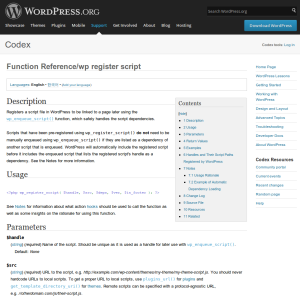
[QueryPosts](http://www.queryposts.com) | [Wordpress Codex](http://codex.wordpress.org/) | [Sublime Text 3](http://www.sublimetext.com/3)
--- | --- | ---
 |  | 
### Description
This Sublime Text 3 plugin will allow you to search either Wordpress Codex or QueryPosts.com to quickly lookup Wordpress functions, filters, etc.
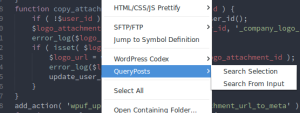
Most of all it let's you right-click on any WordPress function and select **WordPress Codex** or **QueryPosts** to open the page for *this* function.
### Original Sources
[Stackoverflow Plugin](https://github.com/ericmartel/Sublime-Text-2-Stackoverflow-Plugin) script by Eric Martel.
[ST2 Wordpress Codex Plugin](https://github.com/welovewordpress/SublimeWordPressCodex) script by Matthias Krok.
## Usage
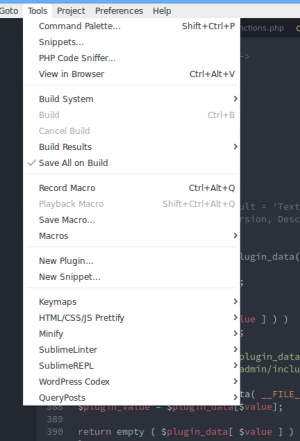
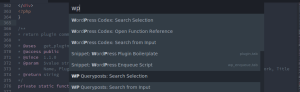
CTRL + SHIFT + P and type `Codex`, `Query`, or right click on any function and you can select from **QueryPosts** or **Wordpress Codex**. You can also highlight any term to search on either site, and sublime text will even prompt you for a search term if that suits your fancy :)
Right Click Menu | Tools Menu | Command Menu
--- | --- | ---
 |  | 
## Install
Plugin is now listed on the Sublime Text repository (https://sublime.wbond.net/) for easy install