https://github.com/trungdq88/chorddroid
Android library to render Guitar Chord.
https://github.com/trungdq88/chorddroid
chords draw guitar java
Last synced: 9 months ago
JSON representation
Android library to render Guitar Chord.
- Host: GitHub
- URL: https://github.com/trungdq88/chorddroid
- Owner: trungdq88
- Created: 2013-10-31T14:27:56.000Z (over 12 years ago)
- Default Branch: master
- Last Pushed: 2023-09-15T04:49:16.000Z (almost 3 years ago)
- Last Synced: 2025-07-04T21:45:26.291Z (about 1 year ago)
- Topics: chords, draw, guitar, java
- Language: Java
- Homepage:
- Size: 973 KB
- Stars: 27
- Watchers: 3
- Forks: 9
- Open Issues: 1
-
Metadata Files:
- Readme: README.md
Awesome Lists containing this project
README
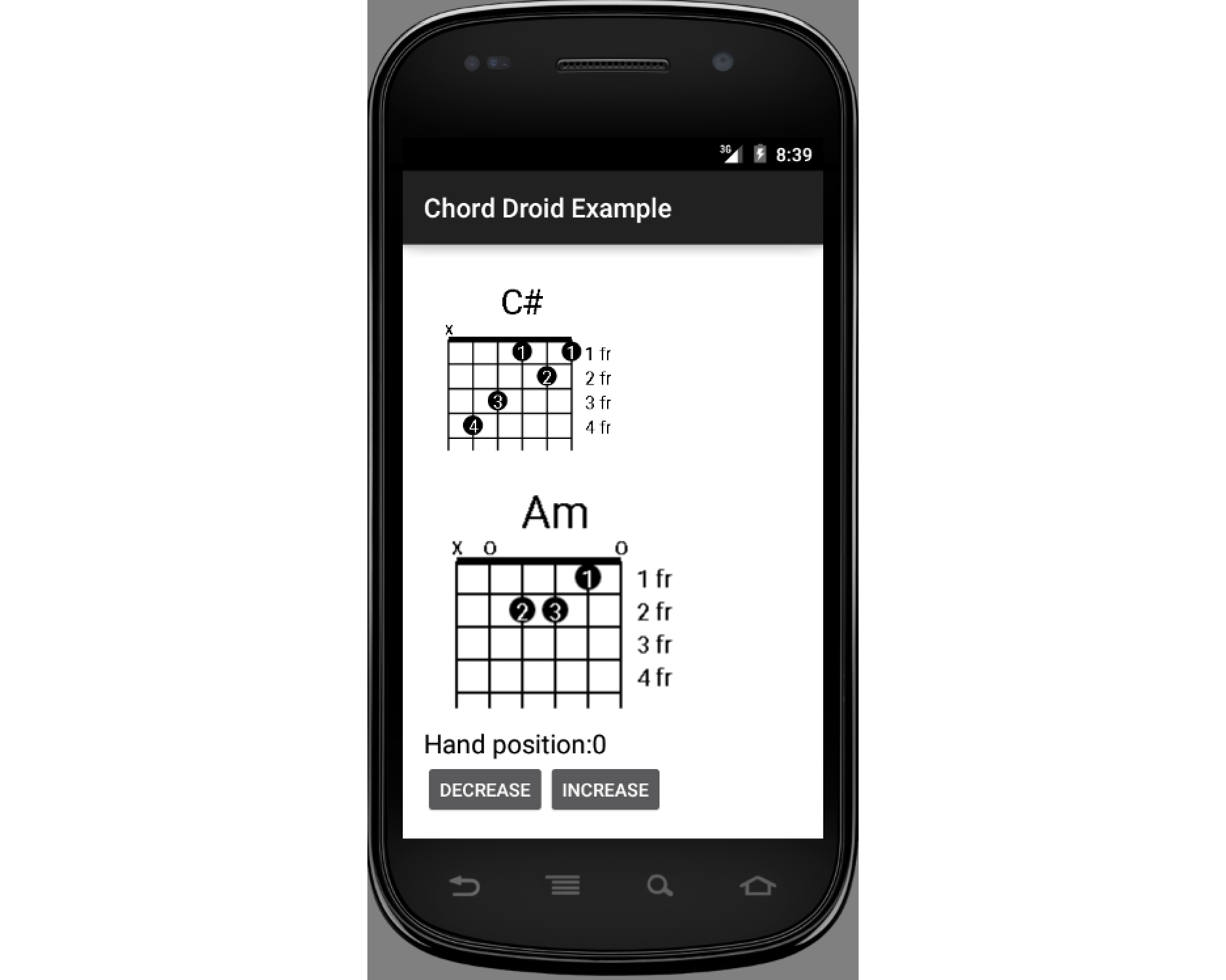
What it looks like
========
Features
========
- Render chord based on chord name
- Support normal chords and advanced chords: maj, add, sus, dim, aug...
- Draw **all** hand positions for each chord
- Transpose chord
- Resizeable bitmap
- Supports Android API >= 4
Usage
===
Draw to an existing `ImageView`:
---
// Prepare data
Resources resources = activity.getResources();
int width = 200;
int height = 200;
String chordName = "Am";
int position = 0; // fret position index (0 to 8)
int transpose = 0; // transpose distance (-12 to 12)
// Draw chord
BitmapDrawable chord = DrawHelper.getBitmapDrawable(
resources, width, height, chordName, position, transpose);
// Display chord to your image view
yourImageView.setImageDrawable(chord);
Use `ChordTextureView`:
---
In your layout:
In your code:
ChordTextureView chord = (ChordTextureView) findViewById(R.id.chord_texture_view);
chord.drawChord("Am", 0);
Chord Helper
===
ChordHelper.transpose(String chordName, int distance)
ChordHelper.getChord(String chordName, int position)
ChordHelper.simplifyName(String chordName)
Build the library
===
./gradlew assemble
Check `ChordDroidLibrary/build/outputs/arr` directory to find `ChordDroidLibrary-release.arr` files.
Add library to your project
===
1. Copy `aar` file to your `libs` directory
2. Add following section to your gradle file:
Add `flatDir` to your `repositories` tag:
repositories {
...
flatDir {
dirs 'libs'
}
}
Add `compile` to your `dependencies` tag:
dependencies {
...
compile(name:'ChordDroidLibrary-release', ext:'aar')
}