https://github.com/tshenolo/docker-sftp-server-with-sshkey
Docker SFTP Server
https://github.com/tshenolo/docker-sftp-server-with-sshkey
docker sftp sftp-server ubuntu
Last synced: over 1 year ago
JSON representation
Docker SFTP Server
- Host: GitHub
- URL: https://github.com/tshenolo/docker-sftp-server-with-sshkey
- Owner: tshenolo
- License: mit
- Created: 2024-03-16T23:54:31.000Z (over 2 years ago)
- Default Branch: main
- Last Pushed: 2024-08-14T21:08:04.000Z (almost 2 years ago)
- Last Synced: 2025-04-16T01:09:21.618Z (over 1 year ago)
- Topics: docker, sftp, sftp-server, ubuntu
- Language: Dockerfile
- Homepage: https://medium.com/p/ce9bddb77f39
- Size: 28.3 KB
- Stars: 4
- Watchers: 1
- Forks: 3
- Open Issues: 0
-
Metadata Files:
- Readme: README.md
- License: LICENSE
Awesome Lists containing this project
README
# Docker SFTP Server with SSH Key


This repository contains the necessary files to deploy a secure SFTP server using Docker. The setup includes volume mounting for persistent storage, key-based authentication for enhanced security, and customizable SSH configurations.
## Table of Contents
- [Prerequisites](#prerequisites)
- [Quick Start](#quick-start)
- [SSH Key Configuration](#ssh-key-configuration)
- [Clone this repository](#clone-this-repository)
- [Build the Docker image](#build-the-docker-image)
- [Run the Docker container](#run-the-dockrer-container)
- [Connecting to the SFTP Server](#connecting-to-the-sftp-server)
- [Conclusion](#conclusion)
- [License](#license)
## 🎬 Video demonstration
[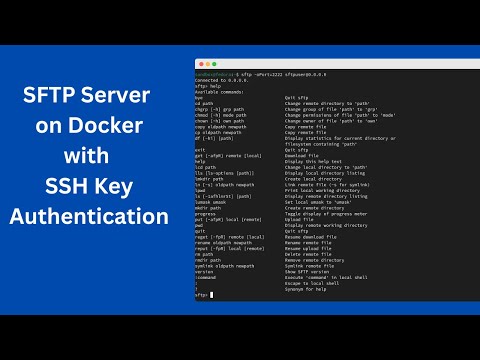](https://www.youtube.com/watch?v=YWaSJ3fiQhE)
## Prerequisites
- Docker installed on your machine.
- Basic understanding of Docker and SFTP.
- Git is also required to clone the repository.
- Basic knowledge of command-line operations.
## Quick Start
### SSH Key Configuration
Generate SSH Key: If you do not already have an SSH key pair, you can generate one using the following command:
```bash
ssh-keygen -t rsa -b 4096 -C "your_email@example.com" -f $HOME/.ssh/docker_rsa
```
Ensure your private key (~/.ssh/docker_rsa) is kept secure with the appropriate permissions:
```bash
chmod 600 ~/.ssh/docker_rsa
```
Load your SSH key into the SSH agent by running:
```bash
ssh-add ~/.ssh/docker_rsa
```
### Clone this repository:
```bash
git clone https://github.com/tshenolo/docker-sftp-server-with-sshkey.git
```
Change your current working directory to the newly cloned repository:
```bash
cd docker-sftp-server-with-sshkey
```
To ensure SSH key-based authentication for your SFTP server, place your SSH public key into the working directory:
```bash
cp $HOME/.ssh/docker_rsa.pub .
```
### Build the Docker image:
```bash
docker build -t my-sftp-server .
```
### Run the Docker container:
To run your SFTP server container without data persistence, you might use a command like this:
```bash
docker run -d --name my_sftp_container -p 2222:22 my-sftp-server
```
To ensure that uploaded files are not lost when the container stops or is removed, you should persist data by mapping a directory from your host machine to a directory inside the container
```bash
docker run -d -v /local/sftp/upload:/home/sftpuser/sftp/upload --name my_sftp_container -p 2222:22 my-sftp-server
```
### Connecting to the SFTP Server
Connect to your SFTP server using:
```bash
sftp -oPort=2222 sftpuser@localhost
```
## Conclusion
This project simplifies the deployment of a secure SFTP server using Docker. By leveraging Docker's capabilities, you can ensure data persistence, enhance security, and customize configurations to suit your needs.
## License
This project is licensed under the MIT License - see the [LICENSE](LICENSE) file for details.
## Thank you for the Support
- ⭐ Give this repo a ⭐ star ⭐ at the top of the page
- 🐦 Follow me on [X](https://twitter.com/tshenolo)
- 📺 Subscribe to my [Youtube channel](https://www.youtube.com/@tshenolo?sub_confirmation=1)