https://github.com/tuki0918/raycast-image-shield
[Raycast] Image Shield
https://github.com/tuki0918/raycast-image-shield
decryption encryption image-protection raycast-extension
Last synced: 7 months ago
JSON representation
[Raycast] Image Shield
- Host: GitHub
- URL: https://github.com/tuki0918/raycast-image-shield
- Owner: tuki0918
- Created: 2025-06-05T03:45:38.000Z (12 months ago)
- Default Branch: main
- Last Pushed: 2025-06-29T17:53:17.000Z (11 months ago)
- Last Synced: 2025-07-19T09:07:13.072Z (11 months ago)
- Topics: decryption, encryption, image-protection, raycast-extension
- Language: TypeScript
- Homepage: https://www.raycast.com/tuki0918/image-shield
- Size: 157 MB
- Stars: 0
- Watchers: 0
- Forks: 0
- Open Issues: 1
-
Metadata Files:
- Readme: README.md
- Changelog: CHANGELOG.md
Awesome Lists containing this project
README

Image Shield
This Raycast extension provides functionality for image encryption and decryption, helping you protect confidential images by transforming them into encrypted fragments using AES-256 encryption.

## Commands
- `Encrypt Images` ... Encrypt images into secure fragments
- `Decrypt Images` ... Restore original images from the fragments
## Features
This extension provides two main security modes for image protection:
### 🔐 Shuffle + Encrypt Mode (Default)
- **Fragmentation**: Pixels are shuffled across multiple images to help safeguard the original content from unauthorized viewing.
- **Password Protection**: A password is required for image encryption and decryption
### 🔀 Shuffle Only Mode
- **Fragmentation**: Pixels are shuffled across multiple images to help safeguard the original content from unauthorized viewing
- **No Password Required**: No password is required for image encryption and decryption
## Usage
### Quick Call
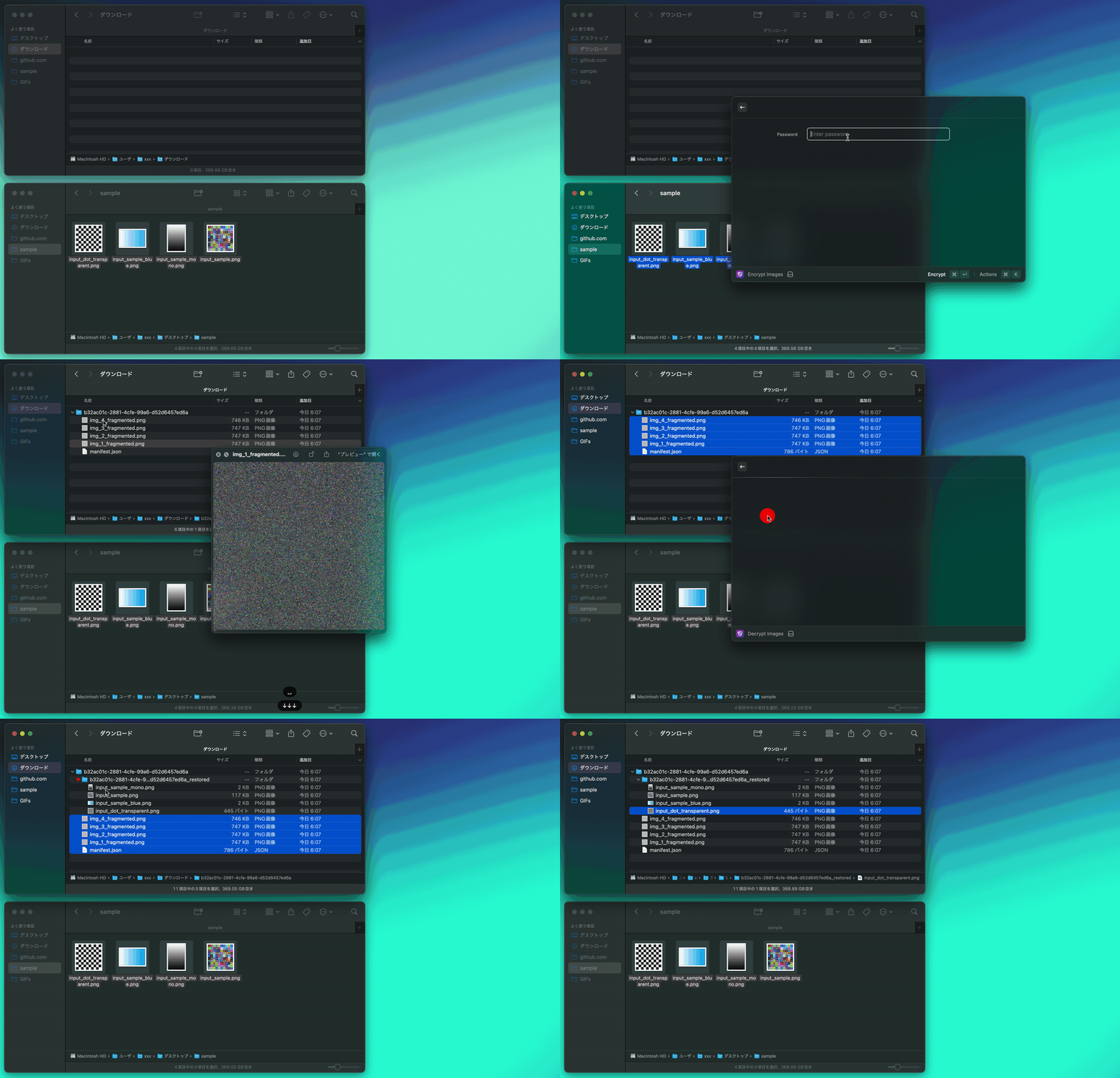
Default Call
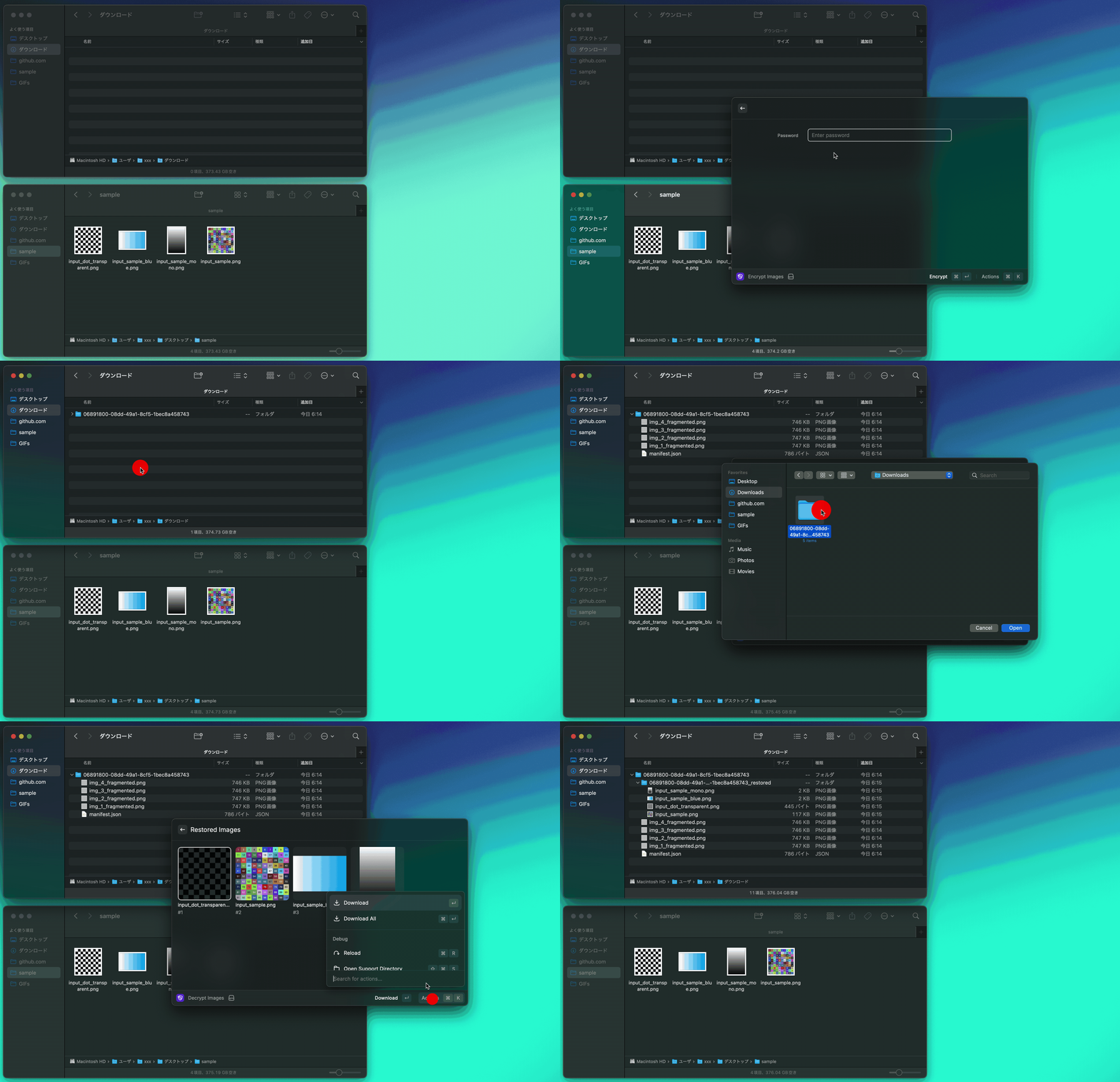
## Preferences
You can customize the extension behavior through the following preferences:
### Image Protection
- **Type**: Checkbox
- **Default**: `Enabled`
- **Description**: If disabled, images are only shuffled without password protection. If enabled, images require password for decryption.
### Block Size
- **Type**: Dropdown (1, 2, 3, 4, 8, 16, 32, 64)
- **Default**: `4`
- **Description**: Fragment the image into multiple blocks and shuffle them. Larger block sizes use less memory but provide less fragmentation.
### File Prefix
- **Type**: Text field
- **Default**: `img`
- **Description**: Set the prefix for encrypted filename.
### File Name
- **Type**: Checkbox
- **Default**: `Enabled`
- **Description**: Restore the original file name when decrypting.
## Troubleshooting
> Error: Worker terminated due to reaching memory limit: JS heap out of memory
- Please change the block size to a larger value in the settings.
## Dependencies
- [image-shield](https://github.com/tuki0918/image-shield)
## Contributing
Contributions are welcome! Feel free to open issues or submit pull requests to improve the extension.