https://github.com/turulomio/didyoureadme
System to control who and when a group reads a document sent by mail
https://github.com/turulomio/didyoureadme
confirmation mail
Last synced: 5 months ago
JSON representation
System to control who and when a group reads a document sent by mail
- Host: GitHub
- URL: https://github.com/turulomio/didyoureadme
- Owner: turulomio
- License: gpl-3.0
- Created: 2018-11-16T19:34:29.000Z (over 7 years ago)
- Default Branch: master
- Last Pushed: 2018-11-24T07:14:22.000Z (over 7 years ago)
- Last Synced: 2026-01-01T15:18:52.956Z (6 months ago)
- Topics: confirmation, mail
- Language: Python
- Homepage:
- Size: 5.35 MB
- Stars: 3
- Watchers: 1
- Forks: 0
- Open Issues: 4
-
Metadata Files:
- Readme: README.md
- Changelog: CHANGELOG.md
- License: LICENSE.txt
- Security: SECURITY.md
Awesome Lists containing this project
README
Snapshots
=========
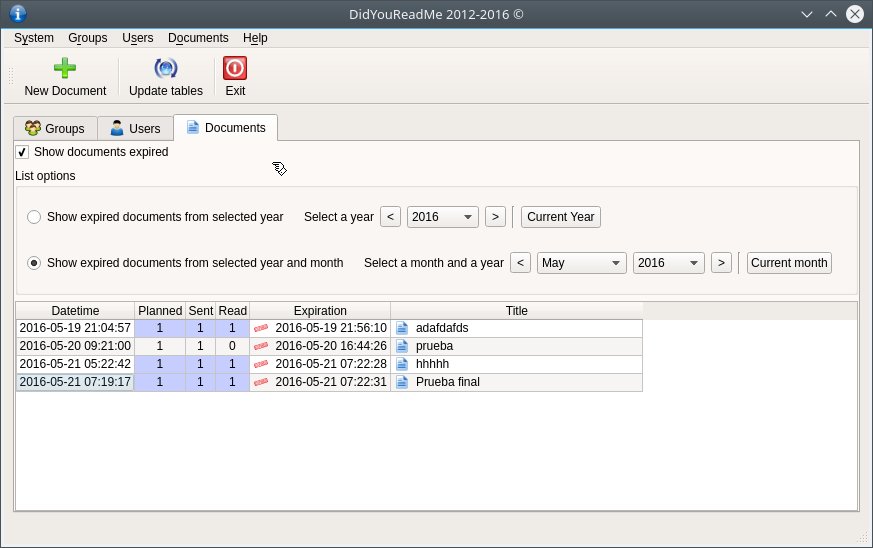
Links
=====
Doxygen documentation:
* http://turulomio.users.sourceforge.net/doxygen/didyoureadme/
Main developer web page:
* https://github.com/Turulomio
Pypi web page:
* https://pypi.org/project/didyoureadme/
Install in Linux
================
If you use Gentoo you can find a ebuild in https://github.com/Turulomio/myportage/tree/master/app-office/didyoureadme
If you use other distribution compatible con pip, you need to install PyQt5 and didyoureadme with the following commands:
`pip install PyQt5`
`pip install didyoureadme`
You need to install PyQt5 first, because is not in Linux setup.py dependencies due to it doesn't use standard setup tools. So for compatibility reasons with distributions like Gentoo, we use this additional step.
Install in Windows as a python module
=====================================
You need to install Python from https://www.python.org and add it to the PATH
You must open a console with Administrator privileges and type:
`pip install didyoureadme`
If you want to create a Desktop shortcut to launch didyoureadme you must write:
`didyoureadme_shortcuts.exe`
Install in Windows as a standalone application
==============================================
You need to download didyoureadme-X.X.X.exe from github release
Just execute it
To create DidYouReadmeDatabase
==============================
Create a postgresql database:
`createdb -U postgres didyoureadme`
`psql -U postgres didyoureadme < sql/didyoureadme.sql`
Run didyoureadme and configure settings
You must grant didyoureadme_user or didyoureadme_admin to your database user
If you use postgres user, DidYouReadMe gives him both roles
Dependencies
============
* https://www.python.org/, as the main programming language.
* https://pypi.org/project/colorama/, to give console colors.
* http://initd.org/psycopg/, to access PostgreSQL database.
* https://pypi.org/project/PyQt5/, as the main library.
* https://pypi.org/project/pytz/, to work with timezones.
* https://pypi.org/project/pywin32/, to create shortcuts.
Workarounds
===========
- If you have problems with data base, you should see database posmaster.log file
- Sever time and Client time must be updated
- Antivirus and Firewall could avoid web server comunications and mail sends
Authors
=======
Turulomio. Idea and Spanish translation