https://github.com/tusharsadhwani/yen
The last Python environment manager you'll ever need.
https://github.com/tusharsadhwani/yen
pipx python rust
Last synced: about 1 year ago
JSON representation
The last Python environment manager you'll ever need.
- Host: GitHub
- URL: https://github.com/tusharsadhwani/yen
- Owner: tusharsadhwani
- License: mit
- Created: 2023-09-22T21:08:08.000Z (almost 3 years ago)
- Default Branch: main
- Last Pushed: 2025-03-24T10:05:37.000Z (over 1 year ago)
- Last Synced: 2025-04-12T11:55:28.985Z (over 1 year ago)
- Topics: pipx, python, rust
- Language: Python
- Homepage:
- Size: 176 KB
- Stars: 214
- Watchers: 2
- Forks: 10
- Open Issues: 12
-
Metadata Files:
- Readme: README.md
- License: LICENSE
Awesome Lists containing this project
README
# yen
The last Python environment manager you'll ever need.
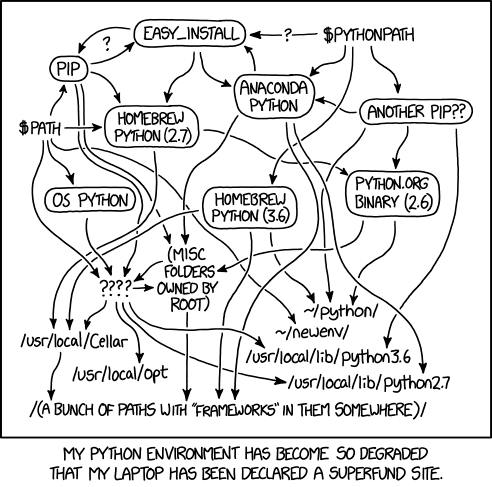
We're finally putting an end to this XKCD.
## So what can `yen` do?
- **Get any Python version running instantly** with just 1 command:
```console
$ python
'python': command not found
$ yen exec --python 3.12
Downloading 3.12.3 ━━━━━━━━━━━━━━━━━━━━━━━━━ 100.0% • 17.4/17.4 MB • 29.1 MB/s
Python 3.12.3 (main, Apr 15 2024, 17:43:11) [Clang 17.0.6 ] on darwin
Type "help", "copyright", "credits" or "license" for more information.
>>> exit()
$ yen exec --python 3.12 # Cached for subsequent uses:
Python 3.12.3 (main, Apr 15 2024, 17:43:11) [Clang 17.0.6 ] on darwin
Type "help", "copyright", "credits" or "license" for more information.
>>>
```
Works on Windows, MacOS and Linux (`libc` and `musl`), on Intel and ARM chips.
- **Instant `venv` creation**: Thanks to `microvenv`, `yen` can create virtual
environments much faster than the builtin `venv` module:
```console
$ yen create venv -p 3.9
Created venv with Python 3.9.18 ✨
$ source venv/bin/activate
(venv) $ python --version
Python 3.9.18
```
> NOTE: It's not that fast right now as I found a bug. Working on it.
- **Zero dependencies**: No need to have Python installed, no need to look into `apt`,
`homebrew` etc., just run one shell command to get `yen` set up locally.
- **Python script management**: Never run `pip install` to get a tool like `ruff`,
`awscli` etc. in the global Python environment ever again.
**Essentially, `yen` lets you replace various Python environment management tools
such as `pyenv`, `pipx` and `virtualenv`, with a single static binary.**
Running Python code on any machine has never been this easy.
## Installation
Get `yen` by running the following command:
- MacOS / Linux:
```bash
curl -L yen.tushar.lol/install.sh | sh
```
- Windows:
Using cmd:
```cmd
curl -L yen.tushar.lol/install.bat -o yen-install.bat
yen-install.bat
```
or using Powershell:
```pwsh
curl yen.tushar.lol/install.ps1 | Invoke-Expression
```
or if you prefer, get it via `pip`:
```bash
pip install yen
```
or `pipx`:
```bash
pipx run yen
```
> Yeah, if you already have `yen`, you can do `yen run yen` and that works.
> But don't do that.
You can also grab the binary from [GitHub releases](https://github.com/tusharsadhwani/yen/releases).
## Usage
```console
$ yen list
Available Pythons:
3.12.3
3.11.9
3.10.14
3.9.19
3.8.19
$ yen create venv -p 3.12
Downloading 3.12.3 ━━━━━━━━━━━━━━━━━━━━━━━━━ 100.0% • 17.4/17.4 MB • 12.4 MB/s
Created venv with Python 3.12.3 ✨
$ yen install meowsay
Installed package meowsay with Python 3.12.3 ✨
$ meowsay hello!
________
< hello! >
--------
\ |\---/|
\ | ,_, |
\_`_/-..----.
___/ ` ' ,\"\"+ \ sk
(__...' __\ |`.___.';
(_,...'(_,.`__)/'.....+
$ yen run --python 3.9 wttr
Weather report: Milano, Italy
\ / Partly cloudy
_ /"".-. 20 °C
\_( ). ↑ 4 km/h
/(___(__) 10 km
0.0 mm
$ wttr paris
Weather report: paris
\ / Sunny
.-. +22(25) °C
― ( ) ― ↓ 7 km/h
`-’ 10 km
/ \ 0.0 mm
```
> By default the Pythons will be downloaded in `~/.yen_pythons`.
> You can change this location by setting the `YEN_PYTHONS_PATH` environment variable.
## Local Development / Testing
- Run `yen create venv` and `venv/bin/activate`
- Run `pip install -r requirements-dev.txt` to do an editable install
- Verify that you're now pointing at the correct `yen`:
```console
$ which yen
/home/your_name/code/yen/venv/bin/yen
```
- Run `pytest` to run tests
To run Rust tests:
- Compile the rust project: `cd yen-rs && cargo build`
- Run `export YEN_RUST_PATH=./yen-rs/target/debug/yen-rs`
- Run `pytest`, and ensure that number of tests ran has doubled.
### `microvenv.py` and `userpath.pyz`
These two files are used by `yen` and downloaded by the `yen` install script.
- `microvenv.py` is just [this file][1] renamed.
- `userpath.pyz` is created by running `./build-standalone.sh` in
[this fork of userpath][2].
[1]: https://github.com/brettcannon/microvenv/blob/3460d1e/microvenv/_create.py
[2]: https://github.com/tusharsadhwani/userpath-standalone
## Type Checking
Run `mypy .`
## Create and upload a package to PyPI
Make sure to bump the version in `setup.cfg`.
Then run the following commands:
```bash
pip install setuptools wheel twine
rm -rf build dist
python setup.py sdist bdist_wheel
```
Then upload it to PyPI using [twine](https://twine.readthedocs.io/en/latest/#installation):
```bash
twine upload dist/*
```