https://github.com/tweska/betafix
Authentication, skin & cape fix for Minecraft Beta 1.7.3
https://github.com/tweska/betafix
minecraft minecraft-beta minecraft-mod retrogaming
Last synced: about 1 year ago
JSON representation
Authentication, skin & cape fix for Minecraft Beta 1.7.3
- Host: GitHub
- URL: https://github.com/tweska/betafix
- Owner: tweska
- License: mit
- Created: 2023-01-07T20:59:30.000Z (over 3 years ago)
- Default Branch: master
- Last Pushed: 2024-02-03T11:11:51.000Z (over 2 years ago)
- Last Synced: 2025-03-30T02:02:27.901Z (about 1 year ago)
- Topics: minecraft, minecraft-beta, minecraft-mod, retrogaming
- Language: Shell
- Homepage:
- Size: 11.7 KB
- Stars: 10
- Watchers: 2
- Forks: 0
- Open Issues: 1
-
Metadata Files:
- Readme: README.md
- License: LICENSE
Awesome Lists containing this project
README
# BetaFix
BetaFix lets you enjoy Minecraft Beta 1.7.3 with working authentication, skins
and capes! BetaFix does not rely on a third party proxy, everything is fixed
client-side.
The bigest drawback of methods that rely on third party proxies is that you as
a user do not have control over the proxy. With BetaFix you can verify and
build the mod yourself!
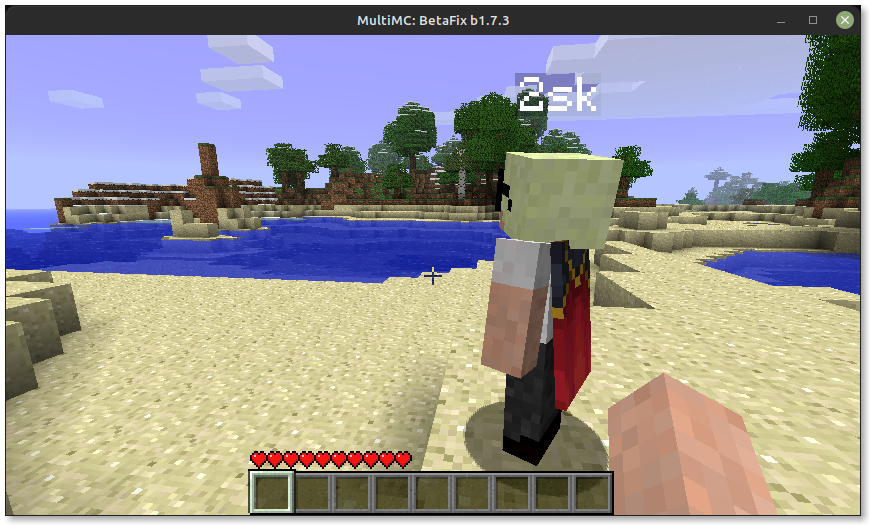
## Ingame screenshot
## Build instructions
To build the mod from scratch, simply run:
```shell
./build.sh
```
## Installation instructions
BetaFix can easily be installed in [MultiMC](https://multimc.org/#Download).
Assuming you have created a clean Minecraft Beta 1.7.3 instance and build the
mod yourself or grabbed the ZIP-file from the latest release, follow these
instructions:
1. On the right-hand-side, click on `Edit Instance`.
2. On the right-hand-side, click on `Add to Minecraft.jar`.
3. Navigate to the `BetaFix.zip` file and open it.
4. BetaFix is now installed as a JAR-mod, the `Version` tab should look like
this:

## Acknowledgements
The creation of this fix was made very easy thanks to the
[RetroMCP-Java](https://github.com/MCPHackers/RetroMCP-Java) tool and
[wiki.vg](https://wiki.vg/Main_Page)!