https://github.com/tyfkda/smb-rl-sb3
https://github.com/tyfkda/smb-rl-sb3
Last synced: over 1 year ago
JSON representation
- Host: GitHub
- URL: https://github.com/tyfkda/smb-rl-sb3
- Owner: tyfkda
- Created: 2024-06-19T03:17:31.000Z (about 2 years ago)
- Default Branch: main
- Last Pushed: 2024-08-12T02:05:21.000Z (almost 2 years ago)
- Last Synced: 2025-01-13T07:40:47.898Z (over 1 year ago)
- Language: Python
- Size: 18.2 MB
- Stars: 0
- Watchers: 1
- Forks: 0
- Open Issues: 0
-
Metadata Files:
- Readme: README.md
Awesome Lists containing this project
README
smb-rl-sb3
==========
### 要件
* Python 3.12+仮想環境
* Cコンパイラ (nes-py用)
#### GLU
pygletがGLUを用いているため、別途インストールしておく必要がある。
Windows/WSL2の場合:[Install OpenGL on Ubuntu in WSL](https://gist.github.com/Mluckydwyer/8df7782b1a6a040e5d01305222149f3c)
```sh
$ apt install mesa-utils libglu1-mesa-dev freeglut3-dev mesa-common-dev
```
### 初期設定
サブモジュールの取得:
```sh
$ git submodule update --init --recursive
```
Python仮想環境を用意・有効にした上で、
```sh
$ make setup
```
### 動作テスト
```sh
$ python play_randomly.py
```
### トレーニング
```sh
$ python main.py --movement simple --sb3_algo PPO
```
### 再生
```sh
$ python main.py --movement simple --sb3_algo PPO --replay
```
### 学習例
[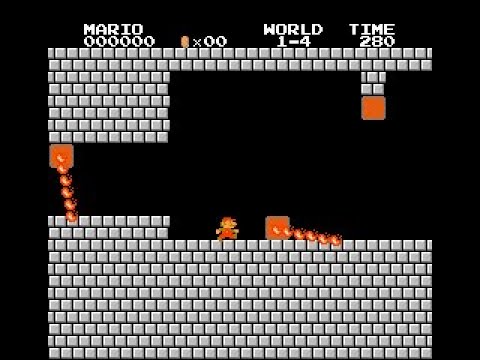](https://www.youtube.com/watch?v=mlSjsejrrZY)
#### 学習済みデータを動かすには
gitのブランチ`feature/world1-4`をチェックアウトして、
```sh
$ python main.py --movement complex --sb3_algo PPO \
--color --skip-frame=2 --stage=4 \
--replay=trained_model/model_world1-4.zip \
--seed=12699629529116784663
```
### 参考
* [PyTorchチュートリアル(日本語翻訳版)](https://yutaroogawa.github.io/pytorch_tutorials_jp/)
* [Super Mario Bros. with Stable-Baseline3 PPO](https://www.kaggle.com/code/deeplyai/super-mario-bros-with-stable-baseline3-ppo)
### ブログ記事
[スーパーマリオの強化学習を動かす(Stable Baselines 3)](https://tyfkda.github.io/blog/2024/08/07/smb-rl-sb3.html)