https://github.com/typpo/mjml-qr-code
Embed QR codes in your emails
https://github.com/typpo/mjml-qr-code
Last synced: 11 months ago
JSON representation
Embed QR codes in your emails
- Host: GitHub
- URL: https://github.com/typpo/mjml-qr-code
- Owner: typpo
- License: mit
- Created: 2020-05-24T23:33:31.000Z (about 6 years ago)
- Default Branch: master
- Last Pushed: 2024-06-18T17:45:39.000Z (about 2 years ago)
- Last Synced: 2025-03-28T14:51:07.969Z (over 1 year ago)
- Language: JavaScript
- Size: 1.41 MB
- Stars: 12
- Watchers: 2
- Forks: 1
- Open Issues: 2
-
Metadata Files:
- Readme: README.md
- License: LICENSE
Awesome Lists containing this project
README
# mjml-qr-code
[](https://www.npmjs.com/package/mjml-qr-code)
[](https://travis-ci.com/typpo/mjml-qr-code)
A component for adding QR codes to your email using an open-source [QuickChart](https://quickchart.io) provider.
## Usage
This mjml...
```html
```
Will show this QR code:
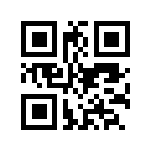
Customize the color, size, positioning, and other QR parameters using the attributes below.
## Setup
Install via npm:
```
npm install mjml-qr-code --save
```
Then add the package to your `.mjmlconfig`:
```
{
"packages": [
"mjml-qr-code/lib/MjQrCode.js"
]
}
```
## Attributes
The `` tag supports all the attributes of the `` tag. View those attributes [here](https://mjml.io/documentation/#mjml-image).
In addition to regular image attributes which you can using for sizing and positioning, the component supports the following QR-specific attributes:
| Name | Description | Required? | Default | |
|------------------------|-----------------------------------------------------------|-----------|----------------|---|
| value | The content encoded in your QR code | Yes | | |
| color | The color of the QR code | No | 000000 (black) | |
| background-color | The background of the QR code | No | ffffff (white) | |
| qr-margin | The number of QR blocks to leave empty around the QR code | No | 4 | |
| error-correction-level | The QR [error correction level](https://en.wikipedia.org/wiki/QR_code#Error_correction) | No | M | |
| width | Width of the QR code image | No | 200 | |
| host | The host of the QR image server | No | quickchart.io | |
| protocol | The protocol of the QR image server | No | https | |
## Hosting
By default, this component uses the public [QuickChart](https://quickchart.io) web service to render QR codes, but you can use the `host` attribute to point to your own QR renderer.