https://github.com/typpo/quickchart-ruby
Ruby client for quickchart.io chart API
https://github.com/typpo/quickchart-ruby
Last synced: about 1 year ago
JSON representation
Ruby client for quickchart.io chart API
- Host: GitHub
- URL: https://github.com/typpo/quickchart-ruby
- Owner: typpo
- License: mit
- Created: 2020-09-22T23:37:43.000Z (almost 6 years ago)
- Default Branch: master
- Last Pushed: 2023-04-27T16:18:12.000Z (about 3 years ago)
- Last Synced: 2025-04-15T03:07:19.246Z (about 1 year ago)
- Language: Ruby
- Size: 21.5 KB
- Stars: 11
- Watchers: 2
- Forks: 2
- Open Issues: 0
-
Metadata Files:
- Readme: README.md
- License: LICENSE
Awesome Lists containing this project
README
# quickchart-ruby

A Ruby client for the [quickchart.io](https://quickchart.io/) chart image API.
# Installation
Use the `lib/quickchart.rb` library in this project, or install as a [Ruby gem](https://rubygems.org/gems/quickchart):
```
gem install quickchart
```
# Usage
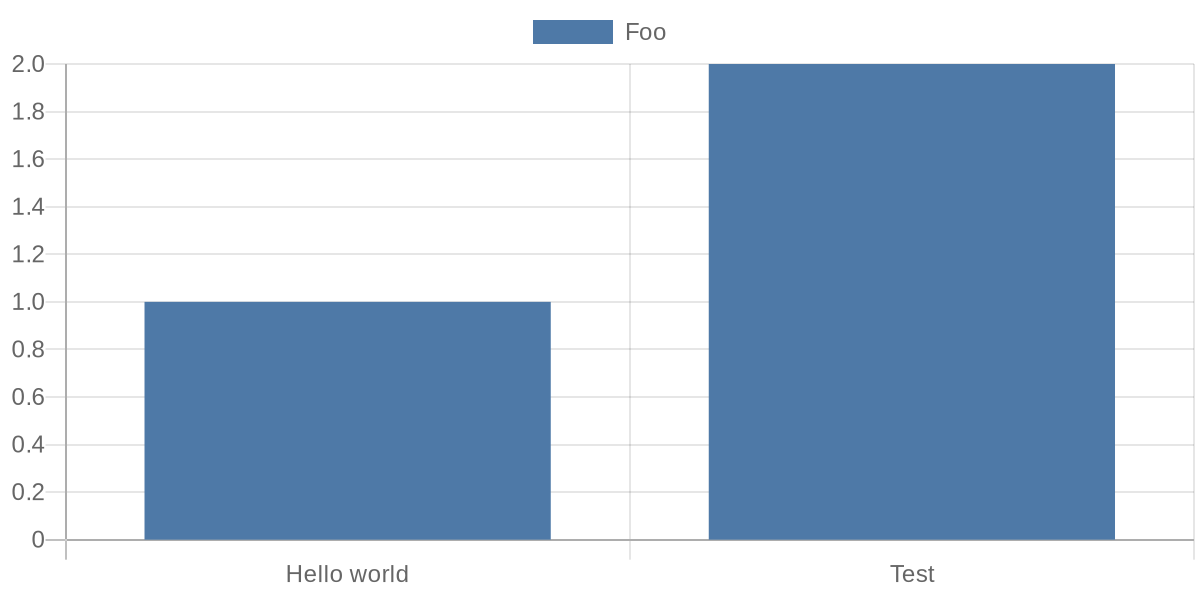
This library provides a `QuickChart` class. Import and instantiate it. Then set properties on it and specify a [Chart.js](https://chartjs.org) config:
```ruby
require 'quickchart'
qc = QuickChart.new(
{
type: "bar",
data: {
labels: ["Hello world", "Test"],
datasets: [{
label: "Foo",
data: [1, 2]
}]
}
},
width: 600,
height: 300,
device_pixel_ratio: 2.0,
)
```
Use `get_url()` on your quickchart object to get the encoded URL that renders your chart:
```ruby
puts qc.get_url
# https://quickchart.io/chart?c=%7B%22type%22%3A%22bar%22%2C%22data%22%3A%7B%22labels%22%3A%5B%22Hello+world%22%2C%22Test%22%5D%2C%22datasets%22%3A%5B%7B%22label%22%3A%22Foo%22%2C%22data%22%3A%5B1%2C2%5D%7D%5D%7D%7D&w=600&h=300&bkg=%23ffffff&devicePixelRatio=2.0&f=png
```
If you have a long or complicated chart, use `get_short_url()` to get a fixed-length URL using the quickchart.io web service (note that these URLs only persist for a short time unless you have a subscription):
```ruby
puts qc.get_short_url
# https://quickchart.io/chart/render/f-a1d3e804-dfea-442c-88b0-9801b9808401
```
The URLs will render an image of a chart:
## Creating the chart object
The `QuickChart` class constructor accepts the following parameters. `config` is the only required parameter, the rest are optional:
### config: hash or string (required)
The actual Chart.js chart configuration.
### width: int
Width of the chart image in pixels. Defaults to 500
### height: int
Height of the chart image in pixels. Defaults to 300
### format: string
Format of the chart. Defaults to png. svg is also valid.
### background_color: string
The background color of the chart. Any valid HTML color works. Defaults to #ffffff (white). Also takes rgb, rgba, and hsl values.
### device_pixel_ratio: float
The device pixel ratio of the chart. This will multiply the number of pixels by the value. This is usually used for retina displays. Defaults to 1.0.
### key: string
QuickChart API key (not required)
### version: string
Sets the Chart.js version to use (e.g. 2.9.4 or 3.8.0). Valid options are described in the [documentation](https://quickchart.io/documentation/usage/parameters/#version).
## Getting URLs
There are two ways to get a URL for your chart object.
### get_url: string
Returns a URL that will display the chart image when loaded.
### get_short_url: string
Uses the quickchart.io web service to create a fixed-length chart URL that displays the chart image. Returns a URL such as `https://quickchart.io/chart/render/f-a1d3e804-dfea-442c-88b0-9801b9808401`.
Note that short URLs expire after a few days for users of the free service. You can [subscribe](https://quickchart.io/pricing/) to keep them around longer.
## Other outputs
### to_blob: binary string
Returns a binary string representing the chart image
### to_file(path: string)
Write the image to a file
For example:
```ruby
qc.to_file("/tmp/myfile.png")
```
## More examples
Checkout the `examples` directory to see other usage.