https://github.com/ub-mannheim/palma
PalMA Team Monitor
https://github.com/ub-mannheim/palma
desktop-sharing educational team-monitor teamwork
Last synced: about 1 year ago
JSON representation
PalMA Team Monitor
- Host: GitHub
- URL: https://github.com/ub-mannheim/palma
- Owner: UB-Mannheim
- License: other
- Created: 2014-05-15T04:39:12.000Z (about 12 years ago)
- Default Branch: master
- Last Pushed: 2024-11-05T09:20:36.000Z (over 1 year ago)
- Last Synced: 2025-04-13T00:48:55.813Z (about 1 year ago)
- Topics: desktop-sharing, educational, team-monitor, teamwork
- Language: PHP
- Size: 42.5 MB
- Stars: 29
- Watchers: 13
- Forks: 160
- Open Issues: 28
-
Metadata Files:
- Readme: README.md
- License: LICENSE
Awesome Lists containing this project
README
PalMA – share a team monitor
============================
Copyright (C) 2014–2021 Universitätsbibliothek Mannheim
Authors: Alexander Wagner, Stefan Weil, Jörg Mechnich, Dennis Müller (UB Mannheim)
This is free software. You may use it under the terms of the
GNU General Public License (GPL). See [docs/gpl.txt](docs/gpl.txt) for details.
Parts of the software use different licenses which are listed
in file [LICENSE](LICENSE).
[](https://travis-ci.org/UB-Mannheim/PalMA)
[](https://www.codacy.com/app/UB-Mannheim/PalMA?utm_source=github.com&utm_medium=referral&utm_content=UB-Mannheim/PalMA&utm_campaign=badger)
[](https://scrutinizer-ci.com/g/UB-Mannheim/PalMA/?branch=master)
Summary
-------
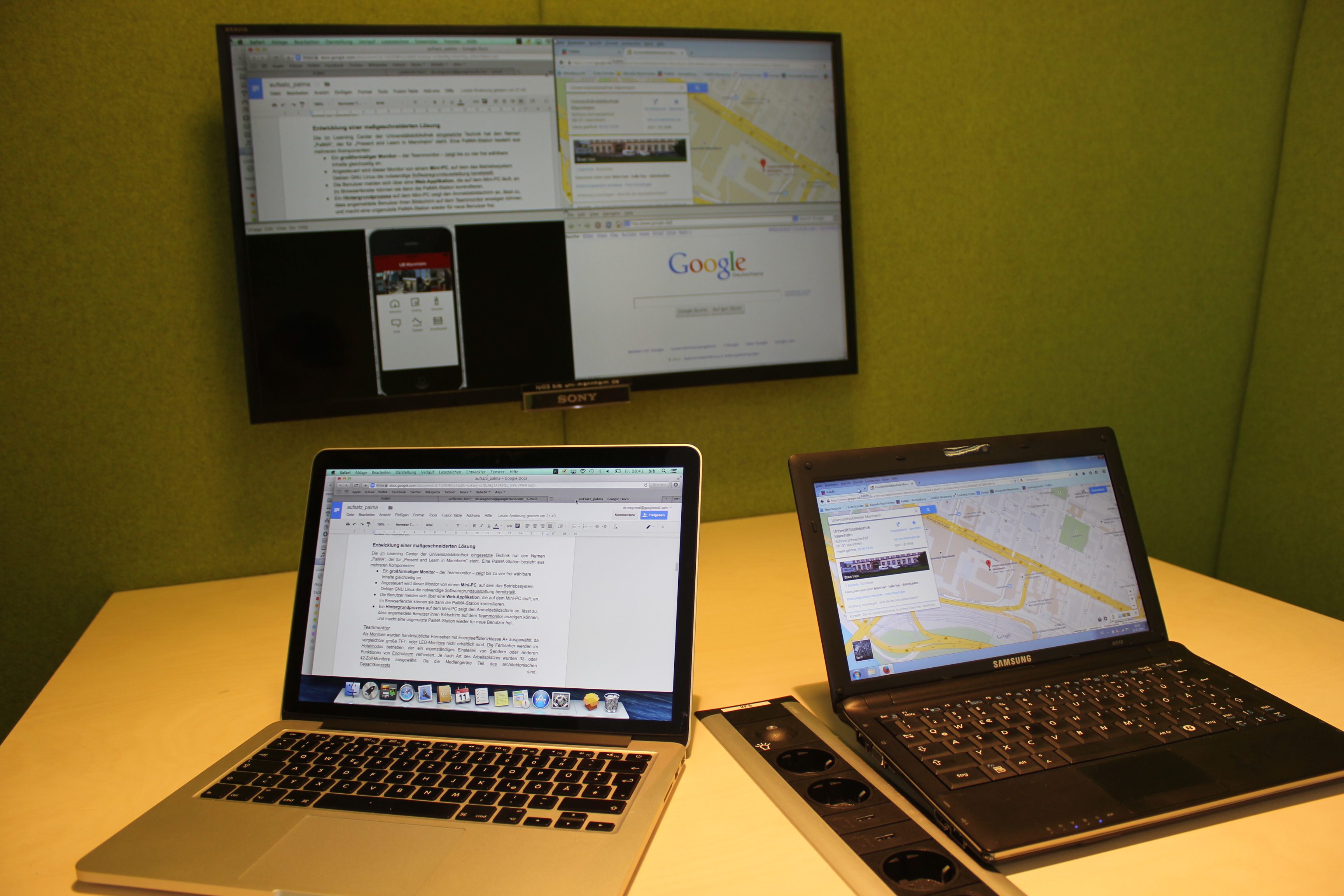
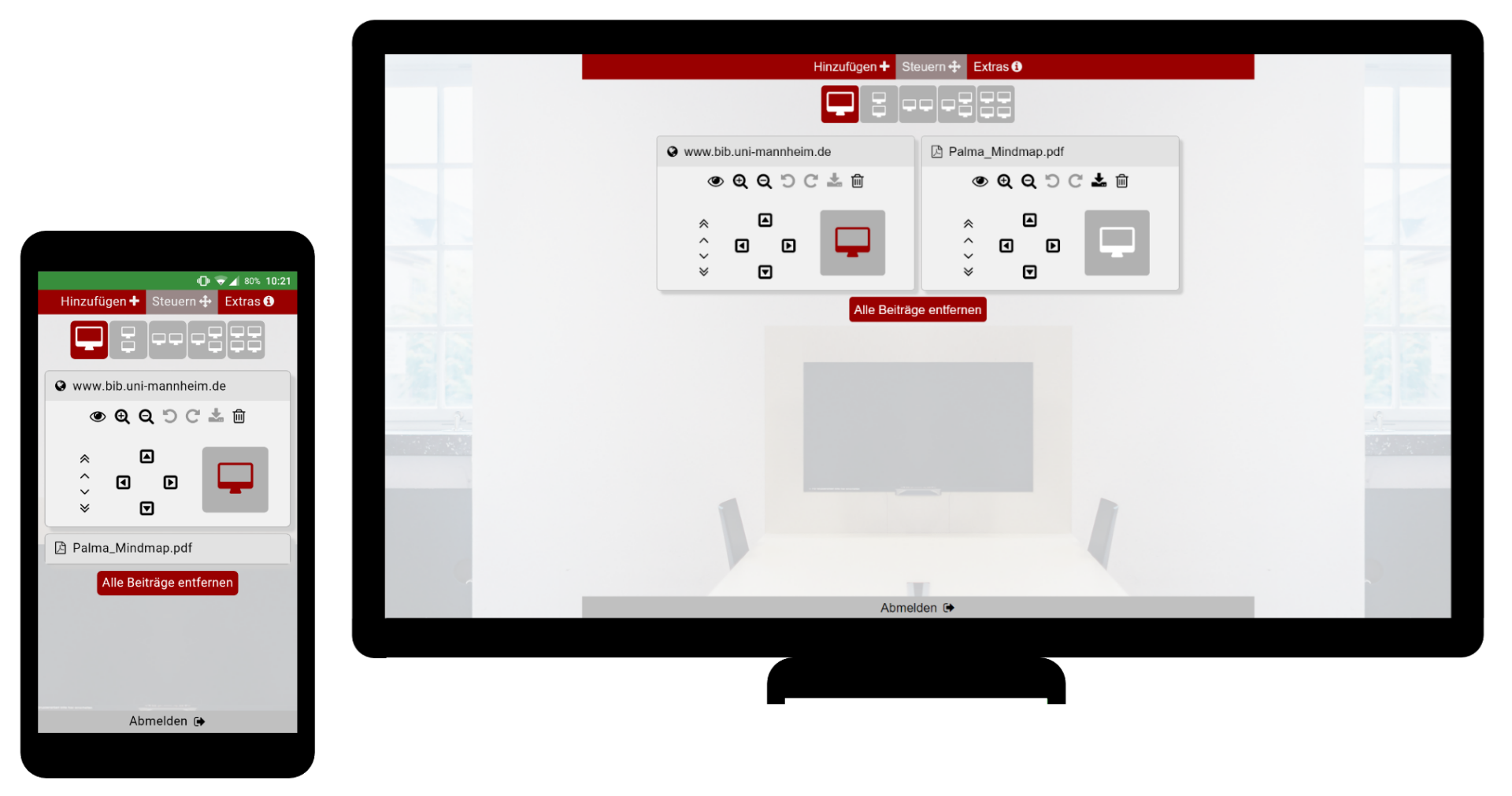
PalMA enables people to share several contents on one monitor. Users can display PDF files, office files, images, videos, websites and or computer screens in real time (up to four entries simultaneously). Everything can be controlled via
a website, so it's perfectly usable for all kinds of (mobile) devices.
PalMA in Use
PalMA UI
Installation
------------
See [INSTALL.md](INSTALL.md) for details.
Mannheim University Library develops and installs PalMA
on mini PCs running the stable releases of Debian GNU Linux and Raspbian. Other Linux based hardware
and software combination can also be used, but might require some smaller
modifications.
Hardware requirements
---------------------
The team monitor (with adequate size and resolution) is connected
to a computing device (usually a mini pc) running Linux.
Hardware requirements for the pc are relatively low. For reasonable performance we recommend something at least as strong as a Raspberry Pi 3.
A minimal setup can be built with an ARM based mini pc like the
Raspberry Pi for less than 100 EUR. It can drive monitors with
HDMI and full HD resolution (1920 x 1080 pixel), but is slow
and only offers limited memory for viewer applications.
A setup with good performance can be built with an Intel NUC for
around 200 EUR. It also provides HDMI and resolutions up to
1920 x 1200 pixel.
A high end setup uses a mini pc with Intel Core i5, more RAM and
a fast solid state disk (SSD). HDMI allows full HD resolution, display port (DP)
even larger resolution.
Client Software
---------------
Microsoft Windows and Mac OS X clients need additional software if users
want to share their desktop. These products were tested successfully
with desktop computers and notebooks:
* UltraVNC – http://www.uvnc.com/ (GNU General Public License)
This is a free VNC server for Windows.
Using the Single Click version UltraVNC SC, it is possible
to address preconfigured displays without any installation.
* VineServer – https://github.com/stweil/OSXvnc (GNU General Public License)
This VNC server is needed for MacBooks with retina display.
* x11vnc – http://www.karlrunge.com/x11vnc/ (free)
This VNC server is included in most Linux distributions.
It is currently not possible to share the desktop of mobile
devices (smartphones / tablets).
Bug reports
-----------
Please file your bug reports to https://github.com/UB-Mannheim/PalMA/issues.
Make sure that you are using the latest version of the software
before sending a report.
Contributing
------------
Bug fixes, new functions, suggestions for new features and
other user feedback are much appreciated.
The source code is available from https://github.com/UB-Mannheim/PalMA.
Please prepare your code contributions also on GitHub.
Acknowledgments
---------------
This project uses other free software:
* DropzoneJS – http://www.dropzonejs.com/ (MIT License)
* Font Awesome by Dave Gandy – http://fontawesome.io/ (SIL OFL 1.1, MIT License)
* php-gettext 1.0 – https://launchpad.net/php-gettext (GPL v2 or later)
* Pure CSS modules – http://purecss.io/ (Yahoo BSD License)
* QRcode – http://www.swetake.com/qrcode/index-e.html (BSD License)
* UltraVNC – http://www.uvnc.com/ (GPL)