https://github.com/ubergarm/stereoscopic
Think digital Nimslo 3D to animated gif!
https://github.com/ubergarm/stereoscopic
camera chdk roughdraft stereoscopic
Last synced: 4 months ago
JSON representation
Think digital Nimslo 3D to animated gif!
- Host: GitHub
- URL: https://github.com/ubergarm/stereoscopic
- Owner: ubergarm
- License: other
- Created: 2017-09-24T19:13:48.000Z (almost 9 years ago)
- Default Branch: master
- Last Pushed: 2024-08-29T14:11:29.000Z (almost 2 years ago)
- Last Synced: 2025-01-28T04:43:26.776Z (over 1 year ago)
- Topics: camera, chdk, roughdraft, stereoscopic
- Size: 8.79 KB
- Stars: 1
- Watchers: 1
- Forks: 0
- Open Issues: 0
-
Metadata Files:
- Readme: README.md
- License: LICENSE
Awesome Lists containing this project
README
stereoscopic
===
*adjective*
> relating to or denoting a process by which two photographs of the
> same object taken at slightly different angles are viewed together,
> creating an impression of depth and solidity.
## Example
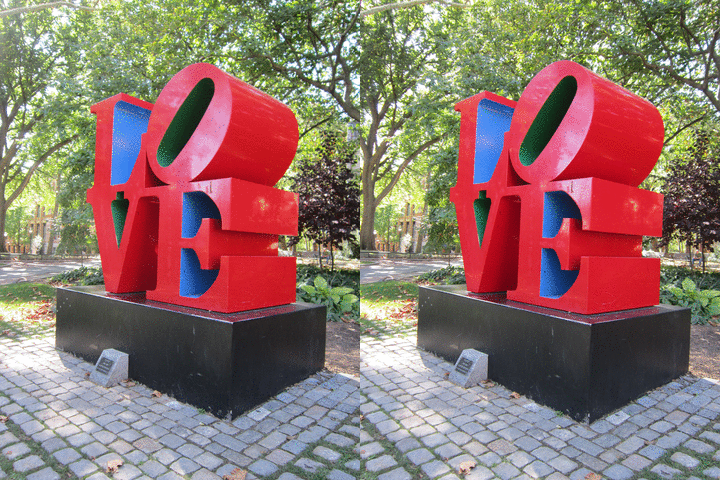
[Skip to Gallery](https://github.com/ubergarm/stereoscopic#results)
## Goal
The `stereoscopic` project combines low-cost high-quality commercially
available hardware and open source software enabling a point-and-shoot
digital stereoscopic camera experience.
Think digital Nimslo 3D to animated gif!
Additionally, this rig could also be used for scanning books with some mounting modifications.
Finally, UV and IR light sources and possible camera hot mirror modifications could allow for capturing full spectrum photos.
## Status
The `stereoscopic` project has currently been prototyped and initial results demonstrated.
## Requirements
Category | Requirement | Bonus
--- | --- | ---
*Cost* | Between $150~$250 USD | All new hardware
*Sensors* | Two (2) | Expandable to four (4) sensors
*Baseline* | ~6cm | Adjustable up to 30cm
*Size* | 10MP per sensor | 16 MP per sensor
*Format* | JPG | RAW (e.g. DNG)
*Capture* | Synchronised external capture trigger dongle | WiFi trigger
*Wavelengths* | Standard RGB | UV and IR full spectrum
*Processing* | Offline via scripts | Uploads finished images via WiFi
## Hardware
Qty | Component | Description | Price ea | Total
--- | --- | --- | --- | ---
2 | Camera | [Canon Powershot A3300 IS](http://gdlp01.c-wss.com/gds/9/0300004679/01/PSA3300IS_A3200IS_A2200_CUG_EN.pdf) | ~$40 used | ~$80
2 | SD Card | [SDSDUNC-016G-GN6IN](https://www.amazon.com/gp/product/B0143RTB1E) | $9 | $18
1 | Battery Charger Kit | [Powerextra 2x NB-8L Battery and Charger](https://www.amazon.com/gp/product/B00OFP9MNM) | $12 | $12
2 | USB Cables | [Type A Male - Mini Type B Male](https://www.amazon.com/gp/product/B00NH13S44) | $5 | $10
1 | USB in-line switch | [JBtek Type A Male to Female](https://www.amazon.com/gp/product/B00UR321B6) | $6 | $6
1 | USB Y Charge Splitter | [Onvian Male to 2x Female Type A](https://www.amazon.com/gp/product/B01KX4TKH6) | $6 | $6
1 | USB Power Bank | [Bonai Dual USB Charger](https://www.amazon.com/gp/product/B06Y58CXFZ) | $11 | $11
1 | Tripod | [Amazon Basics 50"](https://www.amazon.com/gp/product/B00XI87KV8) | $13 | $13
1 | Mount Bracket | [Neewer 8" Dual Camera Tripod Mount Bracket](https://www.amazon.com/gp/product/B00PAG93ES) | $8 | $8
1 | L-Brackets | [Limo 2x L Shape Bracket](https://www.amazon.com/gp/product/B01HH5NB2Y) | $10 | $10
1 | Misc Hardware | ??? | ??? | ???
1 | Lighting | ??? | ??? | ???
-- | -- | -- | TOTAL | <=~$175
## Discussion
#### Sensors
For `v1` I decided to go with the Canon Powershot A3300 IS plus CHDK
firmware due to low cost, feature set, availability, and prior art using
these cameras. For a higher budget version, I would opt for a DSLR camera
fully supported by `gphoto2` and a manual remote switch so no need to fuss
around with used equipment and potential firmware compatibility issues.
#### Full Spectrum
It may be possible to extend into UV and IR ranges by:
1. Remove camera Hot Filter and use neutral Full Spectrum glass
2. Purchase some filters
Or for such a cheap camera it may be possible to:
1. Use a dark room with long exposures
2. Expose to UV or IR light sources
* [395nm UV LED Flashlight](https://www.amazon.com/Escolite-Flashlight-Ultraviolet-Blacklight-Detector/dp/B008133KB4) ~$10
* [850nm IR LED Array](https://www.amazon.com/Power-Array-Illuminator-Vision-Camera/dp/B01D73XM24) ~$10
* [365nm 7W 25LED Bulb](https://www.amazon.com/Lixada-AC100V-240V-Ultraviolet-Sterilization-Fluorescent/dp/B06XKS9KRK)
* [850nm](https://www.amazon.com/Univivi-Infrared-Illuminator-Waterproof-Security/dp/B01G6K407Q)
#### Filters
Still ideating and need to experiment here.
* [Clip Thingy](https://www.amazon.com/Cellphone-AFUNTA-Universal-Gooseneck-Blackberry/dp/B00KZH3K2S)
* [Square Filter Adapter](https://www.amazon.com/Neewer-Aluminum-Adapter-Singh-Ray-Filters/dp/B01N76EIHP)
* [72mm 850nm IR Pass](https://www.amazon.com/NEEWER®-72mm-850nm-Infrared-Filter/dp/B003TXZF8M)
#### Lighting
* [Dimmer](https://www.amazon.com/dp/B0000BYEF6)
## Configure Cameras
To install CHDK on the Canon Powershot A3300 IS camera
#### Check original firmware version
1. Mount SDcard in computer and create an empty file in the root i.e. `touch /mnt/SDcard/ver.req`.
2. Insert SDcard, unplug USB cables, power on camera using `Playback` arrow button *not* the on/off switch.
3. Push and hold `Func Set` and then simultenously `Disp` to show firmware version e.g. GM`1.00C`
#### [Prepare Bootable SDcard](http://chdk.wikia.com/wiki/Prepare_your_SD_card)
1. Download CHDK matching your model and firmware e.g. [a3300-100c-1.4.1-4918-full.zip](http://mighty-hoernsche.de/bins/a3300-100c-1.4.1-4918-full.zip)
2. Make sure the SDcard is formatted FAT32 in unlock position and unzip the CHDK firmware and dirs into the root directory using computer.
3. Insert SDcard, unplug USB cables, power on camera using `Playback` arrow button *not* the on/off switch.
4. `Menu`->`Playback`->`Firmware Update...`->`OK`
5. Now pres `Play` arrow button for like a quarter second, don't long press it, and you'll get the CHDK menu.
6. From CHDK Menu go to `Miscellaneous stuff`->`SD Card`->`Make Card Bootable` instantly returning an `OK` message.
7. Power off camera, remove SDcard, flip it to locked, and put it in again. CHDK ignores this and will write photos okay.
#### [Remote Control](http://chdk.wikia.com/wiki/USB_Remote_V2)
## gphoto2
Reference of few useful commands:
```bash
gphoto2 --list-ports
gphoto2 --auto-detect
gphoto2 --summary
gphoto2 --list-config
gphoto2 --list-files
gphoto2 --get-all-files
```
## Animating
A few useful bash one liners which can be used to script processing.
```bash
# raname left and right camera files
ls b-*.JPG | cat -n | while read n f; do mv $f $(printf "b-%04d.jpg" "$n"); done
# auto convert them
convert -loop 0 -delay 15 -auto-orient -auto-level -resize "360x480>" ../mix/left-0001.jpg ../mix/right-0001.jpg output.gif
# animate a sub section of original
convert -loop 0 -delay 15 -auto-orient -auto-level -crop 1280x1280+800+1000 +repage -resize "640x640>" left-0040.jpg right-0040.jpg test.gif
```
## Results
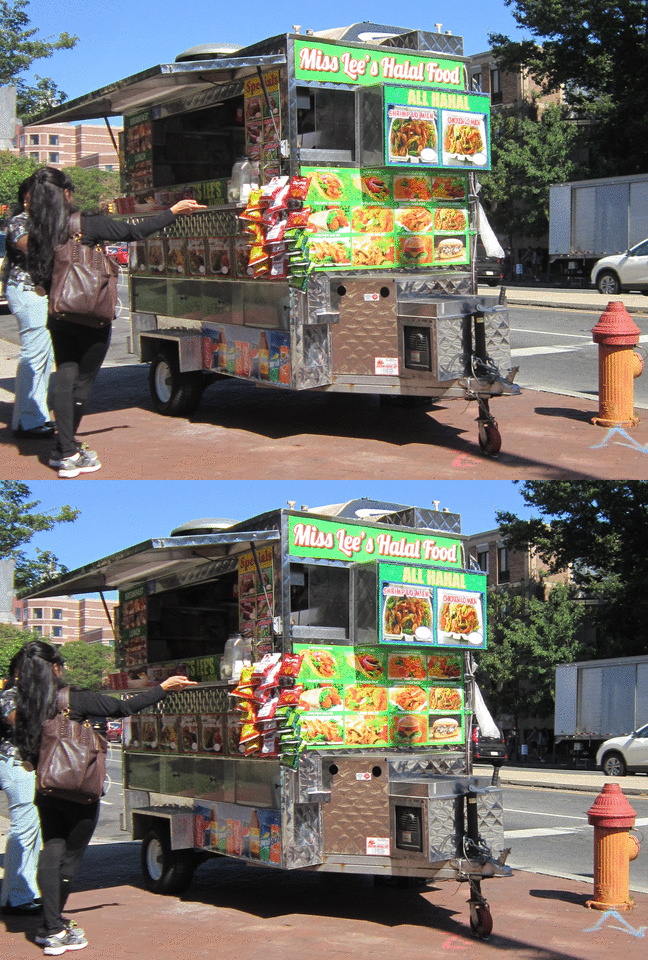
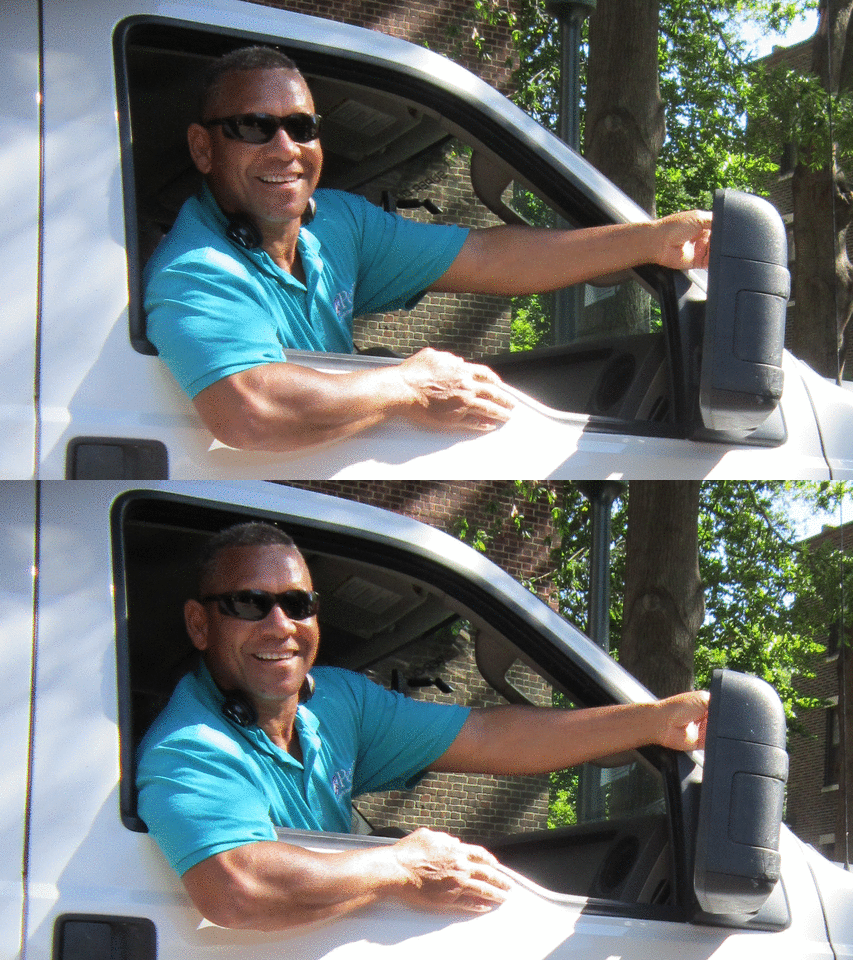
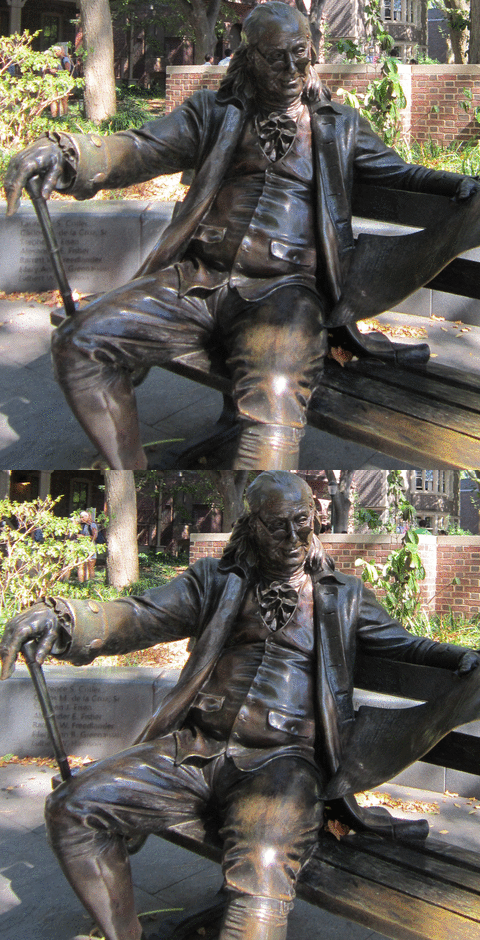
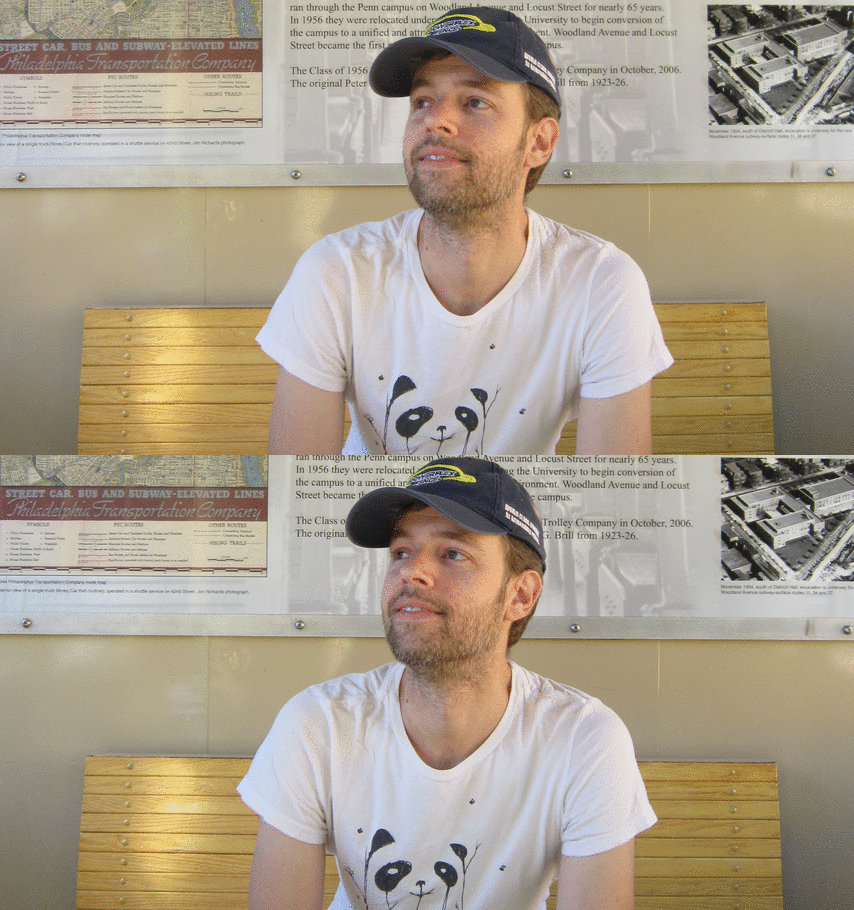
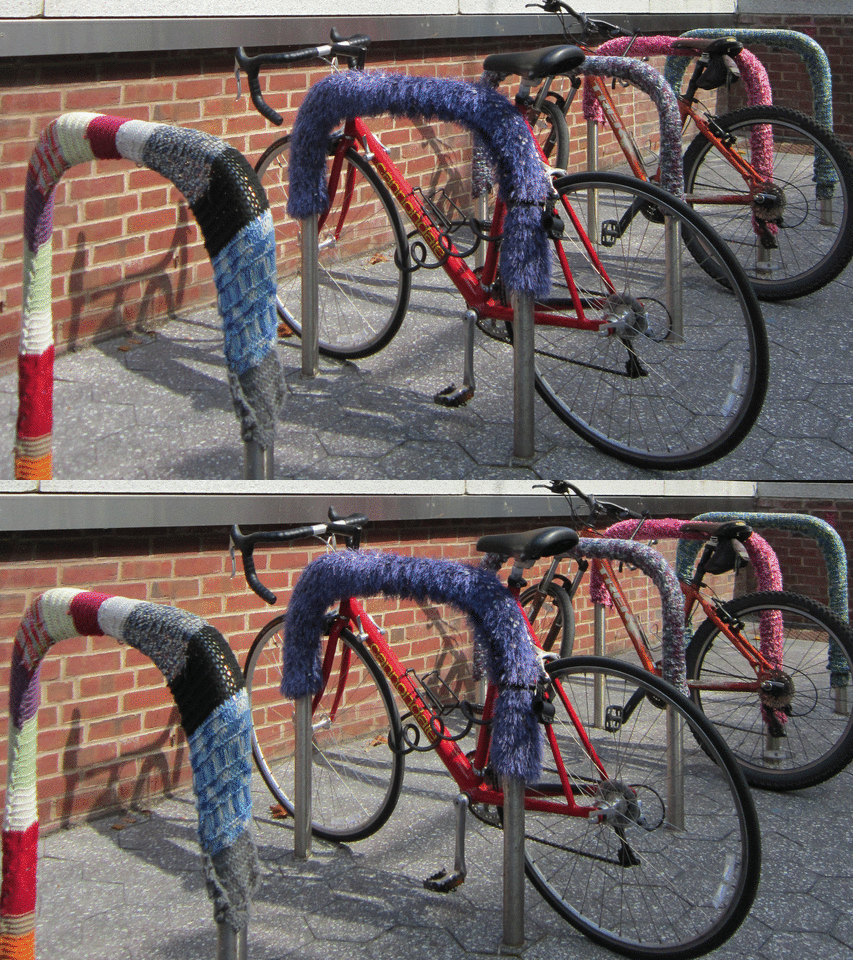
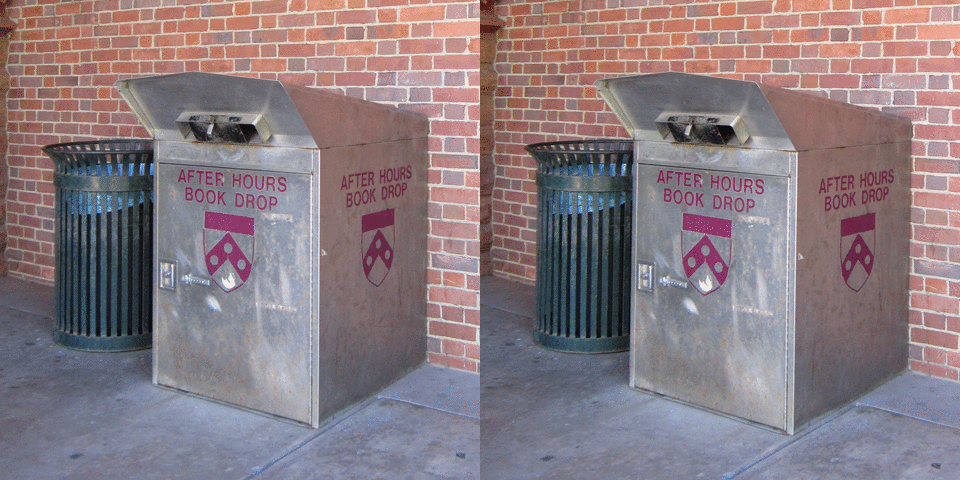
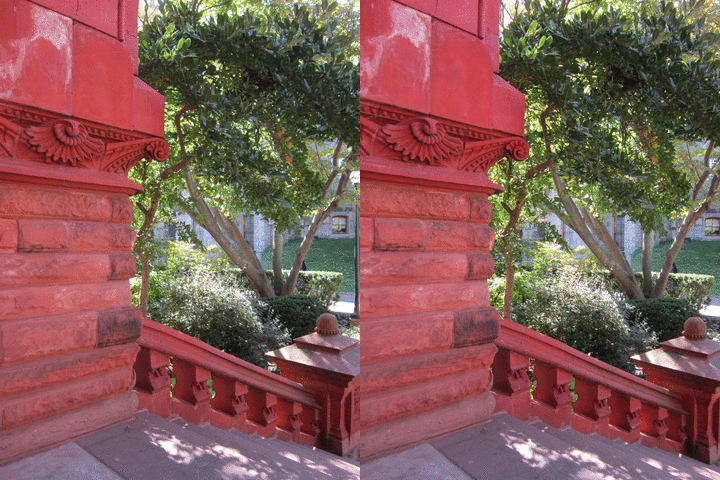
~81 image pairs taken at 16MP ea created about ~737 MB of JPG data which convereted to ~23MB of animted GIFS at 360x480.
A mix of results both cropped and full frame all shot using this rig.

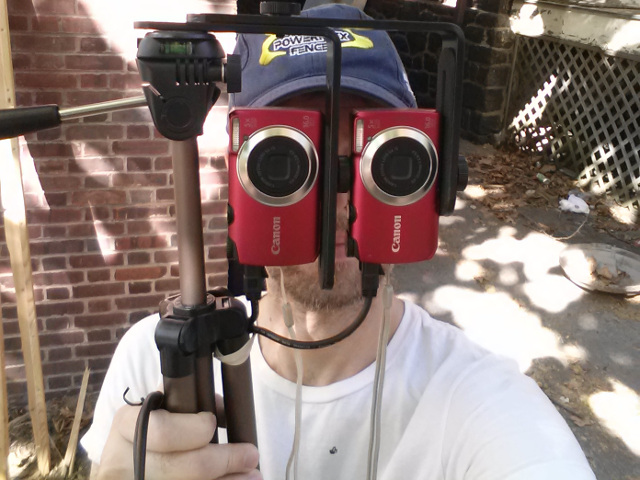
## Rig
## Conclusion
The `stereoscopic` part of this project has been demonstrated as shown above. A low cost rig can be constructed and modified with CHDK for under $175.
## TODO
- [ ] Address camera misalignment difficulties
- [ ] DNG raw file camera calibrations (LCP & DCP profiles)
- [ ] Book imaging configuration
- [ ] UV and IR techniques for book imaging
- [ ] CHDKPTP tethered control and automation
## Documentation
* [CHDK A3300 IS Firmware](http://chdk.wikia.com/wiki/A3300IS)
* [Canon Powershot A3300 IS Manual](http://gdlp01.c-wss.com/gds/9/0300004679/01/PSA3300IS_A3200IS_A2200_CUG_EN.pdf)
## References
* [CHDK](http://chdk.wikia.com)
* [gphoto2](http://gphoto.org/proj/libgphoto2/support.php)
* [imagemagick](https://www.imagemagick.org/script/command-line-options.php)
* [$400-96MP-array](http://www.tawbaware.com/vsa_camera_array.html)
* [pi-scan](https://github.com/Tenrec-Builders/pi-scan)
* [www.diybookscanner.org](https://www.diybookscanner.org/)
* [rawtherapee](http://rawtherapee.com/)
* [Full Spectum Photography](https://en.wikipedia.org/wiki/Full-spectrum_photography)
* [Nimslo](https://en.wikipedia.org/wiki/Nimslo)