https://github.com/ubuntu-flutter-community/flutter_spinbox
Material & Cupertino SpinBox for Flutter
https://github.com/ubuntu-flutter-community/flutter_spinbox
cupertino dart flutter flutter-widget material spinbox
Last synced: 4 months ago
JSON representation
Material & Cupertino SpinBox for Flutter
- Host: GitHub
- URL: https://github.com/ubuntu-flutter-community/flutter_spinbox
- Owner: ubuntu-flutter-community
- License: mit
- Created: 2020-05-19T15:04:52.000Z (about 6 years ago)
- Default Branch: main
- Last Pushed: 2025-04-07T09:34:54.000Z (about 1 year ago)
- Last Synced: 2026-01-11T10:41:23.159Z (6 months ago)
- Topics: cupertino, dart, flutter, flutter-widget, material, spinbox
- Language: Dart
- Homepage: https://pub.dev/packages/flutter_spinbox
- Size: 1.38 MB
- Stars: 33
- Watchers: 0
- Forks: 31
- Open Issues: 18
-
Metadata Files:
- Readme: README.md
- Changelog: CHANGELOG.md
- License: LICENSE
Awesome Lists containing this project
README
# SpinBox for Flutter
[](https://pub.dev/packages/flutter_spinbox)
[](https://pub.dev/packages/flutter_spinbox/score)

[](https://codecov.io/gh/jpnurmi/flutter_spinbox)
[](https://pub.dev/packages/lint)
[](https://opensource.org/licenses/MIT)
SpinBox for [Flutter](https://flutter.dev) is a numeric input widget with an input field for
entering a specific value, and spin buttons for quick, convenient, and accurate value adjustments.
SpinBox for Flutter comes in two variants. It provides implementations for both designs in Flutter,
Material and Cupertino (iOS).
## Material Design
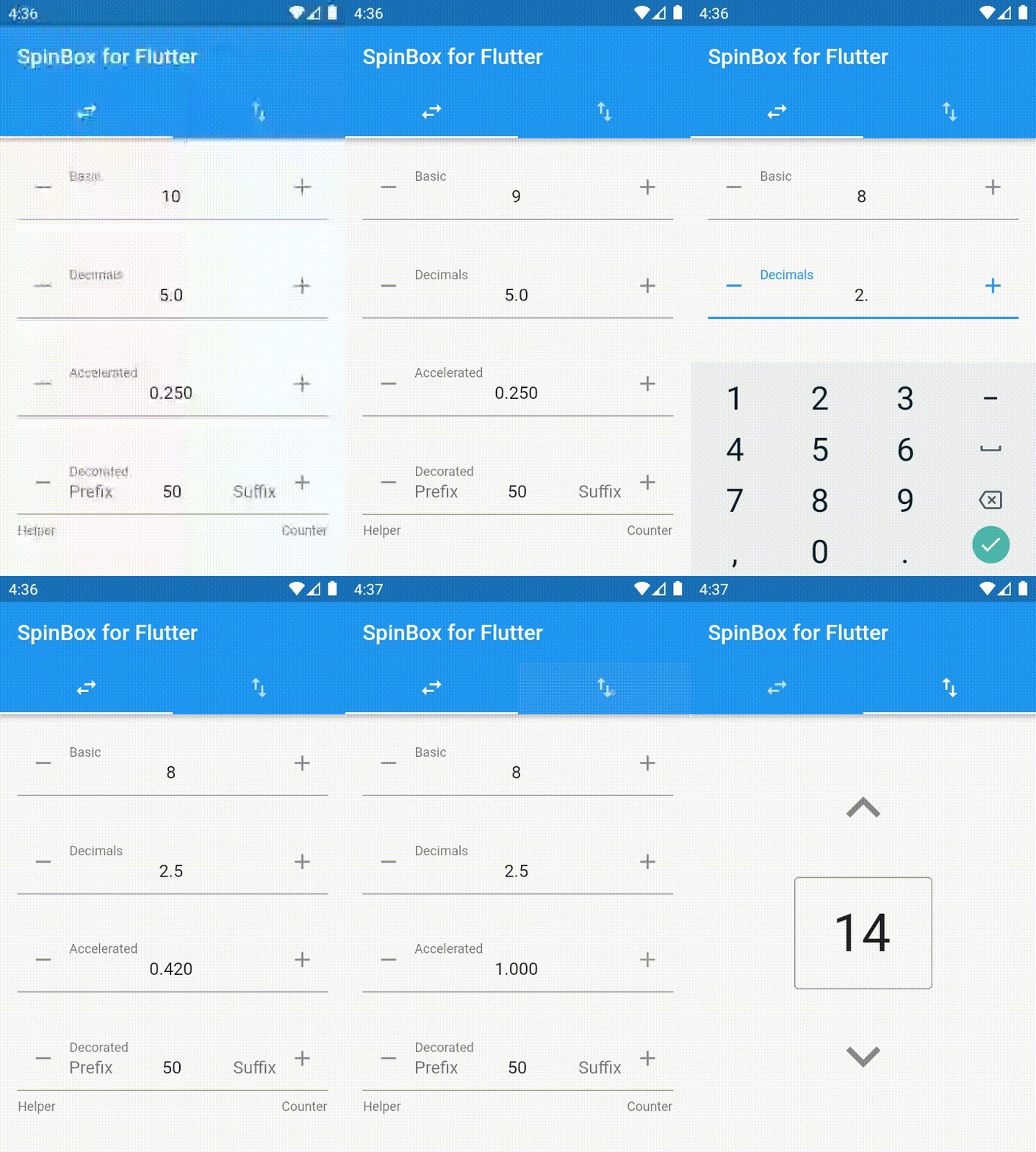
```dart
import 'package:flutter_spinbox/material.dart'; // or flutter_spinbox.dart for both
SpinBox(
min: 1,
max: 100,
value: 50,
onChanged: (value) => print(value),
)
```
See also [Material Components widgets](https://flutter.dev/docs/development/ui/widgets/material) package.
## Cupertino (iOS-style) Design
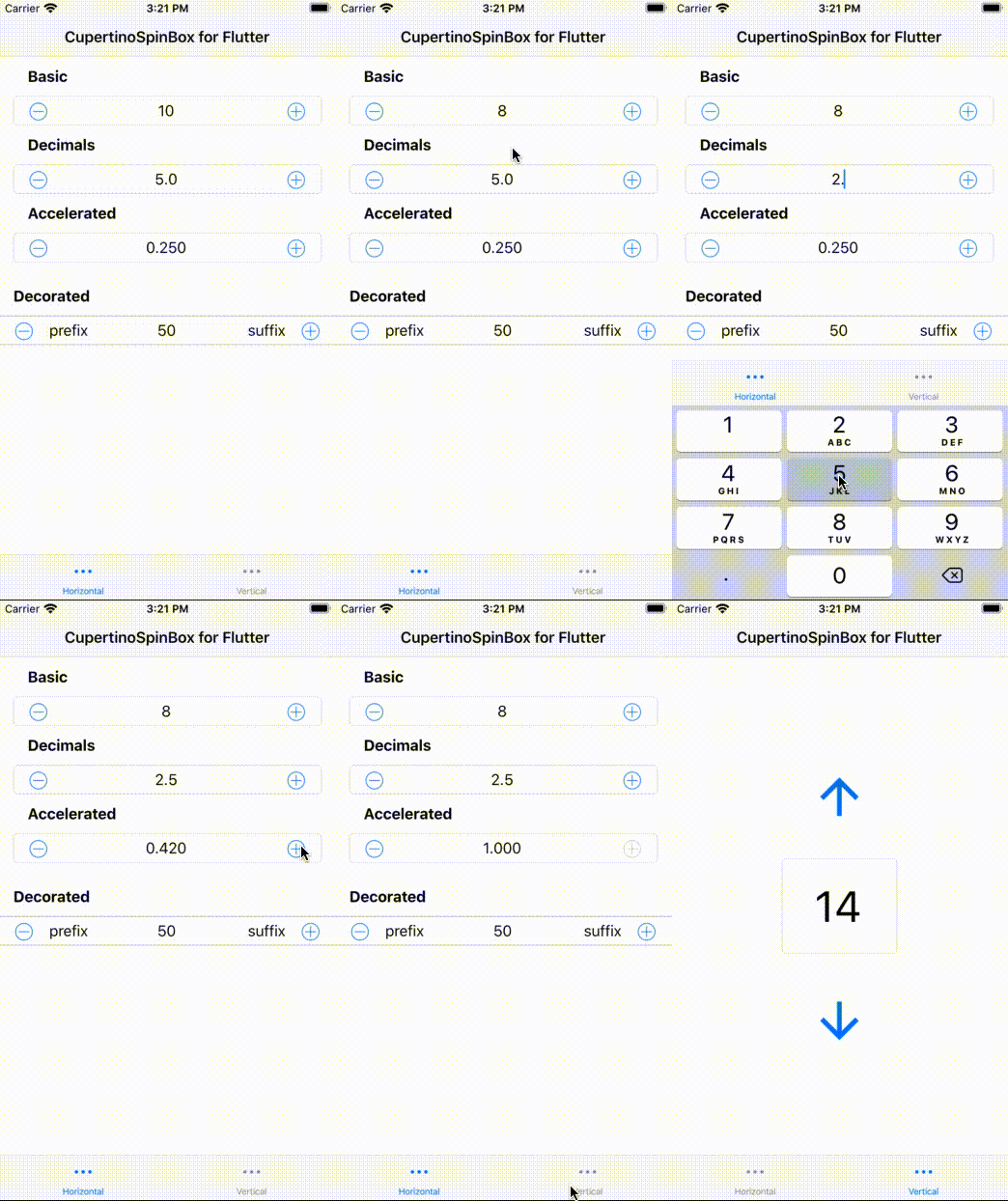
```dart
import 'package:flutter_spinbox/cupertino.dart'; // or flutter_spinbox.dart for both
CupertinoSpinBox(
min: 1,
max: 100,
value: 50,
onChanged: (value) => print(value),
)
```
See also [Cupertino (iOS-style) widgets](https://flutter.dev/docs/development/ui/widgets/cupertino) package.
## Guidelines
Spin boxes are best suited for such applications
- that deal with large numeric value ranges and high precisions,
- where users typically know upfront the exact value they are entering,
- where users may later have a need to accurately adjust a previously entered value.
As a rule of thumb, spin boxes are great for scenarios where
- sliders and alike UI controls are too inaccurate,
- tumblers and alike UI controls cannot provide enough value range,
- and a plain text field is inconvenient for value adjustments
(open the VKB, move the cursor, erase the previous value, enter a new value... vs. tap-tap-done).
## Usage
To use this package, add `flutter_spinbox` as a [dependency in your pubspec.yaml file](https://flutter.io/platform-plugins/).