https://github.com/unicodeveloper/face-detection
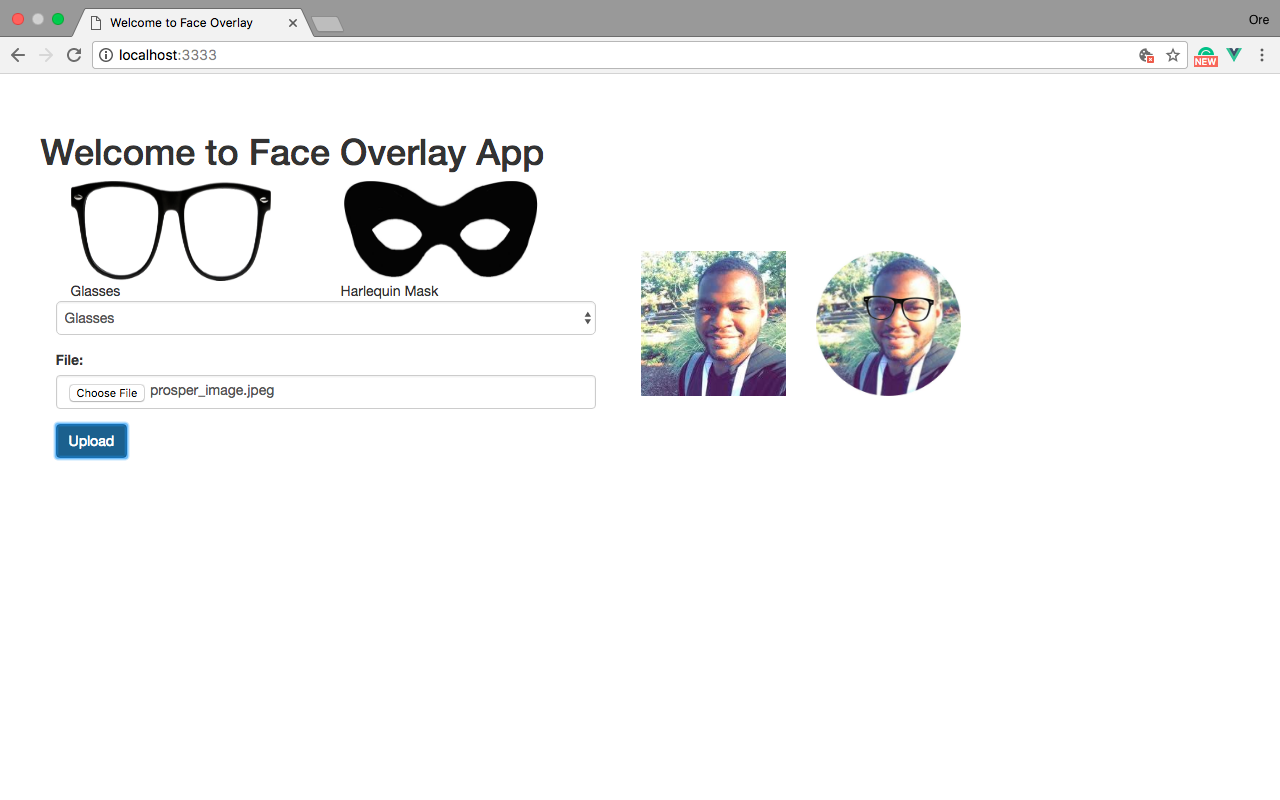
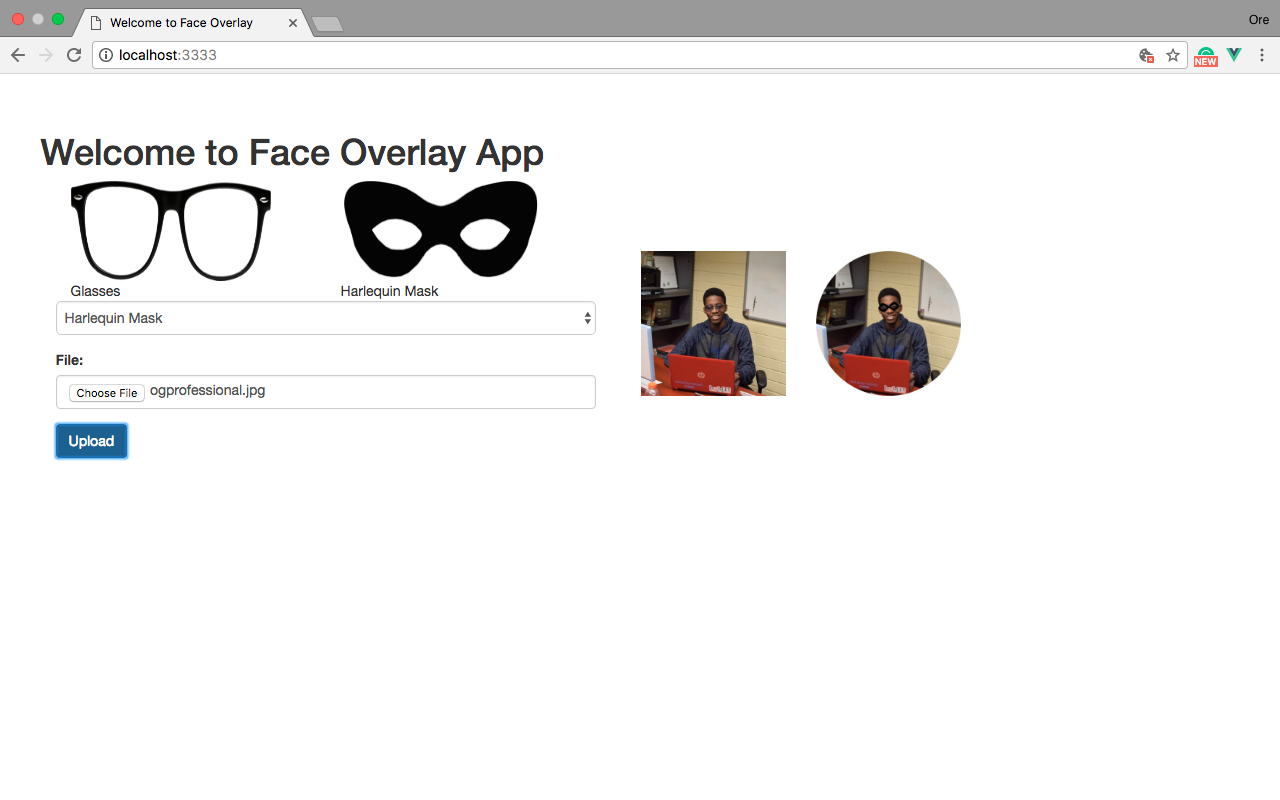
:man: :woman: An app to detect facial attributes (with focus on the eyes), on a human and append a pair of glasses or harlequin mask.
https://github.com/unicodeveloper/face-detection
Last synced: 5 months ago
JSON representation
:man: :woman: An app to detect facial attributes (with focus on the eyes), on a human and append a pair of glasses or harlequin mask.
- Host: GitHub
- URL: https://github.com/unicodeveloper/face-detection
- Owner: unicodeveloper
- License: mit
- Created: 2017-09-19T11:43:11.000Z (almost 9 years ago)
- Default Branch: master
- Last Pushed: 2017-10-08T22:46:53.000Z (almost 9 years ago)
- Last Synced: 2025-04-23T17:09:36.303Z (over 1 year ago)
- Language: HTML
- Homepage:
- Size: 78.1 KB
- Stars: 25
- Watchers: 5
- Forks: 15
- Open Issues: 1
-
Metadata Files:
- Readme: README.md
- License: LICENSE
Awesome Lists containing this project
README
# Face Overlay App

👨 👩 An app to detect facial attributes (with focus on the eyes), on a human and append a pair of glasses or harlequin mask.
## Setting things up
### Clone the repository
```sh
$ git clone git@github.com:unicodeveloper/face-detection.git
```
### Install Dependencies
Before continuing, this app requires [node](https://nodejs.org/en/) $ [npm](https://www.npmjs.com/) installed on your machine.
Once you have confirmed your node installation,
- Change directory into the server directory of the app
```sh
$ cd face-detection/server
```
- Install npm packages
```sh
$ npm install
```
- Set up http server
To render our static html files, you could use a simple http server like [http-server](https://www.npmjs.com/package/http-server). To install run the command
```sh
$ npm install http-server -g
```
### Working with Cloudinary
This application is dependent on [Cloundary's API](https://cloudinary.com/).
To continue, you will need to [sign up](https://cloudinary.com/users/register/free) here. Once that's done, on your [console](https://cloudinary.com/console) fetch your `cloud_name`, `api_key`, `api_secret` and then add them to your `index.js` file located in the `server/` directory.
NB:
- You also need to activate [Advanced Facial Attributes](https://cloudinary.com/console/addons#adv_face) on your cloudinary account - don't worry it's 'kinda' free 😜 .
- You need to upload the images from the `assets` directory to your [media library](https://cloudinary.com/console/media_library) and rename them to `glasses` and `harlequinmask` since those are the two masks we are considering
## Running things
To run the app, in the root directory of our app we start our backend server with this command
```sh
$ node server
```
You'll get a response like
```sh
Listening on localhost:3333
```
This means your backend server is running on `http://localhost:3333/`
You also need to run your `http-server` by using the command
```sh
$ http-server
```
Once that's done, you get a response like
```sh
Starting up http-server, serving ./public
Available on:
http://127.0.0.1:8080
http://172.20.10.9:8080
```
Now you can navigate to `http://127.0.0.1:8080/` to see the app at work 😇
License
----
MIT