https://github.com/unosquare/tubular-react
Material UI table with local or remote data-source. Featuring filtering, sorting, free-text search, export to CSV locally, and aggregations.
https://github.com/unosquare/tubular-react
datagrid grid hoc material-ui react webcomponent
Last synced: 9 months ago
JSON representation
Material UI table with local or remote data-source. Featuring filtering, sorting, free-text search, export to CSV locally, and aggregations.
- Host: GitHub
- URL: https://github.com/unosquare/tubular-react
- Owner: unosquare
- License: mit
- Archived: true
- Created: 2018-01-15T22:12:45.000Z (over 8 years ago)
- Default Branch: master
- Last Pushed: 2022-11-23T19:47:05.000Z (over 3 years ago)
- Last Synced: 2025-03-14T01:12:33.335Z (over 1 year ago)
- Topics: datagrid, grid, hoc, material-ui, react, webcomponent
- Language: TypeScript
- Homepage: https://unosquare.github.io/tubular
- Size: 20.7 MB
- Stars: 206
- Watchers: 24
- Forks: 27
- Open Issues: 0
-
Metadata Files:
- Readme: README.md
- License: LICENSE
Awesome Lists containing this project
README
[](https://badge.fury.io/js/tubular-react)


** THIS REPO HAS BEEN ARCHIVED**
**Tubular-React** is a [Material-UI](https://material-ui.com/) table (or data grid) with local or remote data-source. Featuring:
- Define a custom layout for columns and cells using `render` methods.
- Use a remote or local datasource. Remote datasource use a specific Request and Response format.
- Sort and filter multiple columns.
- Free-text search of string columns.
- Page data. Remote data is paged in the server side.
- Export data to a CSV file.
- Print data.
You can try a [CodeSandbox demo](https://codesandbox.io/s/818mwv72ll).
Please visit the [Tubular GitHub Page](http://unosquare.github.io/tubular) to learn how quickly you can start coding. See [Related projects](#related-projects) below to discover more Tubular libraries and backend solutions.
# Table of contents
- [Table of contents](#table-of-contents)
- [Installation](#installation)
- [Usages](#usages)
- [`DataGrid`](#datagrid)
- [DataGrid with a remote data source](#datagrid-with-a-remote-data-source)
- [DataGrid with a local data source](#datagrid-with-a-local-data-source)
- [Tubular react in a grid list](#tubular-react-in-a-grid-list)
- [Run integrated sample](#run-integrated-sample)
- [i18n Support](#i18n-support)
- [Related Projects](#related-projects)
## Installation
```sh
$ npm install tubular-react --save
```
## Usages
You can check the documentation of the components at [https://unosquare.github.io/tubular/tubular-react](https://unosquare.github.io/tubular/tubular-react)
### `DataGrid`
You can start using `DataGrid` with this sample code. The grid will connect to a remote datasource or have a local datasource depending on what it's passed in the dataSource property.
To create Column you have to use **createColumn** function and have to pass the desired name of column as string.
```js
import React from 'react';
import ReactDOM from 'react-dom';
import { DataGrid } from 'tubular-react';
import {createColumn} from "tubular-common";
const columns = [createColumn('OrderID'), createColumn('CustomerName'), createColumn('ShipperCity')];
const SampleGrid = () => (
);
ReactDOM.render(, document.getElementById('root'));
```
This is a preview of the previous code:
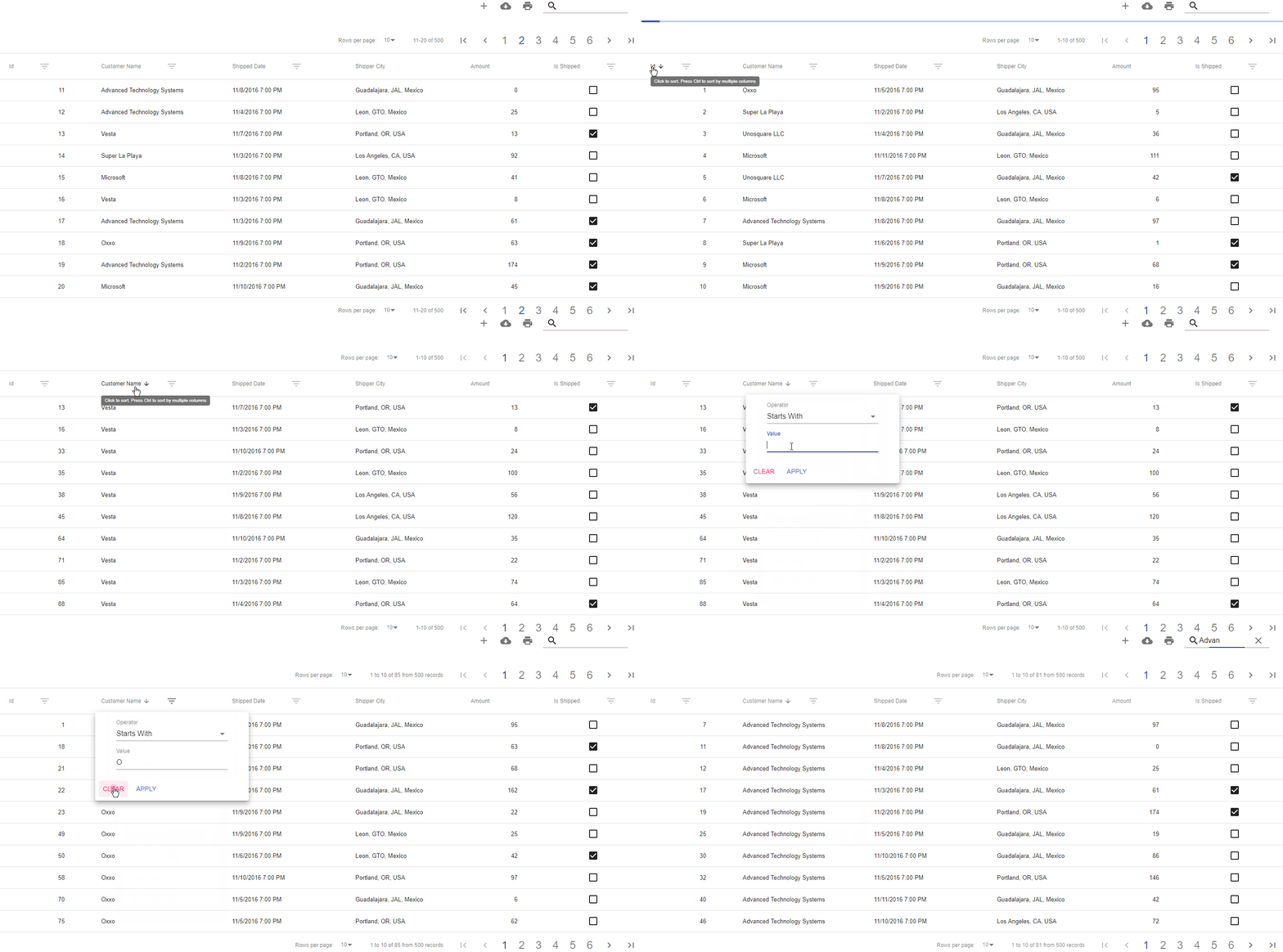
### DataGrid with a remote data source
It is possible to display data from a remote source.

[](https://codesandbox.io/s/remotedatagrid-example-forked-lnt7h?fontsize=14&hidenavigation=1&theme=dark)
### DataGrid with a local data source
It is possible to display data from a local data source.
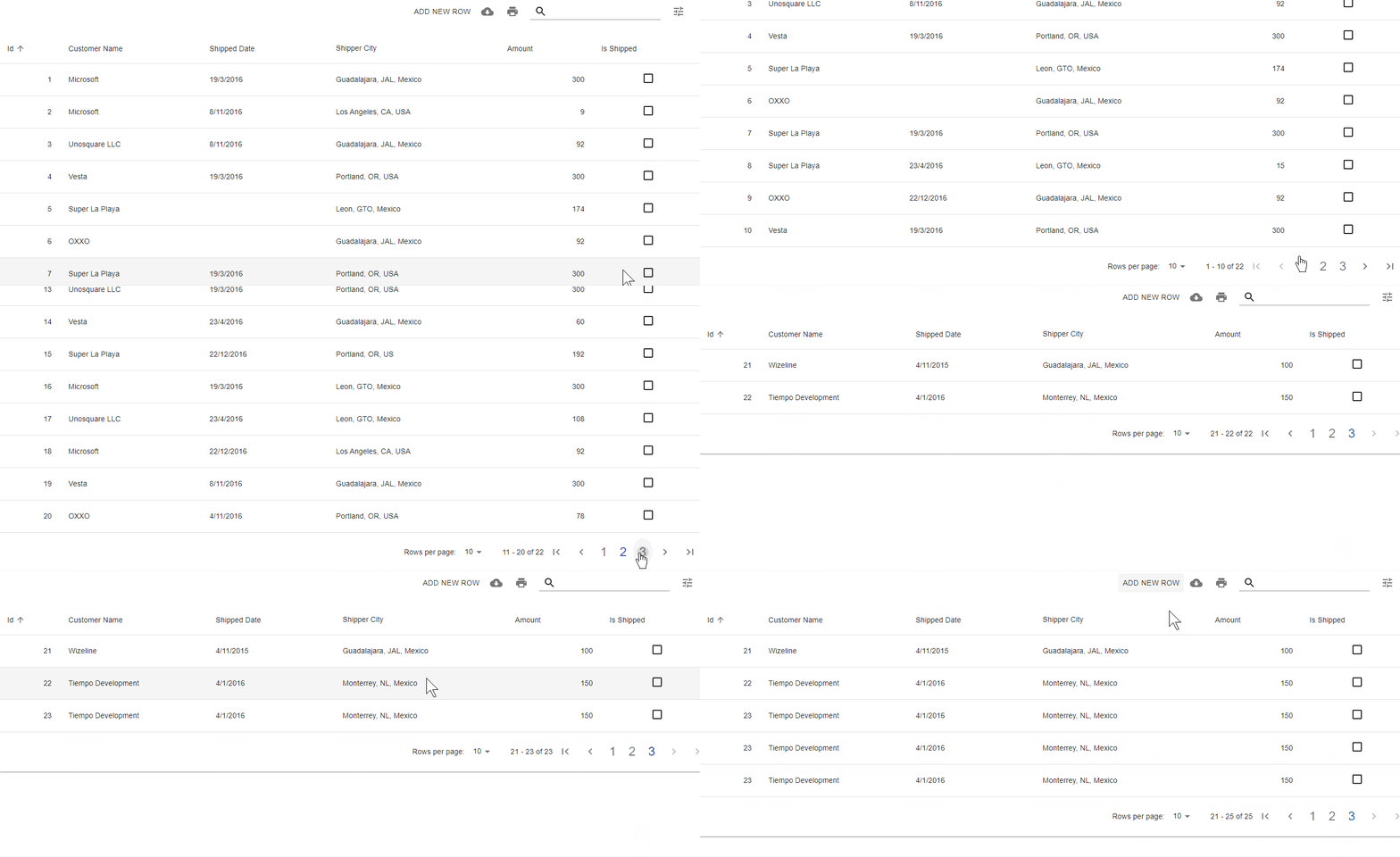
[](https://codesandbox.io/s/localdatagrid-example-forked-sif6w?file=/src/LocalDataGrid.tsx&fontsize=14&hidenavigation=1&theme=dark)
### Tubular react in a grid list
Tubular can also be used to render data in a different layout.

[](https://codesandbox.io/s/gridlist-example-forked-vfniq?file=/src/RemoteList.tsx&fontsize=14&hidenavigation=1&theme=dark)
### Run integrated sample
There is a sample included in this project, you can run it just by doing the following.
```shell
// Install all the dependencies
npm install
// Run the sample project
npm start
```
## i18n Support
Tubular React now includes a brand new Language Service that will translate the content of the grid to a preferred language.
Devs can also implement content on their language and import it to use this language.
By default, Tubular React comes with implementations in **English** and **Spanish**.
If any key content needs parameters to include in the translation, devs can pass the parameters in the `translate` function.
```ts
import { Lang } from 'tubular-react';
Lang.translate('PageNum', 16);
// => 'Page 16'
```