https://github.com/uriel1998/tdab
Create side and top bars in tmux easily, along with a "devour" style command.
https://github.com/uriel1998/tdab
bash tmux
Last synced: about 1 year ago
JSON representation
Create side and top bars in tmux easily, along with a "devour" style command.
- Host: GitHub
- URL: https://github.com/uriel1998/tdab
- Owner: uriel1998
- License: mit
- Created: 2020-10-05T23:15:03.000Z (over 5 years ago)
- Default Branch: master
- Last Pushed: 2024-09-28T15:14:27.000Z (over 1 year ago)
- Last Synced: 2025-03-28T07:21:43.811Z (about 1 year ago)
- Topics: bash, tmux
- Language: Shell
- Homepage:
- Size: 3.54 MB
- Stars: 13
- Watchers: 2
- Forks: 0
- Open Issues: 0
-
Metadata Files:
- Readme: README.md
- License: LICENSE
Awesome Lists containing this project
README
# tmux-devours-a-bar
Create side and top bars in tmux easily, along with a "devour" style command.

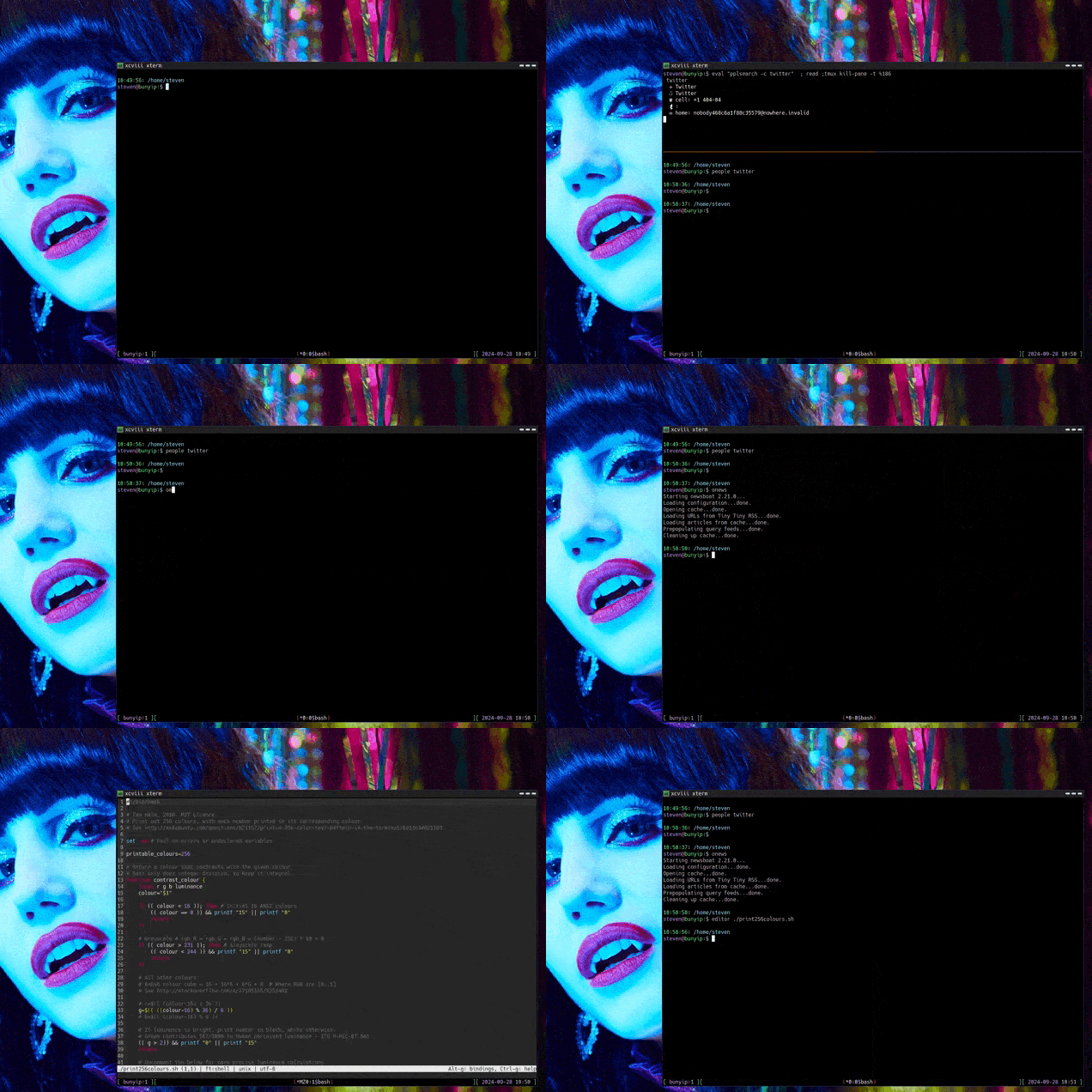
You can see a larger version of the demo with the [included MKV file](https://github.com/uriel1998/tdab/blob/master/tdab_example.mkv?raw=true).
## Contents
1. [About](#1-about)
2. [License](#2-license)
3. [Prerequisites](#3-prerequisites)
4. [Installation](#4-installation)
5. [Usage](#5-usage)
6. [Examples](#6-examples)
***
## 1. About
These three scripts (called `TDAB` for short) will create side or top bars
(or a "devour" style new pane) that run a command inside tmux. See the image
above to get an idea of what this means.
The name is a play on "A *blank* walks into a bar", because puns.
## 2. License
This project is licensed under the MIT License. For the full license, see `LICENSE`.
## 3. Prerequisites
* tmux
* bash
* bc
These scripts will *probably* work in other shells, but I don't know for sure.
## 4. Installation
Clone or download the repository. Put the scripts (or symlinks to the scripts)
in your `$PATH`. (In the example above, I've symlinked them to `sidebar`,
`topbar`, and `devour`.)
### Tip for `Devour`
I find a binding like the following *very* useful when using `devour`:
`bind-key -n C-/ select-pane -R \;\`
`resize-pane -Z`
This will allow you to cycle among the zoomed panes - and will zoom each as you
go through it. Very nice for programs like [emojin](https://github.com/peterjschroeder/emojin).
## 5. Usage
`SCRIPTNAME [--offset NUMBER] [--hold] [program to run]`
For example, `tmux-sidebar.sh man man` will show you the man page for man in
the sidebar.
**The optional command line arguments are POSITIONAL.**
Resizing the bars can be done with the command line argument --offset which is
expressed in the percentage of the screen you want for the *main* window. This
must be the first and second argument used. For example, to have a main window
taking up 90% of the screen, you would use
`tmux-topbar.sh --offset 90 man man`
This works by resizing the *larger* pane from the center line.
If the *second* argument is either `-h` or `--hold` then TDAB will pause after
executing the program and wait for you to hit a key (necessary for programs that
exit immediately, which triggers the pane closing).
If you run the scripts outside of tmux, it will just run the command.
### tmux_devour.sh
Launch a process in a new pane, zoom the pane, kill the pane when done.
### tmux_sidebar.sh
Create a sidebar (e.g. for reading manpages) and kill when done.
### tmux_topbar.sh
Create a vertical split and kill when done.
## 6. Examples
Aside from invoking on the command line, I've found a couple of short wrapper scripts
really make a difference, particularly if you want a specific setup.
To call your editor in a new, full-screen pane (leaving the initial pane alone):
`/home/steven/bin/tmux_devour.sh /usr/bin/micro "${@}"`
To bring up [my address book searcher](https://github.com/uriel1998/ppl_virdirsyncer_addysearch) in a small topbar when I'm working in the
main window:
`/home/steven/bin/tmux_topbar.sh --offset 80 pplsearch -c`
To bring up newsboat, with a sidebar showing a cheat sheet of things I forget using
[rich-cli](https://github.com/Textualize/rich-cli), then closing it when I'm done.
```
/home/steven/bin/tmux_sidebar.sh rich -m /home/steven/cheatsheet/newsboat.md --pager
newsboat
sidebarpid=$(ps aux | grep "rich -m /home/steven/cheatsheet/newsboat.md" | grep -v grep | awk '{print $2}')
kill $sidebarpid
```