https://github.com/useflyyer/flyyer-marketplace-angled
Free template | https://flyyer.io
https://github.com/useflyyer/flyyer-marketplace-angled
flyyer og-images react tailwind twitter-cards typescript
Last synced: about 1 month ago
JSON representation
Free template | https://flyyer.io
- Host: GitHub
- URL: https://github.com/useflyyer/flyyer-marketplace-angled
- Owner: useflyyer
- Created: 2021-09-14T01:28:21.000Z (almost 5 years ago)
- Default Branch: main
- Last Pushed: 2023-01-07T11:08:21.000Z (over 3 years ago)
- Last Synced: 2025-03-03T09:43:54.249Z (over 1 year ago)
- Topics: flyyer, og-images, react, tailwind, twitter-cards, typescript
- Language: TypeScript
- Homepage: https://flyyer.io/@/flyyer/angled
- Size: 2.83 MB
- Stars: 1
- Watchers: 3
- Forks: 0
- Open Issues: 11
-
Metadata Files:
- Readme: README.md
Awesome Lists containing this project
README
# 🌠 Angled
Feel free to checkout the latest documentation at [docs.flyyer.io](https://docs.flyyer.io) 📖
## Development
You can start a development server at [http://localhost:7777](http://localhost:7777) with:
```sh
npm run start
# Custom port and host
npm run start --port 3000 --host 0.0.0.0
```
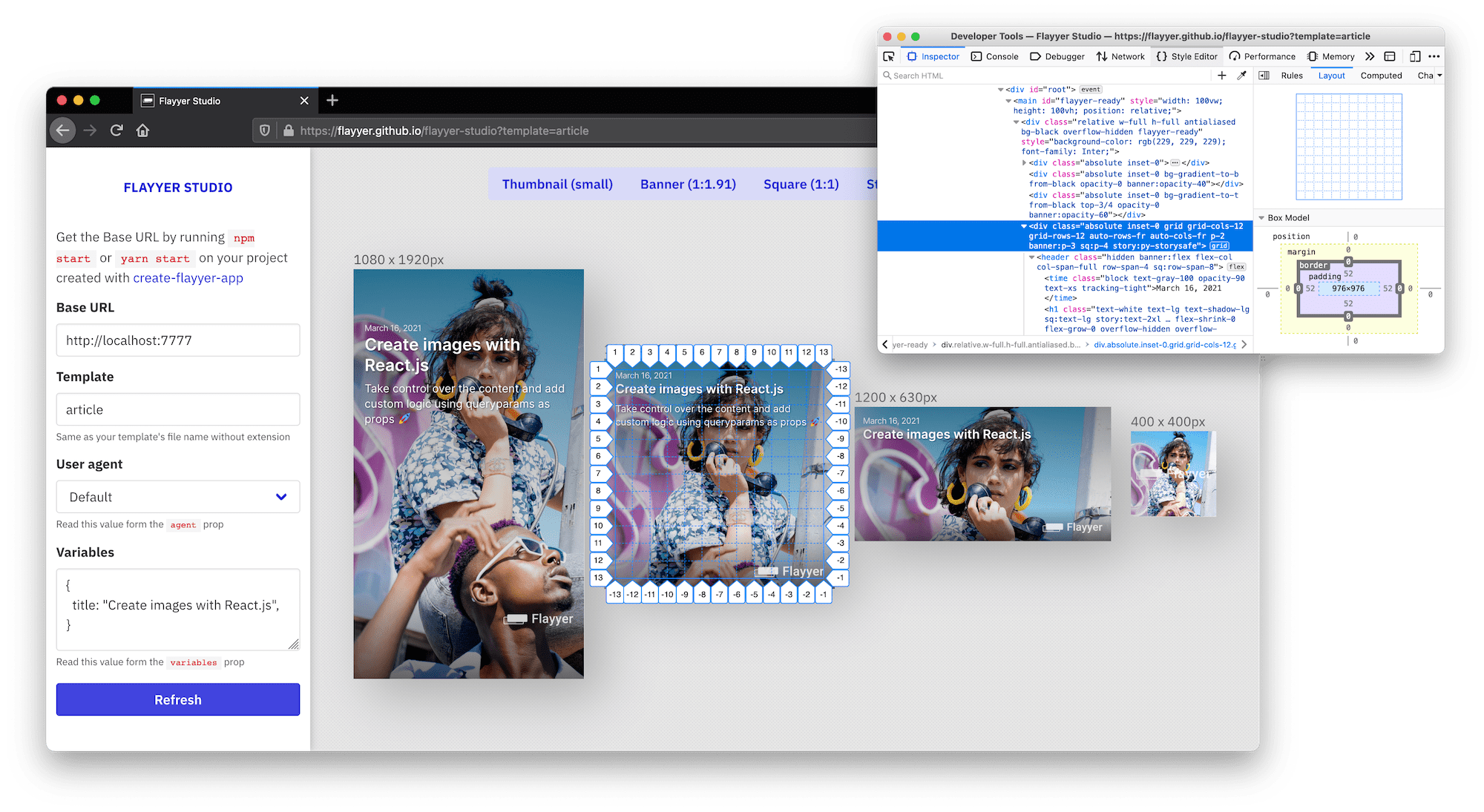
Then preview your template at [https://useflyyer.github.io/studio](https://useflyyer.github.io/studio)
[](https://useflyyer.github.io/studio)
## Deployment
Once you are ready to deploy to production please remember to build the project first:
```sh
NODE_ENV=production npm run build
```
Get your Flyyer key from [https://flyyer.io/dashboard/_/settings](https://flyyer.io/dashboard/_/settings) and set it as an environment variable:
```sh
# in your terminal
export FLYYER_KEY=...
```
Alternatively you can create a `.env` file:
```sh
# .env
FLYYER_KEY=...
```
Deploy to production
```sh
npm run deploy
```
You can find the live URL for your deck in the terminal output, it is something like: `https://cdn.flyyer.io/render/v2/tenant/deck/template`.
## Usage
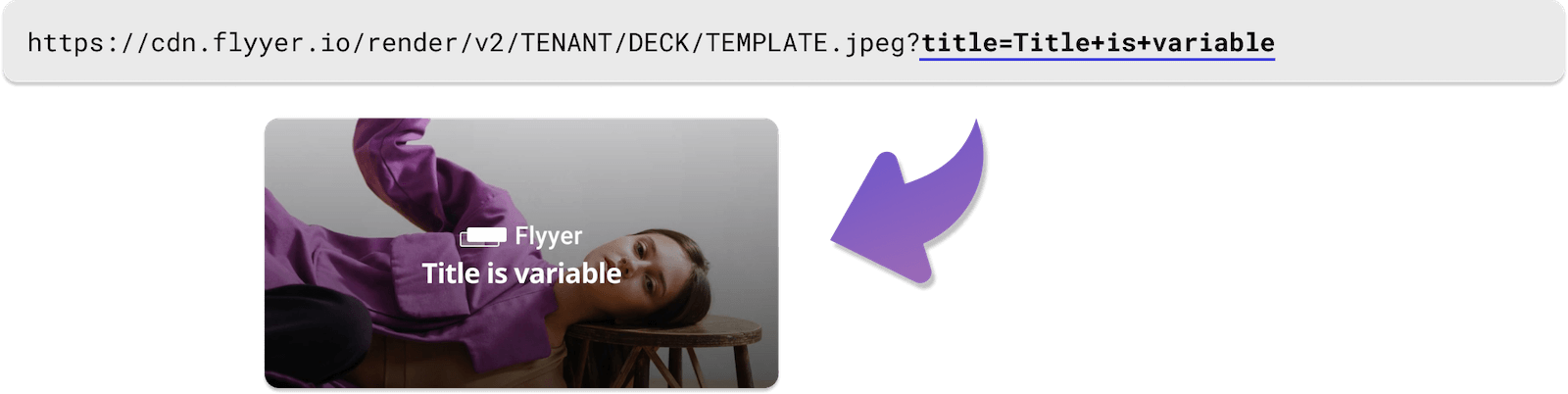
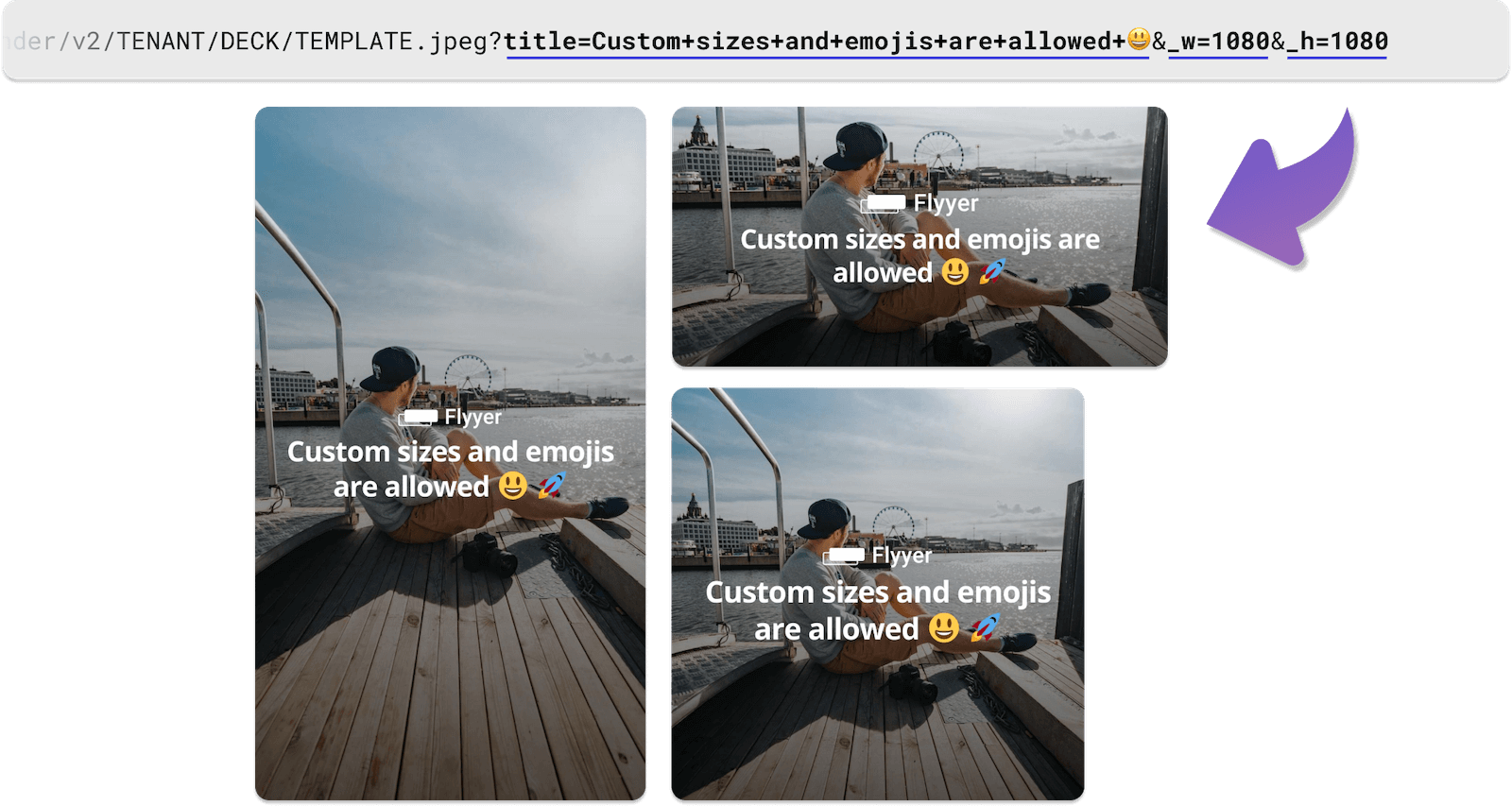
Append queryparams to your URLs and we will set those as props when rendering.
Next steps:
* Use our official libraries to format URLs https://docs.flyyer.io/docs/libraries
* Read our guides to integrate this into your software: https://docs.flyyer.io/guides
## FAQ & Caveats
### What is Flyyer studio?
It's a browser app that opens your local server (localhost:7777) in multiple _iframes_ so you can have a better developer experience. It works best on Firefox.
### SCSS Support
Sure. Install `npm install --save sass` and just import your SASS/SCSS files just like: `import "/styles.scss"`.
> See: https://docs.flyyer.io/docs/features/styles
### Custom fonts
Refer to https://docs.flyyer.io/docs/features/fonts. If you are building a template for the community and want to support on-the-fly fonts you can use: [flyyer/use-googlefonts](https://github.com/useflyyer/use-googlefonts).
### Nested directories
**This is not implemented yet. Please prefer a flat `/templates` directory.** This means you have to avoid folders inside `/templates`.
Folders outside `/templates` is ok 👍
### Development server crashes or stop previewing
The development server (`npm run start`) can be buggy sometimes. Please restart the server if you encounter any problems.
---
> Default image credits: [Photo by TRAVELBLOG from Pexels](https://www.pexels.com/photo/man-in-white-t-shirt-sitting-on-dock-6977127/)
> Default image credits: [Photo by cottonbro from Pexels](https://www.pexels.com/photo/woman-in-purple-long-sleeve-shirt-sitting-on-brown-wooden-seat-5771604/)