https://github.com/userorient/orient-ui
🧩 Beautiful Flutter widgets without Material or Cupertino
https://github.com/userorient/orient-ui
design-system flutter
Last synced: 3 months ago
JSON representation
🧩 Beautiful Flutter widgets without Material or Cupertino
- Host: GitHub
- URL: https://github.com/userorient/orient-ui
- Owner: UserOrient
- License: mit
- Created: 2026-01-03T22:11:11.000Z (6 months ago)
- Default Branch: main
- Last Pushed: 2026-03-03T07:35:33.000Z (4 months ago)
- Last Synced: 2026-03-03T08:41:10.015Z (4 months ago)
- Topics: design-system, flutter
- Language: Dart
- Homepage: https://pub.dev/packages/orient_ui
- Size: 21.1 MB
- Stars: 49
- Watchers: 0
- Forks: 5
- Open Issues: 2
-
Metadata Files:
- Readme: README.md
- Changelog: CHANGELOG.md
- License: LICENSE
Awesome Lists containing this project
README
Orient UI
The missing pieces for Flutter Web & Desktop. Finally!
Beautiful widgets with zero dependencies.
Live Demo •
See in Production •
Pub.dev


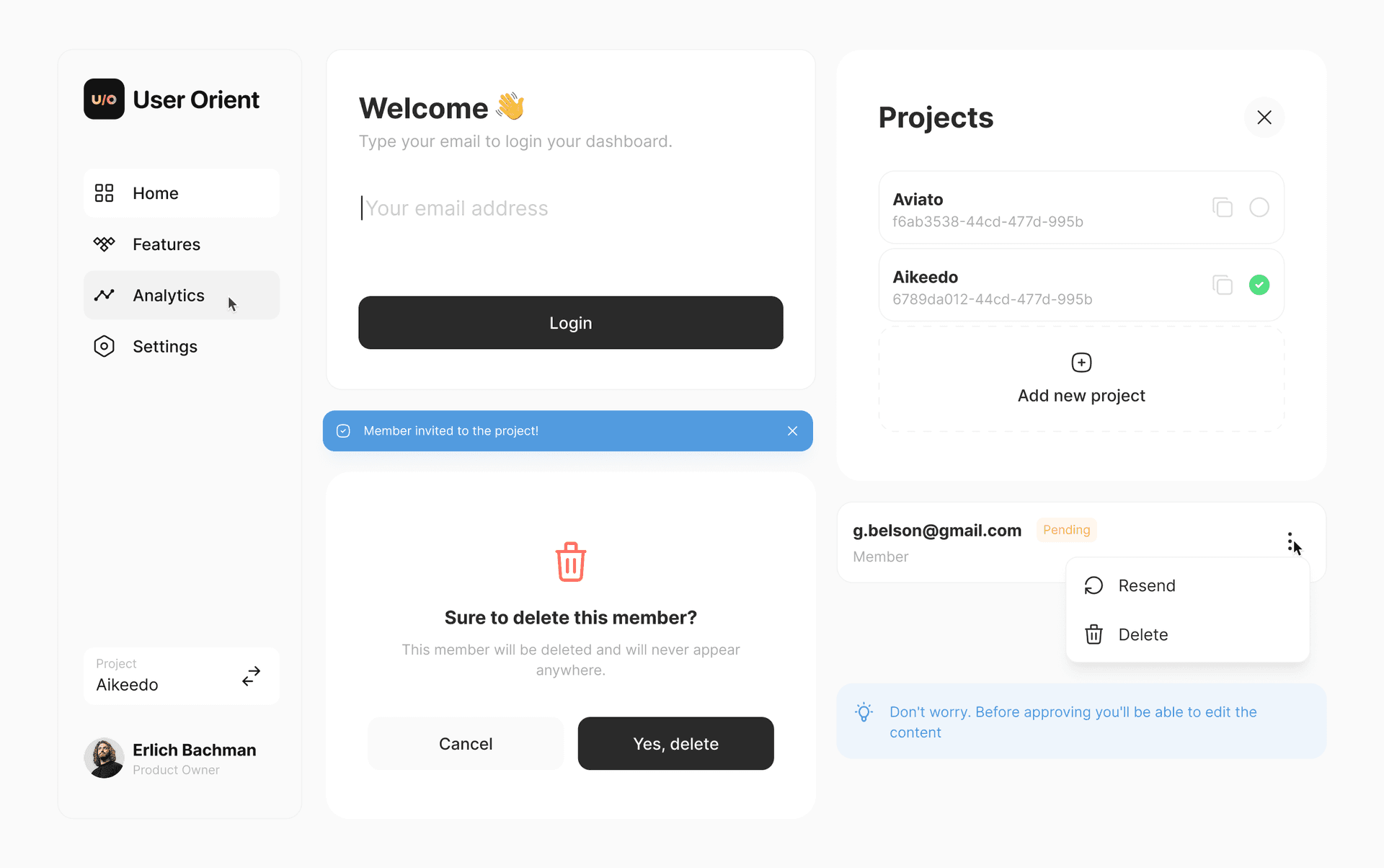
## Features
- 🧩 **Works alongside Material.** Add one widget today. No rewrite needed.
- 📦 **You own the code.** Every widget is a file in your project. Edit it however you want.
- 🖥️ **Built for web & desktop.** Hover states, keyboard navigation, responsive out of the box.
- 🔓 **Zero dependencies.** Nothing in your pubspec. No lock-in.
- 🎨 **14 widgets and growing.** Buttons, toggles, popups, navigation, toasts, and more.
## 🎬 Getting Started
### 1. Install the CLI
```bash
dart pub global activate orient_ui
```
### 2. Initialize
Navigate to your Flutter project and run:
```bash
orient_ui init
```
This creates `lib/style.dart` in your project. **You own this file**: move it wherever you want (e.g., `lib/core/style.dart`).
### 3. Add Components
```bash
orient_ui add button
```
This creates `lib/button.dart`. Move it wherever you want (e.g., `lib/widgets/button.dart`).
**Important:** Update the import inside the component file to match where you placed `style.dart`:
```dart
// In button.dart, update this line:
import 'package:your_app/style.dart'; // adjust to your path
```
### 4. Use
```dart
Button(
label: 'Click me',
onPressed: () {},
)
```
Widgets follow system brightness by default. No wrapping needed.
### Dark Mode
To control dark mode manually, wrap your app with `Style`:
```dart
Style(
brightness: Brightness.dark,
child: MaterialApp(
home: MyHomePage(),
),
)
```
## 🎨 Components
### Available Now
- [x] Button (6 variants)
- [x] Spinner
- [x] NavBar (Navigation Rail + Bottom Bar)
- [x] Toast
- [x] EmptyState
- [x] CopyButton
- [x] Popup
- [x] AlertPopup
- [x] ConfirmationPopup
- [x] SearchField
- [x] CardBox
- [x] Tile
- [x] Toggle
- [x] ToggleTile
- [x] SingleChoice
- [x] SingleChoiceTile
- [x] MultiChoice
- [x] MultiChoiceTile
### Coming Soon
- [ ] Typography
- [ ] TextField
- [ ] Dropdown
- [ ] Tabs
- [ ] InlineTabs
- [ ] Checkbox
- [ ] Label
- [ ] Tip
- [ ] PopoverMenu
- [ ] PickerPopup
- [ ] VerticalTile
- [ ] SocialButton
- [ ] AdaptivePageTransition
Check them out at [interactive web demo](https://widgets.userorient.com).
## ✅ Quality

All widgets are tested.
## ✨ Customizing Colors
Open `style.dart` and edit the constants at the top. That's it. You own the file.
```dart
// Light Theme - Base
const Color _lightBackground = Color(0xFFFFFFFF);
const Color _lightBorder = Color(0xFFE4E4E7);
const Color _lightForeground = Color(0xFF2A2A2A);
// ... change these to match your brand
```
## 📄 License
[MIT](https://raw.githubusercontent.com/userorient/orient-ui/main/LICENSE)
---
Built by the team at [UserOrient](https://app.userorient.com)