https://github.com/usulpro/custom-flow
https://github.com/usulpro/custom-flow
Last synced: 6 months ago
JSON representation
- Host: GitHub
- URL: https://github.com/usulpro/custom-flow
- Owner: usulpro
- Created: 2020-08-18T17:48:53.000Z (almost 6 years ago)
- Default Branch: master
- Last Pushed: 2022-12-13T12:34:13.000Z (over 3 years ago)
- Last Synced: 2025-04-07T07:54:29.603Z (about 1 year ago)
- Language: JavaScript
- Size: 2.35 MB
- Stars: 2
- Watchers: 1
- Forks: 0
- Open Issues: 17
-
Metadata Files:
- Readme: README.md
Awesome Lists containing this project
README
# demo-custom-workflow
A demonstration of a custom content publishing workflow using [Sanity](https://www.sanity.io/).
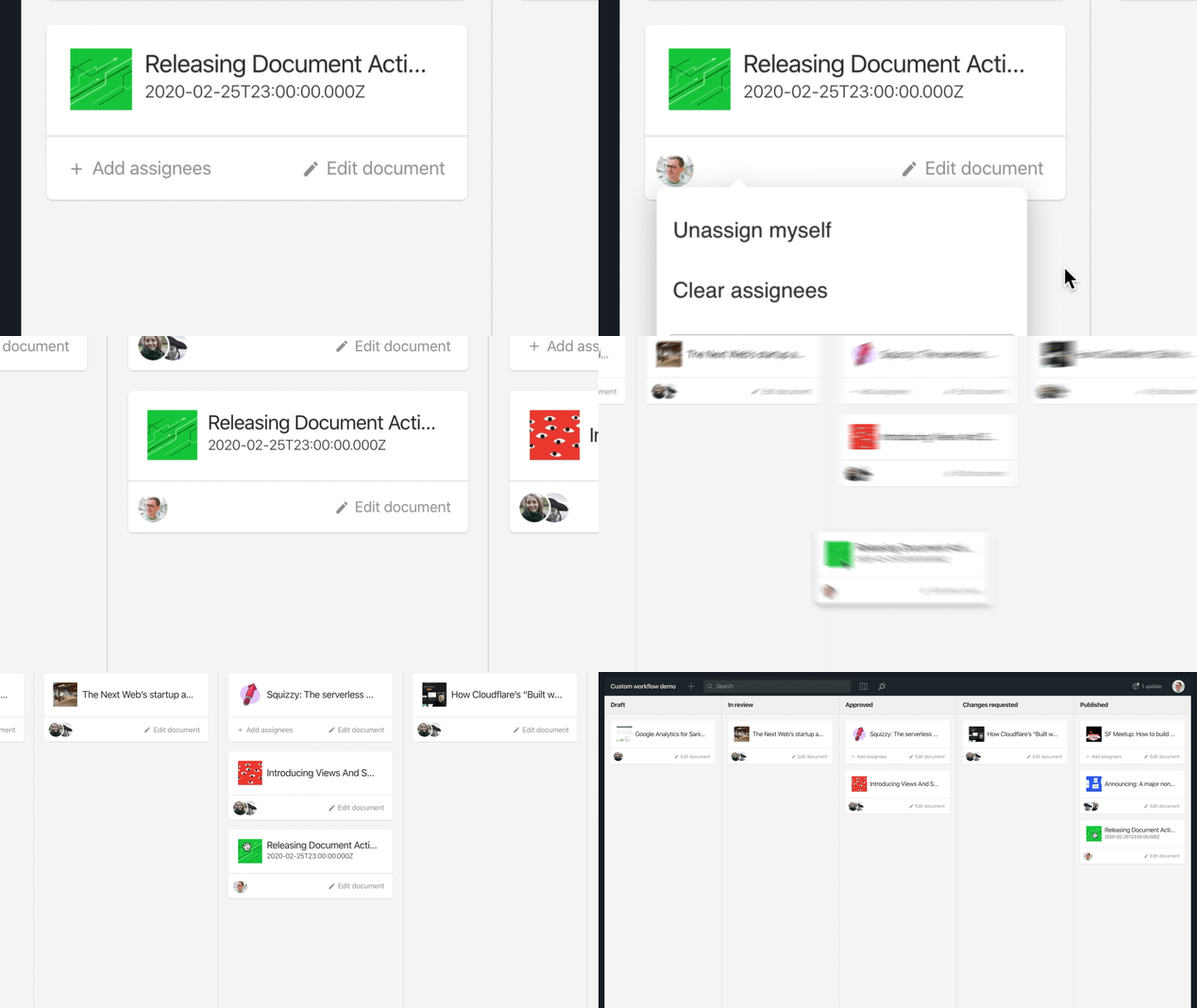
[Read blog post: “Document Actions: Workflows, Your Way”](https://www.sanity.io/blog/releasing-document-actions-workflows-your-way)
## Documentation
- [What’s the deal with this project?](#whats-the-deal-with-this-project)
- [Start a new project using this demo as boilerplate](#start-a-new-project-using-this-demo-as-a-boilerplate)
- [Create your custom schema definitions](#create-your-custom-schema-definitions)
- [Configure the custom workflow](#configure-the-custom-workflow)
- [Starting the development server](#starting-the-development-server)
- [Deployment](#deployment)
- [Got questions](#got-questions)
- [Demo code reference](#demo-code-reference)
- [`app/components`](#appcomponents)
- [`app/config`](#appconfig)
- [`app/documentActions`](#appdocumentactions)
- [`app/documentBadges`](#appdocumentbadges)
- [`app/lib`](#applib)
- [`app/schema`](#appschema)
- [`app/scripts`](#appscripts)
- [`app/structure`](#appstructure)
- [`app/tools`](#apptools)
### What’s the deal with this project?
The purpose of this repository is to provide an example of how to go about [creating a custom publishing workflow environment](https://www.sanity.io/docs/custom-workflows) using [Sanity Studio](https://www.sanity.io/docs/sanity-studio). _This is a demo and will not be maintained._
> NOTE: Some of the code in this demo uses internal APIs that may change in the future. If you use this code as a starting point, and experience missing functionality, please review the changelog in this project. We recommend keeping a reference to this repo’s GitHub URL.
#### Start a new project using this demo as a boilerplate
Push [this link](https://github.com/sanity-io/demo-custom-workflow/generate) or the **Use this template** button, and follow the instructions below.
```sh
git clone git@github.com:/demo-custom-workflow.git my-sanity-studio
cd my-sanity-studio
# customize README.md
# customize package.json
# then
sanity init
# Say “Yes” to reconfigure the studio and follow the instructions
```
#### Create your custom schema definitions
Edit the schema files in `app/schema` to create the content models you need in your project. Visit the [content modelling documentation](https://www.sanity.io/docs/content-modelling) to learn about custom schemas.
#### Configure the custom workflow
Once you have created the document types you need in your project, the next step is to add the custom document types to the workflow `types` configuration array in `app/config/workflow.js`.
#### Starting the development server
This Sanity Studio project is run in the same manner as standard Sanity Studio projects:
```sh
npm start
```
#### Deployment
If you want to deploy this Studio to a public URL so that editors can join your project, you may use the default Sanity hosting:
```sh
sanity deploy
```
#### Got questions?
Join our Slack community: https://slack.sanity.io/
### Demo code reference
The Sanity Studio customization code is mainly stored in the `app` directory.
#### `app/components`
The files in the `app/components` directory is a collection of custom React components used to render a KANBAN board, user selection inputs, workflow publishing buttons and so on.
#### `app/config`
The `app/config/workflow.js` file is used to configure which document types to include in the custom workflow and the possible workflow states.
The default states are:
- `Draft`
- `In review`
- `Require changes`
- `Accepted`
- `Published`
If you need other workflow states than the ones provided in this demo, you may rename and customize the contents of the `states` array. Keep in mind that it will require you to also change the logic in the document actions.
#### `app/documentActions`
This demo is made to showcase [Sanity’s _Document actions API_](https://www.sanity.io/docs/document-actions-api). This API enables the customization of the buttons in the footer drawer of the document editing environment in the Sanity Studio.
In `app/documentActions/index.js` you’ll find the document actions resolver function, and the custom actions used for the workflow implementation are placed in the `app/documentActions/workflow` directory.
If you want to disable the custom document actions, then remove the document action resolver configuration from the `parts` array in `sanity.json`:
```json
"parts": [
{
"implements": "part:@sanity/base/document-actions/resolver",
"path": "app/documentActions"
}
]
```
#### `app/documentBadges`
[The _Document badges API_](https://www.sanity.io/docs/custom-document-badges) is related to the document actions, and is a way to customize the document status badges in the editing environment.
```json
"parts": [
{
"implements": "part:@sanity/base/document-badges/resolver",
"path": "app/documentBadges"
}
]
```
If you want to disable the custom document badges, then remove the document badge resolver configuration from the `parts` array in `sanity.json`:
#### `app/lib`
This demo application requires some functionality that is not provided by the Sanity Studio out of the box.
- `app/lib/document`
React hooks and observables that are used to subscribe to real-time updates on workflow documents in this demo.
- `app/lib/project`
React hooks and observables that are used to subscribe to real-time updates on the Sanity project – mainly which users are part of the project.
- `app/lib/router`
The router provider is used to give easier access to the Sanity router context value, and for creating internal links more easily.
- `app/lib/user`
React hooks used to stream user info and lists of user IDs that are used in this demo.
- `app/utils`
Utility functions.
- `app/workflow`
React hooks that make it easier to work with the workflow metadata documents.
#### `app/schema`
The schema definitions used in this demo.
```json
"parts": [
{
"name": "part:@sanity/base/schema",
"path": "app/schema"
}
]
```
#### `app/scripts`
Scripts used while developing this demo.
#### `app/structure`
The Structure configuration used in this demo.
```json
"parts": [
{
"name": "part:@sanity/desk-tool/structure",
"path": "app/structure"
}
]
```
#### `app/tools`
The `app/tools/board.js` is the root configuration for the KANBAN tool in this demo. It is referenced in the `sanity.json` configuration file:
```json
"parts": [
{
"implements": "part:@sanity/base/tool",
"path": "app/tools/board"
}
]
```
## Development
```sh
git clone git@github.com:sanity-io/demo-custom-workflow.git
cd demo-custom-workflow
npm install
# Start the development server
npm start
```