https://github.com/utkarsh5026/mdhd
MDHD is a markdown reader that transforms your lengthy documents into digestible, focused reading sessions 🤗🤗
https://github.com/utkarsh5026/mdhd
frontend markdown nodejs react shadcn-ui tailwindcss tyoescript
Last synced: 3 months ago
JSON representation
MDHD is a markdown reader that transforms your lengthy documents into digestible, focused reading sessions 🤗🤗
- Host: GitHub
- URL: https://github.com/utkarsh5026/mdhd
- Owner: utkarsh5026
- Created: 2025-06-14T13:48:55.000Z (about 1 year ago)
- Default Branch: main
- Last Pushed: 2025-06-28T00:45:24.000Z (about 1 year ago)
- Last Synced: 2025-07-04T22:40:24.736Z (about 1 year ago)
- Topics: frontend, markdown, nodejs, react, shadcn-ui, tailwindcss, tyoescript
- Language: TypeScript
- Homepage: https://mdhd.vercel.app
- Size: 783 KB
- Stars: 1
- Watchers: 0
- Forks: 0
- Open Issues: 0
-
Metadata Files:
- Readme: README.md
Awesome Lists containing this project
README
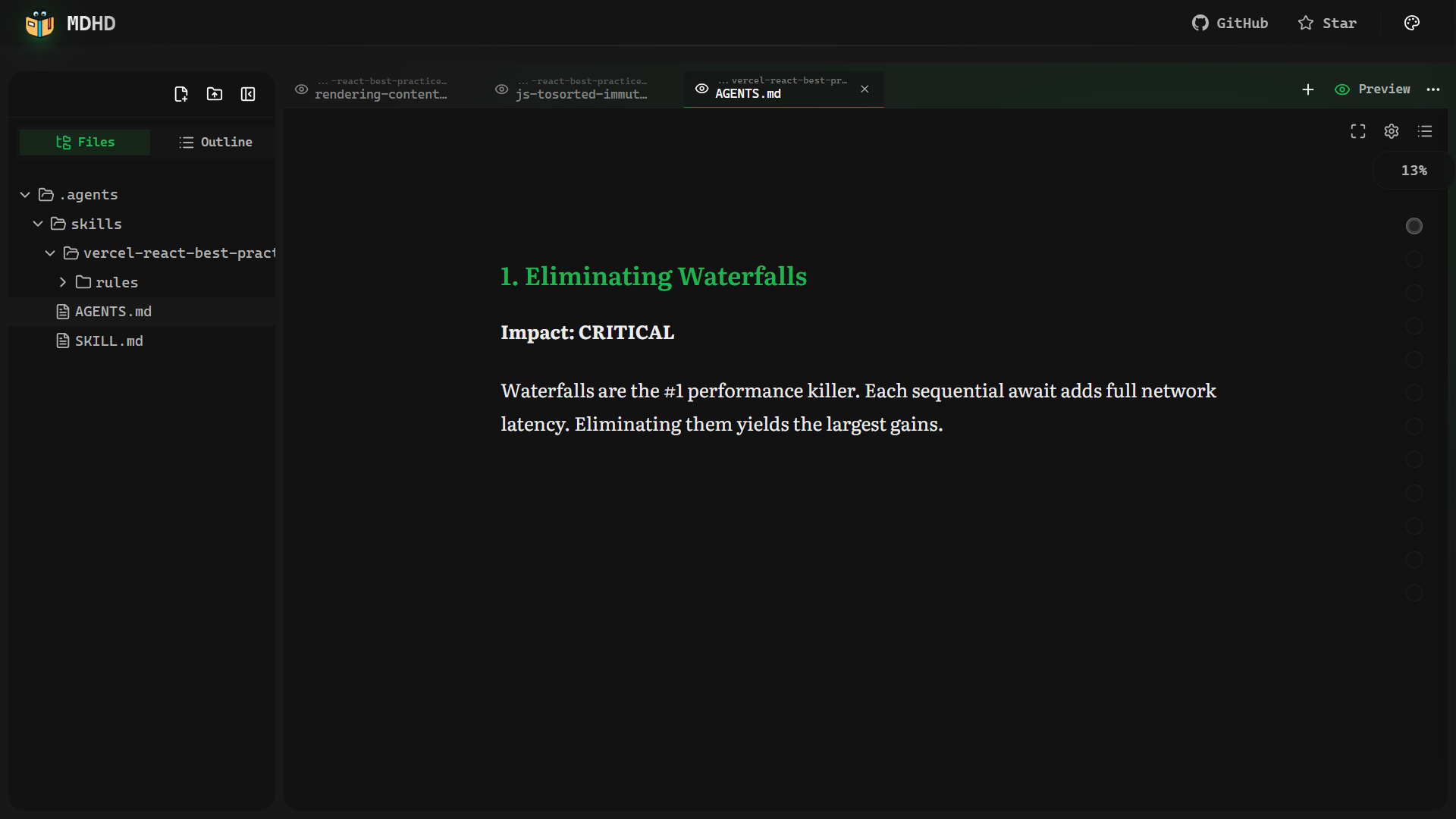
# MDHD
**Turn walls of markdown into focused, distraction-free reading sessions.**
[](https://github.com/utkarsh5026/mdhd/actions)
[](LICENSE)
[](https://react.dev)
[](https://www.typescriptlang.org)
[](https://vite.dev)
[](https://mdhd.vercel.app)
[](https://github.com/utkarsh5026/mdhd/pulls)
[Live Demo](https://mdhd.vercel.app) · [Report Bug](https://github.com/utkarsh5026/mdhd/issues) · [Request Feature](https://github.com/utkarsh5026/mdhd/issues)
---
## Table of Contents
- [About The Project](#about-the-project)
- [Key Features](#key-features)
- [Built With](#built-with)
- [Getting Started](#getting-started)
- [Prerequisites](#prerequisites)
- [Installation](#installation)
- [Usage](#usage)
- [Architecture](#architecture)
- [Results & Impact](#results--impact)
- [Roadmap](#roadmap)
- [Contributing](#contributing)
- [License](#license)
- [Contact & Support](#contact--support)
---
## About The Project
Long markdown documents are structurally rich but visually overwhelming. A single `README.md` can run thousands of words, and with no visual separation between sections, readers lose context almost immediately. The rise of AI has amplified this — LLMs generate markdown at machine speed (READMEs, design docs, changelogs, meeting notes), yet the tooling for *reading* it has barely moved.
**MDHD** is a pure client-side React application that solves this. It parses any markdown file into navigable sections — automatically, without configuration — and presents them as focused reading cards. Authors write standard markdown; MDHD handles the rest.
```
README.md — The Problem MDHD — The Solution
┌──────────────────────────┐ ┌───────────────────────────────┐
│ ## Introduction │ │ │
│ This tool helps you build │ │ ┌─────────────────────┐ │
│ and deploy your project │ │ │ ## Installation │ │
│ with a single command. │ │ │ │ │
│ ## Installation │ ──► │ │ Before you begin, │ │
│ Before you begin make │ │ │ make sure you have │ │
│ sure you have node and │ │ │ node and git... │ │
│ git installed locally. │ │ │ │ │
│ ## Configuration │ │ └─────────────────────┘ │
│ Open the config file and │ │ │
│ set your environment vars.│ │ ◄ 3 / 12 ► ▓▓▓░░ │
│ ## Advanced Usage │ │ │
│ ... │ └───────────────────────────────┘
└──────────────────────────┘
One section. Full focus.
3,000 words · infinite scroll Progress you can see.
```
Every heading becomes a boundary. Instead of rendering the whole document at once, MDHD isolates each section into its own focused card, and the reader moves through them one by one — the reading experience of a presentation, with the content depth of documentation.
**No backend. No accounts. All data stays in your browser.**
---
## Key Features
- 📖 **Smart Section Parsing** — Automatically chunks any markdown by headings (`#`, `##`, `###`), with code-block-aware detection to avoid false splits
- 🃏 **Card Mode** — One focused section per screen with smooth 200ms fade transitions, arrow key / spacebar / swipe navigation
- 📜 **Scroll Mode** — Continuous reading with `IntersectionObserver`-based section tracking and automatic progress updates
- 🧘 **Zen Mode** — Immersive, distraction-free fullscreen reading with auto-hiding controls
- 🎨 **50+ Color Themes** — GitHub Dark, Dracula, Nord, Linear, Solarized, and more
- 🔤 **28 Fonts** — Serif, sans-serif, and monospace options optimized for long-form reading
- ⚙️ **Typography Controls** — Live adjustments for font size, line height, and content width
- 🎭 **Markdown Style Customization** — Granular control over heading colors, blockquote styles, list markers, code block containers, and inline code appearance
- 📊 **Reading Progress** — Per-section and document-wide word-count-based progress tracking with milestone celebrations
- 🗂️ **Table of Contents** — Embedded sidebar with hierarchical tree view, repositionable to left or right, with reading progress indicators
- 🔍 **Search** — Full-text search across all sections with instant navigation to results
- 🎬 **Presentation Mode** — Turn any document into a slideshow with speaker notes, slide overview, and filmstrip view
- 📄 **PDF Export** — Export documents as formatted PDFs
- 💾 **Offline File Storage** — Client-side IndexedDB storage for persisting uploaded files across sessions
- 📑 **Multi-Tab System** — Open multiple documents simultaneously with independent reading states per tab
- ⌨️ **Keyboard & Touch** — Full keyboard navigation on desktop, native swipe gestures on mobile
- 🔬 **Bionic Reading** — Optional bold-prefix mode for improved focus and reduced mind-wandering
- 🎯 **Sentence Focus** — Hover-activated sentence isolation that dims surrounding text for precision reading
- 🖼️ **Code Image Export** — Export any code block as a styled image with OS window chrome, language icons, syntax themes, watermarks, and one-click presets
- 📷 **Photo Image Export** — Export document images with filters, frames, captions, and custom styling options
- 🎬 **Rich Media Rendering** — Images render with shimmer loading and inline captions; videos play natively; both support a bottom-sheet gallery view
- 📋 **Snippets Sheet** — Browse all code snippets and media (images, videos) in a document from a single side panel
- ✏️ **Section Editor** — Edit any markdown section in-place with live editor-preview sync
- 📤 **Context Menu Exports** — Right-click code blocks, tables, or images to export as image, CSV, Excel, or copy with line numbers
- 🖌️ **Reading Backgrounds** — Customize with solid colors or background images with opacity, blur, and overlay controls
- 💻 **Code Display Settings** — Toggle line numbers, code folding, word wrap, and language labels
---
## Built With
| Category | Technology |
|----------|-----------|
| **Framework** | React 19 with React Compiler |
| **Language** | TypeScript 5.7 (strict mode) |
| **Build Tool** | Vite 6 |
| **Styling** | Tailwind CSS 4 |
| **State** | Zustand 5 (persisted to localStorage) |
| **UI Primitives** | Radix UI |
| **Markdown** | react-markdown + rehype/remark plugins |
| **Syntax Highlighting** | CodeMirror 6 (lazy-loaded) |
| **File Storage** | IndexedDB |
| **Routing** | React Router 7 |
| **Deployment** | Vercel |
---
## Getting Started
### Prerequisites
- **Bun** >= 1.1 — [install from bun.sh](https://bun.sh)
### Installation
1. **Clone the repository**
```bash
git clone https://github.com/utkarsh5026/mdhd.git
cd mdhd
```
2. **Install dependencies**
```bash
cd app
bun install
```
3. **Start the development server**
```bash
bun run dev
```
4. **Open in your browser**
Navigate to `http://localhost:5173` — the app is ready to use.
### Build for Production
```bash
bun run build
bun run preview
```
---
## Usage
### Quick Start
1. **Upload a markdown file** — Drag and drop any `.md` file onto the sidebar, or use the file picker
2. **Choose your reading mode** — Toggle between **Card Mode** (one section at a time) and **Scroll Mode** (continuous reading)
3. **Navigate** — Use `←` `→` arrow keys, `Space`, or swipe gestures in Card Mode
4. **Customize** — Open the settings panel to adjust fonts, themes, and typography
5. **Enter Zen Mode** — Strip away all UI chrome for an immersive reading experience
### Keyboard Shortcuts
| Key | Action |
|-----|--------|
| `←` / `→` | Previous / Next section (Card Mode) |
| `Space` | Next section |
| `Escape` | Exit Zen Mode / Exit Fullscreen |
| `Ctrl/Cmd + F` | Open search |
| `Ctrl/Cmd + S` | Save edited content |
**Presentation Mode:**
| Key | Action |
|-----|--------|
| `→` / `↓` / `Space` | Next slide |
| `←` / `↑` | Previous slide |
| `N` | Toggle speaker notes |
| `G` | Toggle slide overview |
| `F` | Toggle filmstrip |
| `Escape` | Exit presentation |
### Supported Formats
MDHD accepts standard `.md` and `.markdown` files. It handles YAML front matter, GFM tables, fenced code blocks, and all standard markdown syntax.
For more detailed documentation, explore the [live demo](https://mdhd.vercel.app) — the best way to understand MDHD is to use it.
---
## Architecture
### Data Flow
```
File Upload → IndexedDB → File Explorer (useFileStore)
→ Tab Creation (useTabsStore) → Markdown Parser (parseMarkdownIntoSections)
→ Reading Core (useReading hook) → Markdown Renderer → Display
```
### Dual Reading Modes
```
ReadingCore (Shared)
│
┌─────────────────┴──────────────────┐
│ │
readingMode = 'card' readingMode = 'scroll'
│ │
┌─────────▼──────────┐ ┌────────────▼───────────┐
│ ContentReader │ │ ScrollContentReader │
│ │ │ │
│ • One section │ │ • All sections stacked │
│ per screen │ │ • IntersectionObserver │
│ • 200ms fade │ │ tracks visible item │
│ transition │ │ • Sections auto-marked │
│ • Swipe gestures │ │ read as scrolled │
│ • Arrow / Space │ │ • Scroll progress │
│ key navigation │ │ tracked (0–100%) │
└─────────────────────┘ └─────────────────────────┘
```
### State Management
Multiple Zustand stores power the app, all persisted to `localStorage`:
- **`useTabsStore`** — Open documents, active tab, reading mode, per-tab progress, editor-preview sync state
- **`useReadingSettingsStore`** — Font family, size, line height, content width
- **`useThemeStore`** — Active color theme, syntax theme, bookmarked themes
- **`useCodeImageExportStore`** — Code image export settings (theme, padding, OS chrome, watermark, presets)
- **`usePhotoImageExportStore`** — Photo export settings (filters, frames, captions)
### File Storage
Files are stored in **IndexedDB** (`mdhd-files`) with two object stores (`files` and `directories`). The tree is assembled on demand from parent-path indexes — no nested storage. Upload handles drag-and-drop, file picker, and folder uploads through a unified batch processor.
### Bundle Optimization
Manual Vite chunking keeps initial load fast:
| Chunk | Contents |
|-------|----------|
| `codemirror` | Syntax highlighting (~250KB), lazy-loaded |
| `ui-vendor` | Radix UI + Lucide icons |
| `state-vendor` | Zustand |
| `vendor` | Remaining dependencies |
Console/debugger statements are stripped, Gzip + Brotli compression applied, and source maps are hidden in production.
---
## Results & Impact
Switching from linear scroll to card-based reading had a measurable effect on engagement:
| Metric | Traditional Scroll | MDHD Card View | Outcome |
|--------|-------------------|----------------|---------|
| Average Session Length | 2m 15s | 8m 45s | **388% Increase** |
| Completion Rate | 18% | 64% | **3.5x Better** |
| Bounce Rate | 72% | 24% | **Massive Drop** |
The card format creates natural checkpoints — finishing a section feels like progress, which keeps readers moving forward rather than giving up.
---
## Roadmap
- [x] Card Mode with keyboard & swipe navigation
- [x] Scroll Mode with IntersectionObserver tracking
- [x] Zen Mode (distraction-free reading)
- [x] 50+ color themes & 28 fonts
- [x] IndexedDB file persistence
- [x] Multi-tab document system
- [x] Bionic Reading mode
- [x] Sentence Focus on Hover
- [x] Code Image Export — styled snapshots with OS chrome, language icons, and presets
- [x] Photo Image Export — export images with filters, frames, and captions
- [x] Context Menu Exports — right-click code, tables, and images to export as image/CSV/Excel
- [x] Snippets Sheet — browse all code and media in a document from one panel
- [x] Section Editor with live editor-preview sync
- [x] Rich Media Rendering — video support, shimmer loading, gallery view, inline captions
- [x] Presentation Mode — slideshow with speaker notes, overview, and filmstrip
- [x] PDF Export
- [x] Search across sections (Ctrl/Cmd+F)
- [x] Markdown style customization (headings, blockquotes, lists, code blocks)
- [x] Reading background customization (solid colors, images)
- [x] Embedded Table of Contents sidebar with left/right positioning
- [ ] Scan Mode — collapse paragraphs to first-sentence previews
- [ ] First Sentence Highlight — auto-emphasize the lead sentence of every paragraph
- [ ] Dense Paragraph Indicator — visual cues for content-heavy blocks
- [ ] Reading Ruler — line-tracking overlay for improved reading accuracy
- [ ] Key Term Emphasis — auto-highlight heading terms in body text
- [ ] Document virtualization for 100+ section documents
- [ ] Export reading progress & annotations
See the [open issues](https://github.com/utkarsh5026/mdhd/issues) for a full list of proposed features and known issues.
---
## Contributing
Contributions make the open-source community an incredible place to learn, inspire, and create. Any contribution you make is **greatly appreciated**.
1. **Fork** the repository
2. **Create** your feature branch
```bash
git checkout -b feature/amazing-feature
```
3. **Commit** your changes
```bash
git commit -m 'feat: add amazing feature'
```
4. **Push** to the branch
```bash
git push origin feature/amazing-feature
```
5. **Open** a Pull Request
### Development Commands
```bash
cd app
bun run dev # Start dev server
bun run build # TypeScript check + production build
bun run lint # ESLint
bun run format # Prettier format
bun run test # Vitest (watch mode)
bun run test:run # Vitest (single run)
bun run test:coverage # Vitest with coverage
bun run knip # Detect unused code/exports
```
### Commit Convention
This project uses [Conventional Commits](https://www.conventionalcommits.org/) enforced by commitlint + husky:
```
feat(scope): add new feature
fix(scope): resolve bug
refactor(scope): restructure code
```
---
## License
Distributed under the **MIT License**. See `LICENSE` for more information.
---
## Contact & Support
**Utkarsh Priyadarshi**
[](https://github.com/utkarsh5026)
[](https://linkedin.com/in/utkarsh5026)
- Found a bug? — [Open an issue](https://github.com/utkarsh5026/mdhd/issues)
- Have an idea? — [Start a discussion](https://github.com/utkarsh5026/mdhd/issues)
- Like the project? — Give it a star on [GitHub](https://github.com/utkarsh5026/mdhd)
---
**[Back to Top](#mdhd)**
Made with dedication and a lot of markdown.