https://github.com/utzel-butzel/epdoptimize
https://github.com/utzel-butzel/epdoptimize
Last synced: 12 months ago
JSON representation
- Host: GitHub
- URL: https://github.com/utzel-butzel/epdoptimize
- Owner: Utzel-Butzel
- License: apache-2.0
- Created: 2025-06-29T09:53:31.000Z (12 months ago)
- Default Branch: main
- Last Pushed: 2025-06-29T10:41:00.000Z (12 months ago)
- Last Synced: 2025-06-29T11:29:24.549Z (12 months ago)
- Language: TypeScript
- Size: 12.8 MB
- Stars: 0
- Watchers: 0
- Forks: 0
- Open Issues: 0
-
Metadata Files:
- Readme: README.md
- License: LICENSE
Awesome Lists containing this project
README
# EDP Optimize
[Interactive demo](https://utzel-butzel.github.io/epdoptimize/) 📦📦 📦
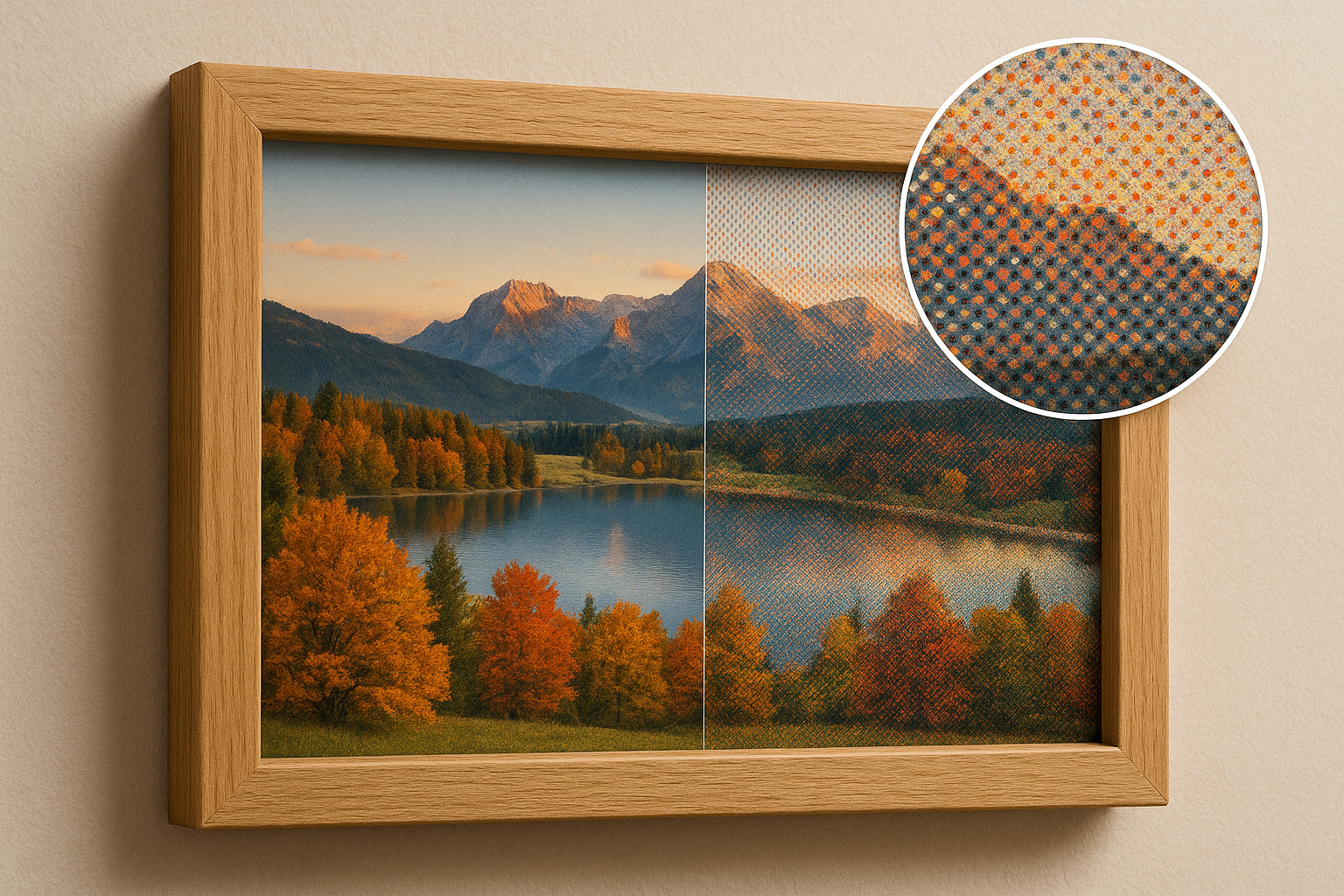
A JavaScript library for reducing image colors and dithering them to fit (color) eInk displays with optimal visual quality.
We are using it for our eInk picture frames at [paperlesspaper](https://paperlesspaper.de/en).
The library works with both front end js (using the Browser Canvas API) and node.js (using [node-canvas](https://www.npmjs.com/package/canvas))
Btw. you can order our new Spectra 6 eInk picture frame [here](https://www.smarthome-agentur.de/produkt/next-gen-e-paper-bilderrahmen-7-3-mit-app-anbindung-paperlesspaper-spectra6-esche-echtholz). 🎉
[](https://github.com/Utzel-Butzel/epdoptimize/actions/workflows/npm-publish.yml)
## Supported Displays
- [AcEP](https://www.eink.com/brand/detail/Gallery)
- [Spectra 6](https://www.eink.com/brand?bookmark=Spectra)
You can easily add your own displays and use custom color tables.
## Features
- **Dithering Algorithms:** Multiple high-quality dithering options to improve color blending and gradients.
- **Color Calibration:** Match device-specific color characteristics for more accurate results.
## Installation
```bash
npm install epdoptimize
```
## Usage Example
```html
```
```js
import { ditherImage, getDefaultPalettes, getDeviceColors } from 'epdoptimize';
// Access the canvas elements
const inputCanvas = document.getElementById("inputCanvas");
const ditheredCanvas = document.getElementById("ditheredCanvas");
const ditheredCanvasWithDeviceColors = document.getElementById("ditheredCanvasWithDeviceColors");
const palette = getDefaultPalettes('spectra6');
const spectra6colors = getDeviceColors('spectra6'); // Spectra 6 color set (can be default, spectra6 or acep)
const options = {
algorithm: 'floydSteinberg',
palette,
};
// Dither the image
const dithered = ditherImage(inputCanvas, ditheredCanvas, options);
// Convert the colors to the displays native colors
const prepared = replaceColors(ditheredCanvas,ditheredCanvasWithDeviceColors {
originalColors: palette,
replaceColors: spectra6colors
});
```
## Dithering Options
| Option | Type | Default | Description |
| ------------------------ | ---------------- | ---------------- | ------------------------------------------------------------------------------------------------------------------------------------------- |
| `ditheringType` | string | "errorDiffusion" | The main dithering algorithm. Options: `errorDiffusion`, `ordered`, `random`, `quantizationOnly`. |
| `errorDiffusionMatrix` | string | "floydSteinberg" | Error diffusion kernel. Options: `floydSteinberg`, `falseFloydSteinberg`, `jarvis`, `stucki`, `burkes`, `sierra3`, `sierra2`, `sierra2-4a`. |
| `serpentine` | boolean | false | If true, alternates scan direction for each row (serpentine scanning) in error diffusion. |
| `orderedDitheringType` | string | "bayer" | Type of ordered dithering. Currently only `bayer` is supported. |
| `orderedDitheringMatrix` | [number, number] | [4, 4] | Size of the Bayer matrix for ordered dithering. |
| `randomDitheringType` | string | "blackAndWhite" | Type of random dithering. Options: `blackAndWhite`, `rgb`. |
| `palette` | string/array | "default" | Palette to use for quantization. Can be a string (predefined) or a custom array of colors. |
| `sampleColorsFromImage` | boolean | false | If true, generates palette by sampling colors from the image. |
| `numberOfSampleColors` | number | 10 | Number of colors to sample from the image if `sampleColorsFromImage` is true. |
Add these options to your `ditherImage` call to customize dithering behavior for your use case.
## How It Works
### Color Calibration
eInk displays often render colors less vibrantly than their digital values suggest (e.g., a device red like `#ff0000` may appear duller in reality). By calibrating with real-world color measurements, the library ensures that dithering and color reduction use the actual appearance of colors on your target display. After processing, you can map the calibrated colors back to the device's required values.
### Dithering Algorithms
Dithering helps create the illusion of intermediate colors by distributing quantization errors across neighboring pixels. This is especially important for eInk displays with limited color palettes.
#### Available Diffusion Algorithms
| Algorithm | Description |
| ----------------------- | -------------------------------------------------------------------------------------------------- |
| **floydSteinberg** | Classic Floyd-Steinberg error diffusion. Distributes error to four neighbors. Visually pleasing. |
| **falseFloydSteinberg** | Simplified Floyd-Steinberg. Distributes error to three neighbors. Faster, slightly different look. |
| **jarvis** | Jarvis, Judice, and Ninke. Spreads error over three rows for smooth gradients, more blurring. |
| **stucki** | Similar to Jarvis, different weights. Balances smoothness and sharpness. |
| **burkes** | Simplified Stucki. Fewer neighbors, less computation, good results. |
| **sierra3** | Sierra-3 (original). High-quality, less blurring than Jarvis. |
| **sierra2** | Reduced Sierra-3. Fewer neighbors, faster, less diffusion. |
| **sierra2-4a** | Lightweight, fast. Distributes error to three neighbors. Good for speed-critical use. |
## Using Your Own Colors
You can use your own custom color palette by passing an array of colors to the `palette` option. Colors should be provided as hex strings (e.g., `#FF0000`).
**Example:**
```js
const myPalette = [
"#000000", // black
"#FFFFFF", // white
"#FF0000", // red
"#00FF00", // green
"#0000FF", // blue
];
const options = {
ditheringType: "errorDiffusion",
palette: myPalette,
};
const dithered = ditherImage(image, options);
```
## Resources
- [paperlesspaper](https://paperlesspaper.de)
## Credits
- [Dither me this](https://github.com/DitheringIdiot/dither-me-this)
---
_Contributions and feedback are welcome!_