https://github.com/valb3r/flowable-bpmn-intellij-plugin
Flowable, Activiti, Camunda BPMN engines process editor plugin for IntelliJ. Pure Kotlin (and some Java)
https://github.com/valb3r/flowable-bpmn-intellij-plugin
activiti bpmn bpmn-diagram bpmn-editor bpmn-process bpmn-viewer camunda code-navigation flowable integration intellij-plugin modeler navigation
Last synced: over 1 year ago
JSON representation
Flowable, Activiti, Camunda BPMN engines process editor plugin for IntelliJ. Pure Kotlin (and some Java)
- Host: GitHub
- URL: https://github.com/valb3r/flowable-bpmn-intellij-plugin
- Owner: valb3r
- License: mit
- Created: 2020-05-04T07:38:16.000Z (about 6 years ago)
- Default Branch: master
- Last Pushed: 2025-04-04T09:15:12.000Z (over 1 year ago)
- Last Synced: 2025-04-10T05:10:52.312Z (over 1 year ago)
- Topics: activiti, bpmn, bpmn-diagram, bpmn-editor, bpmn-process, bpmn-viewer, camunda, code-navigation, flowable, integration, intellij-plugin, modeler, navigation
- Language: Kotlin
- Homepage: https://plugins.jetbrains.com/plugin/14318-flowable-bpmn-visualizer
- Size: 4.92 MB
- Stars: 169
- Watchers: 10
- Forks: 38
- Open Issues: 102
-
Metadata Files:
- Readme: README.md
- License: LICENSE
Awesome Lists containing this project
README
[](https://github.com/valb3r/flowable-bpmn-intellij-plugin/actions)
[](https://codecov.io/gh/valb3r/flowable-bpmn-intellij-plugin)
[](https://gitter.im/flowable-bpmn-intellij-plugin/community?utm_source=badge&utm_medium=badge&utm_campaign=pr-badge)
[](https://stand-with-ukraine.pp.ua)
[](https://stand-with-ukraine.pp.ua)
# What is this
This project provides BPMN modeler plugin for these BPMN-engines:
- [Flowable BPMN engine](https://github.com/flowable/flowable-engine)
- [Activiti BPMN engine](https://github.com/Activiti/Activiti)
- [Camunda BPMN engine](https://github.com/camunda/camunda-bpm-platform)
Key goals are: process editing integration into IntelliJ, code navigation support between BPMN diagram and your classes including Spring beans.
**Currently, it is work-in-progress.**
# Questions and propositions
Don't hesitate - ask or tell your opinion in gitter:
[](https://gitter.im/flowable-bpmn-intellij-plugin/community?utm_source=badge&utm_medium=badge&utm_campaign=pr-badge)
# Key features
1. BPMN process editing (BPMN modeler) - adding/removing elements, changing their properties, undo/redo, bulk drag-n-drop, bulk removal of elements
1. Code navigation - jump from `Delegate Expression` **(IntelliJ Ultimate)** or `Class` **(IntelliJ Community)** property directly to bean/function/class in code
1. IntelliJ refactorings propagation to backing XML file of the process (i.e. rename bean) **(IntelliJ Ultimate)**
1. Jump from an element to the underlying XML **(IntelliJ Ultimate)**
1. BPMN process 'debugging' by allowing to see steps (and their order) done for latest process execution directly in plugin **(IntelliJ Ultimate)**
# Installation
You can install the plugin from JetBrains plugin repository (just search for
[`Flowable BPMN visualizer`](https://plugins.jetbrains.com/plugin/14318-flowable-bpmn-visualizer)
or [`Activiti BPMN visualizer`](https://plugins.jetbrains.com/plugin/15222-activiti-bpmn-visualizer)
or [`Camunda BPMN visualizer`](https://plugins.jetbrains.com/plugin/17844-camunda-bpmn-visualizer) depending on engine you need
) like any other plugin.
**Bleeding edge**:
You can install the latest build of the plugin from ZIP file provided at releases page of this repository
or from alpha-channel of JetBrains plugin repository.
## From GitHub releases
Install the latest plugin version plugin from the releases page:
[Releases page](https://github.com/valb3r/flowable-bpmn-intellij-plugin/releases/)
**NOTE: The plugin requires 'Ultimate Edition' of IntelliJ for code navigation**
Installation guideline video:
[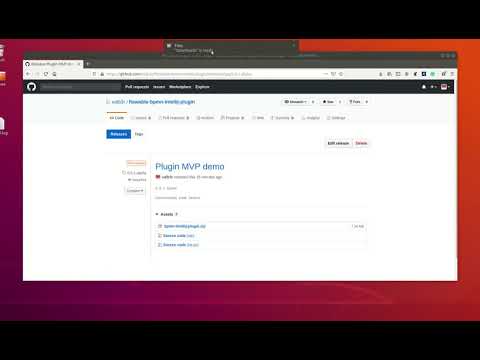](https://www.youtube.com/watch?v=tfSAEMSIrqA)
## From IntelliJ plugins alpha-channel repository
1. Open `File -> Settings -> Plugins`
1. In opened window, click on `Gear` button (Manage plugins, repositories) -> `Manage Plugin Repositories`
1. Add Alpha releases channel - `https://plugins.jetbrains.com/plugins/alpha/list` to repositories list
1. Now you are able to list and install `Flowable bpmn visualizer` plugin directly from plugin search window
IntelliJ docs on this topic:
[How to configure and use alpha channel](https://plugins.jetbrains.com/docs/marketplace/custom-release-channels.html#CustomReleaseChannels-ConfiguringaCustomChannelinIntelliJPlatformBasedIDEs)
# Building from sources
If you want to build plugin directly from sources (i.e. from `master` branch `HEAD` for bugfixes), simply execute
in project root this command:
```shell script
./gradlew clean buildPlugin
```
It will create `flowable-intellij-plugin/build/distributions/bpmn-intellij-plugin.zip` file that contains plugin distributive.
You can install it by following steps [here](#from-github-releases).
If you want just to run the plugin in the `sandbox` you can execute
**Flowable:**
```shell script
./gradlew clean :flowable-intellij-plugin:runIde
```
**Activiti:**
```shell script
./gradlew clean :activiti-intellij-plugin:runIde
```
**Camunda:**
```shell script
./gradlew clean :camunda-intellij-plugin:runIde
```
# Workflow
## Plugin usage:
### Basic usage
[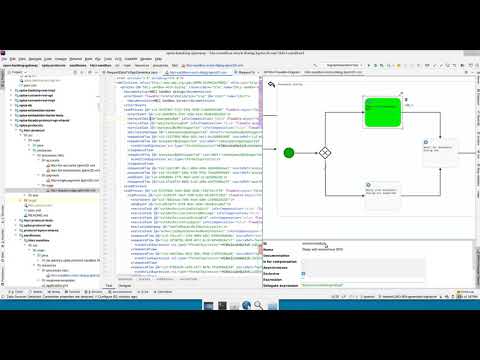](https://youtu.be/8-_XmOlEyXM)
### Adding new elements
[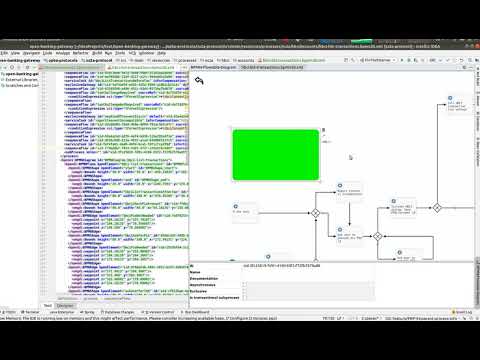](https://youtu.be/cyLbEeaMDvI)
### BPMN-Java-XML 'gluing' usage (IntelliJ Ultimate, only classes for IntelliJ Community)
[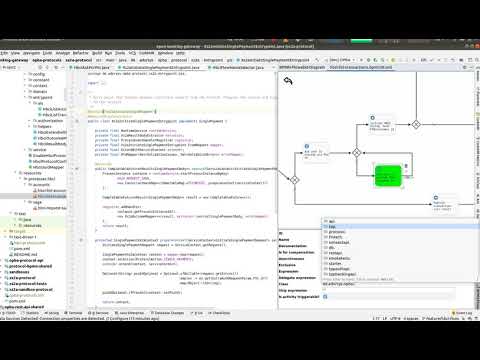](https://youtu.be/BQf0eglY2vo)
### Debugging BPMN process with the plugin
[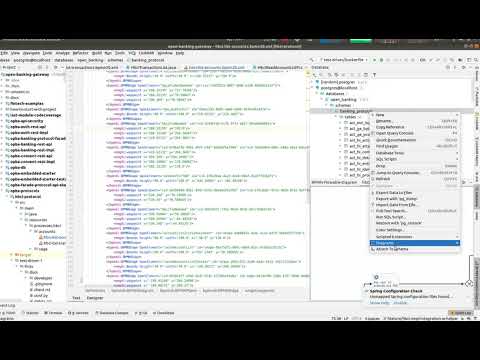](https://youtu.be/_zQ1zy_0Qfc)
# Navigation/editing guideline
1. To open BPMN diagram in the plugin - left mouse button on XML file and select `View BPMN Diagram`
1. To move diagram up/down/left/right - click mouse wheel and start moving your mouse - diagram will follow
(like dragging with mouse wheel) or Shift + Left Mouse Button
1. Zoom in/out - mouse wheel rotation
1. To **add a new element** - click with right mouse button and popup menu with new element selection will appear
1. To **Copy or cut element(s)** - select elements you want to copy/paste and click with right mouse button on them to
see popup menu, there select cut or copy menu item
1. To **Paste element(s)** - (copy/cut before) click with right mouse button on the desired location and
select 'Paste' popup menu item
1. To select element click on it with mouse
# FAQ
### Q: My files for Activiti/Flowable engine have `.bpmn` extension and not `bpmn20.xml`, how can I open them.
**A**: Navigate to **File** > **Settings** > **Tools** > **Activiti BPMN Plugin config** (or **Flowable BPMN Plugin config**).
In the field **Supported extensions** add `bpmn`, so that field value is `bpmn20.xml,bpmn`. Now you should be able to open it.
[Animation to configure plugin for opening files with custom extension](docs/img/faq/how-to-open-bpmn.gif)
### Q: Some feature/bug was closed, but I can't find new release.
**A**: Check [this link](https://github.com/valb3r/flowable-bpmn-intellij-plugin/projects/1) for the status of your feature.
If it is in 'Done' (or Closed) column this doesn't mean it is released - it must proceed to next columns to appear in
any kind of release-artifact. After a feature is 'Closed' it will wait for GitHub release
at [Releases](https://github.com/valb3r/flowable-bpmn-intellij-plugin/releases) page and after that it will be
published to JetBrains marketplace. It can take up to two days for plugin to be available on JetBrains marketplace.
# Technical details
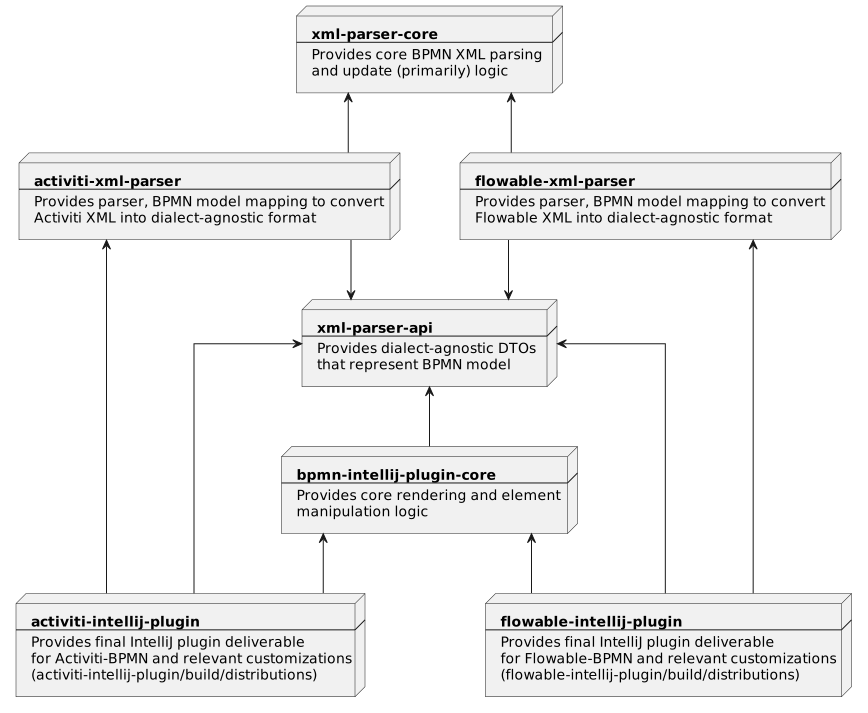
## Architectural diagrams
### Plugin modules
# Flowable XML subset support
View summary table
| XML element | Supported |
|:--------------------------------:|:---------:|
| adHocSubProcess | Y |
| association | |
| boundaryEvent | P |
| bpmndi:BPMNDiagram | Y |
| bpmndi:BPMNEdge | Y |
| bpmndi:BPMNPlane | Y |
| bpmndi:BPMNShape | Y |
| businessRuleTask | Y |
| callActivity | Y |
| cancelEventDefinition | P |
| compensateEventDefinition | P |
| completionCondition | P |
| condition | P |
| conditionalEventDefinition | P |
| conditionExpression | Y |
| dataObject | |
| definitions | |
| documentation | Y |
| endEvent | Y |
| errorEventDefinition | P |
| escalationEventDefinition | P |
| eventBasedGateway | P |
| exclusiveGateway | Y |
| extensionElements | |
| flowable:eventListener | |
| flowable:executionListener | |
| flowable:field | Y |
| flowable:in | |
| flowable:out | |
| flowable:string | Y |
| flowable:value | Y |
| inclusiveGateway | Y |
| intermediateCatchEvent | P |
| intermediateThrowEvent | P |
| loopCardinality | |
| message | |
| messageEventDefinition | |
| multiInstanceLoopCharacteristics | |
| omgdc:Bounds | Y |
| omgdi:waypoint | Y |
| parallelGateway | P |
| process | P |
| receiveTask | P |
| script | Y |
| scriptTask | Y |
| sequenceFlow | Y |
| serviceTask | Y |
| signalEventDefinition | P |
| startEvent | Y |
| subProcess | Y |
| terminateEventDefinition | P |
| text | P |
| textAnnotation | P |
| timeDate | P |
| timerEventDefinition | P |
| transaction | Y |
| userTask | Y |
**Legend**:
**Y** - Mostly or fully supported
**P** - Partially supported
**Blank** - Mostly unsupported