https://github.com/valbuild/val
Val - content - super-charged - hard-coded
https://github.com/valbuild/val
cms nextjs react typescript
Last synced: 2 months ago
JSON representation
Val - content - super-charged - hard-coded
- Host: GitHub
- URL: https://github.com/valbuild/val
- Owner: valbuild
- License: mit
- Created: 2023-01-04T07:53:56.000Z (over 3 years ago)
- Default Branch: main
- Last Pushed: 2026-05-04T21:39:59.000Z (3 months ago)
- Last Synced: 2026-05-04T23:37:30.750Z (3 months ago)
- Topics: cms, nextjs, react, typescript
- Language: TypeScript
- Homepage: https://val.build
- Size: 15 MB
- Stars: 27
- Watchers: 1
- Forks: 0
- Open Issues: 44
-
Metadata Files:
- Readme: README.md
- License: LICENSE.md
Awesome Lists containing this project
README
## Table of contents
- [Installation](./packages/next/README.md#Installation)
- [Introduction](#content-as-code)
- [Examples](#examples)
- [Documentation](#documentation)
## Content as code
Val is a CMS library where **content** is **TypeScript** / **JavaScript** files stored in your git repo.
As a CMS, Val is useful because:
- editors can **change content** without having to ask developers to do it for them (and nobody wants that)
- a **well-documented** way to **structure content**
- **image**, **richtext**, ... support is built-in
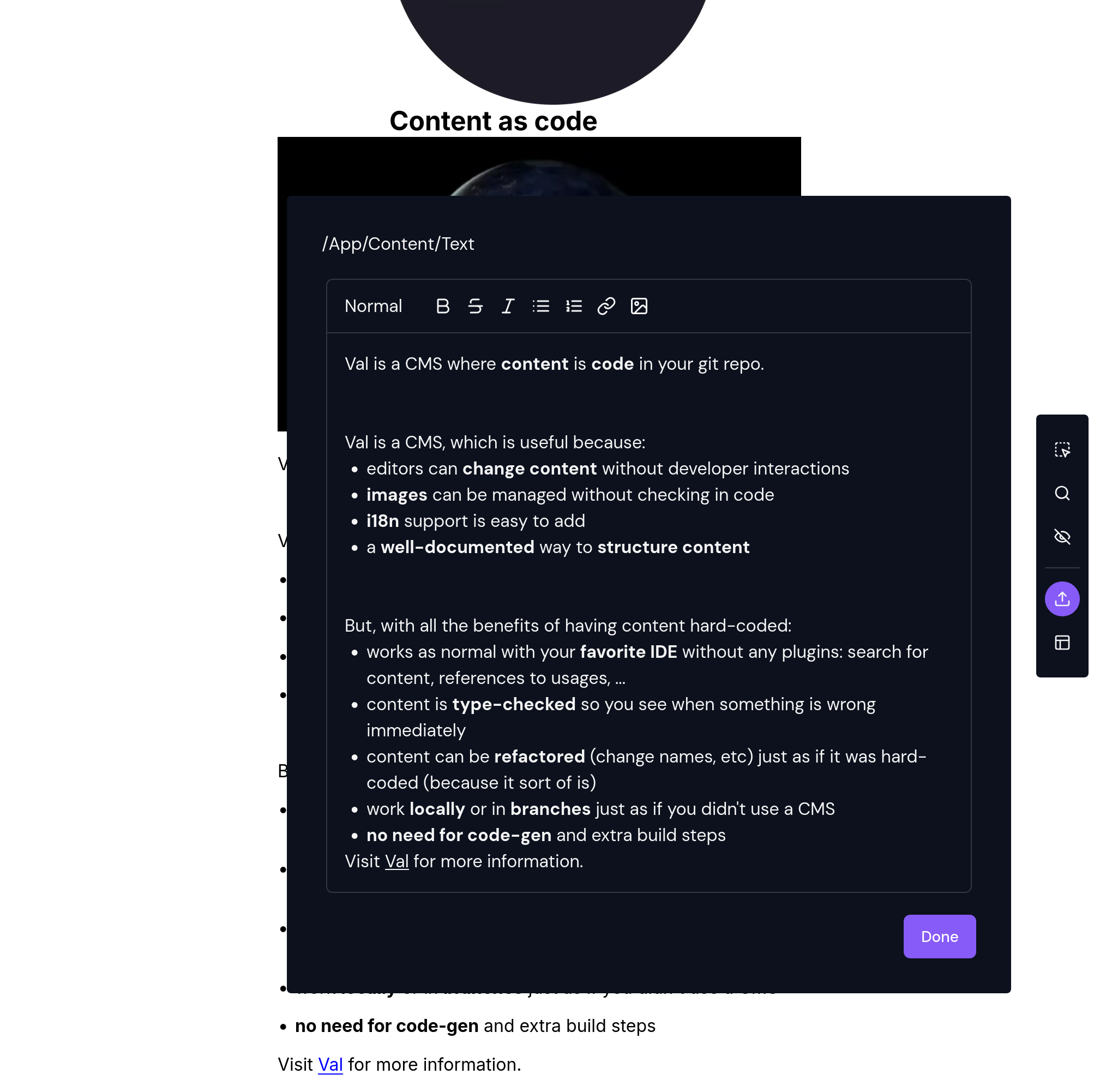
- built-in **visual editing** which lets editors click-then-edit content (and therefore **code**!) directly in your app
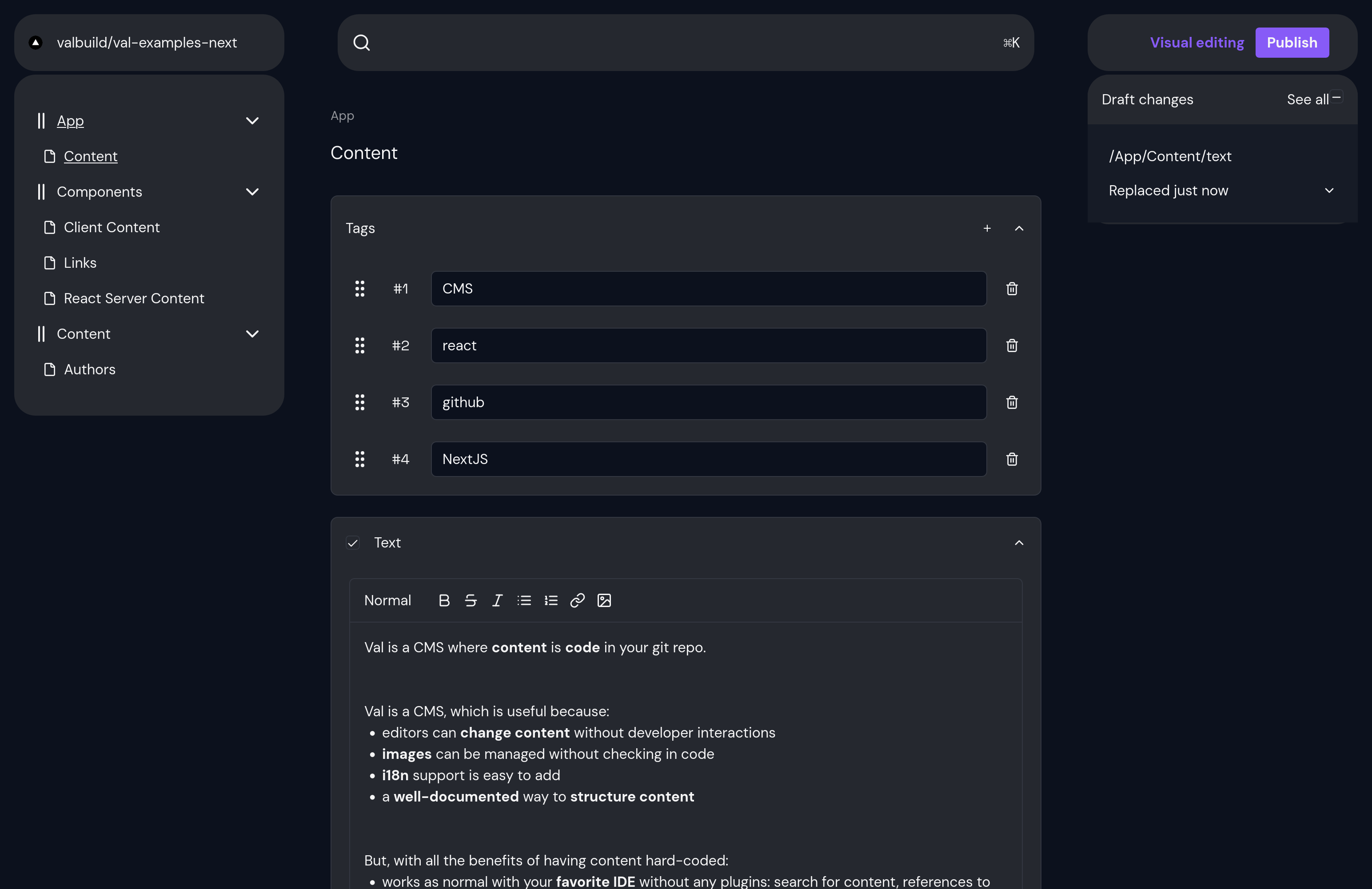
- an embedded studio which lets editors navigate the content structure and make updates there
Definition: editor
An editor in this context, is a non-technical person that edits content in your application (technical writer, proof-reader, legal, ...).
But, with the benefits of **hard-coded** content:
- works seamlessly **locally** or with git **branches**
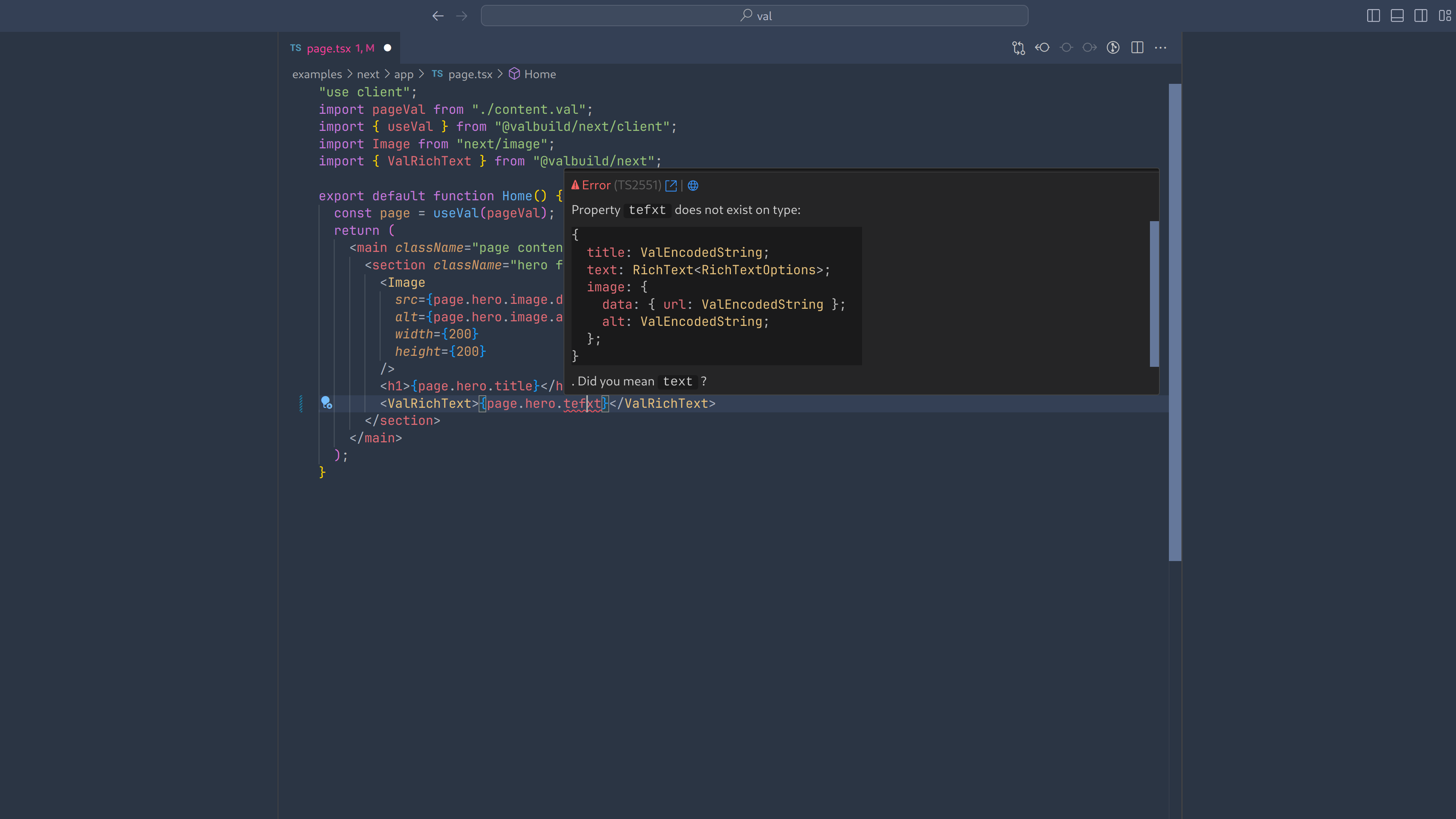
- content is **type-checked** so you can spend less time on figuring out why something isn't working
- content can be refactored (change names, etc) just as if it was hard-coded (because it is)
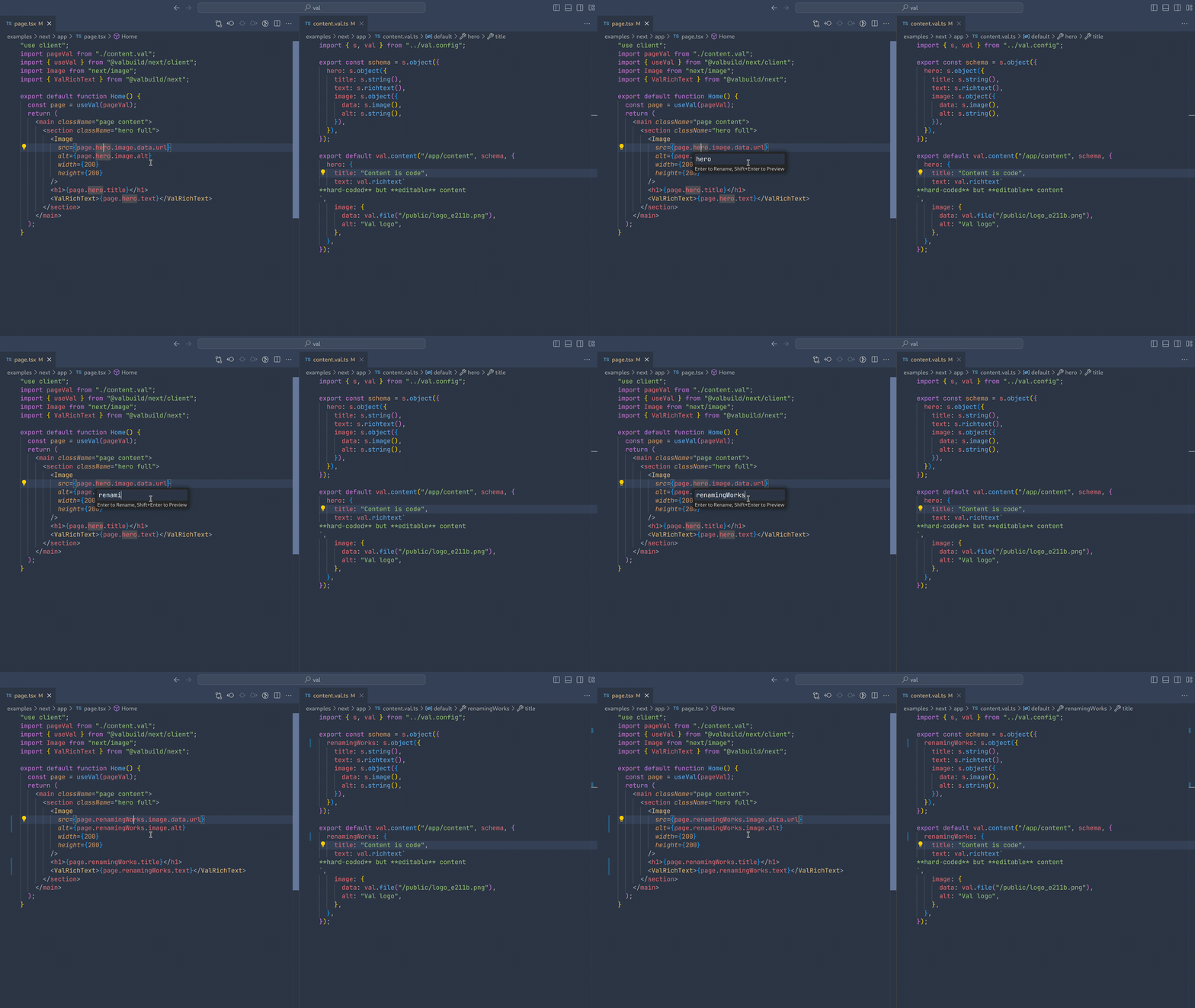
- works as normal with your **favorite IDE** without any plugins: search for content, references to usages, ...
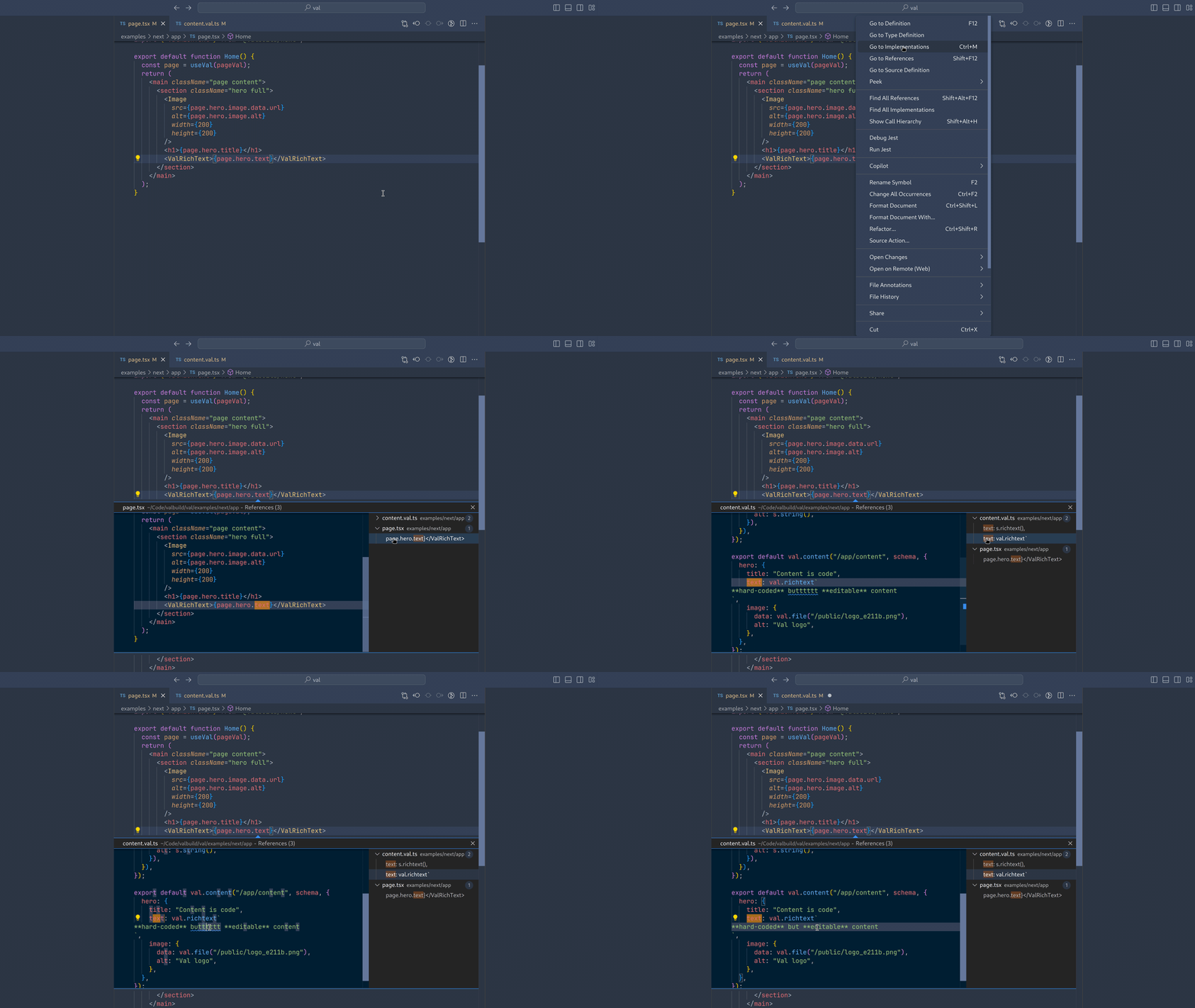
- **no** need for **code-gen** and extra build steps
- **fast** since the content is literally hosted with the application
- content is **always there** and can never fail (since it is not loaded from somewhere)
- no need to worry about **caching** since content is not fetched from some DB or cloud service
- no need to manage different **environments** with different versions of content
- works out of the box with Vercel **preview links**
- **resolve conflicts** like you normally resolve conflicts: **in git**
Compared to other CMSs, Val has the following advantages:
- **easy** to _grok_: Val is designed to have a minimum of boilerplate and there's **0** query languages to learn
- Vals abstraction model is based on **JSON** and TypeScript (Record, keyof). What this means is that there is nothing to learn (for you or your future colleagues): no "a collection is..." or a "a document is sort of a..." - just JSON and regular TypeScript types
- **no signup** required to use it locally
- **no fees** for content that is in your code: your content is your code, and your code is... yours
- **minimal** API surface: Val is designed to not "infect" your code base
- **easy to remove**: since your content is already in your code and Val is designed to have a minimal surface, it's easy to remove if you want to switch
- eslint rules and [VS Code extension](https://marketplace.visualstudio.com/items?itemName=valbuild.vscode-val-build) for an even **better-than-hard-coded** developer experience
Upcoming feature: i18n
Val will soon have support for i18n. Follow this repository to get notified when this is the case.
Upcoming feature: remote content
Having hard-coded content is great for landing pages, product pages and other pages where the amount of content is manageable.
However, checking in the 10 000th blog entry in git might feel wrong (though we would say it is ok).
Therefore, Val will add `remote content` support which enables you to seamlessly move content to the cloud and back again as desired.
You code will still be the one truth, but the actual content will be hosted on [val.build](https://val.build).
`.remote()` support will also make it possible to have remote images to avoid having to put them in your repository.
There will also be specific support for remote i18n, which will make it possible to split which languages are defined in code, and which are fetched from remote.
More details on `.remote()` will follow later.
## When to NOT use Val
Val is designed to work well on a single web-app, and currently only supports Next 14+ (more meta-frameworks will supported) and GitHub (more Git providers will follow).
Unless your application fits these requirements, you should have a look elsewhere (at least for now).
In addition, if you have a "content model", i.e. content schemas, that rarely change and you plan on using them in a lot of different applications (web, mobile, etc), Val will most likely not be a great fit.
If that is the case, we recommend having a look at [Sanity](https://sanity.io) instead (we have no affiliation, but if we didn't have Val we would use Sanity).
**NOTE**: Our experience is that, however nice it sounds, it is hard to "nail" the content model down. Usually content (on, for example, your landing page) is derived from what you want to present, not vice-versa. In addition, you should think carefully whether you _really_ want to present the exact same content on all these different surfaces.
Upcoming feature: external content
Val will support external content, i.e. content from other Val projects, CMSs or DBs some time in the future.
## Examples
Examples can found [here](./examples).
## Documentation
Val currently only support Next.js.
To get started using Next.js, checkout the [README](./packages/next/README.md).
## Get in touch
Join us on [discord](https://discord.gg/cZzqPvaX8k) to get help or give us feedback.