https://github.com/vallentin/pygmentize
https://github.com/vallentin/pygmentize
Last synced: over 1 year ago
JSON representation
- Host: GitHub
- URL: https://github.com/vallentin/pygmentize
- Owner: vallentin
- License: mit
- Created: 2023-05-01T15:23:00.000Z (about 3 years ago)
- Default Branch: master
- Last Pushed: 2023-05-14T15:17:18.000Z (about 3 years ago)
- Last Synced: 2025-03-18T09:11:16.546Z (over 1 year ago)
- Language: Rust
- Size: 12.7 KB
- Stars: 0
- Watchers: 1
- Forks: 0
- Open Issues: 0
-
Metadata Files:
- Readme: README.md
- License: LICENSE
Awesome Lists containing this project
README
# pygmentize
[](https://crates.io/crates/pygmentize)
[](https://docs.rs/pygmentize)

[](https://github.com/vallentin/pygmentize)
Rust library and wrapper around the [pygmentize](https://pygments.org/docs/cmdline/) CLI. Apply syntax highlighting to over 500 languages and other text formatted. Render into HTML, SVG, LaTeX, and Terminal (ANSI color sequences).
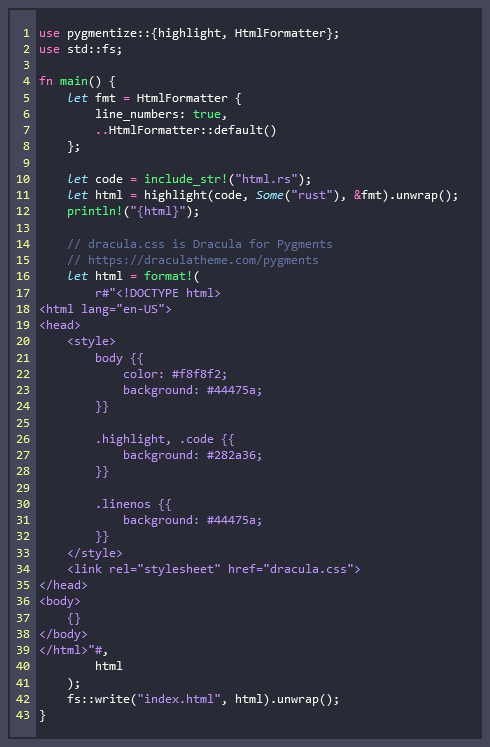
## Rendered HTML Output
_Rendered example of [examples/html.rs](https://github.com/vallentin/pygmentize/blob/master/examples/html.rs)._
## Example
```rust
use pygmentize::{HtmlFormatter, PygmentizeError};
let code = r#"fn main() {
println!("Hello, world!");
}"#;
let html = pygmentize::highlight(code, Some("rust"), &HtmlFormatter::default())?;
println!("{html}");
```
### Output
_(whitespace added to improve clarity)_
```html
fn
main
()
{
println!
(
"Hello, world!"
);
}
```
### Rendered
_(with the [Dracula theme](https://draculatheme.com))_

### Override Pygmentize Path
The path to the `pygmentize` binary, can be overridden using `pygmentize::`[`set_bin_path()`](https://docs.rs/pygmentize/*/pygmentize/fn.set_bin_path.html). The default path is `"pygmentize"`.
If `pygmentize` is installed in a virtual environment, within your crate directory,
i.e. `Cargo.lock` and `env/` being within the same directory. Then assuming that
the current directory is the same. Then the path can be overridden by doing:
```rust
pygmentize::set_bin_path("./env/Scripts/pygmentize");
```
## Install
The library is a wrapper around the [pygmentize](https://pygments.org/docs/cmdline/) CLI,
and as such it must be available in the system PATH. The easiest way to install
[pygmentize](https://pygments.org/docs/cmdline/) is through Python.
```console
pip install Pygments
```