https://github.com/vbcherepanov/claude-total-memory
Persistent memory MCP server for Claude Code & Codex CLI — self-improving agent with 4-tier search, 20 tools
https://github.com/vbcherepanov/claude-total-memory
ai-memory ai-tools anthropic chromadb claude-code claude-code-mcp claude-code-plugin claude-memory codex-cli developer-tools knowledge-management llm-tools mcp mcp-server model-context-protocol persistent-memory python self-improving-agent semantic-search sqlite
Last synced: 5 months ago
JSON representation
Persistent memory MCP server for Claude Code & Codex CLI — self-improving agent with 4-tier search, 20 tools
- Host: GitHub
- URL: https://github.com/vbcherepanov/claude-total-memory
- Owner: vbcherepanov
- License: mit
- Created: 2026-02-16T08:14:09.000Z (5 months ago)
- Default Branch: main
- Last Pushed: 2026-02-19T10:44:26.000Z (5 months ago)
- Last Synced: 2026-02-20T14:59:20.542Z (5 months ago)
- Topics: ai-memory, ai-tools, anthropic, chromadb, claude-code, claude-code-mcp, claude-code-plugin, claude-memory, codex-cli, developer-tools, knowledge-management, llm-tools, mcp, mcp-server, model-context-protocol, persistent-memory, python, self-improving-agent, semantic-search, sqlite
- Language: Python
- Homepage: https://github.com/vbcherepanov/claude-total-memory#quick-start
- Size: 145 KB
- Stars: 3
- Watchers: 0
- Forks: 0
- Open Issues: 0
-
Metadata Files:
- Readme: README.md
- License: LICENSE
Awesome Lists containing this project
README
# 🧠 Claude Total Memory
### Persistent memory MCP server for Claude Code & Codex CLI
**Claude forgets everything between sessions. This fixes that.**
[](LICENSE)
[](https://python.org)
[](https://modelcontextprotocol.io)
[](https://github.com/vbcherepanov/claude-total-memory/releases)
[](https://github.com/vbcherepanov/claude-total-memory/stargazers)
[Quick Start](#quick-start) · [Features](#features) · [20 MCP Tools](#mcp-tools) · [Dashboard](#web-dashboard) · [Self-Improving Agent](#self-improving-agent)
---
## Why This Exists
| Without Memory | With Claude Total Memory |
|---|---|
| 🔴 Repeating project context every session | 🟢 Claude recalls your architecture, decisions, conventions |
| 🔴 Re-discovering the same bug fixes | 🟢 Solutions saved and retrieved automatically |
| 🔴 Claude makes the same mistakes | 🟢 Self-improving: learns from errors across sessions |
| 🔴 Knowledge lost at context limit | 🟢 Persistent local database, no cloud, no API keys |
| 🔴 No idea what happened last session | 🟢 Full session timeline with search |
> **20 MCP tools** · **4-tier search** (FTS5 → semantic → fuzzy → graph) · **Self-improving agent** · **Web dashboard** · **Privacy stripping** · **Works with Claude Code + Codex CLI**
---
## How It Compares
| Feature | Claude Total Memory | [mcp-memory-service](https://github.com/doobidoo/mcp-memory-service) | [memory-mcp](https://github.com/yuvalsuede/memory-mcp) |
|---|---|---|---|
| Search tiers | 4 (FTS5 + semantic + fuzzy + graph) | Semantic only | None (file-based) |
| Self-improving agent | ✅ Error → Insight → Rule pipeline | ❌ | ❌ |
| Knowledge types | 5 (decision, solution, lesson, fact, convention) | 1 (generic) | 1 (summary) |
| Privacy stripping | ✅ Auto-redacts keys, tokens, emails | ❌ | ❌ |
| Knowledge graph | ✅ Typed relations + graph expansion | ❌ | ❌ |
| Web dashboard | ✅ Stats, graph, live feed, SOUL rules | ❌ | ✅ Basic |
| Decay scoring | ✅ Exponential + spaced repetition | ❌ | ❌ |
| Deduplication | ✅ Jaccard + fuzzy | ❌ | ❌ |
| Branch-aware | ✅ Filter by git branch | ❌ | ❌ |
| Codex CLI support | ✅ Shared database | ❌ | ❌ |
| MCP tools | 20 | 10 | 3 |
| Storage | SQLite + ChromaDB (local) | ChromaDB (local) | JSON files |
---
## Works With
- **[Claude Code](https://docs.anthropic.com/en/docs/claude-code)** — full MCP integration, hooks, auto-triggers
- **[OpenAI Codex CLI](https://github.com/openai/codex)** — shared memory database, dedicated installer
- **Any MCP-compatible client** — standard Model Context Protocol server
---
## Features
**Search and Retrieval**
- 4-tier search pipeline: FTS5 keyword (BM25) -> semantic (ChromaDB) -> fuzzy (SequenceMatcher) -> graph expansion
- Decay scoring: recent knowledge ranks higher, stale knowledge fades
- Spaced repetition: frequently recalled knowledge gets boosted
- 3-level progressive disclosure: compact (~50 tokens/result), summary (150 chars), full -- up to 10x token savings
- Token cost estimation: each result includes estimated tokens, response includes total_tokens
- Branch-aware context: knowledge and sessions tagged with git branch, filterable on recall
**Knowledge Management**
- Five knowledge types: decision, solution, lesson, fact, convention
- Automatic deduplication via Jaccard + fuzzy similarity (thresholds: 0.85 / 0.90)
- Version history with supersession chains
- Knowledge graph with typed relations between records
- Tag-based browsing and filtering
**Privacy and Security** (new in v4.0)
- Automatic redaction of sensitive data: API keys, JWTs, passwords, credit card numbers, emails, IP addresses
- `` tag support for explicit content exclusion
- All redaction happens before database storage -- sensitive data never persists
**Observations** (new in v4.0)
- Lightweight file change tracking via `memory_observe` -- no dedup, no vector embeddings
- Six observation types: bugfix, feature, refactor, change, discovery, decision
- Automatic cleanup after 30 days
- Ideal for tracking what changed and why during a session
**Self-Improving Agent** (v3.0)
- Automatic error logging with structured categories and severity levels
- Pattern detection: 3+ errors of the same category in 30 days triggers an insight suggestion
- Insight extraction with ExpeL-style voting (importance + confidence scoring)
- Rule promotion: high-confidence insights become persistent behavioral rules (SOUL)
- Auto-suspend: rules with success rate below 20% after 10+ applications are suspended
- Session reflections for meta-observations about strategy and approach
- Rules loaded at session start, rated after task completion -- a closed feedback loop
**Lifecycle and Maintenance**
- Retention zones: active -> archived (180d) -> purged (365d)
- Consolidation: find and merge similar records
- Full JSON export for backup and migration
- Session transcript extraction for post-session knowledge mining
**Dashboard**
- Web UI at `localhost:37737`
- Statistics, health score, knowledge table with token estimates, session browser
- Interactive knowledge graph visualization
- Self-Improvement tab: error patterns, insights, promotion candidates
- Rules/SOUL tab: active rules, effectiveness metrics, success rates
- Live Feed tab (new in v4.0): real-time SSE stream of knowledge, errors, and observations
- Branch filter for knowledge browsing
- Read-only -- safe to leave running
---
## Quick Start
### Option A: One-Command Install
**macOS / Linux:**
```bash
git clone https://github.com/vbcherepanov/claude-total-memory.git
cd claude-total-memory
bash install.sh
```
**Windows (PowerShell):**
```powershell
git clone https://github.com/vbcherepanov/claude-total-memory.git
cd claude-total-memory
powershell -ExecutionPolicy Bypass -File install.ps1
```
The installer creates a Python venv, installs dependencies, downloads the embedding model, and configures Claude Code automatically.
### Option B: Manual Setup
**1. Clone and install dependencies**
macOS / Linux:
```bash
git clone https://github.com/vbcherepanov/claude-total-memory.git
cd claude-total-memory
python3 -m venv .venv
source .venv/bin/activate
pip install "mcp[cli]>=1.0.0" chromadb sentence-transformers
```
Windows (PowerShell):
```powershell
git clone https://github.com/vbcherepanov/claude-total-memory.git
cd claude-total-memory
python -m venv .venv
.venv\Scripts\activate
pip install "mcp[cli]>=1.0.0" chromadb sentence-transformers
```
**2. Configure Claude Code**
Edit `~/.claude/settings.json` (macOS/Linux) or `%USERPROFILE%\.claude\settings.json` (Windows) and add the MCP server. All paths must be absolute:
macOS / Linux:
```json
{
"mcpServers": {
"memory": {
"command": "/FULL/PATH/TO/claude-total-memory/.venv/bin/python",
"args": ["/FULL/PATH/TO/claude-total-memory/src/server.py"],
"env": {
"CLAUDE_MEMORY_DIR": "/Users/yourname/.claude-memory",
"EMBEDDING_MODEL": "all-MiniLM-L6-v2"
}
}
}
}
```
Windows:
```json
{
"mcpServers": {
"memory": {
"command": "C:/Users/yourname/claude-total-memory/.venv/Scripts/python.exe",
"args": ["C:/Users/yourname/claude-total-memory/src/server.py"],
"env": {
"CLAUDE_MEMORY_DIR": "C:/Users/yourname/.claude-memory",
"EMBEDDING_MODEL": "all-MiniLM-L6-v2"
}
}
}
}
```
> **Important:** MCP server configuration does not support `~`, `$HOME`, or `%USERPROFILE%` in paths. You must use fully expanded absolute paths. On Windows, use forward slashes (`/`) in JSON paths -- they work correctly with Python.
**3. Verify**
Restart Claude Code. You should see `memory` listed in the MCP servers. Run `memory_stats()` to confirm the connection.
---
## MCP Tools
### Core (5 tools)
| Tool | Description |
|------|-------------|
| `memory_recall` | Search all past knowledge. 4-tier search with decay scoring. 3-level detail: compact, summary, full. Branch filtering. Token estimation. |
| `memory_save` | Save knowledge with type, project, tags, context, and branch. Auto-deduplicates. Privacy stripping. |
| `memory_update` | Find existing knowledge by search query, supersede it, create a new version. |
| `memory_search_by_tag` | Browse all active knowledge matching a tag (partial match supported). |
| `memory_observe` | Lightweight observation tracking for file changes and discoveries. No dedup, no embeddings, 30-day retention. |
### Browsing and Analytics (3 tools)
| Tool | Description |
|------|-------------|
| `memory_timeline` | Browse session history by number, date range, or keyword search. |
| `memory_stats` | View statistics: knowledge counts, health score, storage size, config. |
| `memory_export` | Export all knowledge as JSON for backup or migration. |
### Lifecycle (3 tools)
| Tool | Description |
|------|-------------|
| `memory_consolidate` | Find and merge duplicate/similar records. Supports dry run preview. |
| `memory_forget` | Apply retention policy: archive stale records, purge old archives. |
| `memory_delete` | Soft-delete a knowledge record. Removes from search and vector store. |
### Graph and Versioning (2 tools)
| Tool | Description |
|------|-------------|
| `memory_relate` | Create typed relations between records (causal, solution, context, related, contradicts). |
| `memory_history` | View the version chain for a record -- walk through how knowledge evolved. |
### Extraction (1 tool)
| Tool | Description |
|------|-------------|
| `memory_extract_session` | Process pending session transcripts. List, read, and mark as complete. |
### Self-Improvement (6 tools, v3.0)
| Tool | Description |
|------|-------------|
| `self_error_log` | Log structured errors for pattern analysis. Called automatically on failures -- bash errors, wrong assumptions, API errors, config issues, timeouts, and loops. System detects patterns (3+ same category) and suggests insights. |
| `self_insight` | Manage insights extracted from error patterns. Supports add/upvote/downvote/edit/list/promote. ExpeL-style voting: upvote increases importance (+1) and confidence (+0.05), downvote decreases them. Auto-archives at importance 0. |
| `self_rules` | Manage behavioral rules (SOUL). Supports list/fire/rate/suspend/activate/retire/add_manual. Auto-suspend when success_rate < 0.2 after 10+ fires. |
| `self_patterns` | Analyze error patterns, promotion candidates, rule effectiveness, and improvement trends. Views: error_patterns, insight_candidates, rule_effectiveness, improvement_trend, full_report. |
| `self_reflect` | Save session reflections for meta-observations about strategy and approach. Not for errors (use self_error_log). For process improvements and what to do differently. |
| `self_rules_context` | Load active rules at session start. Returns rules filtered by project and scope. Call at beginning of every session, then rate rules after task completion. |
---
## How It Works
### Search Pipeline
When `memory_recall` is called, the query passes through four tiers:
```
Query: "docker networking between containers"
|
v
+---------------------+
| Tier 1: FTS5 + BM25 | Keyword search with relevance ranking
+---------------------+
|
v
+---------------------+
| Tier 2: Semantic | ChromaDB cosine similarity on embeddings
+---------------------+
|
v
+---------------------+
| Tier 3: Fuzzy | SequenceMatcher for typos and partial matches
+---------------------+
|
v
+---------------------+
| Tier 4: Graph | Follow relations from top 5 results (1 hop)
+---------------------+
|
v
+---------------------+
| Decay + Rank + Boost | Apply time decay, recall boost, final sort
+---------------------+
|
v
Top N results
```
Results from all tiers are merged. Records found by multiple tiers receive combined scores.
### Decay Scoring
Knowledge decays over time unless confirmed or recalled:
```
score = base_score * e^(-days * ln(2) / half_life) + recall_boost
```
- `half_life`: 90 days (configurable via `DECAY_HALF_LIFE`)
- `recall_boost`: `min(0.3, recall_count * 0.05)` -- frequently used knowledge stays relevant
- Records confirmed on last recall get their `last_confirmed` timestamp refreshed
### Retention Zones
```
180 days 365 days
Active --------+-----> Archived ------+-----> Purged
| |
(unrecalled, low confidence) (all archived)
```
- **Active**: searchable, fully available
- **Archived**: removed from search, still in database
- **Purged**: marked for cleanup
Only records with `recall_count = 0` and `confidence < 0.8` are candidates for archival.
### Deduplication
On every `memory_save`, the server checks for existing similar knowledge:
1. FTS5 search for candidate matches (top 5)
2. Jaccard similarity > 0.85 -- deduplicated
3. Fuzzy ratio > 0.90 -- deduplicated
When a duplicate is found, the existing record's `last_confirmed` timestamp is refreshed instead of creating a new record.
---
## Self-Improving Agent
New in v3.0. The self-improvement system gives Claude the ability to learn from mistakes across sessions. It follows a three-level pipeline inspired by the ExpeL (Experience and Learning) and Reflexion research patterns.
### Pipeline Overview
```
Error occurs (bash fail, wrong assumption, API error, ...)
|
v
+------------------+
| self_error_log | Log structured error with category, severity, fix
+------------------+
|
| (3+ errors of same category within 30 days)
v
+------------------+
| Pattern Detected | System flags the pattern automatically
+------------------+
|
v
+------------------+
| self_insight | Extract a generalizable lesson from the pattern
| (add) | Initial: importance=2, confidence=0.5
+------------------+
|
| Confirmed again? -> upvote (+1 importance, +0.05 confidence)
| Wrong? -> downvote (-1 importance, auto-archive at 0)
|
| (importance >= 5 AND confidence >= 0.8)
v
+------------------+
| self_insight | Promote insight to a behavioral rule
| (promote) |
+------------------+
|
v
+------------------+
| self_rules | Rule becomes part of SOUL
| (SOUL) | Loaded at session start, rated after tasks
+------------------+
|
| success_rate < 0.2 after 10+ fires?
v
+------------------+
| Auto-Suspend | Ineffective rules are suspended automatically
+------------------+
```
### Error Categories
| Category | When to Log |
|----------|------------|
| `code_error` | Bash command fails, test fails after changes, compilation error |
| `logic_error` | Incorrect reasoning about code behavior or architecture |
| `config_error` | Missing config, wrong dependency, environment issue |
| `api_error` | External API returns 4xx/5xx or unexpected response |
| `timeout` | Operation hangs, request times out |
| `loop_detected` | Same fix attempted 3+ times without success |
| `wrong_assumption` | Assumption about codebase proved incorrect |
| `missing_context` | Had to ask user because context was insufficient |
### Insight Lifecycle
| Stage | Importance | Confidence | What Happens |
|-------|-----------|------------|--------------|
| Created | 2 | 0.50 | Extracted from error pattern, linked to source errors |
| Upvoted | +1 per vote | +0.05 per vote | Confirmed by encountering the same pattern again |
| Downvoted | -1 per vote | -0.05 per vote | Contradicted by evidence |
| Archived | 0 | any | Auto-archived when importance drops to 0 |
| Promoted | >= 5 | >= 0.80 | Becomes a behavioral rule in the SOUL |
### Rule Statuses
| Status | Meaning |
|--------|---------|
| `active` | Loaded at session start, applied during work |
| `suspended` | Auto-suspended (success_rate < 0.2 after 10+ fires) or manually paused |
| `retired` | Permanently deactivated, kept for history |
### Session Workflow
1. **Session start**: call `self_rules_context(project="...")` to load active rules
2. **During work**: call `self_error_log(...)` on every error automatically
3. **Pattern detected**: the system returns `pattern_detected: true` -- call `self_insight(action='add', ...)`
4. **Insight confirmed**: call `self_insight(action='upvote', id=N)` when seeing the same pattern
5. **Promotion ready**: the system returns `promotion_eligible: true` -- call `self_insight(action='promote', id=N)`
6. **Task complete**: call `self_rules(action='rate', id=N, success=true/false)` for each rule used
7. **Session end**: call `self_reflect(...)` with meta-observations about the session
### Periodic Analysis
Run `self_patterns(view='full_report')` periodically to see:
- Most frequent error categories
- Insights ready for promotion
- Rule effectiveness rankings
- Weekly error trend (improving or not)
---
## Web Dashboard
The installer sets up the dashboard as a system service that starts automatically on login:
- **macOS**: LaunchAgent (`com.claude-total-memory.dashboard`)
- **Windows**: Scheduled Task (`ClaudeTotalMemoryDashboard`)
Open [http://localhost:37737](http://localhost:37737) in your browser.
To start manually (if not using the installer):
```bash
# macOS / Linux
.venv/bin/python src/dashboard.py
# Windows
.venv\Scripts\python.exe src\dashboard.py
```
Dashboard management:
```bash
# macOS — stop / start / logs
launchctl bootout gui/$(id -u)/com.claude-total-memory.dashboard
launchctl bootstrap gui/$(id -u) ~/Library/LaunchAgents/com.claude-total-memory.dashboard.plist
tail -f ~/.claude-memory/logs/dashboard.log
```
```powershell
# Windows — stop / start / remove
Stop-ScheduledTask -TaskName ClaudeTotalMemoryDashboard
Start-ScheduledTask -TaskName ClaudeTotalMemoryDashboard
Unregister-ScheduledTask -TaskName ClaudeTotalMemoryDashboard
```
The dashboard provides:
- **Statistics**: total knowledge, sessions, projects, health score, storage size, self-improvement stats
- **Knowledge table**: searchable and filterable list of all active records with detail modal
- **Sessions**: chronological session history with knowledge counts
- **Graph**: interactive force-directed visualization of knowledge relations
- **Self-Improvement** (new in v3.0): error patterns, insight candidates, promotion pipeline
- **Rules/SOUL** (new in v3.0): active rules with fire counts, success rates, and status management
The dashboard is read-only and connects to the same SQLite database used by the MCP server (via WAL mode for safe concurrent access).
---
## Configuration
All configuration is via environment variables set in the MCP server config:
| Variable | Default | Description |
|----------|---------|-------------|
| `CLAUDE_MEMORY_DIR` | `~/.claude-memory` | Root directory for all storage |
| `EMBEDDING_MODEL` | `all-MiniLM-L6-v2` | Sentence transformer model for semantic search |
| `DECAY_HALF_LIFE` | `90` | Days until knowledge score decays to 50% |
| `ARCHIVE_AFTER_DAYS` | `180` | Days before unrecalled records are archived |
| `PURGE_AFTER_DAYS` | `365` | Days before archived records are purged |
| `DASHBOARD_PORT` | `37737` | HTTP port for the web dashboard |
---
## Making Memory Automatic
The MCP server provides the tools -- but Claude needs **instructions** to use them proactively. There are three layers of configuration, from broadest to most specific:
### Layer 1: Global Rules (all projects)
Add memory instructions to `~/.claude/CLAUDE.md` so Claude uses memory in **every** project, even ones without their own CLAUDE.md:
```bash
# Append the template to your global rules
cat global-rules.md.template >> ~/.claude/CLAUDE.md
```
Or copy the relevant sections manually. The key instructions are:
- **Always recall** before starting a task (`memory_recall`)
- **Always save** after significant actions (`memory_save`) -- without asking
- **Always log errors** automatically (`self_error_log`) -- without asking
- **Load rules** at session start (`self_rules_context`)
- Use the correct knowledge types (decision, solution, lesson, fact, convention)
See `global-rules.md.template` for the full ready-to-paste block.
### Layer 2: Project CLAUDE.md (per project)
Copy `CLAUDE.md.template` to a specific project's root to add project-specific memory rules:
```bash
cp CLAUDE.md.template /path/to/your/project/CLAUDE.md
```
Then replace every `my-project` with your actual project name. This ensures all knowledge is tagged with the correct project for filtered recall later.
The project template adds:
- Auto-recall with project filter before every task
- Auto-save triggers with project name and tags
- Auto-error-logging triggers for self-improvement
- Knowledge type reference table
- Maintenance commands
### Layer 3: Custom Agents (per agent)
If you use custom agents (`.claude/agents/*.md`), each agent needs its own memory instructions. See `agent-rules.md.template` for three options:
**Option A: Full block** -- add a complete Memory System section to the agent's .md file with recall/save rules and trigger table.
**Option B: Full agent example** -- use the template as a starting point for a new agent that has memory built in.
**Option C: One-liner** -- add a single line to existing agents:
```
Use memory_recall before tasks and memory_save after decisions/fixes/lessons. Use self_error_log on failures. Project: "my-project".
```
### How the layers work together
```
~/.claude/CLAUDE.md -> "Always use memory_recall and memory_save"
"Always log errors with self_error_log"
(applies to ALL projects)
/your-project/CLAUDE.md -> "Project is 'my-app', save with these tags"
(adds project-specific context)
.claude/agents/backend.md -> "You are a backend developer. Use memory."
(adds agent-specific behavior)
```
All three layers are optional. Each one makes memory more automatic:
- **Global only**: Claude uses memory everywhere, but without project filtering
- **Global + Project**: Claude uses memory with proper project tags
- **All three**: Custom agents also use memory proactively
### What "automatic" means
With proper configuration, Claude will:
1. **At session start** -- search memory for context relevant to the current task and load behavioral rules
2. **During work** -- save decisions, bug fixes, gotchas, and conventions as they happen
3. **On every error** -- log failures with category, severity, and fix for pattern analysis
4. **At session end** -- save a summary of what was accomplished and reflect on the session
5. **Never ask** "should I save this?" -- it just saves automatically
6. **Never duplicate** -- the server deduplicates via Jaccard + fuzzy similarity
7. **Learn over time** -- errors become insights, insights become rules, rules improve behavior
### Templates reference
**Claude Code:**
| File | Purpose | Copy to |
|------|---------|---------|
| `CLAUDE.md.template` | Project-level memory rules | `/your-project/CLAUDE.md` |
| `global-rules.md.template` | Global memory rules for all projects | `~/.claude/CLAUDE.md` (append) |
| `agent-rules.md.template` | Guide for configuring custom agents | Read and apply to `.claude/agents/*.md` |
**Codex CLI:**
| File | Purpose | Copy to |
|------|---------|---------|
| `AGENTS.md.template` | Project-level memory rules | `/your-project/AGENTS.md` |
| `codex-global-rules.md.template` | Global memory rules for all projects | `~/.codex/AGENTS.md` (append) |
| `codex-skill/` | Memory skill for Codex | `~/.agents/skills/memory/` |
---
## Hooks (Optional)
Ready-to-use hooks are provided in the `hooks/` directory:
| Hook | macOS/Linux | Windows | What it does |
|------|-------------|---------|--------------|
| SessionStart | `hooks/session-start.sh` | `hooks/session-start.ps1` | Detects project/branch, reminds Claude to use `memory_recall` and `self_rules_context` |
| Stop | `hooks/on-stop.sh` | `hooks/on-stop.ps1` | Reminds Claude to save knowledge and reflect |
| PostToolUse:Bash | `hooks/memory-trigger.sh` | `hooks/memory-trigger.ps1` | Suggests `memory_save` after git/docker/npm/pip/go/cargo/composer |
| PostToolUse:Write | `hooks/auto-capture.sh` | `hooks/auto-capture.ps1` | Suggests `memory_observe` after file changes (new in v4.0) |
| PostToolUse:Edit | `hooks/auto-capture.sh` | `hooks/auto-capture.ps1` | Same as Write -- tracks file edits (new in v4.0) |
> **Note:** The `install.sh` / `install.ps1` installer automatically registers all hooks in `settings.json`. Manual registration is only needed for custom setups.
**macOS / Linux** -- add to `~/.claude/settings.json`:
```json
{
"hooks": {
"SessionStart": [
{
"type": "command",
"command": "/FULL/PATH/TO/claude-total-memory/hooks/session-start.sh"
}
],
"Stop": [
{
"type": "command",
"command": "/FULL/PATH/TO/claude-total-memory/hooks/on-stop.sh"
}
],
"PostToolUse": [
{
"type": "command",
"command": "/FULL/PATH/TO/claude-total-memory/hooks/memory-trigger.sh",
"matcher": "Bash"
},
{
"type": "command",
"command": "/FULL/PATH/TO/claude-total-memory/hooks/auto-capture.sh",
"matcher": "Write"
},
{
"type": "command",
"command": "/FULL/PATH/TO/claude-total-memory/hooks/auto-capture.sh",
"matcher": "Edit"
}
]
}
}
```
**Windows** -- add to `%USERPROFILE%\.claude\settings.json`:
```json
{
"hooks": {
"SessionStart": [
{
"type": "command",
"command": "powershell -ExecutionPolicy Bypass -File C:/Users/yourname/claude-total-memory/hooks/session-start.ps1"
}
],
"Stop": [
{
"type": "command",
"command": "powershell -ExecutionPolicy Bypass -File C:/Users/yourname/claude-total-memory/hooks/on-stop.ps1"
}
],
"PostToolUse": [
{
"type": "command",
"command": "powershell -ExecutionPolicy Bypass -File C:/Users/yourname/claude-total-memory/hooks/memory-trigger.ps1",
"matcher": "Bash"
},
{
"type": "command",
"command": "powershell -ExecutionPolicy Bypass -File C:/Users/yourname/claude-total-memory/hooks/auto-capture.ps1",
"matcher": "Write"
},
{
"type": "command",
"command": "powershell -ExecutionPolicy Bypass -File C:/Users/yourname/claude-total-memory/hooks/auto-capture.ps1",
"matcher": "Edit"
}
]
}
}
```
You can also add a session-end hook that calls `extract_transcript.py` to compress the session transcript and queue it for knowledge extraction on the next session start:
```bash
# macOS / Linux
python3 /FULL/PATH/TO/claude-total-memory/src/extract_transcript.py \
--transcript "$TRANSCRIPT_PATH" \
--session-id "$SESSION_ID" \
--output-dir ~/.claude-memory/extract-queue \
--db ~/.claude-memory/memory.db
```
The transcript extractor:
- Compresses transcripts to under 200 KB
- Redacts sensitive data (API keys, tokens, secrets)
- Auto-saves a session summary directly to the database
- Queues the full transcript for detailed extraction via `memory_extract_session`
---
## Storage Structure
```
~/.claude-memory/
memory.db SQLite database (8 tables: sessions, knowledge, relations,
timeline, errors, insights, rules, observations + FTS5 indexes)
raw/ Raw JSONL session logs
mcp_20260215_*.jsonl
chroma/ ChromaDB vector store (semantic embeddings)
transcripts/ Archived session transcripts
extract-queue/ Pending/completed transcript extractions
pending-*.json
done-*.json
backups/ JSON exports from memory_export
export_all_*.json
```
Typical storage sizes after moderate use:
| Component | Approximate Size |
|-----------|-----------------|
| SQLite (memory.db) | 1-10 MB |
| ChromaDB vectors | 10-50 MB |
| Raw logs | 5-20 MB |
| Transcripts | 1-10 MB |
---
## Knowledge Types
| Type | When to Use | Example |
|------|------------|---------|
| `decision` | Architectural or design choice. **Always include WHY in context.** | "Chose pgx over database/sql for connection pooling and pgx-specific features" |
| `solution` | Bug fix, workaround, or resolution to a problem. | "Fixed Bitrix24 batch timeout by chunking requests to 50 items with 200ms delay" |
| `lesson` | Gotcha, pitfall, or unexpected behavior discovered. | "Docker Compose v2 requires `depends_on.condition: service_healthy` -- silent failure without it" |
| `fact` | Configuration, version, endpoint, or objective information. | "Production PostgreSQL 18 on port 5433, max_connections=200" |
| `convention` | Project pattern, coding standard, or team agreement. | "All DTOs must be final readonly classes with constructor promotion" |
---
## Relation Types
| Type | Meaning | Example |
|------|---------|---------|
| `causal` | A caused or led to B | "Timeout error (A) caused us to implement chunking (B)" |
| `solution` | B is the solution to A | "Memory leak (A) was solved by connection pooling (B)" |
| `context` | B provides context for A | "API rate limits (B) explain why we use queues (A)" |
| `related` | A and B are related | "Docker config (A) relates to CI/CD pipeline (B)" |
| `contradicts` | A contradicts B | "Old API docs (A) contradict actual behavior (B)" |
---
## Architecture
The server is a single-file MCP server (`src/server.py`, ~2100 lines) built on:
- **MCP SDK** (`mcp` package): protocol implementation and stdio transport
- **SQLite FTS5**: full-text search with BM25 scoring, triggers for index sync
- **ChromaDB**: persistent vector store with cosine similarity search
- **sentence-transformers**: local embedding model (`all-MiniLM-L6-v2`, 384d)
The database contains 8 tables: `sessions`, `knowledge`, `relations`, `timeline` (core), `observations` (auto-capture), and `errors`, `insights`, `rules` (self-improvement).
```
Claude Code
|
| (MCP protocol over stdio)
v
+----------------------------------------------+
| MCP Server (server.py) — 20 tools |
| |
| +--------+ +---------+ +-------+ +------+ |
| | Store | | Recall | | Self- | | Obs. | |
| | (write) | | (read) | | Impr. | | (cap)| |
| +----+----+ +----+----+ +---+---+ +--+---+ |
| | | | | |
| +----v------------v-----------v----------v-+ |
| | SQLite (8 tables + FTS5) | |
| | + ChromaDB (vectors) | |
| | + Relations Graph | |
| | + Privacy Stripping | |
| +------------------------------------------+ |
+----------------------------------------------+
```
- **Store**: handles writes -- save, update, delete, consolidate, retention, dedup
- **Recall**: handles reads -- 4-tier search, timeline browsing, statistics
- **Self-Improvement**: handles learning -- error logging, pattern detection, insight management, rule lifecycle
- **Dashboard** (`src/dashboard.py`): standalone HTTP server using Python stdlib, read-only SQLite access
The server creates a new session ID on each startup and logs all tool calls to raw JSONL files for auditability.
---
## Using with OpenAI Codex CLI
The same MCP server works with OpenAI Codex CLI. No changes to `server.py` or the dashboard are needed -- the MCP protocol is identical.
### Quick Start (Codex)
If you already have Claude Total Memory installed for Claude Code:
```bash
bash install-codex.sh
```
Fresh install:
```bash
git clone https://github.com/vbcherepanov/claude-total-memory.git
cd claude-total-memory
bash install-codex.sh
```
Windows:
```powershell
git clone https://github.com/vbcherepanov/claude-total-memory.git
cd claude-total-memory
powershell -ExecutionPolicy Bypass -File install-codex.ps1
```
The Codex installer reuses the same Python venv and memory database. If you already ran `install.sh`, dependencies are not re-downloaded.
### Manual MCP Configuration (Codex)
Edit `~/.codex/config.toml` and add:
```toml
[mcp_servers.memory]
command = "/FULL/PATH/TO/claude-total-memory/.venv/bin/python"
args = ["/FULL/PATH/TO/claude-total-memory/src/server.py"]
required = true
startup_timeout_sec = 15.0
tool_timeout_sec = 120.0
[mcp_servers.memory.env]
CLAUDE_MEMORY_DIR = "/Users/yourname/.claude-memory"
EMBEDDING_MODEL = "all-MiniLM-L6-v2"
```
Windows paths use forward slashes in TOML:
```toml
[mcp_servers.memory]
command = "C:/Users/yourname/claude-total-memory/.venv/Scripts/python.exe"
args = ["C:/Users/yourname/claude-total-memory/src/server.py"]
required = true
[mcp_servers.memory.env]
CLAUDE_MEMORY_DIR = "C:/Users/yourname/.claude-memory"
EMBEDDING_MODEL = "all-MiniLM-L6-v2"
```
### AGENTS.md Setup (Codex)
Codex CLI uses `AGENTS.md` instead of `CLAUDE.md` for instructions. The setup mirrors the Claude Code approach with three layers:
**Layer 1: Global rules** -- append `codex-global-rules.md.template` to `~/.codex/AGENTS.md`:
```bash
cat codex-global-rules.md.template >> ~/.codex/AGENTS.md
```
**Layer 2: Project rules** -- copy `AGENTS.md.template` to your project root:
```bash
cp AGENTS.md.template /path/to/your/project/AGENTS.md
# Then replace "my-project" with your project name
```
**Layer 3: Codex Skill** -- the installer copies `codex-skill/` to `~/.agents/skills/memory/` automatically. To install manually:
```bash
mkdir -p ~/.agents/skills/memory/agents
cp codex-skill/SKILL.md ~/.agents/skills/memory/
cp codex-skill/agents/openai.yaml ~/.agents/skills/memory/agents/
```
> **Note:** Codex supports `AGENTS.override.md` for temporary instruction overrides without editing the base file.
### Shared Memory
Both Claude Code and Codex CLI point to the same `~/.claude-memory/` database. Knowledge saved by one is instantly available to the other:
```
~/.claude-memory/
(SQLite + ChromaDB)
|
+-----------+-----------+
| |
Claude Code Codex CLI
(~/.claude/settings.json) (~/.codex/config.toml)
| |
+--- Same server.py ----+
+--- Same 20 tools -----+
+--- Same dashboard ----+
```
**Important:** Do not run both CLIs simultaneously. SQLite supports only one writer at a time. Close one CLI before starting the other. The dashboard (read-only) can run alongside either CLI safely.
### Hooks Limitations (Codex)
Codex CLI's hook system is experimental and more limited than Claude Code's. The key difference:
| Hook | Claude Code | Codex CLI |
|------|-------------|-----------|
| SessionStart | Stable -- reminds to call `memory_recall` | Not available -- instructions in AGENTS.md compensate |
| Stop | Stable -- reminds to save knowledge | Not available -- instructions in AGENTS.md compensate |
| PostToolUse | Stable -- suggests `memory_save` after git/docker | Experimental (`AfterToolUse` in v0.99.0+) |
| Notification | Stable -- macOS/Windows alerts | `notify` config -- agent-turn-complete only |
Because of this, the `AGENTS.md.template` and `codex-global-rules.md.template` include stronger, more prominent instructions for manual recall and save steps.
An optional `hooks/codex-notify.sh` is provided for the `notify` mechanism:
```toml
# ~/.codex/config.toml
notify = ["/path/to/claude-total-memory/hooks/codex-notify.sh"]
```
### Claude Code vs Codex CLI -- Comparison
| Aspect | Claude Code | Codex CLI |
|--------|-------------|-----------|
| Instructions file | `CLAUDE.md` | `AGENTS.md` |
| Global instructions | `~/.claude/CLAUDE.md` | `~/.codex/AGENTS.md` |
| MCP config | `~/.claude/settings.json` (JSON) | `~/.codex/config.toml` (TOML) |
| Hooks | 5 stable events | Experimental |
| Custom agents | `.claude/agents/*.md` | `.agents/skills/` |
| Installer | `install.sh` / `install.ps1` | `install-codex.sh` / `install-codex.ps1` |
| Override mechanism | None | `AGENTS.override.md` |
| MCP tools | All 20 | All 20 (identical) |
| Dashboard | Shared | Shared |
| Memory database | `~/.claude-memory/` | `~/.claude-memory/` (same) |
---
## Upgrading from v3.x
If you are upgrading from v3.x (19 tools) to v4.0 (20 tools):
**1. Update the code**
```bash
cd /path/to/claude-total-memory
git pull origin main
```
**2. Database migration**
No manual migration is needed. The server automatically:
- Adds `branch` column to `sessions` and `knowledge` tables
- Creates the new `observations` table
- Adds missing FTS5 DELETE trigger for errors
- Adds indexes on the `relations` table
Your existing data is untouched.
**3. Dashboard**
The new tabs (Live Feed, branch filter, token column) and the observations stat card appear automatically. Restart the dashboard:
```bash
# macOS
launchctl bootout gui/$(id -u)/com.claude-total-memory.dashboard
launchctl bootstrap gui/$(id -u) ~/Library/LaunchAgents/com.claude-total-memory.dashboard.plist
```
**4. Register new hooks (optional)**
The new `auto-capture` hooks suggest `memory_observe` after file changes. Either re-run `install.sh` (it registers all hooks automatically) or add manually:
```json
{
"PostToolUse": [
{ "type": "command", "command": "/path/to/hooks/auto-capture.sh", "matcher": "Write" },
{ "type": "command", "command": "/path/to/hooks/auto-capture.sh", "matcher": "Edit" }
]
}
```
**5. Update CLAUDE.md templates (optional)**
Copy the updated `CLAUDE.md.template` to your projects to enable privacy tags and observation instructions.
### What's new in v4.0
- **Privacy stripping**: automatic redaction of API keys, JWTs, passwords, emails, credit cards before storage
- **`` tags**: explicitly exclude sensitive content from knowledge
- **Branch-aware context**: knowledge tagged with git branch, filterable on recall
- **3-level progressive disclosure**: compact (~50 tokens/result), summary, full -- up to 10x token savings
- **Token cost estimation**: each result includes estimated tokens
- **`memory_observe` tool**: lightweight file change tracking (30-day retention)
- **SSE Live Feed**: real-time dashboard tab showing knowledge, errors, observations as they happen
- **Branch filter**: filter knowledge by git branch in the dashboard
- **Token column**: see token estimates in the knowledge table
- **BM25 fix**: batch-relative normalization for better ranking
- **Performance**: optimized search_by_tag, indexed relations table, fixed double dedup
---
## Upgrading from v2.x
If you are upgrading from v2.x (13 tools) to v3.0 (19 tools):
**1. Update the code**
```bash
cd /path/to/claude-total-memory
git pull origin main
```
Or re-clone if you prefer a fresh copy.
**2. Install dependencies**
No new dependencies are required. The self-improvement system uses only SQLite and the existing Python stdlib.
```bash
source .venv/bin/activate
pip install -r requirements.txt # just in case
```
**3. Database migration**
No manual migration is needed. The server automatically creates the three new tables (`errors`, `insights`, `rules`) and their FTS5 indexes on first startup. Your existing knowledge, sessions, and relations are untouched.
**4. Dashboard**
The two new tabs (Self-Improvement, Rules/SOUL) and the self-improvement stat card appear automatically. Restart the dashboard if it is running as a service:
```bash
# macOS
launchctl bootout gui/$(id -u)/com.claude-total-memory.dashboard
launchctl bootstrap gui/$(id -u) ~/Library/LaunchAgents/com.claude-total-memory.dashboard.plist
```
```powershell
# Windows
Restart-ScheduledTask -TaskName ClaudeTotalMemoryDashboard
```
**5. Configure self-improvement instructions (optional)**
For Claude to use the new self-improvement tools automatically, add the self-improvement block to your `CLAUDE.md`. The key instructions are:
- Call `self_rules_context(project="...")` at session start
- Call `self_error_log(...)` automatically on every error
- Call `self_insight(action='add', ...)` when pattern detected
- Call `self_reflect(...)` at session end
- Rate rules after task completion
See `global-rules.md.template` for the full ready-to-paste block.
---
## Contributing
Contributions are welcome! Feel free to open issues and pull requests.
1. Fork the repository
2. Create your feature branch (`git checkout -b feature/amazing-feature`)
3. Commit your changes (`git commit -m 'feat: add amazing feature'`)
4. Push to the branch (`git push origin feature/amazing-feature`)
5. Open a Pull Request
---
## Star History
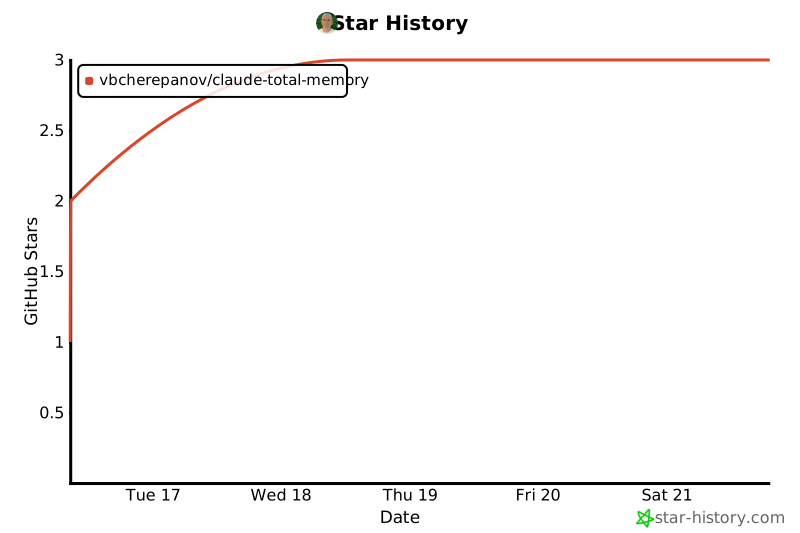
If this project is useful to you, consider giving it a star — it helps others discover it.
[](https://star-history.com/#vbcherepanov/claude-total-memory&Date)
---
## License
MIT License. See [LICENSE](LICENSE) for details.