https://github.com/vdutor/tf-rex
Play Google Chrome's T-rex game with TensorFlow
https://github.com/vdutor/tf-rex
deep-reinforcement-learning q-learning t-rex tensorflow
Last synced: 10 months ago
JSON representation
Play Google Chrome's T-rex game with TensorFlow
- Host: GitHub
- URL: https://github.com/vdutor/tf-rex
- Owner: vdutor
- License: mit
- Created: 2017-03-04T13:36:25.000Z (over 9 years ago)
- Default Branch: master
- Last Pushed: 2022-11-22T02:05:30.000Z (over 3 years ago)
- Last Synced: 2025-07-05T06:11:46.763Z (12 months ago)
- Topics: deep-reinforcement-learning, q-learning, t-rex, tensorflow
- Language: JavaScript
- Homepage:
- Size: 48.5 MB
- Stars: 342
- Watchers: 17
- Forks: 52
- Open Issues: 8
-
Metadata Files:
- Readme: README.md
- License: LICENSE
Awesome Lists containing this project
README
# TF-rex
In this project we play Google's T-rex game using Reinforcement Learning.
The RL algorithm is based on the Deep Q-Learning algorithm [1] and is implemented from scratch in TensorFlow.
===========================================================================
CHECK OUT THE ACCOMPAGNYING [BLOGPOST](https://vdutor.github.io/blog/2018/05/07/TF-rex.html) - it contains a lot more useful information.
===========================================================================
## Dependencies
- __Python 3.5 or higher__
- Pillow 4.3.0
- scipy 0.19.1
- tensorflow 1.7.0 or higher
- optional: tensorflow tensorboard
## Installation
Tested on MacOs, Debian, Ubuntu, and Ubuntu-based distros.
Start by cloning the repository
```sh
$ git clone https://github.com/vdutor/TF-rex
```
We recommend creating a virtualenv before installing the required packages. See [virtualenv](https://virtualenv.pypa.io/en/stable/) or [virtualenv-wrapper](https://virtualenvwrapper.readthedocs.io/en/latest/) on how to do so.
The dependencies can be easly installed using pip.
```sh
$ optional: open the virtualenv
$ pip install -r requirements.txt
```
## Getting started
### Webserver for running the javascript T-rex game
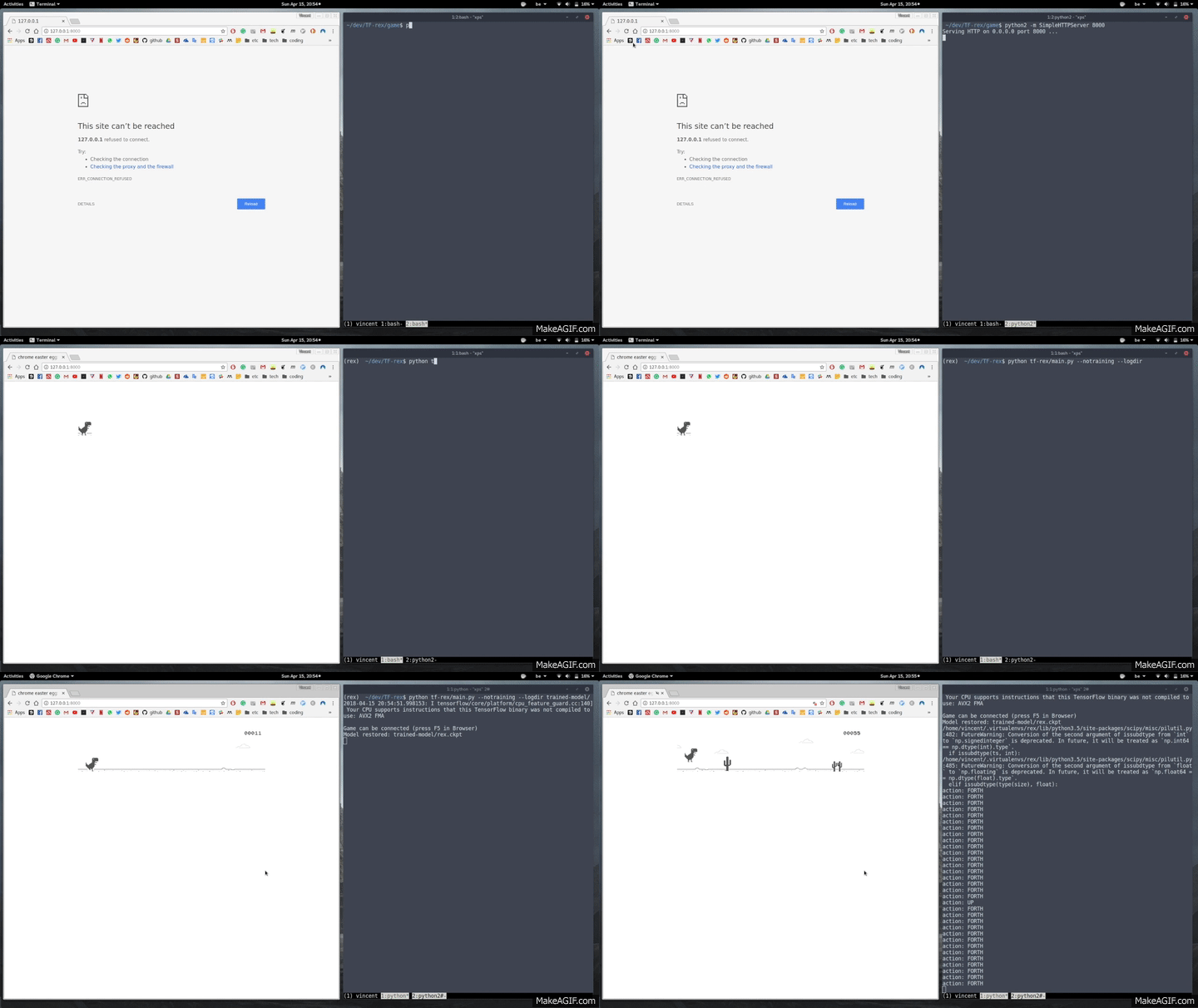
A simple webserver is required to run the T-rex javascript game.
The easiest way to achieve this is by using python's Simple HTTP Server module.
Open a new terminal and navigate to `TF-Rex/game`, then run the following command
```sh
$ cd /path/to/project/TF-Rex/game
$ python2 -m SimpleHTTPServer 8000
```
The game is now accessable on your localhost `127.0.0.1:8000`.
This approach was tested for Chrome and Mozilla Firefox.
### Tf-Rex
First, all the commandline arguments can be retrieved with
```sh
$ cd /path/to/project/TF-Rex/tf-rex
$ python main.py --help
```
Quickly check if the installation was successful by playing with a pretrained Q-learner.
```sh
$ python main.py --notraining --logdir ../trained-model
```
This command will restore the pretrained model, stored in `../trained-model` and play the T-rex game.
IMPORTANT: The browser needs to connect with the python side. Therefore, refresh the browser after firing `python main.py --notraining --logdir ../trained-model`.
Training a new model can be done as follows
```sh
$ python main.py --logdir logs
```
Again, the browser needs to be refreshed to start the process. The directory passed as `logdir` argument will be used to store intermediate tensorflow checkpoints and tensorboard information.
While training, a different terminal can be opened to launch the tensorboard
```sh
$ tensorboard --logdir logs
```
The tensorboards will be visible on `http://127.0.0.1:6006/`.
## References
[1] [Playing Atari with Deep Reinforcement Learning](https://www.cs.toronto.edu/~vmnih/docs/dqn.pdf)