https://github.com/vein05/nomnom
A Go CLI tool for bulk renaming and organizing with genAI.
https://github.com/vein05/nomnom
ai cli deepseek go golang openrouter organizer rename
Last synced: 27 days ago
JSON representation
A Go CLI tool for bulk renaming and organizing with genAI.
- Host: GitHub
- URL: https://github.com/vein05/nomnom
- Owner: Vein05
- License: mit
- Created: 2025-03-11T17:53:32.000Z (over 1 year ago)
- Default Branch: main
- Last Pushed: 2026-05-30T00:51:37.000Z (27 days ago)
- Last Synced: 2026-05-30T01:18:52.715Z (27 days ago)
- Topics: ai, cli, deepseek, go, golang, openrouter, organizer, rename
- Language: Go
- Homepage:
- Size: 58 MB
- Stars: 18
- Watchers: 1
- Forks: 2
- Open Issues: 1
-
Metadata Files:
- Readme: README.md
- License: LICENSE
Awesome Lists containing this project
README
NomNom




## Demo
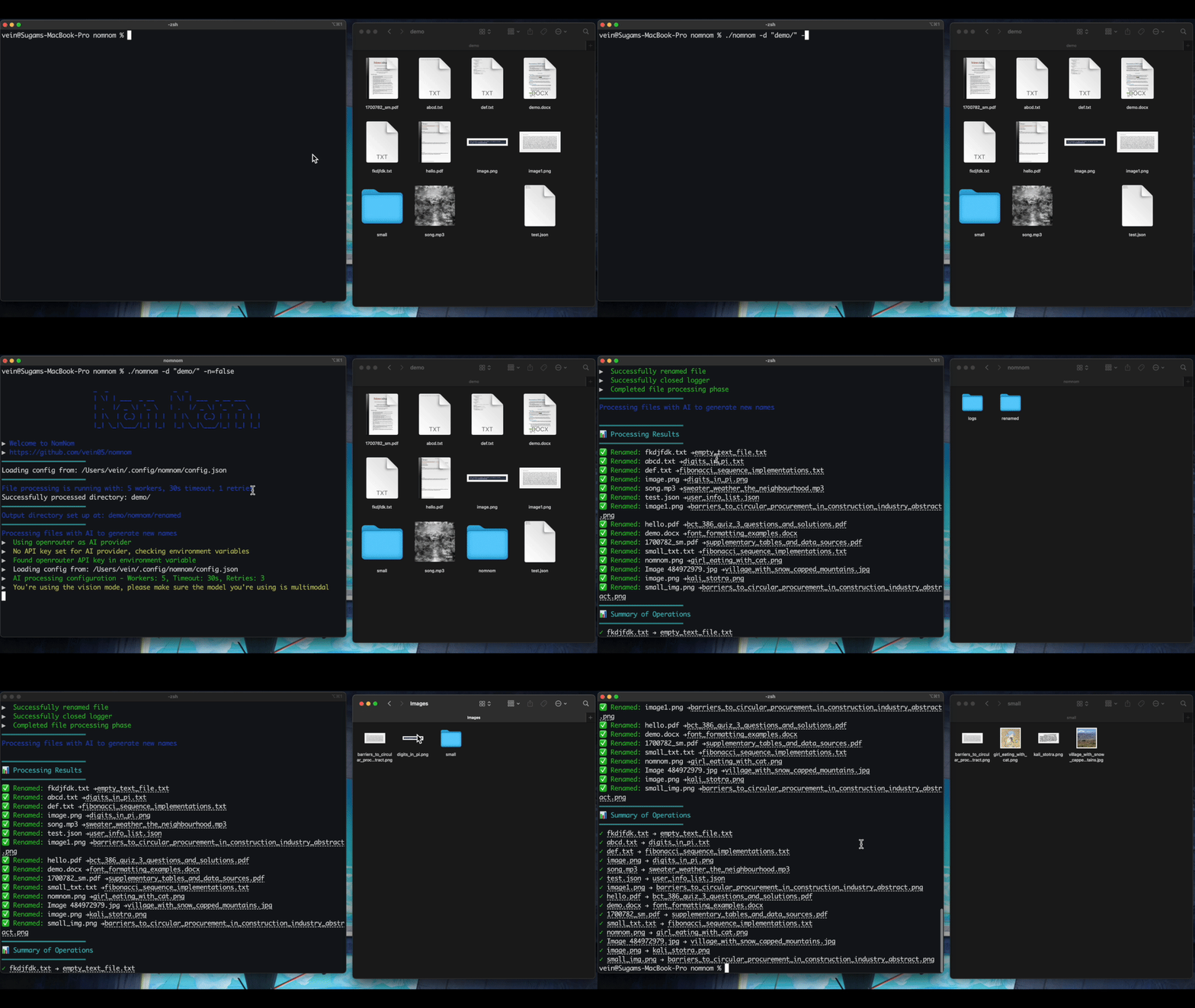
## What It Does
NomNom is a desktop app that renames your files using AI. Point it at a folder, and it generates clean, consistent names based on file contents — text, images, audio metadata, and more. It's built with [Wails](https://wails.io) and shares a Go backend with the included CLI.
- **Scan** a directory to preview all files
- **AI naming** generates rename suggestions using your provider of choice
- **Preview** every suggestion before applying
- **Apply** renames in-place or copy to an output directory
- **Revert** any session from local history
## Install
Download the latest build for your platform from the [Releases](https://github.com/vein05/nomnom/releases) tab.
| Platform | Asset |
|----------|-------|
| macOS (Apple Silicon) | `nomnom-desktop.app` or `nomnom-darwin-arm64.zip` |
| Windows (x64) | `desktop-amd64.exe` or `nomnom-windows-amd64.zip` |
| Linux (x64) | `nomnom-linux-amd64.zip` |
### Build from source
```bash
git clone https://github.com/vein05/nomnom.git
cd nomnom
# CLI
go build .
# Desktop app
cd desktop && wails build -clean
```
## AI Providers
NomNom supports three providers, configured through the Settings panel or interactive setup:
| Provider | Setup |
|----------|-------|
| **OpenRouter** | API key (`OPENROUTER_API_KEY`) — access to Google Gemini, Qwen, Mistral, and more |
| **DeepSeek** | API key (`DEEPSEEK_API_KEY`) |
| **Ollama** | Local instance — no key required |
Built-in model suggestions are provided for OpenRouter and DeepSeek. You can also type any model ID your provider supports.
## Supported File Types
| Category | Formats |
|----------|---------|
| Images | `png`, `jpg`, `jpeg`, `webp` |
| Documents | `pdf`, `docx`, `epub`, `pptx`, `xlsx`, `xls` |
| Text & Data | `txt`, `md`, `json` |
| Audio | `mp3`, `ogg`, `flac`, `m4a`, `wav`, `dsf` |
| Video | `mp4` |
Multimodal models (OpenRouter with Gemini, Qwen, etc.) produce the best results for image renaming. Document extraction uses `go-fitz`/MuPDF on macOS and Linux with a lightweight fallback on Windows.
## CLI
The CLI shares the same backend as the desktop app and is available in the release zips.
```bash
# Interactive setup
nomnom setup
# Preview renames
nomnom -d /path/to/files
# Apply renames
nomnom -d /path/to/files --dry-run=false
# Revert a session
nomnom --revert /path/to/.nomnom/logs/changes_.json
# View analytics
nomnom analytics -d /path/to/files
```
## Development
```bash
# Run the desktop app with hot reload
make dev
# Full test suite
make test
# Lint
make lint
# Build desktop app
make desktop
```
## Repository Layout
- `cmd/`, `internal/` — shared Go backend: scanning, AI calls, file operations, logging, analytics
- `desktop/` — Wails desktop app with React frontend and its own Go module
- `data/` — sample fixtures and reference material
The desktop app uses the same Go service layer as the CLI. File scanning, AI planning, rename execution, logging, and analytics all run through shared backend code.