https://github.com/vflopes/git-changelog
Smoothly create changelogs from commits
https://github.com/vflopes/git-changelog
changelog commit-hooks commit-message custom-commands git
Last synced: 3 months ago
JSON representation
Smoothly create changelogs from commits
- Host: GitHub
- URL: https://github.com/vflopes/git-changelog
- Owner: vflopes
- License: mit
- Created: 2019-03-20T16:10:27.000Z (over 7 years ago)
- Default Branch: master
- Last Pushed: 2019-03-22T17:00:43.000Z (over 7 years ago)
- Last Synced: 2025-03-22T09:15:45.714Z (over 1 year ago)
- Topics: changelog, commit-hooks, commit-message, custom-commands, git
- Language: JavaScript
- Size: 397 KB
- Stars: 3
- Watchers: 1
- Forks: 0
- Open Issues: 0
-
Metadata Files:
- Readme: README.md
- Changelog: CHANGELOG.md
- License: LICENSE
- Code of conduct: CODE_OF_CONDUCT.md
Awesome Lists containing this project
README
# git-changelog
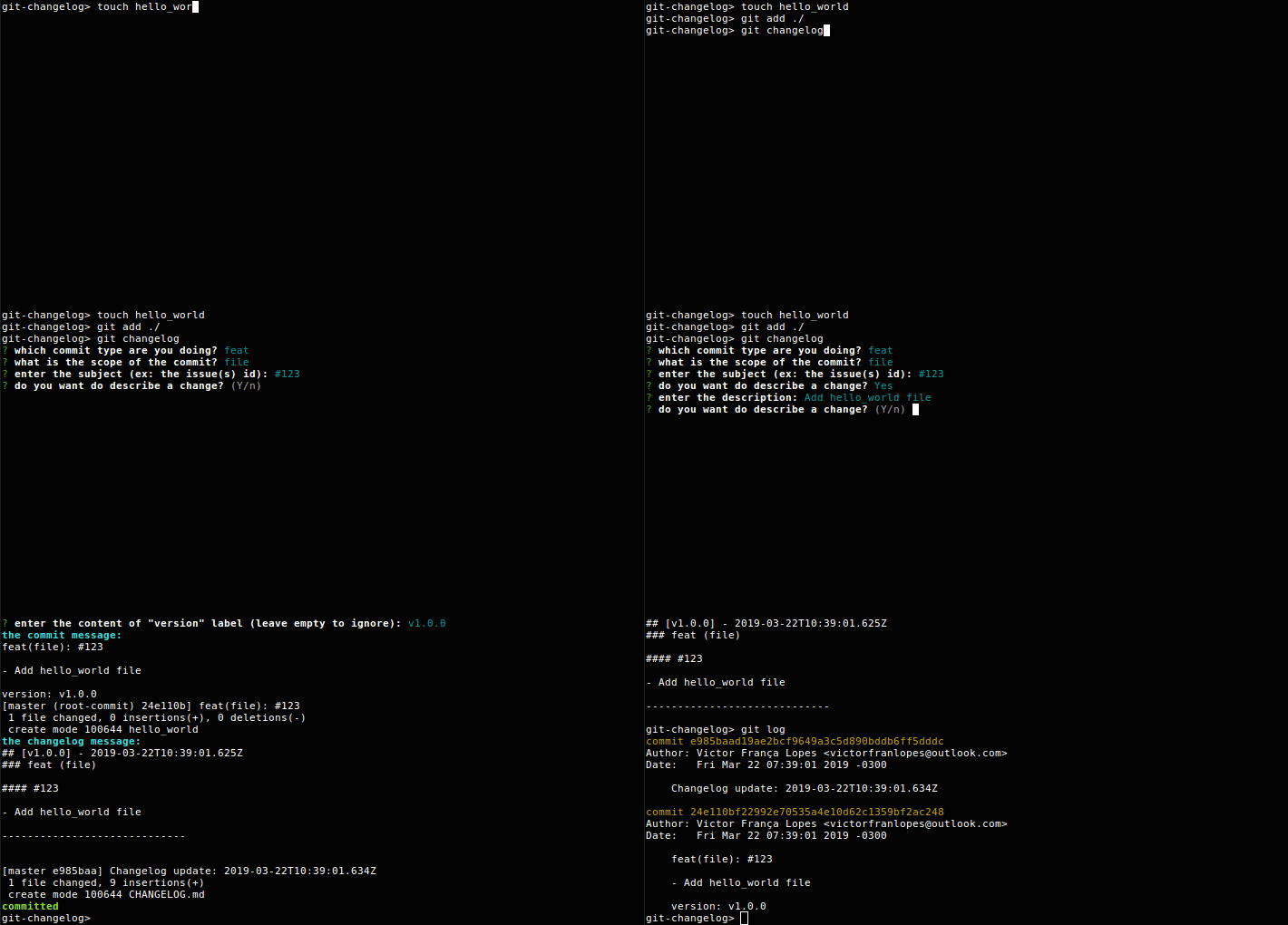
Do you ever wanted a tool to standardize your git commits? Also to generate the changelog based on commits? Here is **git-changelog**. This is a NodeJS project but we provide standalone builds that enhances the `git commit` command. You can use `git changelog` as you use `git commit` with the same arguments, except `-m`.
-----------------------------
### Installation
1. Go to [releases](https://github.com/vflopes/git-changelog/releases)
2. Download the version that fits your system and extract the executable file where you can keep the executable forever
3. Run the executable with `-i` option, example: `./git-changelog-linux-x64 -i`
4. Now you have the `git changelog` command
If you have a problem when executing the file on Linux/MacOS do a `chmod +x git-changelog-YOUROS/ARCH` before executing it.
-----------------------------
### Customization
When you run `git changelog` the command will look for a **.gitchangelog** file in the current directory of the execution. The default **.gitchangelog** if there's no file or attribute is explained bellow.
```json
{
"changelogFilename": "CHANGELOG.md",
"changelogTemplate": "default",
"commitTemplate": "karma",
"types": {
"feat": "new feature for the user, not a new feature for build script",
"fix": "bug fix for the user, not a fix to a build script",
"docs": "changes to the documentation",
"style": "formatting, missing semi colons, etc; no production code change",
"refactor": "refactoring production code, eg. renaming a variable",
"test": "adding missing tests, refactoring tests; no production code change",
"chore": "updating grunt tasks etc; no production code change"
},
"scopes": [],
"labels": [
"action",
"version"
],
"beforeCommit": [],
"afterCommit": []
}
```
-----------------------------
##### changelogFilename
The name of the changelog file.
-----------------------------
##### changelogTemplate
The changelog template. All templates are executed with [doT](http://olado.github.io/doT/index.html) syntax and you have the following properties from the `it` var:
```js
{
"type": null, // string with type
"scope": null, // string with scope
"subject": null, // string with subject
"body": null, // null or array with the changes as strings
"labels": null // object with key-value labels
}
```
The **default** changelog template is placed at **/templates/changelog** path of this repo. You can specify a **doT** template in this attribute to customize the changelog entries.
-----------------------------
##### commitTemplate
The commit (`git -m "[commitMessage]"`) template. This template follows the same approach of `changelogTemplate` except that are two available options instead of **default**:
- [karma](http://karma-runner.github.io/3.0/dev/git-commit-msg.html)
- [bitbucket](https://confluence.atlassian.com/fisheye/using-smart-commits-960155400.html)
-----------------------------
##### types
A key-value object with allowed types. The default pairs comes from **karma**. The description is shown when the user type `git changelog --help`. Can also be a string with that points to a known preset, allowed values are:
- `karma`
- `atom`
-----------------------------
##### scopes
An array with allowed scopes or leave it empty to allow user enter a custom scope.
-----------------------------
##### labels
An array with allowed labels to create custom markers for each commit. The user will input a value for each label.
-----------------------------
##### beforeCommit
An array with commands to execute before the commit and changelog update, if the command exits with a code different from 0 then the `git changelog` will exit with the same code.
-----------------------------
##### afterCommit
An array with commands to execute after the commit and changelog update, if the command exits with a code different from 0 then the `git changelog` will exit with the same code.
-----------------------------
### Testing
The tests are built with mocha and chai, you can run with the following command:
```
npm run test
```