https://github.com/victorqribeiro/groupimg
A script in python to organize your images by similarity.
https://github.com/victorqribeiro/groupimg
image-classification image-comparison k-means machine-learning-algorithms python script
Last synced: about 1 year ago
JSON representation
A script in python to organize your images by similarity.
- Host: GitHub
- URL: https://github.com/victorqribeiro/groupimg
- Owner: victorqribeiro
- License: mit
- Created: 2018-10-20T07:39:09.000Z (over 7 years ago)
- Default Branch: master
- Last Pushed: 2024-05-20T03:43:43.000Z (about 2 years ago)
- Last Synced: 2025-04-02T07:09:51.609Z (over 1 year ago)
- Topics: image-classification, image-comparison, k-means, machine-learning-algorithms, python, script
- Language: Python
- Size: 87.9 KB
- Stars: 237
- Watchers: 13
- Forks: 36
- Open Issues: 2
-
Metadata Files:
- Readme: README.md
- Funding: .github/FUNDING.yml
- License: LICENSE
- Code of conduct: CODE_OF_CONDUCT.md
Awesome Lists containing this project
README
# groupImg
A python script to organize your images by similarity.
It uses a [k-means](https://en.wikipedia.org/wiki/K-means_clustering) algorithm to separatem them in clusters.
Watch it working below.
[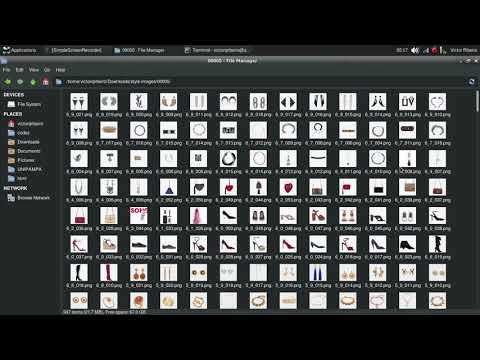](http://www.youtube.com/watch?v=M6ntIaynKCg)
## Why ?
It was about one year since I made the switch from Windows to Linux, and I wanted to get better at the terminal. I always thought it was cool to master it. To make a long story short, one day I did mount a linux image on my external backup drive instead of the pen drive. Some basic */dev/sd\** confusion. Anyway's, I overwrited all my photos; so I used [Foremost](https://en.wikipedia.org/wiki/Foremost_(software)) (which is a great tool) to recover them. It recovered 350.000 images; miniatures, textures, profile pictures, wallpapers... and among all that my personal photos. So I wrote a little script to divide the images in folders, 1000 images per folder, if I'm not mistaken. I went through all the folders separating my photos from the random images that weren't important. To end the story, I came up with this script to "cluster" the photos by similiraty and makes things a little easier for me.
## How to use
Navigate to the folder you want. CLI - Command Line Interface or GUI - Graphic User Interface
Install the requirements.txt
```
pip install -r requirements.txt
```
### CLI
Call the script passing the image folder you want to organize.
```
python groupimg.py -f /home/user/Pictures/
```
## Parameters
\-f folder where your images are (use absolute path).
```groupimg -f /home/user/Pictures```
\-k number of folders you want to separate your images.
```groupimg -f /home/user/Pictures -k 5```
\-m if you want to move your images instead of just copy them.
\-s if you want the algorithm to consider the size of the images as a feature.
### GUI

Just call the groupImgGUI.py file.
```
python groupImgGUI.py
```
Click the button Select folder to select the folder with the pictures you want to organize.
You can adjust the settings by checking the settings box.
N. Group - How many groups should the images be separated in.
Resample - Size to resample the image before comparing (small sizes gives fast results).
Move - Move the images instead of copy them (useful if you have low space on your hard drive).
Size - Consider the size of the images to organize them (useful if you want to separate thumbnails from real pictures).
[](https://www.paypal.com/cgi-bin/webscr?cmd=_donations&business=victorqribeiro%40gmail%2ecom&lc=BR&item_name=Victor%20Ribeiro&item_number=donation¤cy_code=USD&bn=PP%2dDonationsBF%3abtn_donateCC_LG%2egif%3aNonHosted)