https://github.com/vienneraphael/batchling
Save 50% off GenAI costs in two lines of code
https://github.com/vienneraphael/batchling
ai-inference anthropic anthropic-api api async batch batch-processing batchling doubleword gemini generative-ai llm llm-inference mistral openai openai-api python python-library request-batching togetherai
Last synced: 4 months ago
JSON representation
Save 50% off GenAI costs in two lines of code
- Host: GitHub
- URL: https://github.com/vienneraphael/batchling
- Owner: vienneraphael
- License: mit
- Created: 2025-06-21T13:22:37.000Z (about 1 year ago)
- Default Branch: main
- Last Pushed: 2026-03-03T06:51:46.000Z (4 months ago)
- Last Synced: 2026-03-03T09:26:15.100Z (4 months ago)
- Topics: ai-inference, anthropic, anthropic-api, api, async, batch, batch-processing, batchling, doubleword, gemini, generative-ai, llm, llm-inference, mistral, openai, openai-api, python, python-library, request-batching, togetherai
- Language: Python
- Homepage: https://batchling.pages.dev
- Size: 4.81 MB
- Stars: 15
- Watchers: 0
- Forks: 0
- Open Issues: 0
-
Metadata Files:
- Readme: README.md
- Contributing: CONTRIBUTING.md
- License: LICENSE
- Citation: CITATION.cff
- Security: SECURITY.md
- Agents: AGENTS.md
Awesome Lists containing this project
README
Save 50% off GenAI costs in two lines of code






---
batchling is a frictionless, batteries-included plugin to convert any GenAI async function or script into half-cost batch jobs.
Key features:
- **Simple**: a simple 2-liner gets you 50% off your GenAI bill instantly.
- **Transparent**: Your code remains the same, no added behaviors. Track sent batches easily.
- **Global**: Integrates with most providers and all frameworks.
- **Safe**: Get a complete breakdown of your cost savings before launching a single batch.
- **Lightweight**: Very few dependencies.
What's the catch?
The batch is the catch!
Batch APIs enable you to process large volumes of requests asynchronously (usually at 50% lower cost compared to real-time API calls). It's perfect for workloads that don't need immediate responses such as:
- Running mass offline evaluations
- Classifying large datasets
- Generating large-scale embeddings
- Offline summarization
- Synthetic data generation
- Structured data extraction (e.g. OCR)
- Audio transcriptions/translations at scale
Compared to using standard endpoints directly, Batch API offers:
- **Better cost efficiency**: usually 50% cost discount compared to synchronous APIs
- **Higher rate limits**: Substantially more headroom with separate rate limit pools
- **Large-scale support**: Process thousands of requests per batch
- **Flexible completion**: Best-effort completion within 24 hours with progress tracking, batches usually complete within an hour.
## Installation
batchling is available on PyPI as `batchling`, install using either `pip`:
```bash
pip install batchling
```
## Get Started
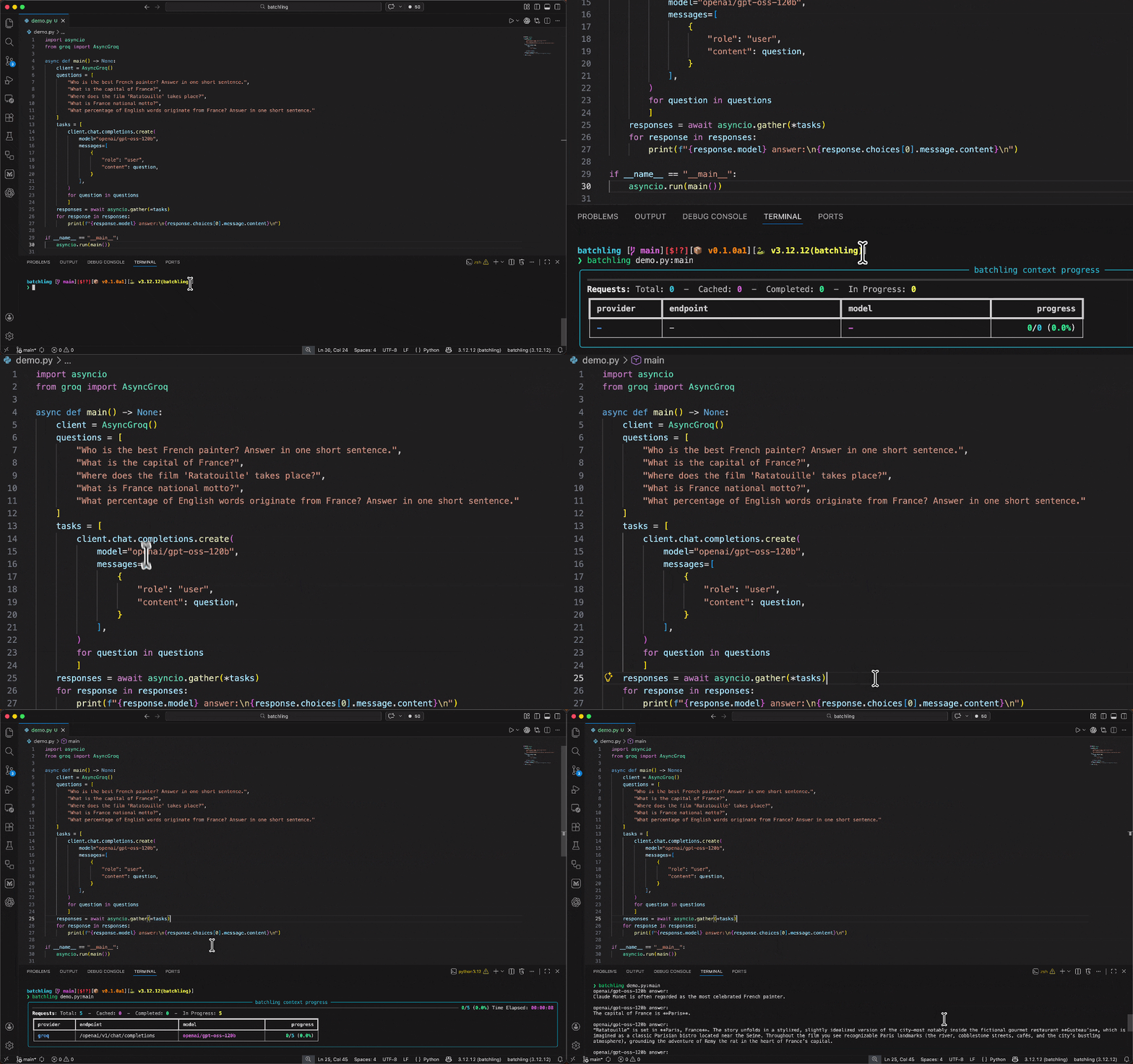
batchling integrates smoothly with any async function doing GenAI calls or within a whole async script that you'd run with `asyncio`.
Let's suppose we have an existing script `main.py` that uses the OpenAI client to make two parallel calls using `asyncio.gather`:
### Using the async context manager (recommended)
To selectively batchify certain pieces of your code execution, you can rely on the `batchify` function, which exposes an async context manager.
```py title="main.py"
import asyncio
from batchling import batchify
from openai import AsyncOpenAI
async def generate():
client = AsyncOpenAI()
questions = [
"Who is the best French painter? Answer in one short sentence.",
"What is the capital of France?",
]
tasks = [
client.responses.create(input=question, model="gpt-4o-mini") for question in questions
]
async with batchify(): # Runs your tasks as batches, save 50%
responses = await asyncio.gather(*tasks)
for response in responses:
content = response.output[-1].content # skip reasoning output, get straight to the answer
print(content[0].text)
if __name__ == "__main__":
asyncio.run(generate())
```
Then, just run `main.py` like you would normally:
```bash
python main.py
```
Output:
```text
The best French painter is often considered to be Claude Monet, a leading figure in the Impressionist movement.
The capital of France is Paris.
```
### Using the CLI wrapper
For you to switch this async execution to a batched inference one, you just have to run your script using the `batchling` CLI and targetting the main function ran by `asyncio`:
```py title="main.py"
import asyncio
from openai import AsyncOpenAI
async def generate():
client = AsyncOpenAI()
questions = [
"Who is the best French painter? Answer in one short sentence.",
"What is the capital of France?",
]
tasks = [
client.responses.create(input=question, model="gpt-4o-mini") for question in questions
]
responses = await asyncio.gather(*tasks)
for response in responses:
content = response.output[-1].content # skip reasoning output, get straight to the answer
print(content[0].text)
```
Output:
```text
The best French painter is often considered to be Claude Monet, a leading figure in the Impressionist movement.
The capital of France is Paris.
```
Run your function in batch mode:
```bash
batchling main.py:generate
```
## Supported providers
| Name | Batch API Docs URL |
|-------------|--------------------------------------------------------------------------|
| Anthropic | |
| Doubleword | |
| Gemini | |
| Groq | |
| Mistral | |
| OpenAI | |
| Together | |
| XAI | |
## Next Steps
To try `batchling` for yourself, follow this [quickstart guide](https://batchling.pages.dev/quickstart/).
Read the [docs](https://batchling.pages.dev/batchify/) to learn more about how you can save on your GenAI expenses with `batchling`.
If you have any question, file an [issue](https://github.com/vienneraphael/batchling/issues) on GitHub.
## Connect
- Community (Discord):
- LinkedIn: