https://github.com/vincevargadev/kolors_flutter
The named HTML colors that you can use in your Flutter apps.
https://github.com/vincevargadev/kolors_flutter
dart flutter flutter-package hex-colors html-colors named-colors pub-dev pubdev
Last synced: 2 months ago
JSON representation
The named HTML colors that you can use in your Flutter apps.
- Host: GitHub
- URL: https://github.com/vincevargadev/kolors_flutter
- Owner: vincevargadev
- License: bsd-3-clause
- Created: 2021-12-19T16:23:32.000Z (over 4 years ago)
- Default Branch: main
- Last Pushed: 2021-12-27T15:32:18.000Z (over 4 years ago)
- Last Synced: 2025-04-08T21:49:08.876Z (over 1 year ago)
- Topics: dart, flutter, flutter-package, hex-colors, html-colors, named-colors, pub-dev, pubdev
- Language: Dart
- Homepage: https://pub.dev/packages/kolors
- Size: 2.88 MB
- Stars: 1
- Watchers: 0
- Forks: 0
- Open Issues: 0
-
Metadata Files:
- Readme: README.md
- Changelog: CHANGELOG.md
- License: LICENSE
Awesome Lists containing this project
README
# `kolors`
> The named HTML colors that you can use in your Flutter apps.
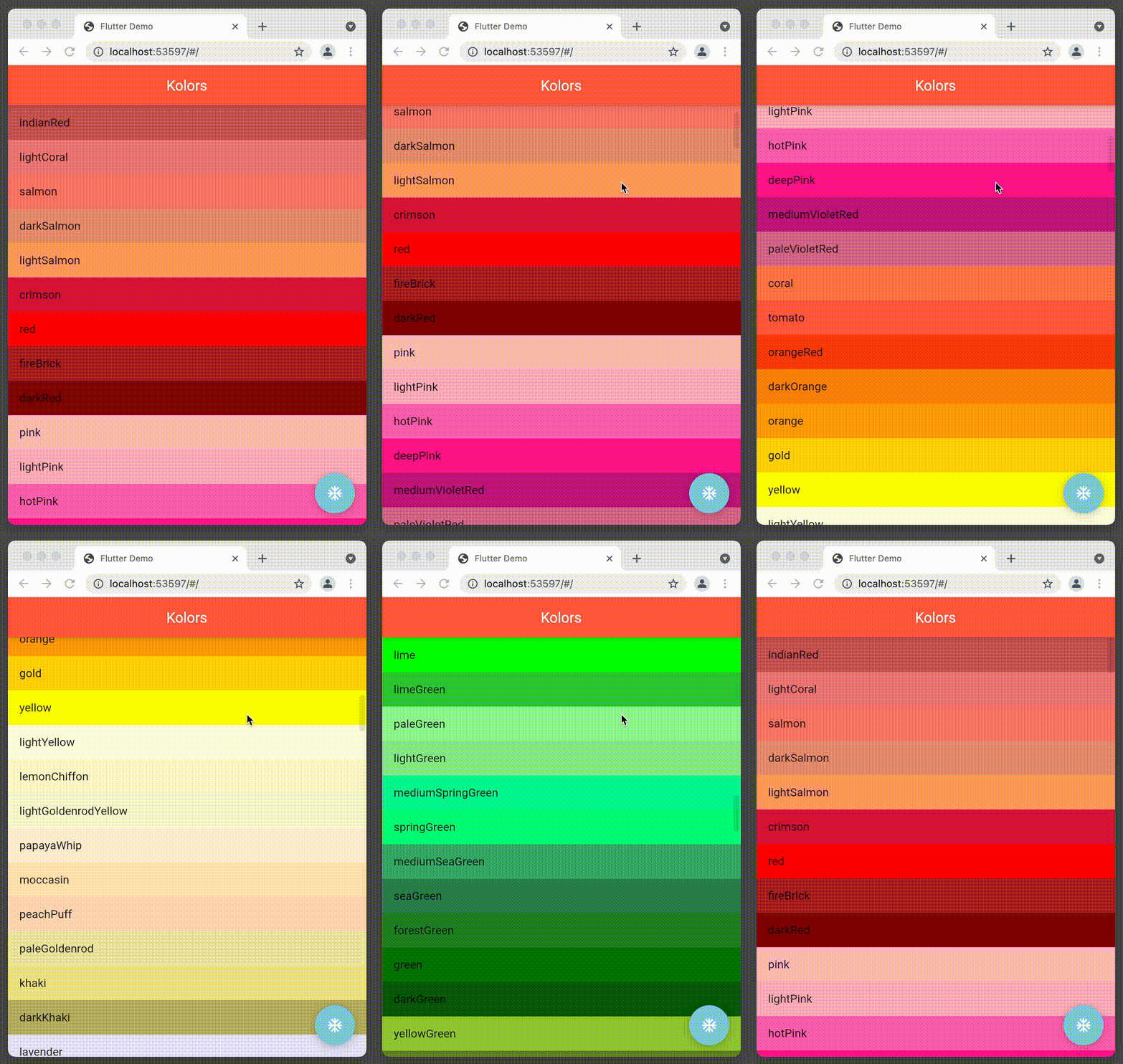
HTML and CSS lets you use around 140 names colors. With this simple Flutter package, you can now access these colors also from your Flutter app.
[](https://github.com/dartsidedev/kolors/actions) [](https://codecov.io/gh/dartsidedev/kolors) [](https://pub.dev/packages/kolors 'See kolors package info on pub.dev') [](https://pub.dev/publishers/dartside.dev/packages) [](https://github.com/dartsidedev/kolors 'Star me on GitHub!')
## Important links
* [Read the source code and **star the repo** on GitHub](https://github.com/dartsidedev/kolors)
* [Open an issue on GitHub](https://github.com/dartsidedev/kolors/issues)
* [See package on `pub.dev`](https://pub.dev/packages/kolors)
* [Read the docs on `pub.dev`](https://pub.dev/documentation/kolors/latest/)
## Inspiration
This package is inspired by the [`material` library's `Colors`class](https://api.flutter.dev/flutter/material/Colors-class.html).
I found that class to be very convenient for prototyping applications: no hex codes, just simple, intuitive named colors.
As a developer with many years of web background, I found that I often wanted to reach for the web (HTML and CSS) colors from my Flutter application.
Now, with this package, it's possible to find the right colors for quick prototyping.
## Usage
```dart
import 'package:kolors/kolors.dart';
// Just type "Kolors." and pick a color that you like.
const appBarColor = Kolors.tomato;
const borderColor = Kolors.skyBlue;
// You can use the grouped classes if you know which color's shades
// you are interested in.
const appBarColor = KolorReds.lightSalmon;
const iconColor = KolorGreens.limeGreen;
const fabColor = KolorBlues.skyBlue;
// If you want to show the colors with their names to your users,
// use the "asMap" that contains the colors names and the colors.
final kolorsMap = Kolors.asMap();
final kolorEntries = m.kolorsMap.toList();
// Just the colors as List
const pinks = KolorPinks.values;
```
You can find the example app on [GitHub](https://github.com/dartsidedev/kolors/blob/main/example/lib/main.dart) and on [pub.dev](https://pub.dev/packages/kolors/example).
Please keep in mind that this package has a `dart:ui` dependency (and [therefore runs only with Flutter](https://twitter.com/vincevargadev/status/1471965783463010311)).