https://github.com/vindecodex/wp-slack-notification
A Wordpress Plugin that notifies on Slack
https://github.com/vindecodex/wp-slack-notification
Last synced: 8 months ago
JSON representation
A Wordpress Plugin that notifies on Slack
- Host: GitHub
- URL: https://github.com/vindecodex/wp-slack-notification
- Owner: vindecodex
- License: mit
- Created: 2019-11-06T03:41:53.000Z (over 6 years ago)
- Default Branch: master
- Last Pushed: 2020-06-30T06:00:26.000Z (almost 6 years ago)
- Last Synced: 2025-07-24T23:19:07.769Z (11 months ago)
- Language: PHP
- Size: 6.84 KB
- Stars: 3
- Watchers: 1
- Forks: 1
- Open Issues: 1
-
Metadata Files:
- Readme: readme.md
- License: LICENSE
Awesome Lists containing this project
README
### Slack Notification
A Wordpress Plugin that Notifies the number of yesterday's total New and Updated posts from each Sites and Users
###### On Wordpress
1. Clone the project inside wp-content/plugins
2. Enable the plugin `Slack Notification`
###### On Slack
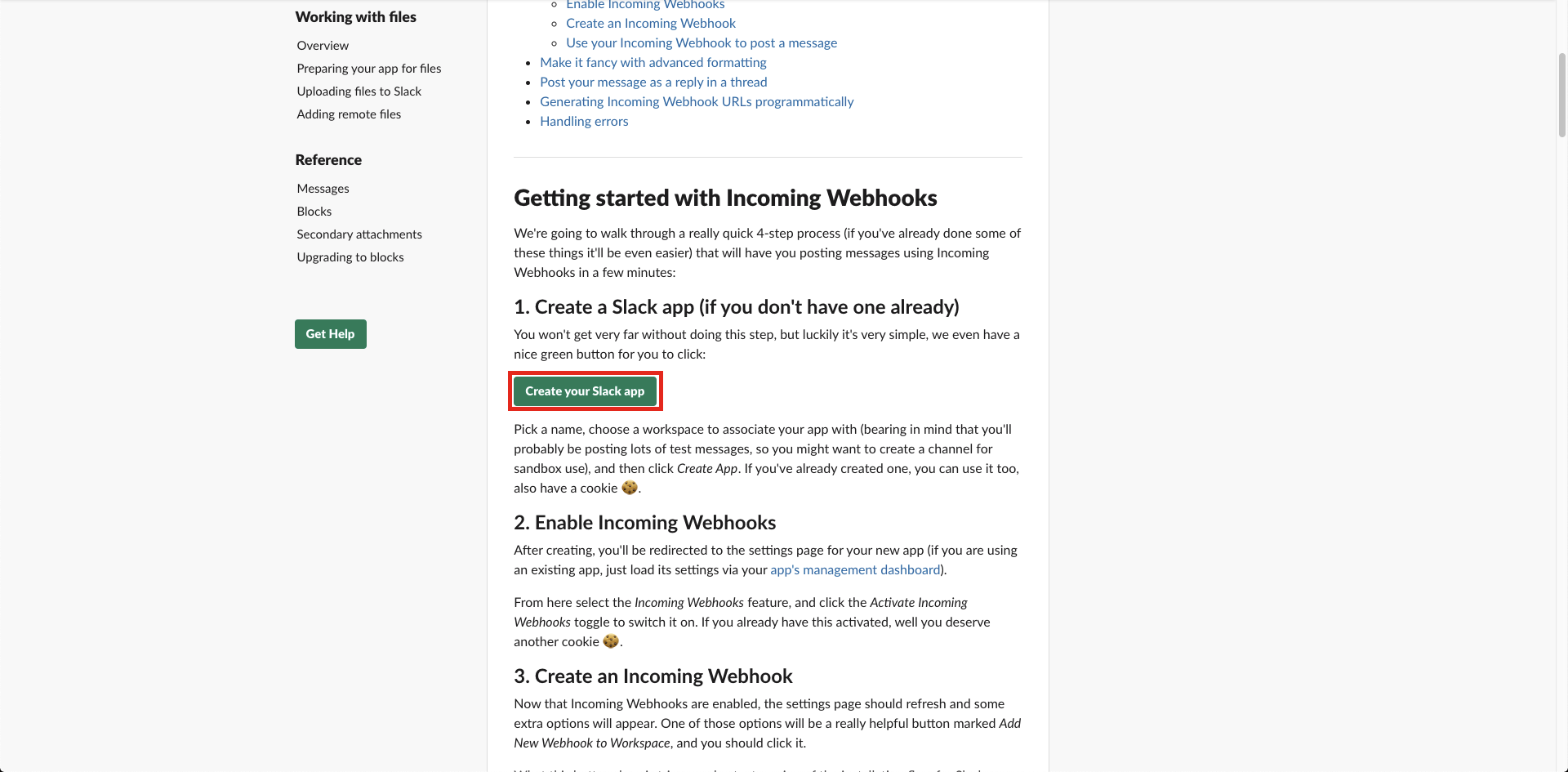
1. [Create Slack App](https://api.slack.com/messaging/webhooks)
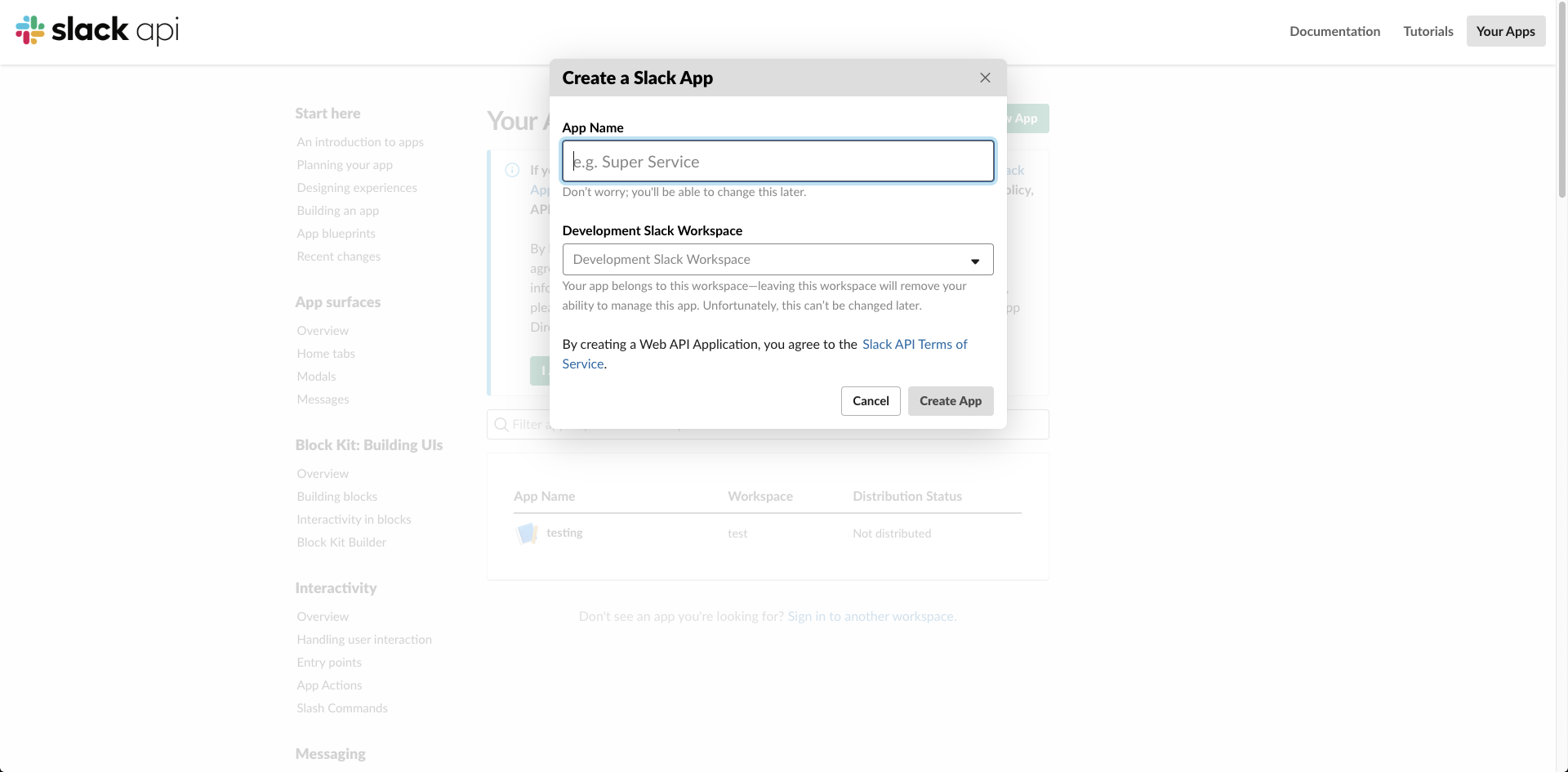
2. Create App Name and Select Slack Channel
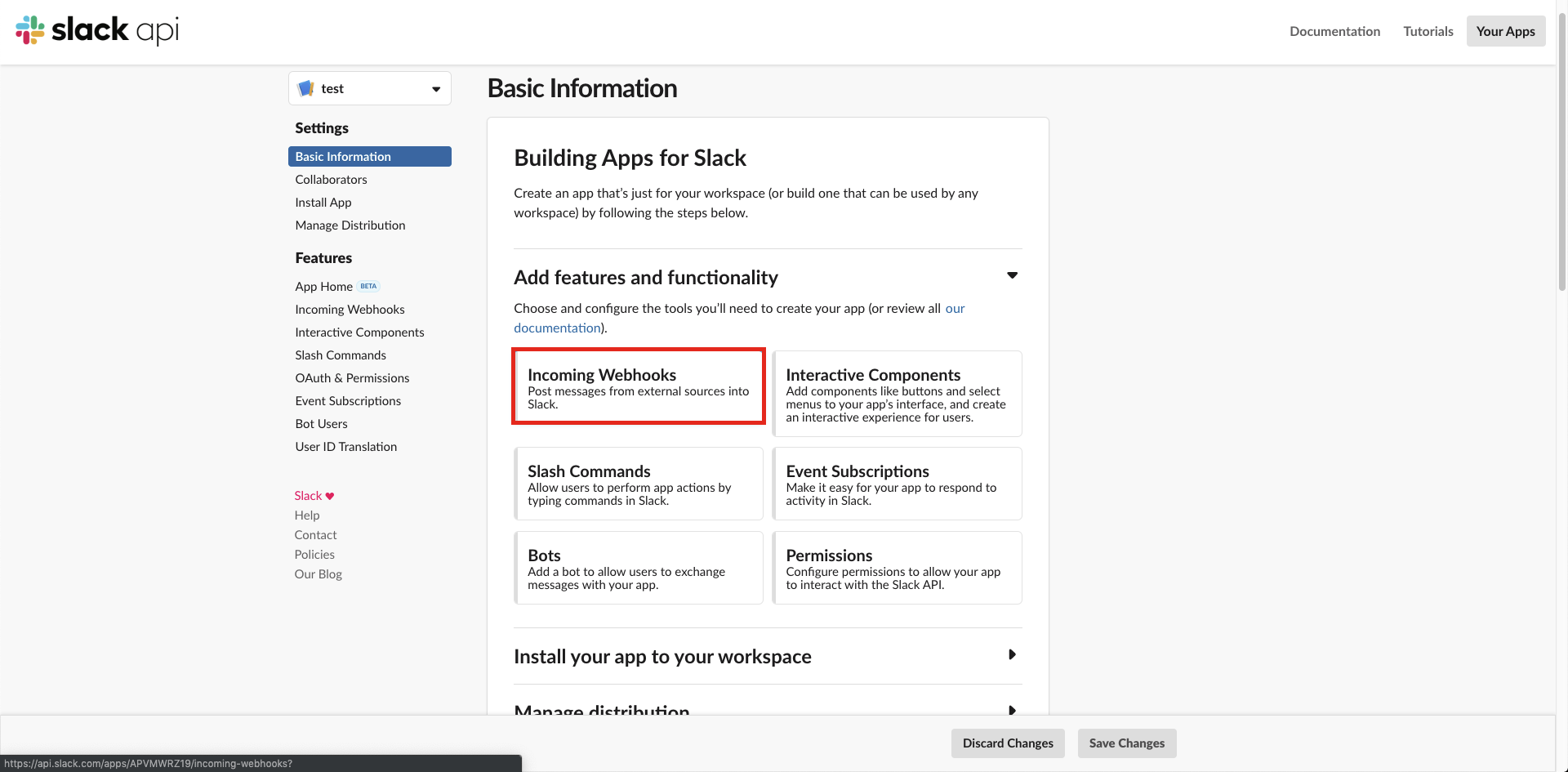
3. Select Incoming Webhooks
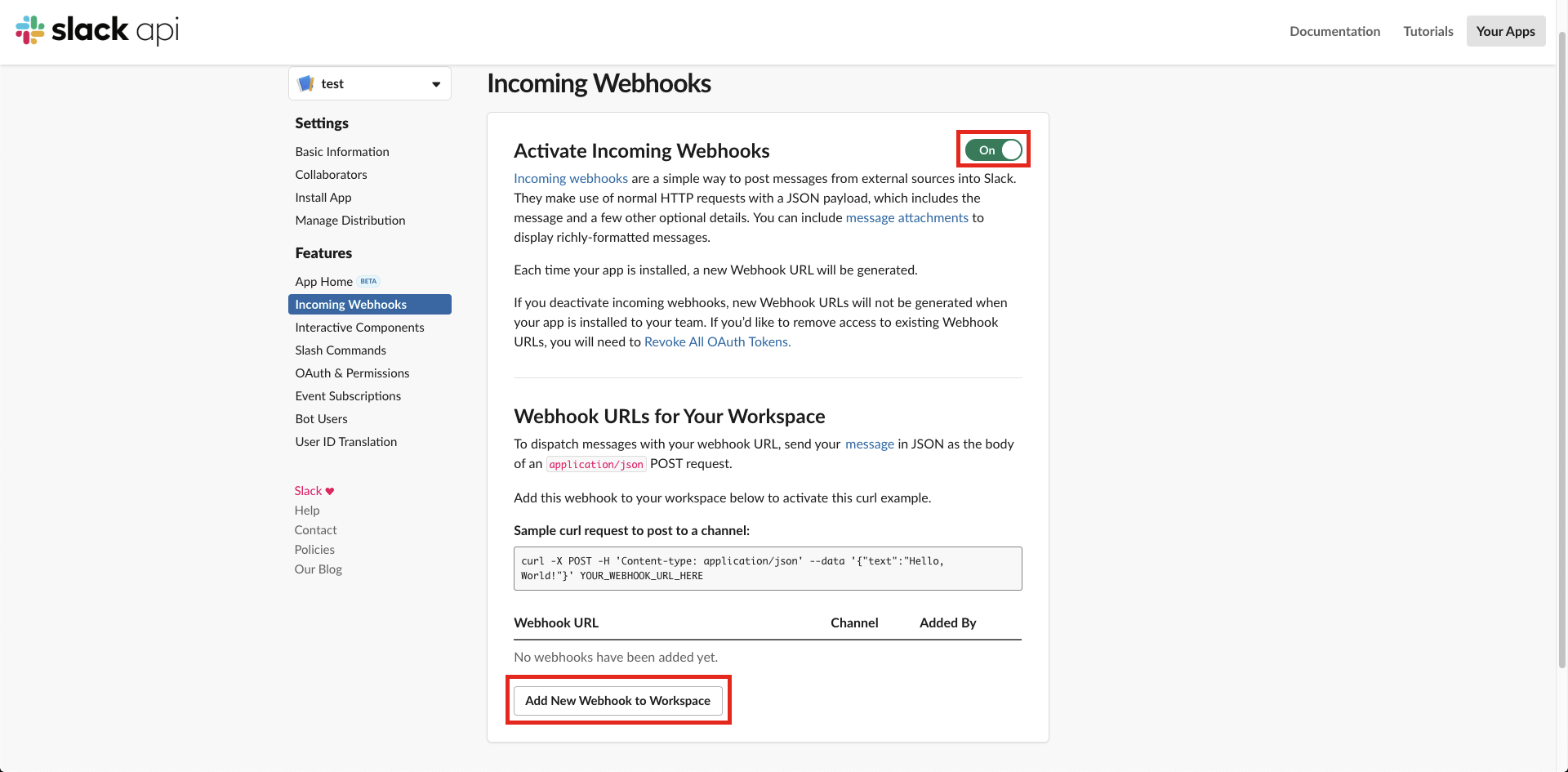
4. Activate Incoming Webhooks and Add New Webhook to Workspace
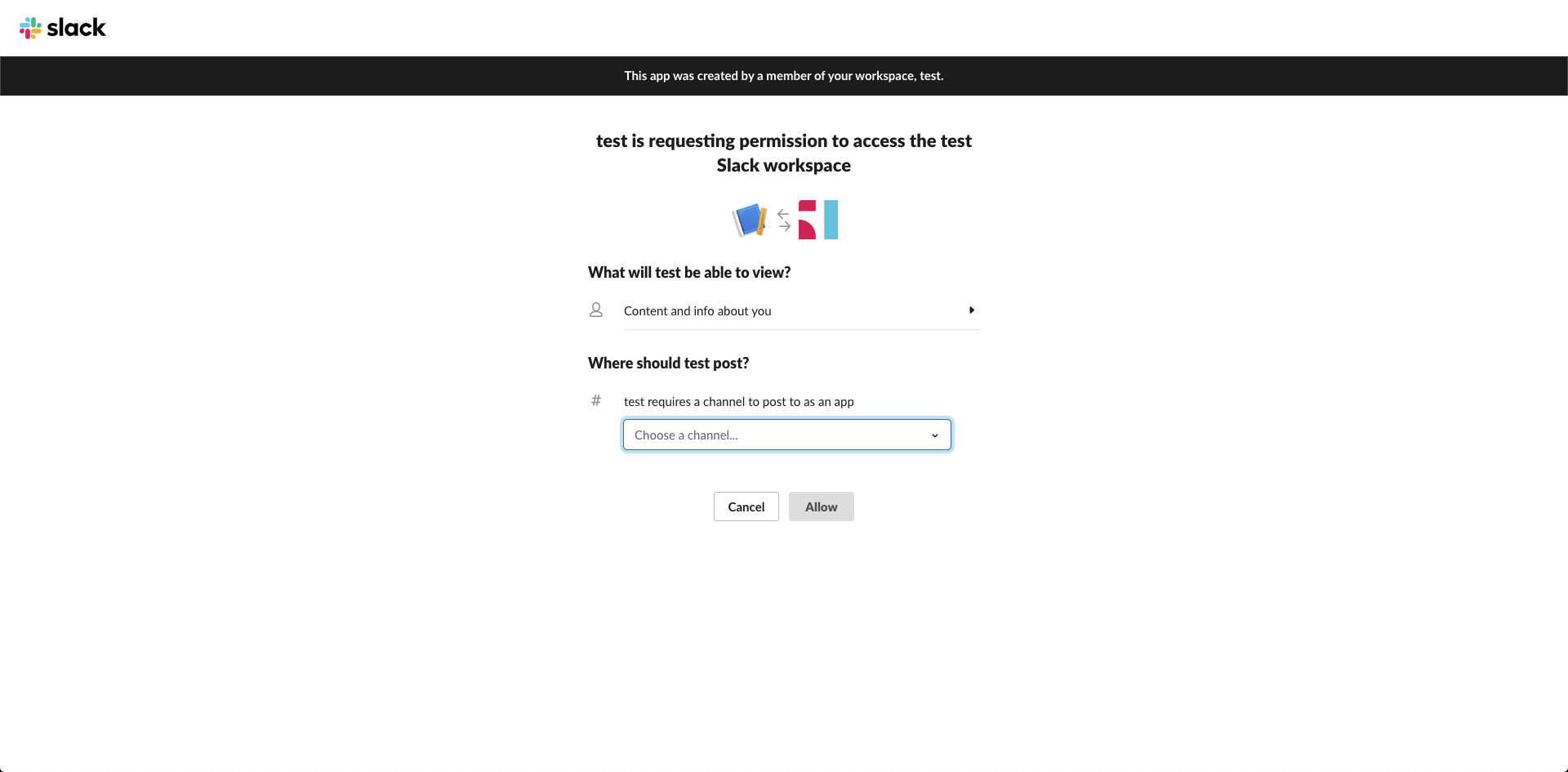
5. Select A Channel on where you want to notify
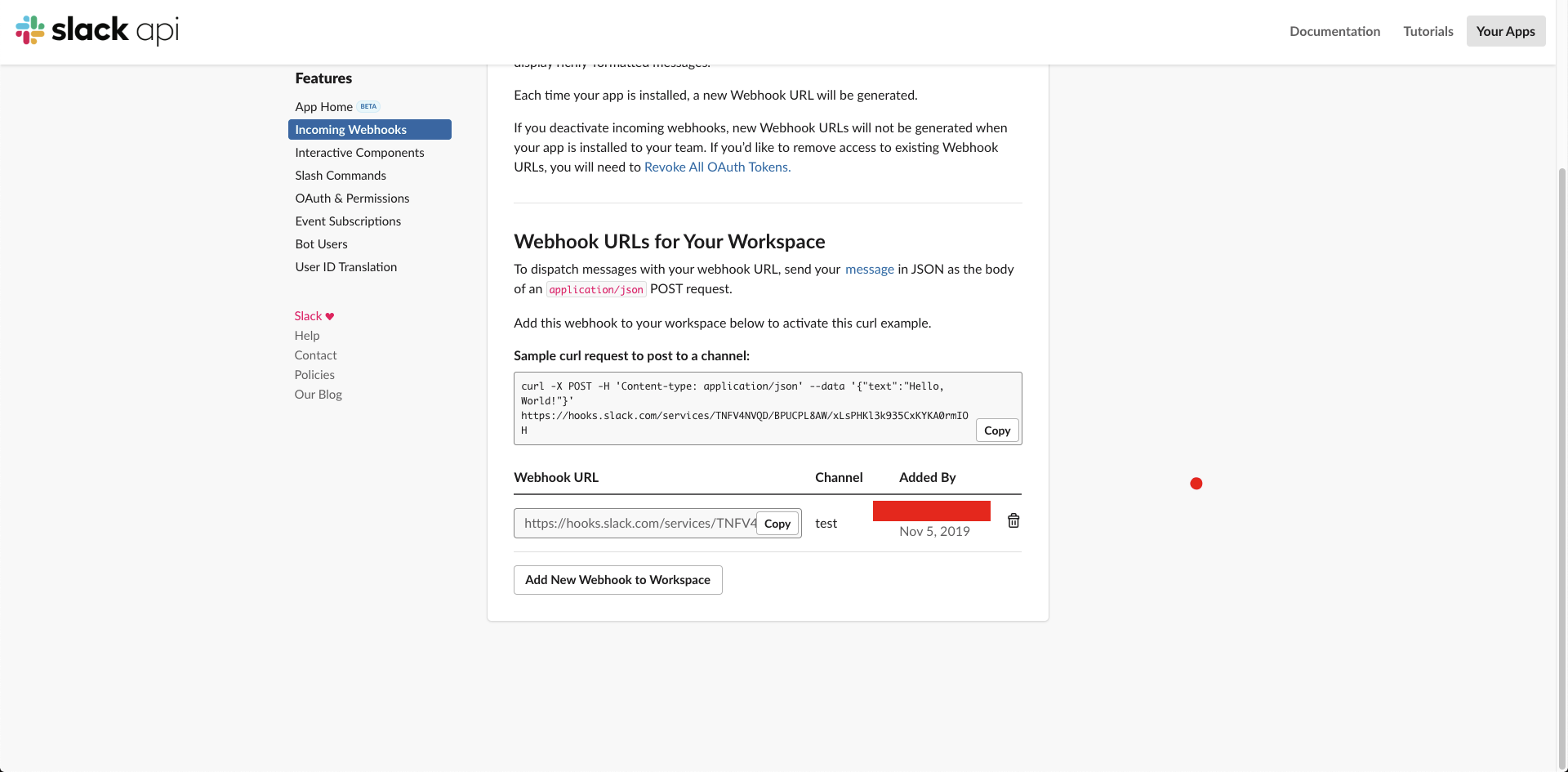
6. Copy and use this webhook
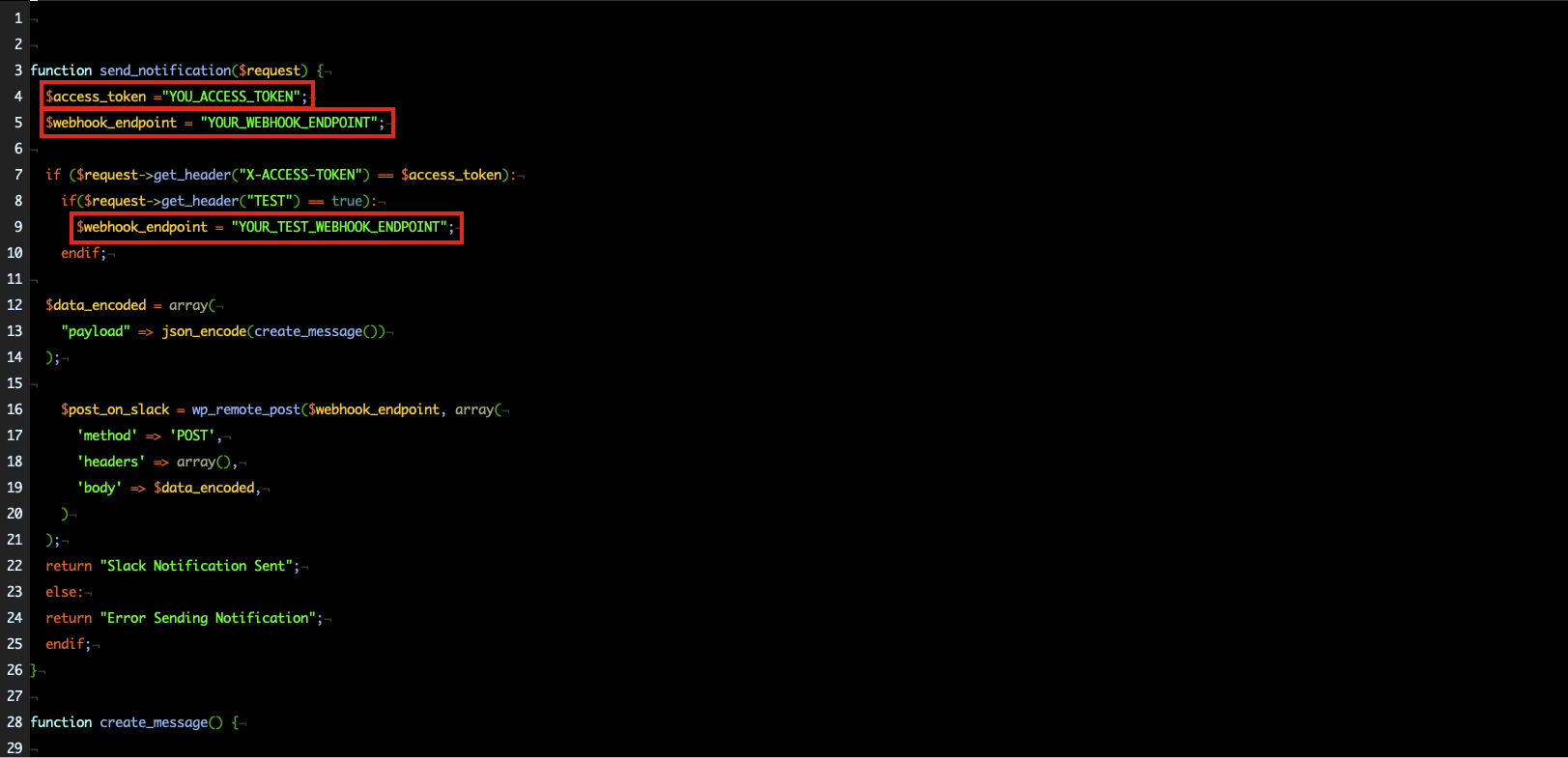
7. Paste Your `WEBHOOK_ENDPOINT`
8. You can generate Your own `ACCESS_TOKEN` its just a random text so that no one can trigger the notification
9. You can create another app for your testing notification and copy its `TEST_WEBHOOK_ENDPOINT`
###### Triggering the Notification with Insomnia
1. use Get Method with url : localhost/wp-json/_notify_slack
2. For Headers
- `X-ACCESS-TOKEN` your generated token (its just a random text pls create your own)
- `TEST` you can assign test if you want to notify it on test channel if it is set to `TRUE`
###### Output
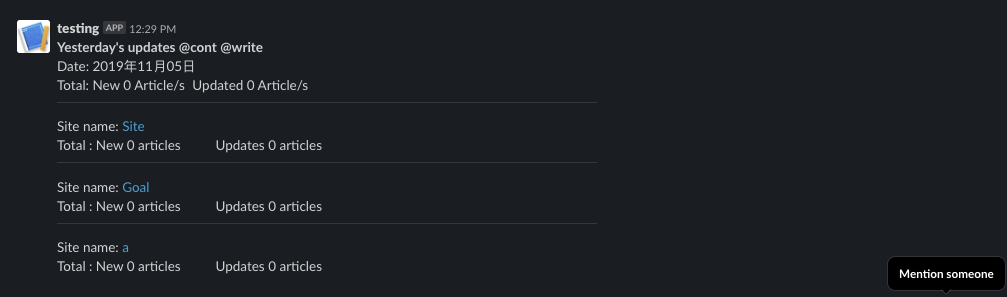
I dont have any new and updated posts from yesterday that is why all are zero and no users displayed