https://github.com/viniarruda/react-month-range-picker
React component that can select an range of months separated by year
https://github.com/viniarruda/react-month-range-picker
calendar date-picker date-range-picker month-picker react
Last synced: 3 months ago
JSON representation
React component that can select an range of months separated by year
- Host: GitHub
- URL: https://github.com/viniarruda/react-month-range-picker
- Owner: viniarruda
- License: mit
- Created: 2023-04-26T18:55:32.000Z (about 3 years ago)
- Default Branch: main
- Last Pushed: 2024-02-09T16:27:22.000Z (over 2 years ago)
- Last Synced: 2025-09-11T14:56:29.209Z (9 months ago)
- Topics: calendar, date-picker, date-range-picker, month-picker, react
- Language: TypeScript
- Homepage: https://viniarruda-react-month-range-picker.vercel.app
- Size: 1.21 MB
- Stars: 1
- Watchers: 1
- Forks: 3
- Open Issues: 0
-
Metadata Files:
- Readme: README.md
- License: LICENSE
Awesome Lists containing this project
README
# react-month-range-picker
React component that can select an range of months separated by year
# Install in your project
You can find more information in [npm](https://www.npmjs.com/package/@viniarruda/react-month-range-picker)
```
yarn add @viniarruda/react-month-range-picker
or
npm i @viniarruda/react-month-range-picker
```
Demo [here](https://viniarruda-react-month-range-picker.vercel.app/?path=/story/forms-monthrangepicker--default)
# Examples
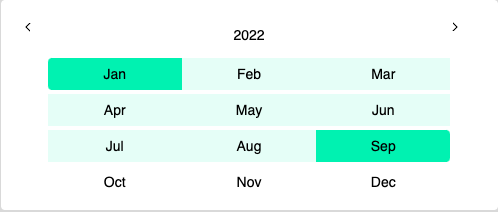
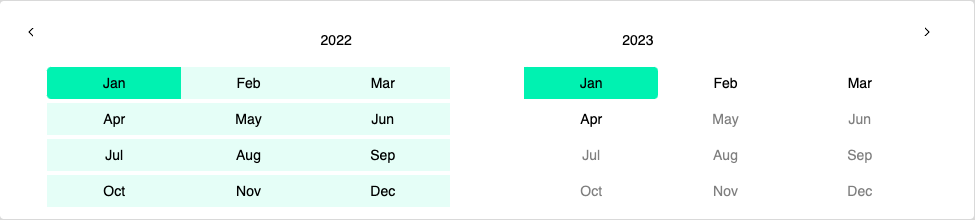
# Run
To run that demo on your own computer:
```
Clone this repository
yarn install
yarn storybook
Visit http://localhost:6006/
```
# Props
| Props | type | defaultValue | Info
| ------------- | ------------- | ------------- | ------------- |
| columns | 1 or 2 | 1 | Columns to show |
| initialYear | number | 2020 | The first initialYear |
| locale | string | `en-US` | ex: `en-US` |
| onRangeSelect | function | required | Pass an function to get the RangeParams |
| calendarClassname | string | optional | Pass an `className` to style calendar container |
| headerClassname | string | optional | Pass an `className` to style calendar header |
| monthClassname | string | optional | Pass an `className` to style month item |
# Styling
To control the month styles, you can use `monthClassName="month"` and this name will increment to variant month.
Soo, you can control the styles using:
`.month_start`
`.month_selected`
`.month_end`
```typescript
onRangeSelect: (params: RangeParams) => void
type RangeParams = {
startMonth: number
startYear: number
endMonth: number
endYear: number
}
```