https://github.com/vishalguptax/claude-code-manager
VS Code extension to manage Claude Code sessions, MCP servers, skills, commands, hooks, and agents from your sidebar. Works on Cursor, Windsurf, and all VS Code-based IDEs.
https://github.com/vishalguptax/claude-code-manager
ai-tools anthropic antigravity claude claude-code claude-code-manager claude-manager claude-session claude-session-manager cursor mcp model-context-protocol session-manager vscode-extension windsurf
Last synced: 2 months ago
JSON representation
VS Code extension to manage Claude Code sessions, MCP servers, skills, commands, hooks, and agents from your sidebar. Works on Cursor, Windsurf, and all VS Code-based IDEs.
- Host: GitHub
- URL: https://github.com/vishalguptax/claude-code-manager
- Owner: vishalguptax
- License: apache-2.0
- Created: 2026-04-07T18:58:09.000Z (3 months ago)
- Default Branch: main
- Last Pushed: 2026-04-14T10:24:31.000Z (2 months ago)
- Last Synced: 2026-04-14T12:28:19.975Z (2 months ago)
- Topics: ai-tools, anthropic, antigravity, claude, claude-code, claude-code-manager, claude-manager, claude-session, claude-session-manager, cursor, mcp, model-context-protocol, session-manager, vscode-extension, windsurf
- Language: TypeScript
- Homepage:
- Size: 5.93 MB
- Stars: 2
- Watchers: 0
- Forks: 0
- Open Issues: 0
-
Metadata Files:
- Readme: README.md
- Changelog: CHANGELOG.md
- License: LICENSE
Awesome Lists containing this project
README

Claude Manager
Every Claude Code session, skill, slash command, hook, MCP server, and agent — one click away in your VS Code sidebar. Works with both the Claude Code CLI and the official VS Code extension.




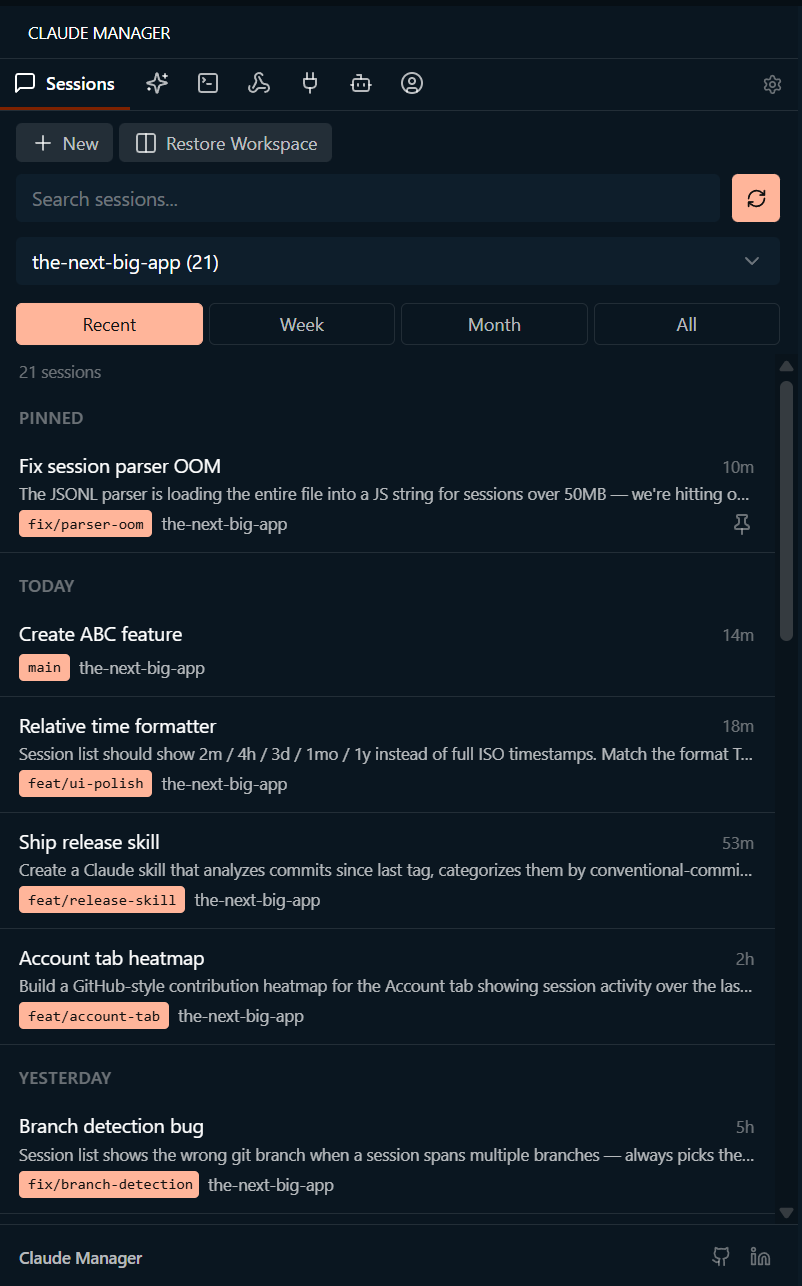
Local-first • Zero telemetry • Zero accounts • Works in VS Code, Cursor, Windsurf, Antigravity, VSCodium, Codespaces, and Gitpod
## Install
**VS Code • Cursor • Windsurf • Antigravity** — open Extensions (Ctrl+Shift+X), search **Claude Manager**, click Install.
**VSCodium • Theia • Gitpod** — install from [Open VSX](https://open-vsx.org/extension/vishalguptax/claude-manager).
**Command line** — `code --install-extension vishalguptax.claude-manager`
Then press Ctrl+Alt+C (Cmd+Alt+C on Mac) to open the panel. That's it.
## Why it exists
Claude Code is powerful, but the terminal isn't built for browsing. Finding a session you ran last week means scrollback hunting. Editing an MCP server means hand-patching JSON. Keeping track of every custom slash command, hook, and agent is its own job.
Claude Manager turns all of it into a sidebar you can click and search. Same Claude Code underneath — just one keystroke closer. Works whether you use the Claude Code **CLI**, the official **VS Code extension**, or both; sessions from either surface show up in the same list, and Resume routes back to the surface each session came from (configurable).
## What's inside
| | |
| :-- | :-- |
| **Sessions** | Resume, continue, restore, pin, rename, fork, import, export, and full-text search across every Claude Code session. Filter by project and git branch. Resume warns if your current branch doesn't match. Auto-routes Resume to the terminal or the Claude Code extension chat tab based on where the session originated (configurable). |
| **Skills** | Global and project skills with scope badges. Copy, open, delete, or launch Claude with a skill in one click — terminal or extension chat. |
| **Commands** | Built-in slash commands plus your custom ones from `.claude/commands/`. One-click copy or launch in Claude Code chat. |
| **Hooks** | Inspect automation hooks across global, project, and local scopes with full command preview. |
| **MCP Servers** | Enable, disable, delete, or inspect MCP servers — no JSON editing. API keys and secrets masked automatically. |
| **Agents** | Browse project agents with Sonnet / Opus / Haiku badges and description previews. |
| **Account** | Profile, **multi-account switcher** (save + swap between Claude logins without full `/logout`+`/login`), activity heatmap, token usage across 7-day / 30-day / all-time, model selector, permissions editor, and an opt-in **Quota** card showing your current 5-hour / 7-day subscription utilization. |
| **Status bar** | Open Claude Manager from anywhere in your editor with a single click. |
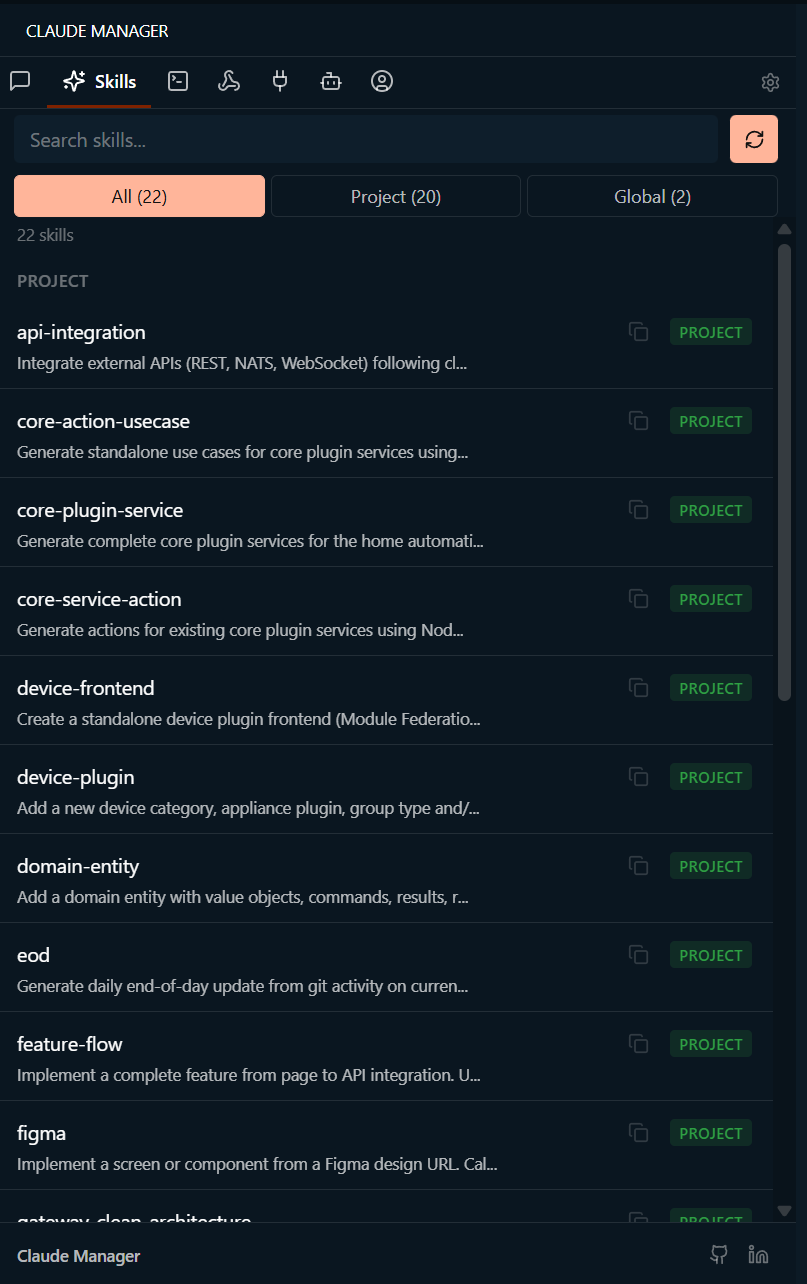
Skills
Global and project skills with scope badges. Copy, open, delete, or launch Claude with a skill.
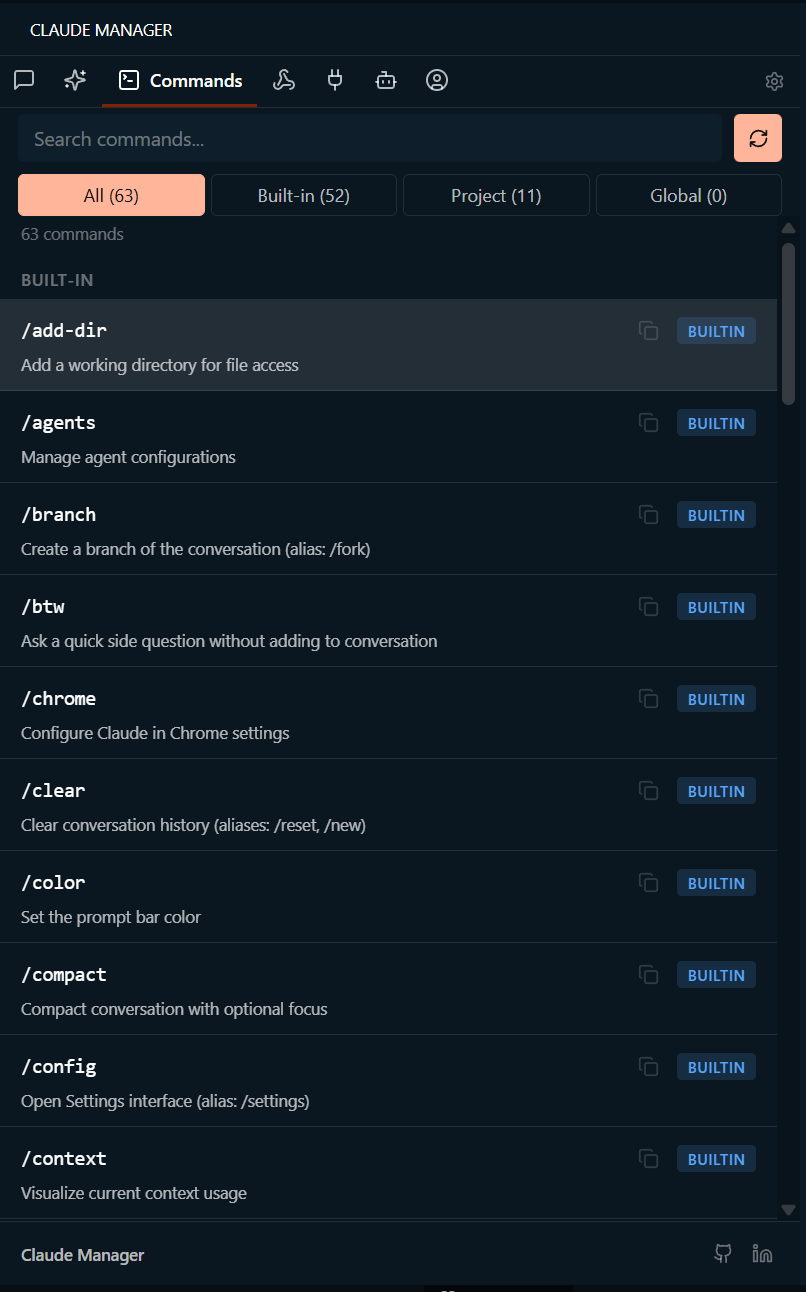
Commands
Built-in slash commands plus your custom ones from .claude/commands/. One-click copy.
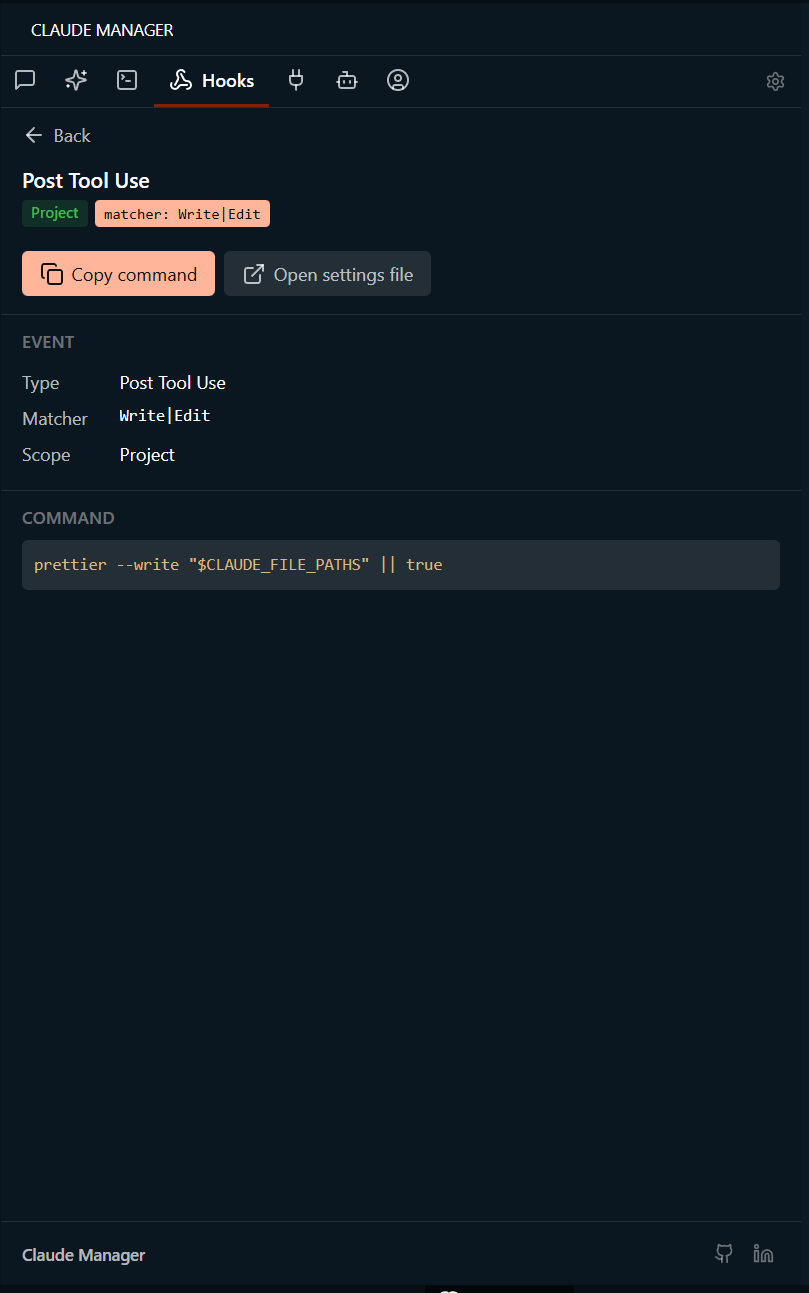
Hooks
Inspect automation hooks across global, project, and local scopes with full command preview.
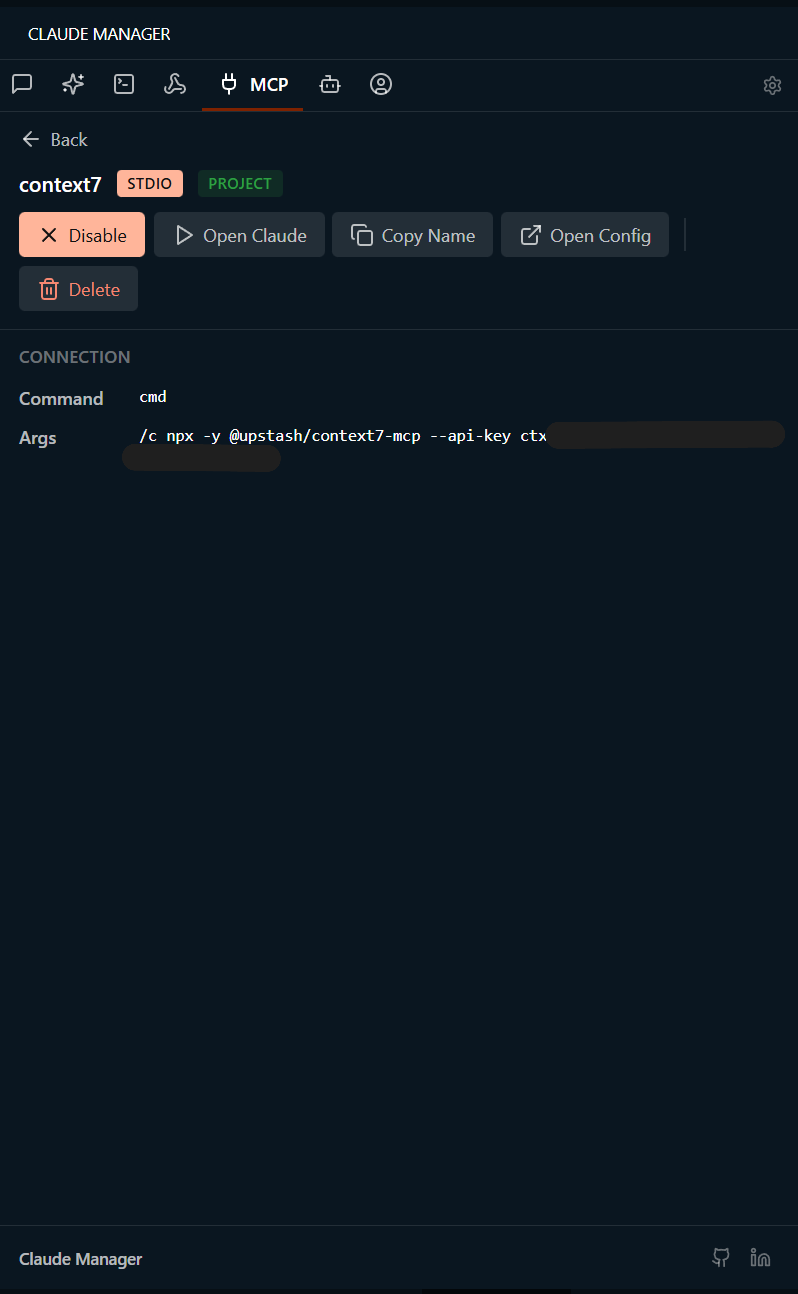
MCP Servers
Enable/disable, delete, or inspect MCP servers. API keys and secrets masked automatically.
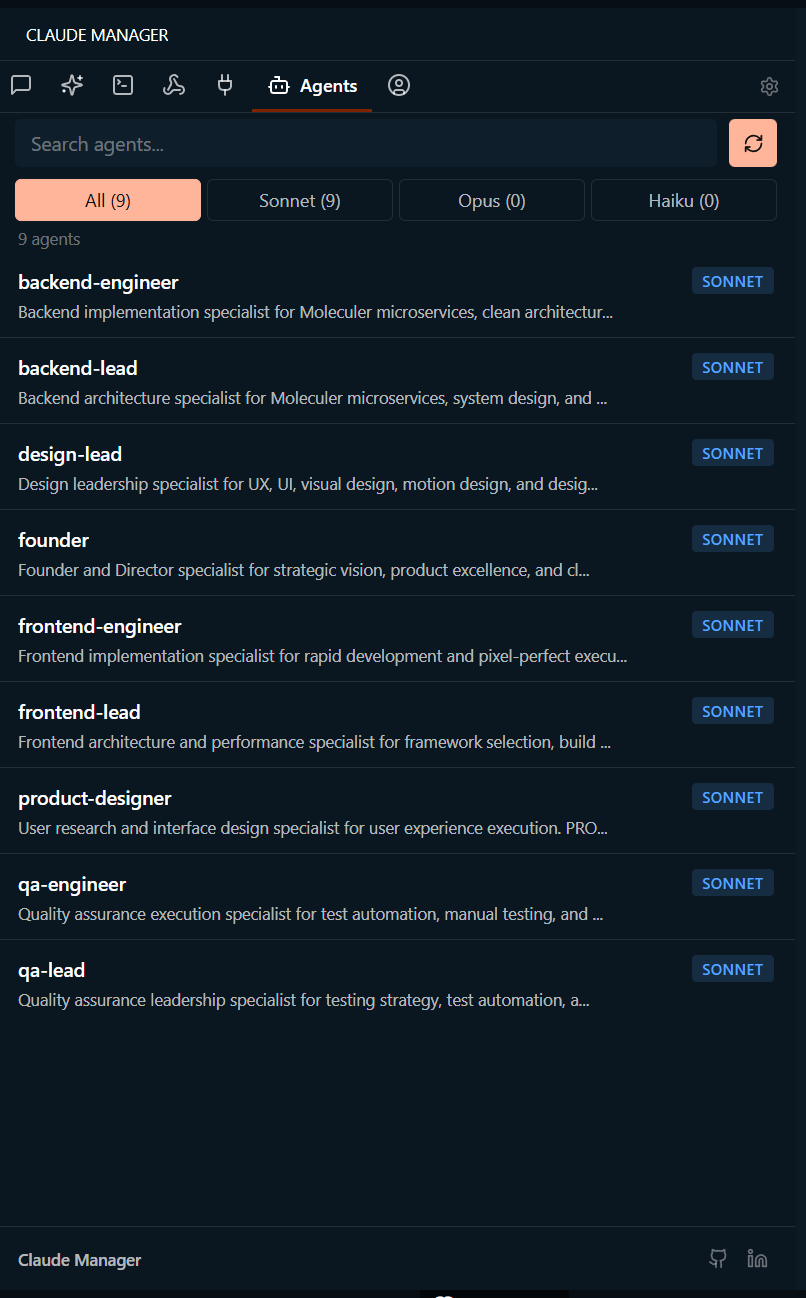
Agents
Browse project agents with Sonnet / Opus / Haiku badges and description previews.
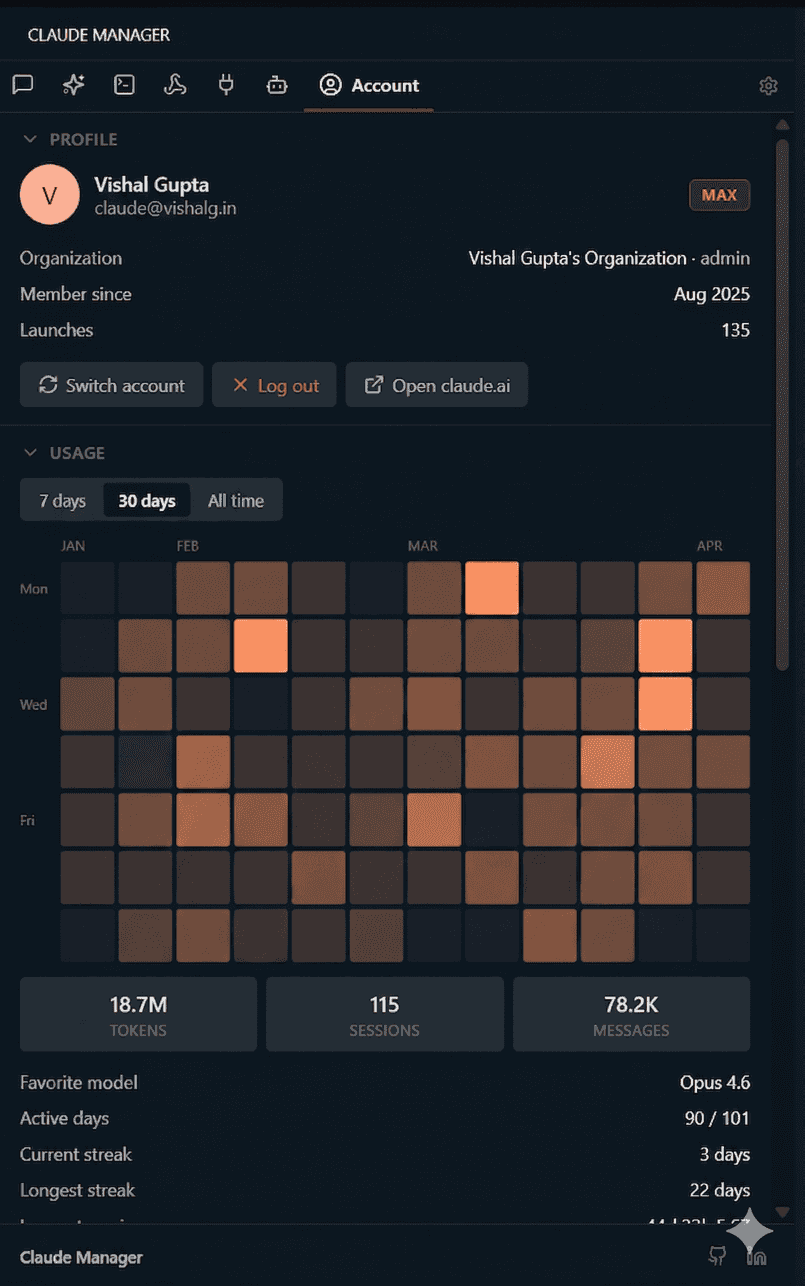
Account
Profile, activity heatmap, token stats, and permissions — without leaving your editor.
## Keyboard shortcuts
| Shortcut | Action |
| :-- | :-- |
| Ctrl+Alt+C / Cmd+Alt+C | Open Claude Manager |
| Ctrl+Shift+P → *Claude Manager: Open* | Command palette fallback |
## Configuration
Open Settings (Ctrl+,) and search **Claude Manager**.
| Setting | Default | What it controls |
| :-- | :-- | :-- |
| `terminal.location` | `editor` | Open resumed sessions in the editor area or the bottom panel |
| `terminal.editorPosition` | `beside` | Which editor group terminals land in |
| `sessions.defaultFilter` | `recent` | Default date filter (recent / week / month / all) |
| `sessions.defaultProject` | `current` | Default project scope (current workspace or all projects) |
| `sessions.restoreWindowMinutes` | `30` | Time window used to group terminals for Restore Workspace |
| `sessions.resumeIn` | `auto` | Where Resume / New / Continue opens Claude: `auto` (match the session's origin), `terminal`, `extension` (Claude Code chat tab), or `ask` (prompt each time) |
Full reference in [docs/DEVELOPMENT.md](docs/DEVELOPMENT.md).
## FAQ
**Does it send anything to the network?**
Local-first by default — zero telemetry, zero accounts, no background traffic. The extension reads from `~/.claude/` and renders in a VS Code webview. There is **one** opt-in exception: the Account tab's **Quota** card, which you must click to fetch. When you do, the extension makes a single `GET https://api.anthropic.com/api/oauth/usage` request with your own OAuth token (taken from `~/.claude/.credentials.json`) to retrieve your subscription utilization. The token never leaves the extension host and nothing else is sent. Don't want it? Don't click Refresh — no network call happens.
**Where are saved account profiles stored?**
`~/.claude/manager-accounts//` — each slot holds a copy of `~/.claude.json` and `~/.claude/.credentials.json` plus a small `profile.json` with the label. These files include OAuth tokens (same plaintext format Claude CLI uses), so treat the folder as sensitive. Remove a profile and its token copy is deleted immediately.
**Does it work with Cursor / Windsurf / Antigravity / VSCodium?**
Yes. It's a standard VS Code extension — install from the Marketplace (VS Code, Cursor, Windsurf, Antigravity) or [Open VSX](https://open-vsx.org/extension/vishalguptax/claude-manager) (VSCodium, Theia, Gitpod).
**Do I need Claude Code installed?**
Yes — install [Claude Code](https://claude.ai/code) first. Either the CLI, the official VS Code extension, or both works. Claude Manager reads from the shared `~/.claude/` directory, so sessions from either surface show up together.
**Does it modify my Claude config?**
Only when you explicitly act (enable/disable an MCP server, edit a permission, restore from a backup, rename or delete a session). All reads are passive.
**Where does my data live?**
In `~/.claude/` — same as Claude Code itself. The extension never copies, uploads, or duplicates your sessions.
## Compatibility
Works on every VS Code-based editor: **VS Code** • **Cursor** • **Windsurf** • **Antigravity** • **VSCodium** • **Theia** • **Codespaces** • **Gitpod**
Requires VS Code 1.85+ and [Claude Code](https://claude.ai/code) installed.
## Contributing
Bug reports and PRs are welcome. See [docs/DEVELOPMENT.md](docs/DEVELOPMENT.md) for local setup, build, and architecture. Browse [open issues](https://github.com/vishalguptax/claude-code-manager/issues), [open a new one](https://github.com/vishalguptax/claude-code-manager/issues/new), or check the [changelog](CHANGELOG.md).
## Support
If Claude Manager saves you time, consider [sponsoring the project](https://github.com/sponsors/vishalguptax). Sponsorship keeps development active and the extension free for everyone.
## Disclaimer
Claude Manager is an independent, community-built extension. It is not affiliated with, endorsed by, or sponsored by Anthropic. *Claude* and *Claude Code* are trademarks of Anthropic, PBC — used here only to describe the files this extension reads on your machine.