https://github.com/visrealm/pico9918
A replacement for the classic TMS9918A/TMS9929A VDP, powered by a Raspberry Pi Pico
https://github.com/visrealm/pico9918
colecovision electronics nabu pcb pico pipico ti99 ti994a tms9918 tms9918-emulation tms9918a
Last synced: 6 months ago
JSON representation
A replacement for the classic TMS9918A/TMS9929A VDP, powered by a Raspberry Pi Pico
- Host: GitHub
- URL: https://github.com/visrealm/pico9918
- Owner: visrealm
- License: mit
- Created: 2024-04-24T05:49:28.000Z (over 2 years ago)
- Default Branch: main
- Last Pushed: 2025-03-11T00:55:49.000Z (over 1 year ago)
- Last Synced: 2025-03-28T18:17:38.799Z (over 1 year ago)
- Topics: colecovision, electronics, nabu, pcb, pico, pipico, ti99, ti994a, tms9918, tms9918-emulation, tms9918a
- Language: C
- Homepage: https://hackaday.io/project/196478-pico9918
- Size: 11.7 MB
- Stars: 173
- Watchers: 17
- Forks: 14
- Open Issues: 3
-
Metadata Files:
- Readme: README.md
- Funding: .github/FUNDING.yml
- License: LICENSE_FIRMWARE.md
Awesome Lists containing this project
README
# PICO9918
A drop-in replacement for a classic TMS9918A VDP powered by the Raspberry Pi Pico RP2040 microcontroller.


The TMS9918A emulation is handled by my [vrEmuTms9918 library](https://github.com/visrealm/vrEmuTms9918) which is included as a submodule here
## Build status
### Main Branch
| Build | Windows | Linux | macOS |
|-------|---------|-------|-------|
| Firmware | [](https://github.com/visrealm/pico9918/actions/workflows/firmware-windows.yml) | [](https://github.com/visrealm/pico9918/actions/workflows/firmware-linux.yml) | [](https://github.com/visrealm/pico9918/actions/workflows/firmware-macos.yml) |
| Configurator | [](https://github.com/visrealm/pico9918/actions/workflows/configurator-windows.yml) | [](https://github.com/visrealm/pico9918/actions/workflows/configurator-linux.yml) | [](https://github.com/visrealm/pico9918/actions/workflows/configurator-macos.yml) |
### Dev Branch
| Build | Windows | Linux | macOS |
|-------|---------|-------|-------|
| Firmware | [](https://github.com/visrealm/pico9918/actions/workflows/firmware-windows.yml) | [](https://github.com/visrealm/pico9918/actions/workflows/firmware-linux.yml) | [](https://github.com/visrealm/pico9918/actions/workflows/firmware-macos.yml) |
| Configurator | [](https://github.com/visrealm/pico9918/actions/workflows/configurator-windows.yml) | [](https://github.com/visrealm/pico9918/actions/workflows/configurator-linux.yml) | [](https://github.com/visrealm/pico9918/actions/workflows/configurator-macos.yml) |
## Supported devices
This is a list of devices the PICO9918 has been tested and confirmed to work on.
* [ColecoVision](https://en.wikipedia.org/wiki/ColecoVision)
* [Coleco ADAM](https://en.wikipedia.org/wiki/Coleco_Adam)
* [AtariBits CV-NUC+](https://ataribits.weebly.com/cv-nuc.html)
* [Bit Dina 2 in one](https://segaretro.org/Dina_2_in_one)
* [Memotech MTX500](https://en.wikipedia.org/wiki/Memotech_MTX)
* [MSX](https://en.wikipedia.org/wiki/MSX)
* [Casio MX-10](https://www.msx.org/wiki/Casio_MX-10)
* [Casio PV-7](https://www.msx.org/wiki/Casio_PV-7)
* [Casio PV-16](https://www.msx.org/wiki/Casio_PV-16)
* [Gradiente Expert XP-800](https://www.msx.org/wiki/Gradiente_Expert_XP-800)
* [National CF-2700](https://www.msx.org/wiki/National_CF-2700)
* [Sharp HB-8000](https://www.msx.org/wiki/Sharp_HB-8000)
* [Sony HB-75](https://www.msx.org/wiki/Sony_HB-75)
* [Spectravideo SVI-728](https://www.msx.org/wiki/Spectravideo_SVI-728)
* [Toshiba HX-10](https://www.msx.org/wiki/Toshiba_HX-10)
* [Toshiba HX-21](https://www.msx.org/wiki/Toshiba_HX-21)
* [Yamaha YIS-503](https://www.msx.org/wiki/Yamaha_YIS-503)
* [NABU Personal Computer](https://en.wikipedia.org/wiki/NABU_Network)
* [Powertran Cortex](http://powertrancortex.com/)
* [Sega SG-1000 / SC-3000](https://en.wikipedia.org/wiki/SG-1000#SC-3000)
* [Sega SG-1000 II](https://segaretro.org/SG-1000_II)
* [Sord M5](https://en.wikipedia.org/wiki/Sord_M5)
* [Texas Instruments TI-99](https://en.wikipedia.org/wiki/TI-99/4A)
* [Texas Instruments TI-99/4](https://en.wikipedia.org/wiki/TI-99/4)
* [Texas Instruments TI-99/4A](https://en.wikipedia.org/wiki/TI-99/4A)
* [Texas Instruments TI-99/4QI](http://www.mainbyte.com/ti99/computers/ti99qi.html)
* [Dan Werner TI-99/22](https://github.com/danwerner21/TI99_22)
* [Tomy Pyūta / Tomy Tutor](https://en.wikipedia.org/wiki/Tomy_Tutor)
* [Tomy Pyūta Jr](http://videogamekraken.com/pyuta-jr-by-tomy)
* [VTech CreatiVision / Dick Smith Wizzard](https://en.wikipedia.org/wiki/VTech_CreatiVision)
Homebrews:
* Troy Schrapel's [HBC-56](https://github.com/visrealm/hbc-56)
* Stuart Connor's [TM990](http://www.stuartconner.me.uk/tm990/tm990.htm)
* John Winans' [Z80-Retro](https://github.com/Z80-Retro)
* Martin's [Z80Ardu](https://www.dev-tronic.de/?p=74)
If you have tested the PICO9918 on any other device, please let me know and I'll happily update this list. :)
### Unsupported devices
So far, there aren't any.
# F18A compatibility
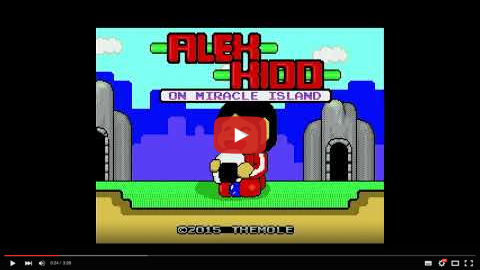
The PICO9918 also includes F18A compatibility in firmware v1.0.0+. The video below was captured directly from the PICO9918 VGA output running various F18A demos on a TI-99/4A.
[](https://youtu.be/TabTIPL1xQY)
Pre-release firmware for F18A compatibility mode is available in [Releases](https://github.com/visrealm/pico9918/releases/tag/v1.0.1a).
## Purchasing options
Fully assembled and tested PICO9918 v1.2s are available on my Tindie store:

Also (more convenient for North America)

## Hardware
There are two main variants of the hardware.
### v1.x (v1.3, v1.2, v1.1, v1.0 and v0.4)
PICO9918 v1.3 is the single board version which doesn't require a piggy-backed Pi Pico. This is the version you can currently buy pre-assembled from Tindie and ArcadeShopper.

### v0.3
v0.3 is relatively cheap and easy to build, schematic and gerbers are available. This version makes use of an external Pi Pico module piggy-backed onto the PICO9918 PCB.

I also have the [v0.3 board as a PCBWay Project](https://www.pcbway.com/project/shareproject/PICO9918_Drop_in_replacement_for_the_classic_TMS9918A_family_of_VDPs_fc11359a.html) you can order there.
### Schematics
Schematics and Gerbers are available in [/pcb](pcb)
## Firmware
If you're not interested in building the firmware yourself, you'll find the latest firmware in the [Releases](https://github.com/visrealm/pico9918/releases).
To install, just hold the 'BOOTSEL' (or 'BOOT') button while plugging the Pico into a PC, then drag the pico9918.uf2 file on to the new USB drive which should have the volume label RPI-RP2. The Pico will restart (and disconnect) automatically.
## Configurator
The configurator is a software tool used to modify PICO9918 configuration options, including:
* Clock rate
* Scanline CRT effect
* Scanline sprite limit
* Default palette
* Diagnostics overlays
Additionally, firmware updates can be provided via the Configurator. The full configurator is available for the **TI-99/4A**, **ColecoVision** and **MSX**. With cut-down builds (without firmware updates) available for several other machines.
See the configurator in action:
[](https://youtu.be/PBArYupT9qM?t=9)
The configurator was written in a [custom fork of CVBasic](https://github.com/visrealm/CVBasic) with the full source available in [/configtool](configtool).
## Building
Quick start - build both firmware and configurator ROMs:
```bash
# Automatic SDK download (recommended)
mkdir build && cd build
cmake .. -DPICO_SDK_FETCH_FROM_GIT=ON -DPICO_SDK_FETCH_FROM_GIT_TAG=2.1.1
cmake --build .
```
Output in `build/dist/`: firmware `.uf2` file and configurator ROMs for all retro platforms.
### Platform-Specific Setup Required
Each platform requires specific toolchain installation:
- **Windows**: ARM GNU Toolchain 13.2.1-1.1, Python with pillow
- **Linux**: `build-essential cmake python3 python3-pip git gcc-arm-none-eabi`
- **macOS**: Homebrew + ARM GNU Toolchain 13.2.1-1.1, may need `--break-system-packages`
All platforms use **Raspberry Pi Pico SDK 2.1.1** specifically (newer versions may cause issues).
📖 **[Complete Build Instructions](BUILDING.md)** - includes detailed platform setup, development environment configuration, build options, individual platform builds, VSCode integration, and troubleshooting.
## Thanks
Special thanks to [JasonACT (AtariAge)](https://forums.atariage.com/profile/82586-jasonact/) for hand-crafting the F18A mode's on-board TMS9900 "GPU" in ARM assembly and providing other valuable input to the project.
## Discussion
For all the latest news and discussion on the PICO9918, you can follow [this AtariAge thread](https://forums.atariage.com/topic/367656-introducing-the-pico9918-a-tms9918a-drop-in-replacement-powered-by-a-pi-pico/)
## Videos
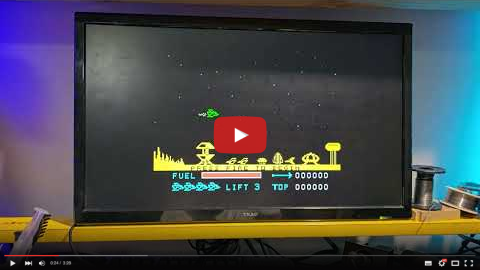
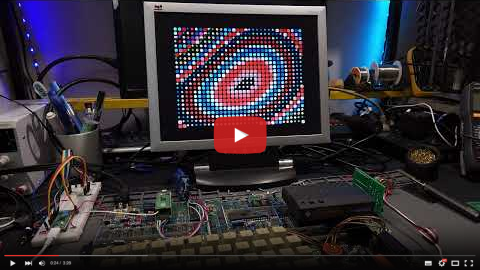
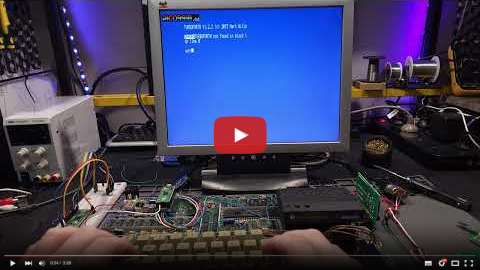
Initial "raw" videos recorded in the moments following the first boot on my TI-99/4A.
These videos are showing the v0.2 hardware with an external Pi Pico providing the required GROMCLK signal to the TI-99. This signal has been added to v0.3. I'm still waiting on v0.3 boards to arrive.
### It freaking works!
[](https://youtu.be/Ri09dCjWxGE)
### Don't mess with Texas!
[](https://youtu.be/ljNRFKbOGJs)
### 80 column mode
[](https://youtu.be/qdCapu0CVJ8)
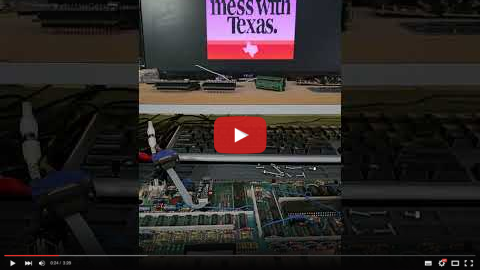
And now v0.4 - the single board version:
### v0.4 prototype working!
[](https://youtu.be/KSbJnAwclQw)
### F18A mode development preview
[](https://youtu.be/TabTIPL1xQY)
## Licensing
### Hardware
The hardware design files in this repository are licensed under the CERN-OHL-S. See [LICENSE_HARDWARE.md](LICENSE_HARDWARE.md) for details.
### Firmware
The firmware code in this repository is licensed under the MIT License. See [LICENSE_FIRMWARE.md](LICENSE_FIRMWARE.md) for details.