https://github.com/vladimir-vg/batiscaph
Currently inactive. Erlang trace visualizer.
https://github.com/vladimir-vg/batiscaph
erlang tracing visualization
Last synced: 5 months ago
JSON representation
Currently inactive. Erlang trace visualizer.
- Host: GitHub
- URL: https://github.com/vladimir-vg/batiscaph
- Owner: vladimir-vg
- License: mit
- Created: 2018-02-13T17:55:35.000Z (over 8 years ago)
- Default Branch: master
- Last Pushed: 2018-06-20T10:56:05.000Z (about 8 years ago)
- Last Synced: 2025-09-27T13:31:22.246Z (9 months ago)
- Topics: erlang, tracing, visualization
- Language: JavaScript
- Homepage:
- Size: 5.26 MB
- Stars: 37
- Watchers: 8
- Forks: 0
- Open Issues: 13
-
Metadata Files:
- Readme: README.md
- License: LICENSE
Awesome Lists containing this project
README
# Batiscaph [](https://travis-ci.com/vladimir-vg/batiscaph) [](https://gitter.im/batiscaph/Lobby?utm_source=badge&utm_medium=badge&utm_campaign=pr-badge&utm_content=badge) [](https://www.patreon.com/VladimirVG)
Batiscaph is a research device that submerges into ocean and explores unknown space.
That's what this tool does -- submerges into Erlang node and observes how programs work in it.
Humans are more effective operating with graphs and shapes rather than symbols.
Batiscaph takes advantage of this fact and provides visual environment that
helps to understand your programs.
Project is still in early development and not ready for production yet.
# Video demo
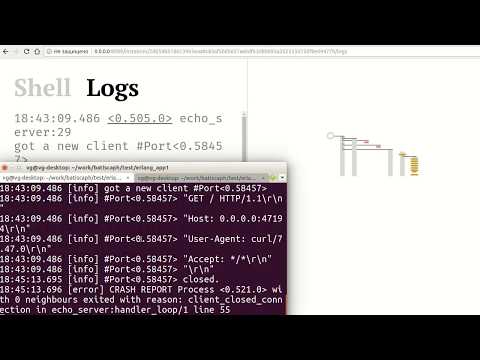
I've recorded a small video that explains what it looks like:
[](https://www.youtube.com/watch?v=VNr7o9eg4Ck)
# Try it out
0. Install Erlang (worked on 20 version).
1. Install [batiscaph probe](https://github.com/vladimir-vg/batiscaph_probe) as a dependency into your application.
For Elixir: add `{:batiscaph_probe, "~> 0.1.1"}` into deps in `mix.exs` file.
For Erlang: add `{batiscaph_probe, "0.1.1"}` into deps in `rebar.config`.
Also add `batiscaph_probe` as a dependency into your `*.app.src` file (`applications` list) or start it manually via `application:ensure_all_started(batiscaph_probe).`
2. Start batiscaph server on the same machine.
Clone repositiory, checkout stable version, run it:
```
git clone https://github.com/vladimir-vg/batiscaph.git
cd batiscaph
git checkout v0.1.1
make run
```
3. Start your application.
4. Open batiscaph web UI: http://0.0.0.0:8099/
Choose (connected) instance id, likely it's gonna be your application.
# Storage
By default Batiscaph will store everything in memory.
If you want to store data persistently you should use Clickhouse storage.
In order to use just define two environment variables:
```
export CLICKHOUSE_DB = batiscaph
export CLICKHOUSE_URL = http://0.0.0.0:8123/
```
Don't forget to create a database with such name in advance.
After defining these variables start batiscaph
and then run following in Erlang shell:
```
batiscaph_cmds:reset_storage().
```
This will erase and create afresh necessary tables in Clickhouse for batiscaph.
From this moment events should be stored persistently.
# Development
In order to work on web UI you need to set up brunch javascript transpiling.
```
cd frontend
npm install .
make
```
These commands should install all deps, and start a brunch server that will
wait for changes and update js files in `backend/priv/compiled_static`.
# Running tests
Batiscaph uses docker containers for testing different environments (Erlang version, libraries).
You need to install docker to run tests.
To run tests with in-memory storage, just exec: `make ct_mnesia`.
To run tests with persistent storage, install Clickhouse first and create empty `batiscaph_test` database.
Then run `make ct_clickhouse`.
# Help and feedback
I would really appreciate feedback, thoughts and ideas about this project.
You can share them in [gitter chat](https://gitter.im/batiscaph/Lobby), in [patreon comments](https://www.patreon.com/VladimirVG)
or in [issues](https://github.com/vladimir-vg/batiscaph/issues).
If you like this project and want to see more features and bugfixes,
please support me on Patreon: https://www.patreon.com/VladimirVG