https://github.com/voiceittech/voiceit3-android-sdk
VoiceIt API 3.0 Android SDK
https://github.com/voiceittech/voiceit3-android-sdk
android api-wrapper biometrics face-recognition java sdk sdk-android voice voice-recognition
Last synced: about 2 months ago
JSON representation
VoiceIt API 3.0 Android SDK
- Host: GitHub
- URL: https://github.com/voiceittech/voiceit3-android-sdk
- Owner: voiceittech
- License: mit
- Created: 2018-02-05T21:13:42.000Z (over 8 years ago)
- Default Branch: main
- Last Pushed: 2026-05-02T01:46:34.000Z (3 months ago)
- Last Synced: 2026-05-02T03:29:15.266Z (3 months ago)
- Topics: android, api-wrapper, biometrics, face-recognition, java, sdk, sdk-android, voice, voice-recognition
- Language: Java
- Homepage: https://api.voiceit.io
- Size: 37.6 MB
- Stars: 5
- Watchers: 3
- Forks: 5
- Open Issues: 1
-
Metadata Files:
- Readme: README.md
- License: LICENSE
Awesome Lists containing this project
README

[](https://github.com/voiceittech/voiceit3-android-sdk/actions/workflows/test.yml)
[](https://github.com/voiceittech/voiceit3-android-sdk/pulls?q=is%3Apr+label%3Adependencies)
[](https://github.com/voiceittech/voiceit3-android-sdk)
[](https://github.com/voiceittech/voiceit3-android-sdk/blob/main/LICENSE)
[](https://github.com/voiceittech/voiceit3-android-sdk)
[](https://voiceit.io)
A fully comprehensive SDK that gives you access to VoiceIt's API 3.0 featuring Voice + Face Verification and Identification right in your Android app.
* [Getting Started](#getting-started)
* [Requirements](#requirements)
* [Installation](#installation)
* [API Calls](#api-calls)
* [Initialization](#initialization)
* [Encapsulated Methods](#encapsulated-methods)
* [Encapsulated Voice Enrollment](#encapsulated-voice-enrollment)
* [Encapsulated Voice Verification](#encapsulated-voice-verification)
* [Encapsulated Voice Identification](#encapsulated-voice-identification)
* [Encapsulated Face Enrollment](#encapsulated-face-enrollment)
* [Encapsulated Face Verification](#encapsulated-face-verification)
* [Encapsulated Video Enrollment](#encapsulated-video-enrollment)
* [Encapsulated Video Verification](#encapsulated-video-verification)
* [Other API Calls](#other-api-calls)
* [Theme](#setting-the-theme)
## UI Screenshots
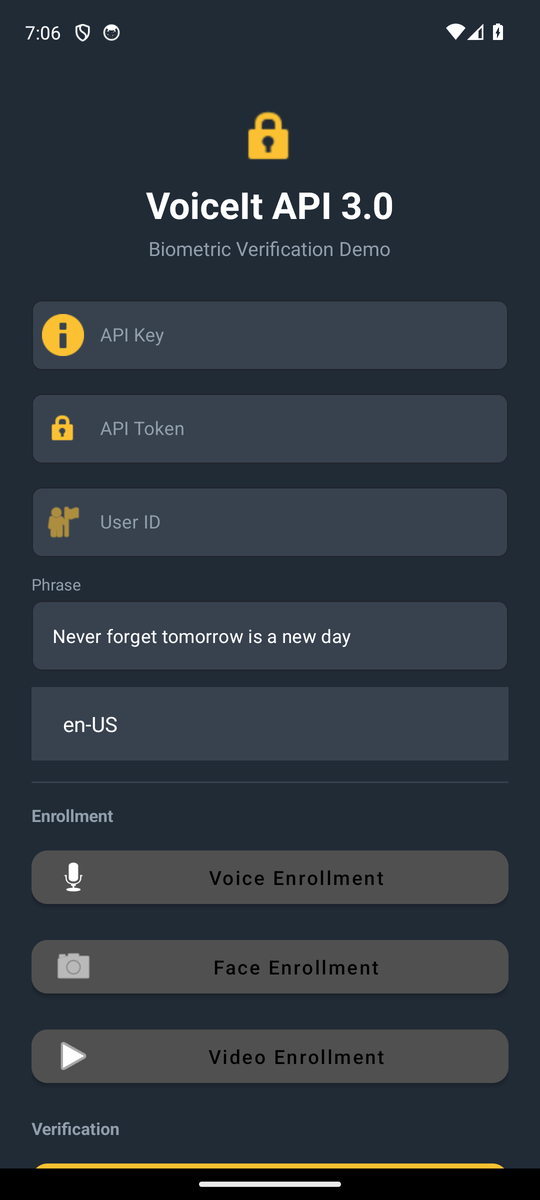
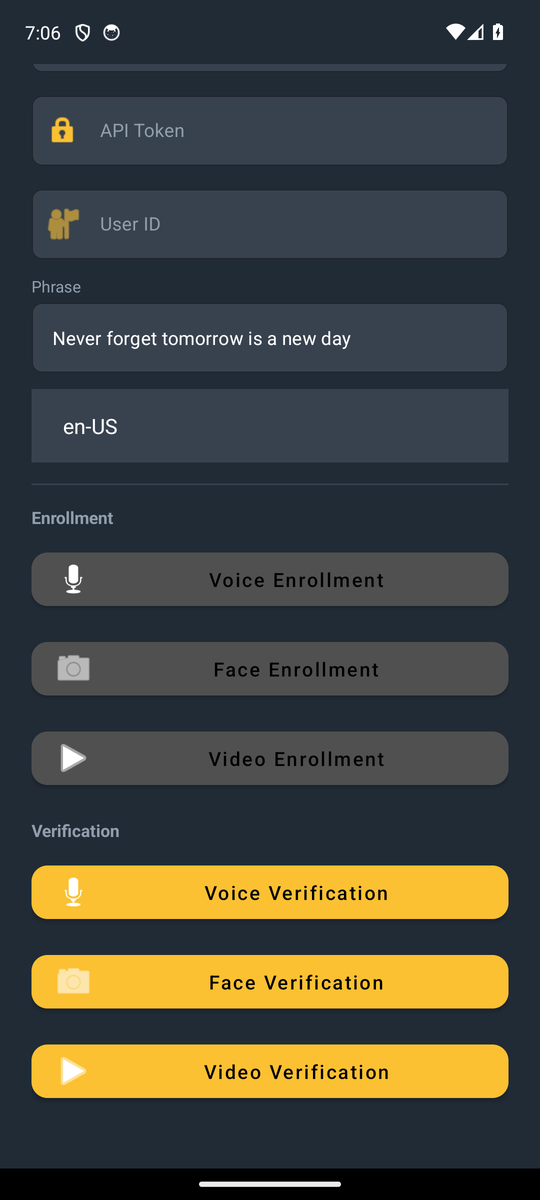
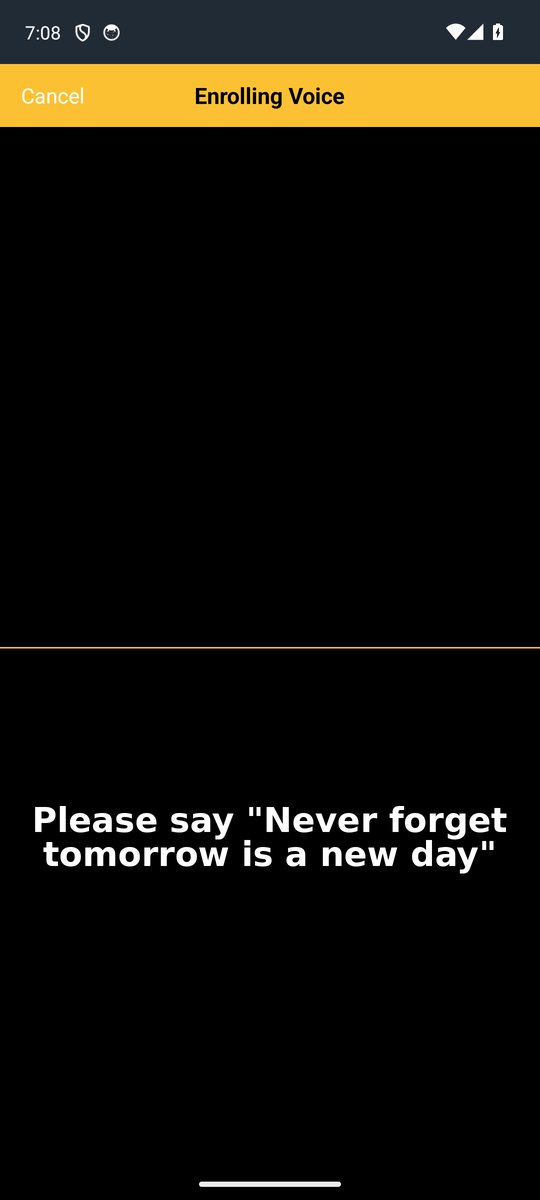
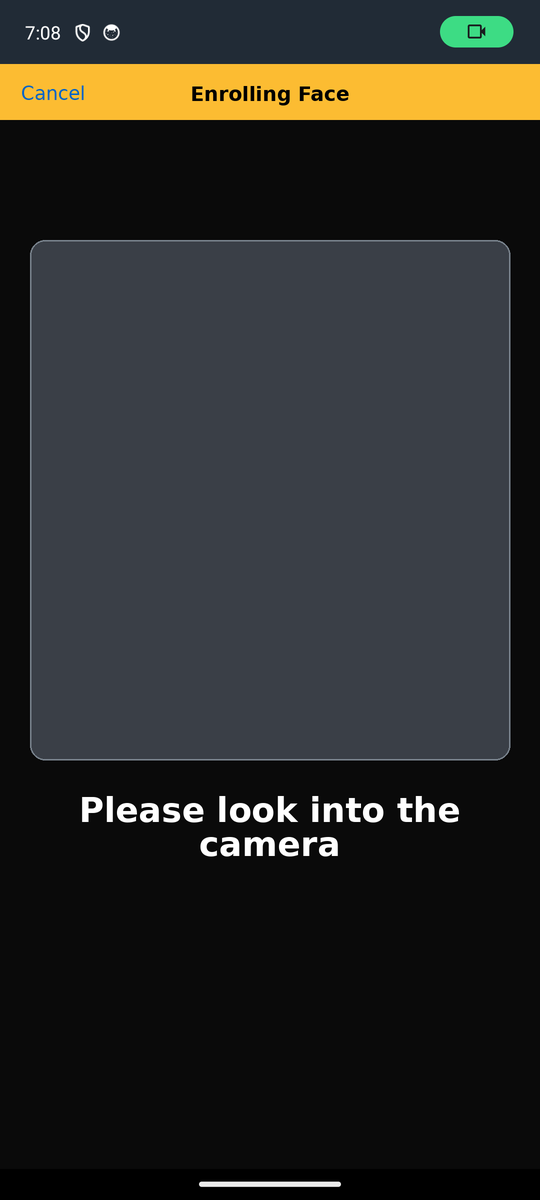

## Getting Started
Sign up at [voiceit.io/pricing](https://voiceit.io/pricing) to get your API Key and Token, then log in to the [Dashboard](https://dashboard.voiceit.io) to manage your account.
## Requirements
#### Audio Recording
The SDK records audio at the following specifications for optimal biometric accuracy:
| Setting | Value |
|---------|-------|
| Sample Rate | 48 kHz |
| Bit Depth | 16-bit equivalent |
| Channels | Mono |
| Format | AAC 256 kbps (M4A) |
> **Note:** Recordings below 16 kHz sample rate or below 64 kbps bitrate will significantly degrade biometric accuracy and may result in failed enrollments or verifications.
#### SDK Version
The minimum Android SDK version (API level) should be set to 21 in your build.gradle file:
```
minSdkVersion: 21
```
#### Voiceprint Phrases
Make sure you review your Voiceprint Phrases by navigating to Dashboard in order to know what to pass for voicePrintPhrase parameter.
#### AndroidX
Make sure your project has the useAndroidX and enableJetifier flags as true: Navigate to the gradle.properties of your project and add the following:
```
android.useAndroidX=true
android.enableJetifier=true
```
## Installation
### Via GitHub Packages (recommended)
Add the GitHub Packages Maven repository to your project's `settings.gradle`:
```groovy
dependencyResolutionManagement {
repositories {
maven {
url = uri("https://maven.pkg.github.com/voiceittech/voiceit3-android-sdk")
credentials {
username = System.getenv("GITHUB_ACTOR") ?: project.findProperty("gpr.user") ?: ""
password = System.getenv("GITHUB_TOKEN") ?: project.findProperty("gpr.key") ?: ""
}
}
}
}
```
Then add the dependency to your app's `build.gradle`:
```groovy
dependencies {
implementation 'com.voiceittech:voiceit3-android-sdk:3.0.0'
}
```
### Via source
1. Clone the repo: `git clone https://github.com/voiceittech/voiceit3-android-sdk.git`
2. In Android Studio, go to **File > New > Import Module**
3. Select the cloned repo directory and include only the `voiceit3` module
## API Calls
### Initialization
First import *VoiceItAPI3* and then initialize a reference to the SDK inside an Activity, passing in your API Credentials or user token.
```java
import com.loopj.android.http.JsonHttpResponseHandler;
import cz.msebera.android.httpclient.Header;
import org.json.JSONObject;
import com.voiceit.voiceit3.VoiceItAPI3;
public class MainActivity extends AppCompatActivity {
private VoiceItAPI3 myVoiceIt;
@Override
protected void onCreate(Bundle savedInstanceState) {
super.onCreate(savedInstanceState);
setContentView(R.layout.activity_main);
// If using user tokens, replace API_KEY below with the user token,
// and leave the second argument as an empty string
myVoiceIt = new VoiceItAPI3("API_KEY","API_TOK");
}
}
```
### API Calls
For each API call, a JsonHttpResponseHandler is needed to receive the result of the call. You can override the response handlers like so, and abbreviated with ellipses below:
```java
new JsonHttpResponseHandler() {
@Override
public void onSuccess(int statusCode, Header[] headers, JSONObject response) {
System.out.println("JSONResult : " + response.toString());
}
@Override
public void onFailure(int statusCode, Header[] headers, Throwable throwable, JSONObject errorResponse) {
if (errorResponse != null) {
System.out.println("JSONResult : " + errorResponse.toString());
}
}
});
```
### Encapsulated Methods
Encapsulated Methods take care of all the logic of enrollment/verification and the UI in new Android Activities.
Immediately upon calling a method it displays a enrollment/verification view controller that enrolls/verifies the user and
provides relevant callbacks for whether the API calls were successful or not with associated biometric confidence.
Note: If less than the required enrollments exist for a user, enrollment methods delete them and re-enroll.
#### Encapsulated Voice Enrollment
Create three voice enrollments user with given userId(begins with 'usr_'), contentLanguage('en-US','es-ES' etc.), and a given phrase such as "Never forget tomorrow is a new day".
```java
myVoiceIt.encapsulatedVoiceEnrollment(Activity, "USER_ID_HERE", "CONTENT_LANGUAGE_HERE", "PHRASE_HERE", new JsonHttpResponseHandler() {...});
```
#### Encapsulated Voice Verification
Verify user with given userId(begins with 'usr_'), contentLanguage('en-US','es-ES' etc.), and a given phrase such as "Never forget tomorrow is a new day".
```java
myVoiceIt.encapsulatedVoiceVerification(Activity, "USER_ID_HERE", "CONTENT_LANGUAGE_HERE", "PHRASE_HERE", new JsonHttpResponseHandler() {...});
```
#### Encapsulated Voice Identification
Identify user from given groupId(begins with 'grp_'), contentLanguage('en-US','es-ES' etc.), and a given phrase such as "Never forget tomorrow is a new day".
```java
myVoiceIt.encapsulatedVoiceIdentification(Activity, "GROUP_ID_HERE", "CONTENT_LANGUAGE_HERE", "PHRASE_HERE", new JsonHttpResponseHandler() {...});
```
#### Encapsulated Face Enrollment
Create face enrollments for user with given userId(begins with 'usr_') and contentLanguage('en-US','es-ES' etc.).
```java
myVoiceIt.encapsulatedFaceEnrollment(Activity, "USER_ID_HERE", "CONTENT_LANGUAGE_HERE", new JsonHttpResponseHandler() {...});
```
#### Encapsulated Face Verification
Verify user with given userId(begins with 'usr_') and contentLanguage('en-US','es-ES' etc.).
```java
myVoiceIt.encapsulatedFaceVerification(Activity, "USER_ID_HERE", "CONTENT_LANGUAGE_HERE", new JsonHttpResponseHandler() {...});
```
#### Encapsulated Video Enrollment
Create three video enrollments for user with given userId(begins with 'usr_') and contentLanguage('en-US','es-ES', etc.), and a given phrase such as "my face and voice identify me".
```java
myVoiceIt.encapsulatedVideoEnrollment(Activity, "USER_ID_HERE", "CONTENT_LANGUAGE_HERE", "PHRASE_HERE", new JsonHttpResponseHandler() {...});
```
#### Encapsulated Video Verification
Verify user with given userId(begins with 'usr_'), contentLanguage('en-US','es-ES' etc.), a given phrase such as "my face and voice identify me".
```java
myVoiceIt.encapsulatedVideoVerification(Activity, "USER_ID_HERE", "CONTENT_LANGUAGE_HERE", "PHRASE_HERE", new JsonHttpResponseHandler() {...});
```
### Setting The Theme
To set the theme, please initialize the voiceit Module with the Color integer as the third argument:
```java
myVoiceIt = new VoiceItAPI3("API_KEY","API_TOK", Color.parseColor("HEX_COLOR_VALUE_HERE"));
```
Please make sure that the color is a valid Hex value. The parseColor method throws an IllegalArgumentException so it is recommended to wrap the initialize method in try-catch blocks
### Other API Calls
Please refer to https://voiceit.io/documentation for information about all API calls.
*Remember to add "new JsonHttpResponseHandler() {...}" as the last argument*
For example, you can check whether a user exists for the given userId(begins with 'usr_')
```java
myVoiceIt.checkUserExists("USER_ID_HERE", new JsonHttpResponseHandler() {...});
```
## Strings and Prompts
All strings and prompts utilized in the encapsulated views can be overwritten by adding strings with the same names as found in:
```
/voiceit3/src/main/res/values/strings.xml
```
to the strings.xml file in your app.
## Support
If you find this SDK useful, please consider giving it a star on GitHub — it helps others discover the project!
[](https://github.com/voiceittech/voiceit3-android-sdk/stargazers)
## License
voiceit3-android-sdk is available under the MIT license. See the LICENSE file for more info.