https://github.com/voiceittech/voiceit3-web-sdk
Example frontend and backend using VoiceIt's API 3.0
https://github.com/voiceittech/voiceit3-web-sdk
api-wrapper backend biometrics face face-recognition frontend sdk voice voice-recognition voiceit web
Last synced: about 1 month ago
JSON representation
Example frontend and backend using VoiceIt's API 3.0
- Host: GitHub
- URL: https://github.com/voiceittech/voiceit3-web-sdk
- Owner: voiceittech
- License: mit
- Created: 2018-07-13T19:22:04.000Z (about 8 years ago)
- Default Branch: main
- Last Pushed: 2026-06-05T08:58:35.000Z (about 2 months ago)
- Last Synced: 2026-06-06T00:20:32.990Z (about 2 months ago)
- Topics: api-wrapper, backend, biometrics, face, face-recognition, frontend, sdk, voice, voice-recognition, voiceit, web
- Language: JavaScript
- Homepage: https://voiceit.io
- Size: 177 MB
- Stars: 1
- Watchers: 4
- Forks: 0
- Open Issues: 0
-
Metadata Files:
- Readme: README.md
- License: LICENSE
Awesome Lists containing this project
README
# VoiceIt API 3.0 Web SDK
[](https://github.com/voiceittech/voiceit3-web-sdk/actions/workflows/test.yml)
[](https://github.com/voiceittech/voiceit3-web-sdk/pulls?q=is%3Apr+label%3Adependencies)
[](https://github.com/voiceittech/voiceit3-web-sdk)
[](https://github.com/voiceittech/voiceit3-web-sdk/blob/main/LICENSE)
[](https://voiceit.io/demo)
[](https://voiceit.io)
This repository contains an example [web demonstration](#web-example) of VoiceIt's API 3.0 in the browser with a PHP, NodeJS, or Go backend. See [Incorporating the SDK](#incorporating-the-sdk) for instructions on integrating the SDK into your own project.
* [Backend Options](#backend-options)
* [Supported Browsers](#supported-browsers)
* [UI Screenshots](#ui-screenshots)
* [Web Example](#web-example)
* [Getting Started](#getting-started)
* [The Config File](#the-config-file)
* [Making Changes to the Frontend](#making-changes-to-the-frontend)
* [Running the Example](#running-the-example)
* [Incorporating the SDK](#incorporating-the-sdk)
* [Backend Implementation](#backend-implementation)
* [Initializing the Base Module](#initializing-the-base-module)
* [Getting the Result](#getting-the-result)
* [Generating a Secure Token](#generating-a-secure-token)
* [Frontend Implementation](#frontend-implementation)
* [Initializing the Frontend](#initializing-the-frontend)
* [Setting Theme Color](#setting-theme-color)
* [Setting the Secure Token](#setting-the-secure-token)
* [Enrollment and Verification Methods](#enrollment-and-verification-methods)
* [Implementation Diagram](#implementation-diagram)
* [Changing the Content Language](#changing-the-content-language)
* [Getting Help](#getting-help)
## Backend Options
Choose one of the following for the server-side implementation:
* **PHP:** PHP 8.0+ with a compatible server such as Apache
* **Node:** Node 18+
* **Go:** Go 1.17+
## Audio Recording Requirements
The SDK records audio at the following specifications for optimal biometric accuracy:
| Setting | Value |
|---------|-------|
| Sample Rate | 48 kHz |
| Bit Depth | 16-bit |
| Channels | Mono |
| Format | WebM/Opus or WAV |
> **Note:** Recordings below 16 kHz sample rate will significantly degrade biometric accuracy and may result in failed enrollments or verifications. The SDK explicitly requests 48 kHz mono from the browser. Browsers that only support 44.1 kHz will fall back gracefully.
## Supported Browsers
**Desktop:**
| Browser | Minimum Version | Windows | macOS | Linux |
|---------|----------------|---------|-------|-------|
| Google Chrome | 55+ | 7+ | 10.12+ | 64-bit |
| Firefox | 52+ | 7+ | 10.12+ | 64-bit |
| Safari | 14.1+ | — | 10.15+ | — |
| Microsoft Edge | 79+ | 10+ | 10.12+ | 64-bit |
| Opera | 42+ | 7+ | 10.12+ | 64-bit |
**Mobile:**
| Browser | Minimum Version | Android | iOS |
|---------|----------------|---------|-----|
| Google Chrome | 55+ | 6.0+ | 14.0+ |
| Safari | 14.5+ | — | 14.5+ |
| Firefox | 52+ | 6.0+ | 14.0+ |
> **Note:** Internet Explorer is not supported. The SDK requires modern browser APIs including MediaRecorder, async/await, and getUserMedia.
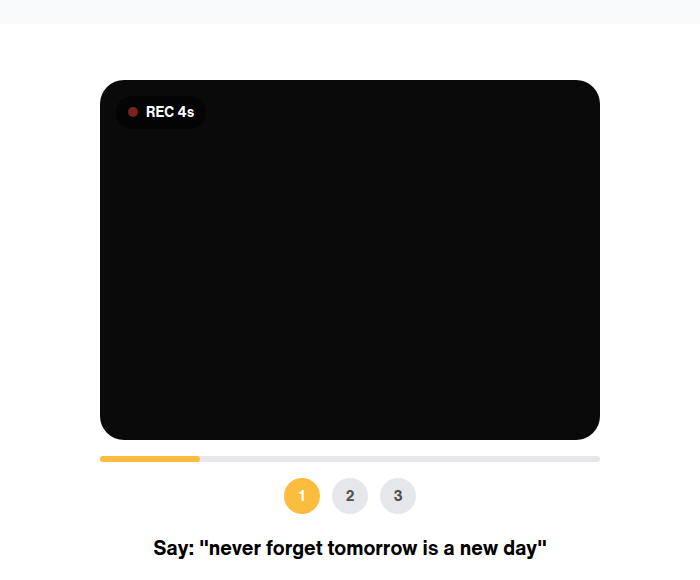
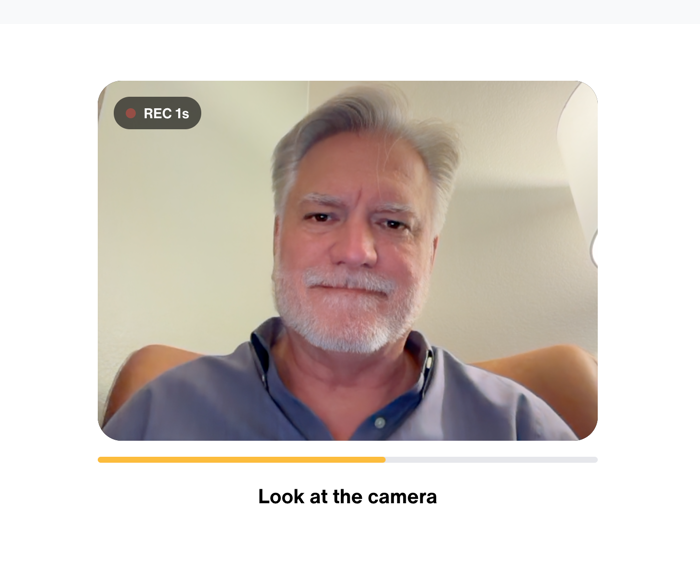
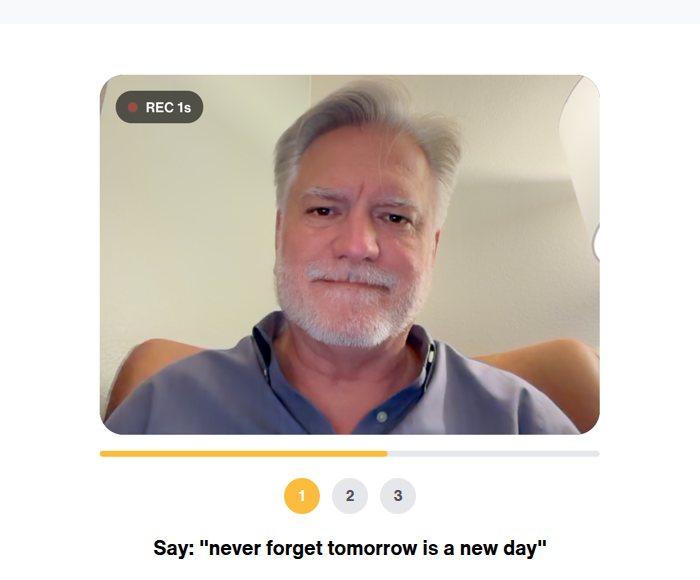
## UI Screenshots
## Web Example
### Getting Started
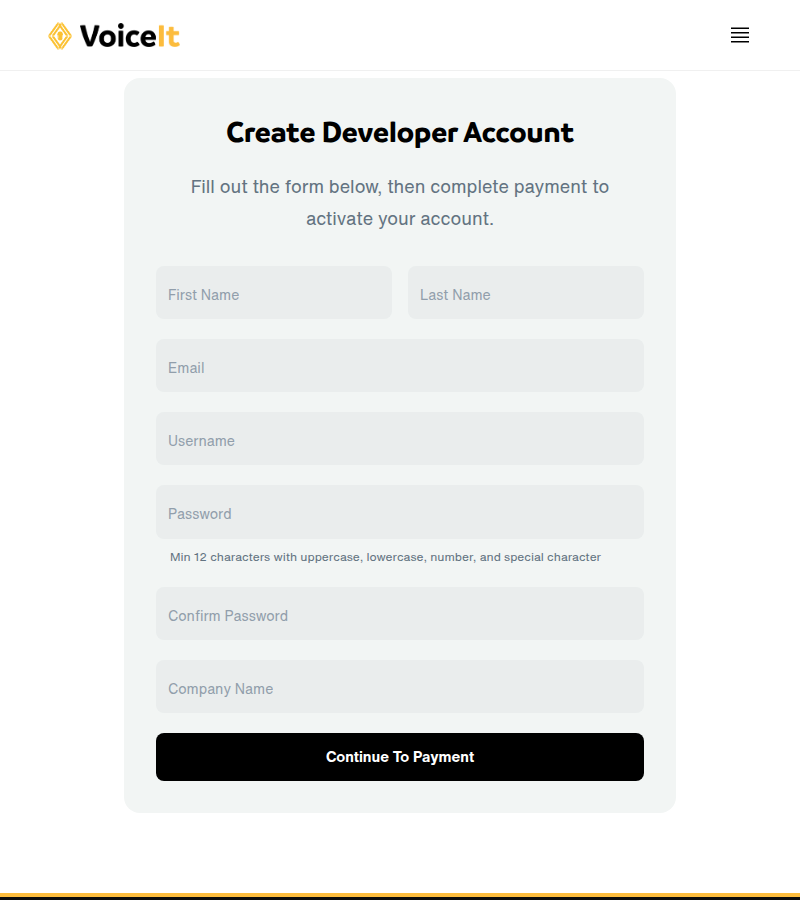
Sign up at [voiceit.io/pricing](https://voiceit.io/pricing) to get your API Key and Token, then log in to the [Dashboard](https://dashboard.voiceit.io) to manage your account.
#### The Config File
##### PHP
Navigate to `voiceit3-php-server-example/config.php`. Replace `API_KEY_HERE` with your API Key, `API_TOKEN_HERE` with your API Token, and `TEST_USER_ID_HERE` with a userId.
##### NodeJS
Navigate to `voiceit3-node-server-example/config.js`. Replace `API_KEY_HERE` with your API Key, `API_TOKEN_HERE` with your API Token, and `TEST_USER_ID_HERE` with a userId.
##### Go
Navigate to `voiceit3-go-server-example/config.go`. Replace `[API_KEY_HERE]` with your API Key, `[API_TOKEN_HERE]` with your API Token, and `[TEST_USER_ID_HERE]` with a userId.
#### Making Changes to the Frontend
The frontend source files are in the `voiceit3-frontend/` folder, compiled using webpack into the `voiceit3-dist/` folder. Run the compile script from the `voiceit3-frontend/` directory to rebuild and copy `voiceit3.min.js` to all example server directories:
```bash
cd voiceit3-frontend && ./compile.sh
```
#### Running the Example
##### PHP
Start your server (Apache), pointing to `voiceit3-php-server-example` as the document root.
##### NodeJS
Packages are hosted on [GitHub Packages](https://github.com/orgs/voiceittech/packages). Add the registry to your `.npmrc`:
```
@voiceittech:registry=https://npm.pkg.github.com
```
Then install:
```bash
cd voiceit3-node-websdk && npm install
cd ../voiceit3-node-server-example && npm install
npm start
```
##### Go
```bash
cd voiceit3-go-server-example && go run .
```
Visit your server at port 3000. Set `DEMO_EMAIL` and `DEMO_PASSWORD` in the example server's `.env` (see `.env.example`) — those are the credentials the example `/login` endpoint will accept. First complete enrollment(s), then test verification. You will need to grant microphone and camera permissions.
## Incorporating the SDK
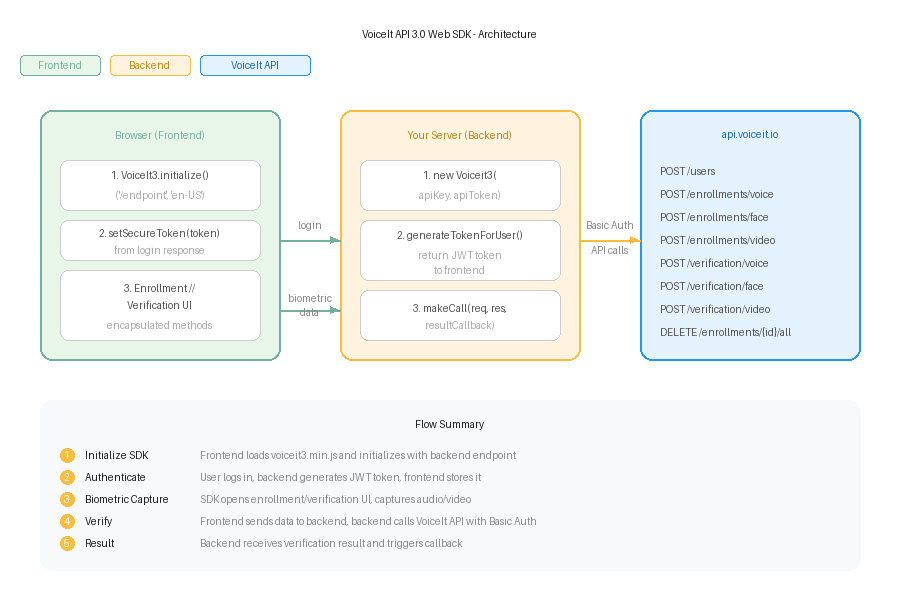
Each type (voice, face, and video) and each action (enrollment and verification) can be implemented independently. A backend and frontend implementation is required.
### Backend Implementation
#### Initializing the Base Module
##### PHP
```php
require('voiceit3-php-websdk/voiceit3webbackend.php');
$myVoiceIt = new VoiceIt3WebBackend("YOUR_API_KEY", "YOUR_API_TOKEN");
$voiceItResultCallback = function($jsonObj){
$callType = $jsonObj["callType"];
$userId = $jsonObj["userId"];
if($jsonObj["jsonResponse"]["responseCode"] == "SUCC"){
// User verified - start session
}
};
$myVoiceIt->InitBackend($_POST, $_FILES, $voiceItResultCallback);
```
##### NodeJS
```javascript
const VoiceIt3WebSDK = require('voiceit3-node-websdk');
const multer = require('multer')();
app.post('/example_endpoint', multer.any(), function (req, res) {
const myVoiceIt = new VoiceIt3WebSDK.Voiceit3("YOUR_API_KEY", "YOUR_API_TOKEN", {
tempFilePath: "/tmp/"
});
myVoiceIt.makeCall(req, res, function(jsonObj){
const callType = jsonObj.callType.toLowerCase();
const userId = jsonObj.userId;
if(jsonObj.jsonResponse.responseCode === "SUCC"){
// User verified - start session
}
});
});
```
##### Go
```go
import websdk "github.com/voiceittech/voiceit3-web-sdk/voiceit3-go-websdk"
var backend websdk.WebSDK
func init() {
backend.Initialize("YOUR_API_KEY", "YOUR_API_TOKEN", 1)
}
router.Post("/example_endpoint", func(w http.ResponseWriter, r *http.Request) {
ret, err := backend.MakeCall(r)
if err != nil {
// Handle error
return
}
bytes, _ := json.Marshal(ret)
w.Write(bytes)
})
```
#### Getting the Result
After verification, the callback receives:
```json
{
"callType": "faceVerification",
"userId": "usr_********************",
"jsonResponse": {
"faceConfidence": 100,
"message": "Successfully verified face for user",
"timeTaken": "2.249s",
"responseCode": "SUCC",
"status": 200
}
}
```
#### Generating a Secure Token
##### PHP
```php
require('voiceit3-php-websdk/voiceit3webbackend.php');
$myVoiceIt = new VoiceIt3WebBackend("YOUR_API_KEY", "YOUR_API_TOKEN");
$createdToken = $myVoiceIt->generateTokenForUser($VOICEIT_USERID);
echo json_encode([
"ResponseCode" => "SUCC",
"Token" => $createdToken
]);
```
##### NodeJS
```javascript
const VoiceIt3WebSDK = require('voiceit3-node-websdk');
app.get('/login', function (req, res) {
const createdToken = VoiceIt3WebSDK.generateTokenForUser({
userId: VOICEIT_USERID,
token: "YOUR_API_TOKEN",
sessionExpirationTimeHours: 1
});
res.json({
'ResponseCode': 'SUCC',
'Token': createdToken
});
});
```
##### Go
```go
tok, err := backend.GenerateTokenForUser(VOICEIT_USERID)
if err != nil {
// Handle error
return
}
ret := map[string]string{
"ResponseCode": "SUCC",
"Token": tok,
}
bytes, _ := json.Marshal(ret)
w.Write(bytes)
```
### Frontend Implementation
#### Initializing the Frontend
Include the minified JavaScript file:
```html
```
Initialize:
```javascript
var myVoiceIt = new VoiceIt3.initialize('/example_endpoint/', 'en-US');
```
#### Setting Theme Color
```javascript
myVoiceIt.setThemeColor('#FBC132');
```
#### Setting the Secure Token
```javascript
myVoiceIt.setSecureToken('TOKEN_FROM_BACKEND');
```
#### Enrollment and Verification Methods
##### Voice Enrollment
```javascript
myVoiceIt.encapsulatedVoiceEnrollment({
contentLanguage: 'en-US',
phrase: 'Never forget tomorrow is a new day',
completionCallback: function(success, jsonResponse) {
if (success) {
alert('Voice Enrollments Done!');
}
}
});
```
##### Face Enrollment
```javascript
myVoiceIt.encapsulatedFaceEnrollment({
completionCallback: function(success, jsonResponse) {
if (success) {
alert('Face Enrollment Done!');
}
}
});
```
##### Video Enrollment
```javascript
myVoiceIt.encapsulatedVideoEnrollment({
contentLanguage: 'en-US',
phrase: 'Never forget tomorrow is a new day',
completionCallback: function(success, jsonResponse) {
if (success) {
alert('Video Enrollments Done!');
}
}
});
```
##### Voice Verification
```javascript
myVoiceIt.encapsulatedVoiceVerification({
contentLanguage: 'en-US',
phrase: 'Never forget tomorrow is a new day',
needEnrollmentsCallback: function() {
alert('A minimum of three enrollments are needed');
},
completionCallback: function(success, jsonResponse) {
if (success) {
alert('Successfully verified voice');
}
}
});
```
##### Face Verification
```javascript
myVoiceIt.encapsulatedFaceVerification({
completionCallback: function(success, jsonResponse) {
if (success) {
alert('Successfully verified face');
}
}
});
```
##### Video Verification
```javascript
myVoiceIt.encapsulatedVideoVerification({
contentLanguage: 'en-US',
phrase: 'Never forget tomorrow is a new day',
needEnrollmentsCallback: function() {
alert('A minimum of three enrollments are needed');
},
completionCallback: function(success, jsonResponse) {
if (success) {
alert('Successfully verified face and voice');
}
}
});
```
### Implementation Diagram
### Changing the Content Language
The content language is configured in each backend's config file:
* **PHP:** Set `CONTENT_LANGUAGE` in `voiceit3-php-server-example/config.php`
* **NodeJS:** Set `CONTENT_LANGUAGE` in `voiceit3-node-server-example/config.js`
* **Go:** Set `CONTENT_LANGUAGE` in `voiceit3-go-server-example/config.go`
## Documentation
For detailed API documentation, visit [voiceit.io/documentation](https://voiceit.io/documentation).
## Support
If you find this SDK useful, please consider giving it a star on GitHub — it helps others discover the project!
[](https://github.com/voiceittech/voiceit3-web-sdk/stargazers)
## License
voiceit3-web-sdk is available under the MIT license. See the LICENSE file for more info.