https://github.com/volatilflerovium/duplicate_image_finder
It is an application that can find duplicated images (jpg, png, bitmap, etc) in a collection.
https://github.com/volatilflerovium/duplicate_image_finder
appimage linux multithreading opencv wxwidgets
Last synced: 3 months ago
JSON representation
It is an application that can find duplicated images (jpg, png, bitmap, etc) in a collection.
- Host: GitHub
- URL: https://github.com/volatilflerovium/duplicate_image_finder
- Owner: volatilflerovium
- License: lgpl-2.1
- Created: 2021-06-23T07:10:29.000Z (about 5 years ago)
- Default Branch: main
- Last Pushed: 2025-11-21T10:26:51.000Z (8 months ago)
- Last Synced: 2025-11-21T12:16:47.876Z (8 months ago)
- Topics: appimage, linux, multithreading, opencv, wxwidgets
- Language: C++
- Homepage:
- Size: 249 MB
- Stars: 4
- Watchers: 1
- Forks: 0
- Open Issues: 0
-
Metadata Files:
- Readme: README.md
- License: LICENSE
Awesome Lists containing this project
README
# Duplicated Image Finder
Duplicated Image Finder is a simple application written in C++ and packed
as [AppImage](https://appimage.org/) that can find duplicated images.
## Content
- [Overview](#overview)
- [AppImage](#appimage)
- [Desktop Integration](#desktop-integration)
- [Supported Files](#supported-files)
- [The Power of the Humble Histogram](#the-power-of-the-humble-histogram)
- [Quick Start](#quick-start)
- [Some Images](#some-images)
## Overview
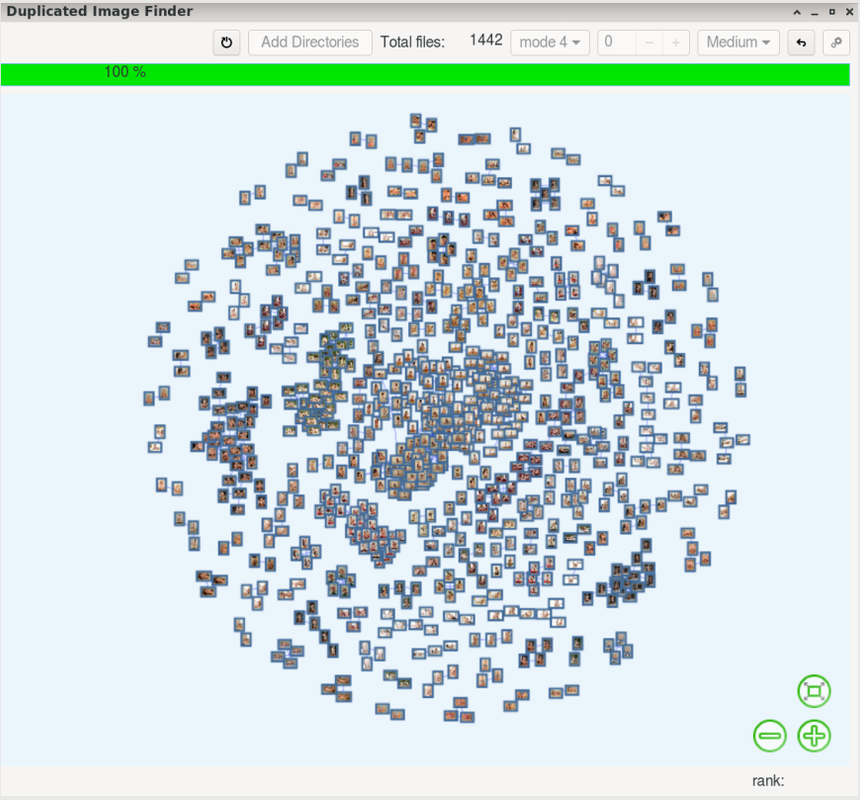
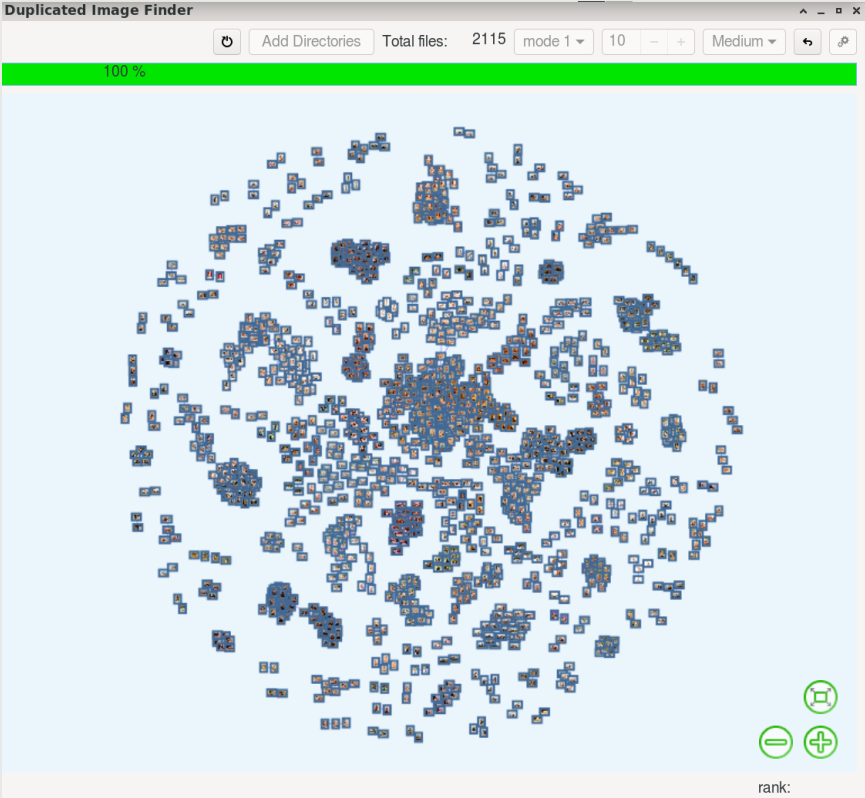
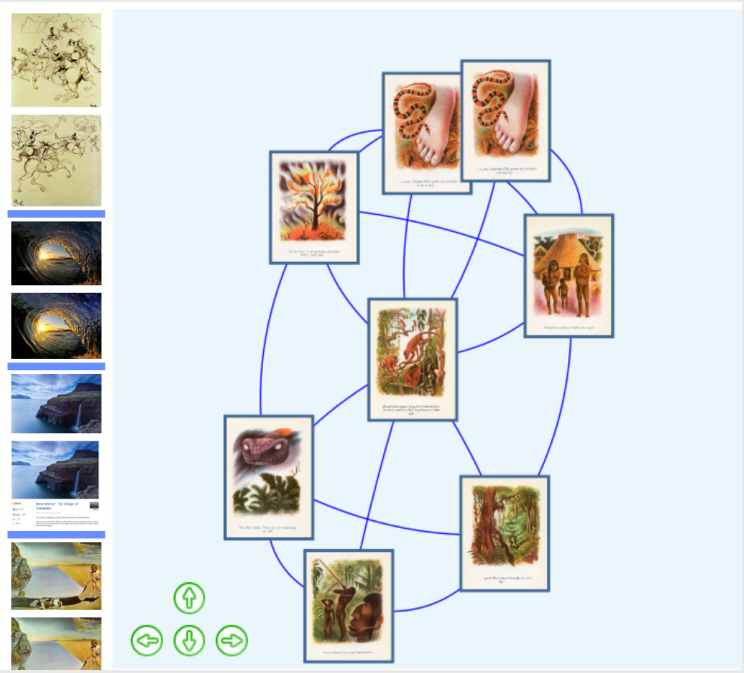
Duplicated Image Finder finds duplicated pictures independently of rotations,
mirroring and to certain degree resizing. However its algorithm is not perfect
and, in this case, we take advantage of it and use a network visualization to
present the similarity between the pictures in our collections.
The network visualization is powered by [vis.js](https://visjs.org/)
You can see Duplicated Image Finder in action:
- [Example](https://odysee.com/@volatilflerovium:3/Duplicated_Picture_Finder_1:c)
- [Settings](https://odysee.com/@volatilflerovium:3/Duplicated_Picture_Finder_Settings:5)
## AppImage
[Duplicated Image Finder](https://github.com/volatilflerovium/Duplicate_Image_Finder/releases)
is available as an AppImage which means "one app = one file", which you can download and run on your
Linux system while you don't need a package manager and nothing gets changed
in your system.
AppImages are single-file applications that run on most Linux distributions.
Download it, make it executable, and run! No need to install.
No system libraries or system preferences are altered.
Most AppImages run on recent versions of Arch Linux, CentOS, Debian, Fedora,
openSUSE, Red Hat, Ubuntu, and other common desktop distributions.
### Desktop Integration
Installation is totally optional. To auto install Duplicate_Image_Finder
go to Settings and check the install box.
Creating desktop entries for Duplicate_Image_Finder ensures quick access
from the Application menu. For this, Duplicate_Image_Finder's autoinstallation
will create desktop file with the following content
```
[Desktop Entry]
Type=Application
Name=wxDuplicated Image Finder
Exec=wxDuplicatedImageFinder
Icon=wxduplicatedimageapp
Categories=Graphics;
```
and save it in ~/.local/share/applications/ It also will create the directory
~/bin/appimages/wxDuplicatedImageApp and move the appimage there. After this
you will be able to see wxDuplicate_Image_Finder listed in the Application
menu under Graphics.
To uninstall it, delete the directory ~/bin/appimages/wxDuplicatedImageApp
and the file ~/.local/share/applications/wxDuplicatedImageApp.desktop
## Supported Files
As it uses OpenCV, it supports the following formats:
* Windows bitmaps - *.bmp, *.dib
* JPEG files - *.jpeg, *.jpg, *.jpe
* JPEG 2000 files - *.jp2
* Portable Network Graphics - *.png
* WebP - *.webp
* Portable image format - *.pbm, *.pgm, *.ppm *.pxm, *.pnm
* PFM files - *.pfm
* Sun rasters - *.sr, *.ras
* TIFF files - *.tiff, *.tif
* OpenEXR Image files - *.exr
* Radiance HDR - *.hdr, *.pic
* Raster and Vector geospatial data supported by GDAL
## The Power of the Humble Histogram
Some methods to compare two images are:
* Hashing:
Two identical files at binary level will produce the same hash sum.
* MSE:
Mean Squared Error between the two images is the sum of the squared difference between the two images. The lower the error, the more “similar” the images are.
* SSIM:
Structural Similarity Index method is more involved than the MSE method,
but the gist is that SSIM attempts to model the perceived change in the
structural information of the image, whereas MSE is actually estimating
the perceived errors.
* AI:
There are deep learning-based image similarity methods that we can utilize, particularly siamese networks. Siamese networks are super powerful models that can be trained with very little data to compute accurate image similarity scores.
It would have been easy to implement any of these methods, after all everybody can
copy-and-paste. Instead, Duplicated Image Finder implements a simple algorithm
based on comparison of histograms to rank images. This algorithm is able to
match images that are rotated, reflection and, to some degree, resized of
another.
For each image, Duplicated Image Finder calculates histograms over a
geometrical regions of a picture and use them to compare to other images
and calculate a similarity ranking.
We have two basic consequences of this:
* if one image is a rotated or a reflected version of another, both
will have the same set of histograms.
* each concentric histogram contains information of the images of a particular
region of it. Globally, two images can have the same histogram, however
locally they can have different histograms.
## Quick Start
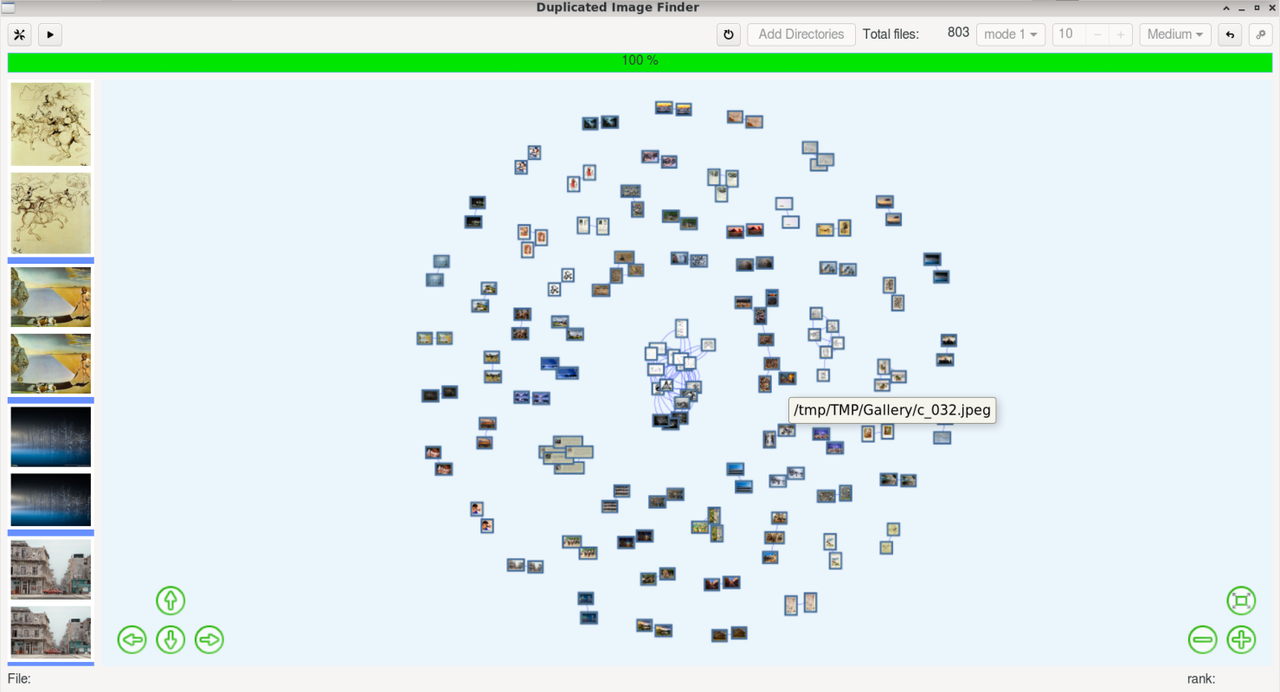
In the following image we see the components of the GUI:
[](https://postimg.cc/YLR1dGJF)
From top-left to top-right:
- Settings button (see video)
- Play Animation: when the results are loaded in the network, this button will
start random selection of the pictures on the network
- Restart will remove the files currently loaded in the application
- Add Directories
- Drop-down menu to select the mask for stracting information of an image.
- Smooth level: smoothing an image can be interpreted as blending information
into the local aread of the selection mask, therefore high value will
allow to detect those image that are very similar each other.
- Drop-down menu to select the level of similarity from Low, Medium and High
- Repeat will allow you to change settings applied on the same selection of pictures after
- Cancel button stops the application
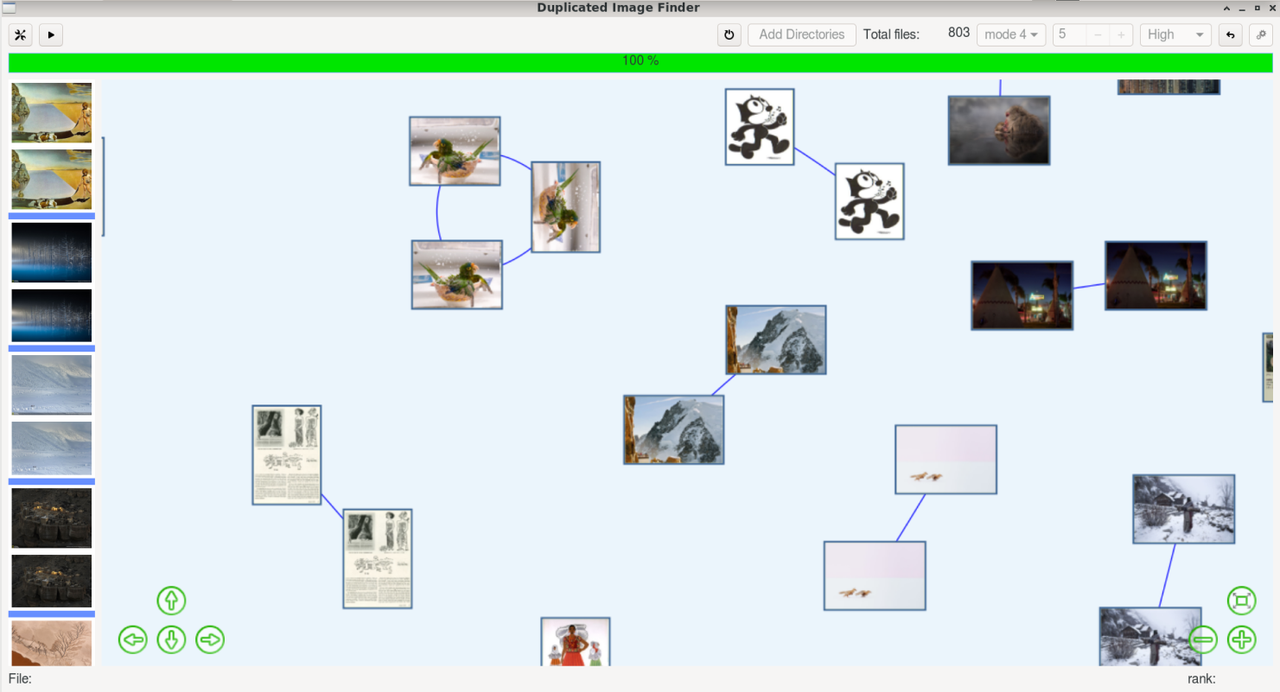
On the left side with have a column of blocks of images separated by a blue row.
All the pictures in each block (except the first one) are similar to the first
picture in the same block. Because a image can be similar to others, the same image
might appears in multiple blocks.
Right click on each image in the left column will display a context menu:
- Open: open the image with the default image manager of your system.
- Delete: move the current image to the trash bin. The image will be removed
from left column and from the network.
Left click will locate that image on the network
Double click on any node in the network will scroll the left column to the
first reference to that image.
On the main area, the results are displayed in a network visualization.
To navigate:
- with the mouse: dragging to move and scroll wheel to zoom in/out.
- with keyboard: arrows to move around, key + to zoom in key - to zoom out.
## Some Images
[](https://postimg.cc/G9nVS4Bs)
[](https://postimg.cc/75GKZ9FQ)
[](https://postimg.cc/yDZTHdRM)
[](https://postimg.cc/KkZ7BDWb)