https://github.com/voronenko/devops-moodle-box
bootstrap repository for moodle installation with ansible
https://github.com/voronenko/devops-moodle-box
Last synced: over 1 year ago
JSON representation
bootstrap repository for moodle installation with ansible
- Host: GitHub
- URL: https://github.com/voronenko/devops-moodle-box
- Owner: Voronenko
- Created: 2016-02-14T19:55:00.000Z (over 10 years ago)
- Default Branch: master
- Last Pushed: 2016-02-15T15:18:59.000Z (over 10 years ago)
- Last Synced: 2025-04-15T01:16:36.570Z (over 1 year ago)
- Language: Shell
- Size: 406 KB
- Stars: 0
- Watchers: 2
- Forks: 0
- Open Issues: 0
-
Metadata Files:
- Readme: README.md
Awesome Lists containing this project
README
# Moodle installation on Ubuntu 14.04 in BlueMix cloud environment with ansible
## Introduction
Moodle is an open source Course Management Platform that allows you
to create online learning sites. The name stands for
Modular Object-Oriented Dynamic Learning Environment
and it has number of features allowing for an efficient online
learning experience that can scale from a small number of students to
hundreds.
For example, you could introduce assignment submission, quizzes, FAQ, scoring,
instant messages, discussion boards, etc. But
As it is a modular software, it can be extended with plugins to add extra functionality.
Moodle typically runs on LAMP (Linux, Apache, MySQL and PHP) but can
also be used with other webservers, like nginx and even on Windows under IIS.
Modularity is both pros and cons - usually, if you are the teacher, you have your own preferred set of themes and plugins.
This makes initial Moodle installation a real pain for non-technical users.
Fortunately, deployment automation tool called ansible will save you time on installation
# Background
## Challenges to address
* Describe desired Moodle components
* Optionally install MySQL (you might use external database)
* Optionally install LAMP (perhaps you upgrade Moodle itself).
* Optionally install Moodle's plugin and themes of your choice
* Install Moodle core components
Let's go step by step.
## Describing desired Moodle components
According to official installation tutorial found on https://docs.moodle.org/30/en/Step-by-step_Installation_Guide_for_Ubuntu
Let's list both package dependencies and needed php extensions.
pkg_dependencies:
- git
- curl
- python-dev
- libmysqlclient-dev
- graphviz
- aspell
- clamav
- unzip
php_extensions:
- php5-mysql
- php5-intl
- php5-xmlrpc
- php5-pspell
- php5-curl
- php5-gd
- php5-ldap
For Moodle itself we need to specify preferred database access parameters,
domain you plan to assign for the Moodle instance, preferred location.
Also you might want to check what is the most recent stable Moodle version and
specify it as well.
moodle_db_type: 'mysqli' # 'pgsql', 'mariadb', 'mysqli', 'mssql', 'sqlsrv' or 'oci'
moodle_db_host: '{{mysql_host}}'
moodle_db_name: 'moodle'
moodle_db_user: 'moodle'
moodle_db_pass: 'moodle'
moodle_app_domain: "moodle.dev"
moodle_app_root: "/opt/moodle"
moodle_app_wwwroot: "{{ moodle_app_root }}/moodle"
moodle_app_datadir: "{{moodle_app_root}}/moodledata"
moodle_app_plugindir: "{{moodle_app_root}}/downloadedplugins"
# Check on site - at that moment 30 is recent stable
moodle_git_version: "MOODLE_30_STABLE"
moodle_artifact_baseurl: https://download.moodle.org/download.php/direct/stable30
moodle_archive_version: "moodle-latest-30.tgz"
moodle_user: "{{ansible_user_id}}"
moodle_admin_user: "6NHkm*S!^W4w"
Moodle can be installed either from git repository or via artifact downloading.
Git option is believed to be maintained more easily.
We support both ways here, you set the best for your case
# Currently git is easiest , also supported: web,
option_install_moodle: git
## Optional MySQL installation
Althouth Moodle supports multiple databases, MySQL is the most typical and known database on unix.
In order to install MySQl, you will need to specify desired mysql root credentials only.
mysql_host: "127.0.0.1"
mysql_root_user: root
mysql_root_password: SOMEROOTSECUREPASSWORD
Moodle has it's own preferences to MySQL configuration. These are addressed my custom my.cnf template,
as you could check under that link: https://github.com/ThePrudents/moodle/blob/master/templates/mysql/my.cnf.j2
Self contained recipe to install MySQL might be found here: https://github.com/ThePrudents/moodle/blob/master/tasks/mysql.yml
## Optional LAMP installation
For LAMP we have ability to install apache either in worker or prefork mode.
This has impact on PHP: it will be installed either as PHP-FPM or via mod_php apache module.
Nowadays worker is preferable.
apache_mode: worker # use prefork or worker variables
apache2_disable_default: true
php_family: default # 5.4 | 5.5 | 5.6 | default
You might want to check recipes to install Apache (https://github.com/ThePrudents/moodle/blob/master/tasks/apache.yml)
and PHP (https://github.com/ThePrudents/moodle/blob/master/tasks/php_apache.yml) for more details.
Note, as Moodle requires additional php extensions to be installed, we have introduced additional step,
as can be checked here: https://github.com/ThePrudents/moodle/blob/master/tasks/php_additional_extensions.yml
## Optional custom Moodle's plugins and themes
Most of plugins and themes are installed by unzipping archieve to appropriate folders.
We could easily automate that process while you need just tell us your preferred plugins information:
moodle_plugins:
- {
name: auth_googleoauth2,
desc: "Authentication: Google / Facebook / Github / Linkedin / DropBox / Windows / VK / Battle.net authentication",
url: "https://moodle.org/plugins/download.php/9695/auth_googleoauth2_moodle30_2015110600.zip",
dest: auth #/googleoauth2
}
- {
name: mod_checklist,
desc: "Activities: Checklist",
url: "https://moodle.org/plugins/download.php/9703/mod_checklist_moodle30_2015110800.zip",
dest: mod #/checklist
}
- {
name: block_xp,
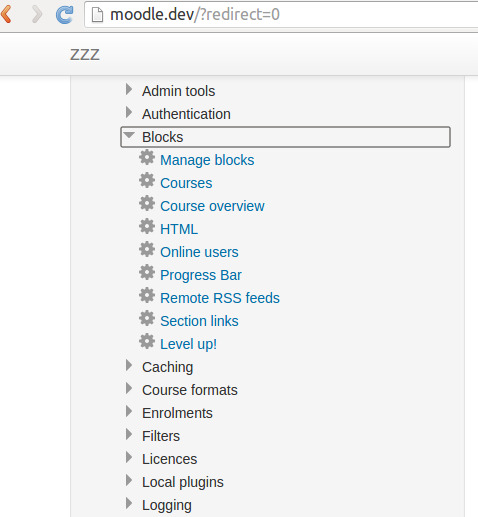
desc: "Blocks: Level up!",
url: "https://moodle.org/plugins/download.php/9400/block_xp_moodle30_2015092800.zip",
dest: blocks #/block_xp
}
- {
name: theme_essential,
desc: "Themes: Essential",
url: "https://moodle.org/plugins/download.php/10342/theme_essential_moodle30_2016010201.zip",
dest: theme #/theme_essential
}
## Install Moodle core components
On this step we create Moodle's directories (source, data, plugins), perform
database configuration, configure Apache virtual host for this instance.
Steps details might be checked at this location:
https://github.com/ThePrudents/moodle/blob/master/tasks/moodle.yml
## Code in action
In order to be able to run provisioning, we would need ansible and prudentia. Both tools are pure python.
Ansible is devops toolkit, while prudentia provides some "synthetic sugar" to run ansible playbooks easily.
See more details on pypi https://pypi.python.org/pypi/prudentia
For ubuntu your typical steps to get tools are:
sudo apt-get install git
sudo apt-get install python-pip
pip install -U pip
pip install -U ansible==1.9.4
pip install prudentia
to reuse Moodle role, typical syntax is: (please note, that you may override any role parameter,
that makes recipe flexible enough)
roles:
- {
role: "pr-moodle",
moodle_db_host: '127.0.0.1',
moodle_db_name: 'moodle',
moodle_db_user: 'moodle',
moodle_db_pass: 'yoursupersecurepassword',
moodle_app_domain: "yourdomainname.com"
}
Shell file to execute box provisioning
# Static parameters
WORKSPACE=./
BOX_PLAYBOOK=$WORKSPACE/boxes/prod.yml
BOX_NAME=moodle_staging
BOX_ADDRESS=192.168.0.17
BOX_USER=youruser
BOX_PWD=yourpass
prudentia ssh <<EOF
unregister $BOX_NAME
register
$BOX_PLAYBOOK
$BOX_NAME
$BOX_ADDRESS
$BOX_USER
$BOX_PWD
provision $BOX_NAME
EOF
## Running on BlueMix
IBM Bluemix is a cloud platform as a service (PaaS) developed by IBM. It supports several programming languages and
services as well as integrated DevOps to build, run, deploy and manage applications on the cloud. One of the services
provided called Virtual Machines.
Let's choose ubuntu 14.04.3 LTS image (available from official downloads )
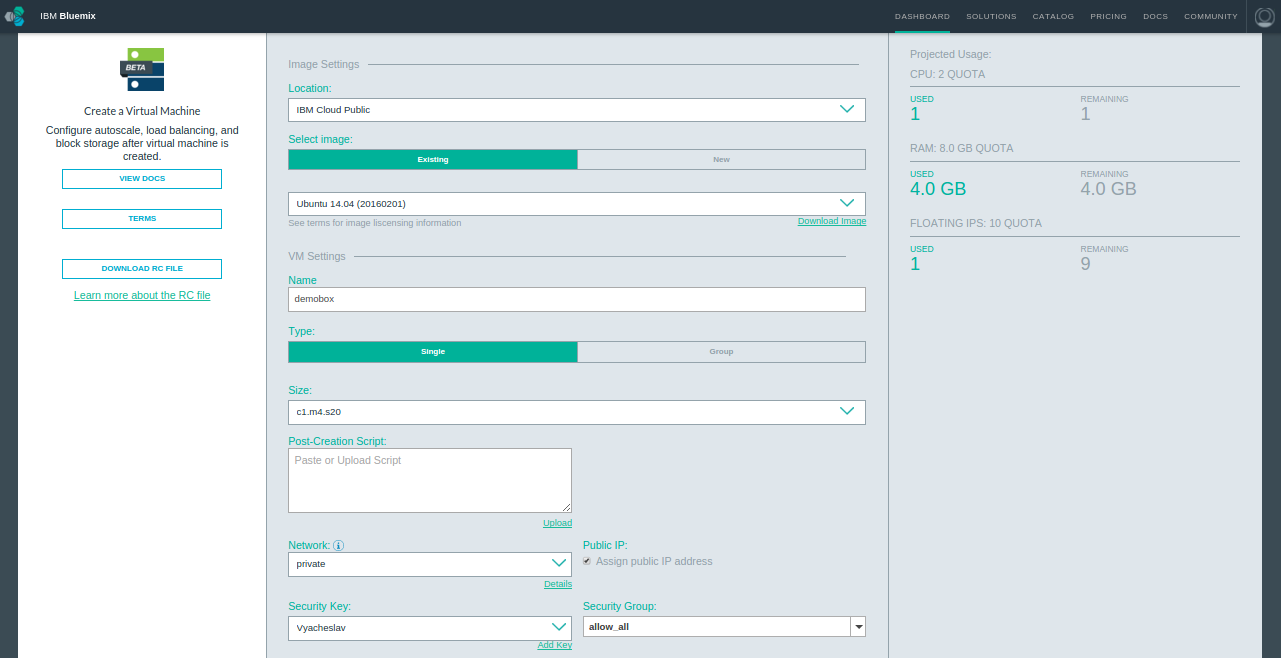
We need to allocate public ip address for our instance, and wait it to initialize.
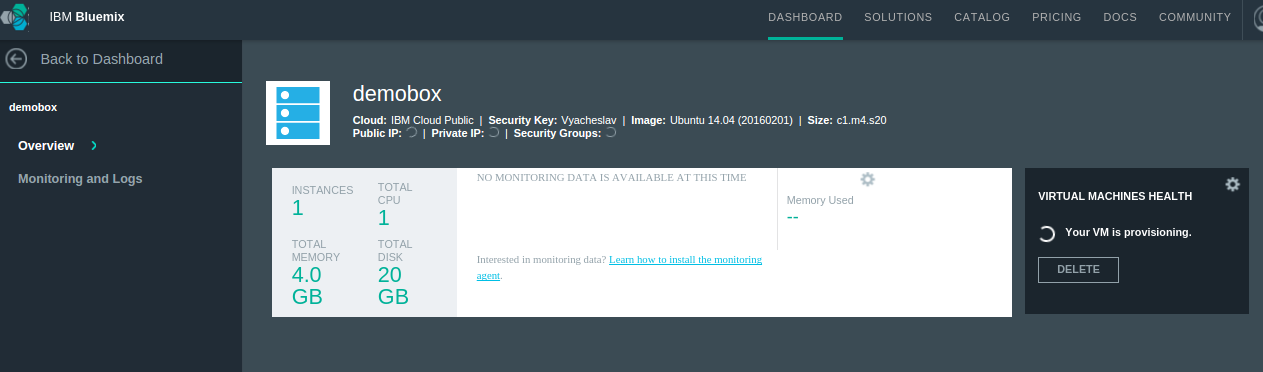
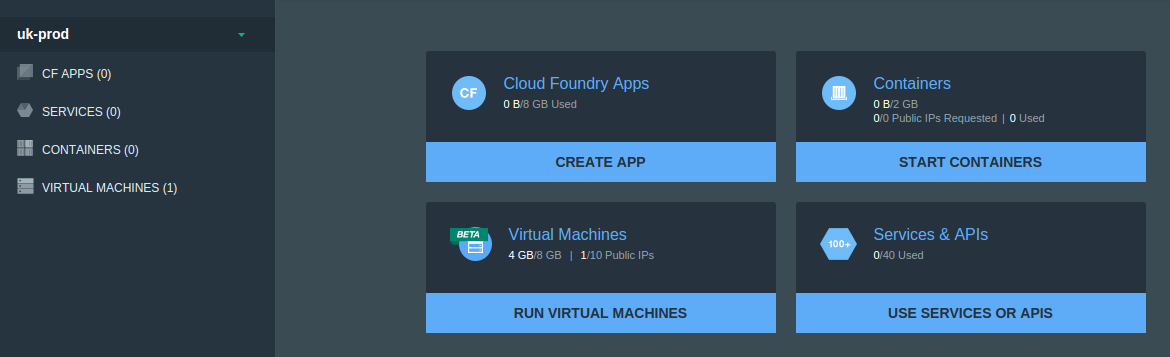
Don't forget to configure DNS once you get public ip address from Bluemix platform
It is time to execute provisioning. After executing provisioning, typically you will see successful log of the ansible provisioner.
TASK: [pr-moodle | Configure Moodle] ******************************************
changed: [bluemix.moodle.dev]
TASK: [pr-moodle | Moodle | Set up cron] **************************************
changed: [bluemix.moodle.dev]
TASK: [pr-moodle | Moodle | Create Moodle database] ***************************
changed: [bluemix.moodle.dev]
TASK: [pr-moodle | Moodle | Create Moodle db user] ****************************
changed: [bluemix.moodle.dev]
TASK: [pr-moodle | Moodle | create apache site configuration] *****************
changed: [bluemix.moodle.dev]
TASK: [pr-moodle | Moodle | create apache site configuration] *****************
ok: [bluemix.moodle.dev]
TASK: [pr-moodle | Moodle | a2ensite moodle] **********************************
changed: [bluemix.moodle.dev]
TASK: [pr-moodle | Moodle | Create directory for downloaded plugins] **********
changed: [bluemix.moodle.dev]
TASK: [pr-moodle | Moodle | Download plugins] *********************************
changed: [bluemix.moodle.dev] => (item={'url': 'https://moodle.org/plugins/download.php/9695/auth_googleoauth2_moodle30_2015110600.zip', 'dest': 'auth', 'name': 'auth_googleoauth2', 'desc': 'Authentication: Google / Facebook / Github / Linkedin / DropBox / Windows / VK / Battle.net authentication'})
changed: [bluemix.moodle.dev] => (item={'url': 'https://moodle.org/plugins/download.php/9703/mod_checklist_moodle30_2015110800.zip', 'dest': 'mod', 'name': 'mod_checklist', 'desc': 'Activities: Checklist'})
changed: [bluemix.moodle.dev] => (item={'url': 'https://moodle.org/plugins/download.php/9400/block_xp_moodle30_2015092800.zip', 'dest': 'blocks', 'name': 'block_xp', 'desc': 'Blocks: Level up!'})
changed: [bluemix.moodle.dev] => (item={'url': 'https://moodle.org/plugins/download.php/10263/block_progress_moodle30_2016011300.zip', 'dest': 'blocks', 'name': 'block_progress', 'desc': 'Blocks: Progress Bar'})
changed: [bluemix.moodle.dev] => (item={'url': 'https://moodle.org/plugins/download.php/10342/theme_essential_moodle30_2016010201.zip', 'dest': 'theme', 'name': 'theme_essential', 'desc': 'Themes: Essential'})
changed: [bluemix.moodle.dev] => (item={'url': 'https://moodle.org/plugins/download.php/10165/theme_academi_moodle30_2015122500.zip', 'dest': 'theme', 'name': 'theme_academi', 'desc': 'Themes: Academi'})
changed: [bluemix.moodle.dev] => (item={'url': 'https://moodle.org/plugins/download.php/10321/theme_eguru_moodle30_2015122800.zip', 'dest': 'theme', 'name': 'theme_eguru', 'desc': 'Themes: Eguru'})
TASK: [pr-moodle | Moodle | Create directory for downloaded plugins] **********
changed: [bluemix.moodle.dev] => (item={'url': 'https://moodle.org/plugins/download.php/9695/auth_googleoauth2_moodle30_2015110600.zip', 'dest': 'auth', 'name': 'auth_googleoauth2', 'desc': 'Authentication: Google / Facebook / Github / Linkedin / DropBox / Windows / VK / Battle.net authentication'})
changed: [bluemix.moodle.dev] => (item={'url': 'https://moodle.org/plugins/download.php/9703/mod_checklist_moodle30_2015110800.zip', 'dest': 'mod', 'name': 'mod_checklist', 'desc': 'Activities: Checklist'})
changed: [bluemix.moodle.dev] => (item={'url': 'https://moodle.org/plugins/download.php/9400/block_xp_moodle30_2015092800.zip', 'dest': 'blocks', 'name': 'block_xp', 'desc': 'Blocks: Level up!'})
ok: [bluemix.moodle.dev] => (item={'url': 'https://moodle.org/plugins/download.php/10263/block_progress_moodle30_2016011300.zip', 'dest': 'blocks', 'name': 'block_progress', 'desc': 'Blocks: Progress Bar'})
changed: [bluemix.moodle.dev] => (item={'url': 'https://moodle.org/plugins/download.php/10342/theme_essential_moodle30_2016010201.zip', 'dest': 'theme', 'name': 'theme_essential', 'desc': 'Themes: Essential'})
ok: [bluemix.moodle.dev] => (item={'url': 'https://moodle.org/plugins/download.php/10165/theme_academi_moodle30_2015122500.zip', 'dest': 'theme', 'name': 'theme_academi', 'desc': 'Themes: Academi'})
ok: [bluemix.moodle.dev] => (item={'url': 'https://moodle.org/plugins/download.php/10321/theme_eguru_moodle30_2015122800.zip', 'dest': 'theme', 'name': 'theme_eguru', 'desc': 'Themes: Eguru'})
TASK: [pr-moodle | Moodle | Unpack plugins] ***********************************
changed: [bluemix.moodle.dev] => (item={'url': 'https://moodle.org/plugins/download.php/9695/auth_googleoauth2_moodle30_2015110600.zip', 'dest': 'auth', 'name': 'auth_googleoauth2', 'desc': 'Authentication: Google / Facebook / Github / Linkedin / DropBox / Windows / VK / Battle.net authentication'})
changed: [bluemix.moodle.dev] => (item={'url': 'https://moodle.org/plugins/download.php/9703/mod_checklist_moodle30_2015110800.zip', 'dest': 'mod', 'name': 'mod_checklist', 'desc': 'Activities: Checklist'})
changed: [bluemix.moodle.dev] => (item={'url': 'https://moodle.org/plugins/download.php/9400/block_xp_moodle30_2015092800.zip', 'dest': 'blocks', 'name': 'block_xp', 'desc': 'Blocks: Level up!'})
changed: [bluemix.moodle.dev] => (item={'url': 'https://moodle.org/plugins/download.php/10263/block_progress_moodle30_2016011300.zip', 'dest': 'blocks', 'name': 'block_progress', 'desc': 'Blocks: Progress Bar'})
changed: [bluemix.moodle.dev] => (item={'url': 'https://moodle.org/plugins/download.php/10342/theme_essential_moodle30_2016010201.zip', 'dest': 'theme', 'name': 'theme_essential', 'desc': 'Themes: Essential'})
changed: [bluemix.moodle.dev] => (item={'url': 'https://moodle.org/plugins/download.php/10165/theme_academi_moodle30_2015122500.zip', 'dest': 'theme', 'name': 'theme_academi', 'desc': 'Themes: Academi'})
changed: [bluemix.moodle.dev] => (item={'url': 'https://moodle.org/plugins/download.php/10321/theme_eguru_moodle30_2015122800.zip', 'dest': 'theme', 'name': 'theme_eguru', 'desc': 'Themes: Eguru'})
TASK: [pr-moodle | UFW | Allow incoming http & https] *************************
skipping: [bluemix.moodle.dev] => (item=http)
skipping: [bluemix.moodle.dev] => (item=https)
TASK: [Common setup | Preventing ucf to ask information] **********************
skipping: [bluemix.moodle.dev]
TASK: [Common setup | Message of the day explaining server is under Prudentia control] ***
changed: [bluemix.moodle.dev]
TASK: [Common setup | Install common apt packages] ****************************
changed: [bluemix.moodle.dev] => (item=build-essential,reptyr,htop,curl,python-software-properties,python-httplib2)
NOTIFIED: [pr-moodle | restart apache2] ***************************************
changed: [bluemix.moodle.dev]
PLAY RECAP ********************************************************************
bluemix.moodle.dev : ok=60 changed=52 unreachable=0 failed=0
Play run took 3 minutes
As you see, less in 5 minutes we have our moodle ready for configuration.
Upon navigation to site we will see initial moodle start screen
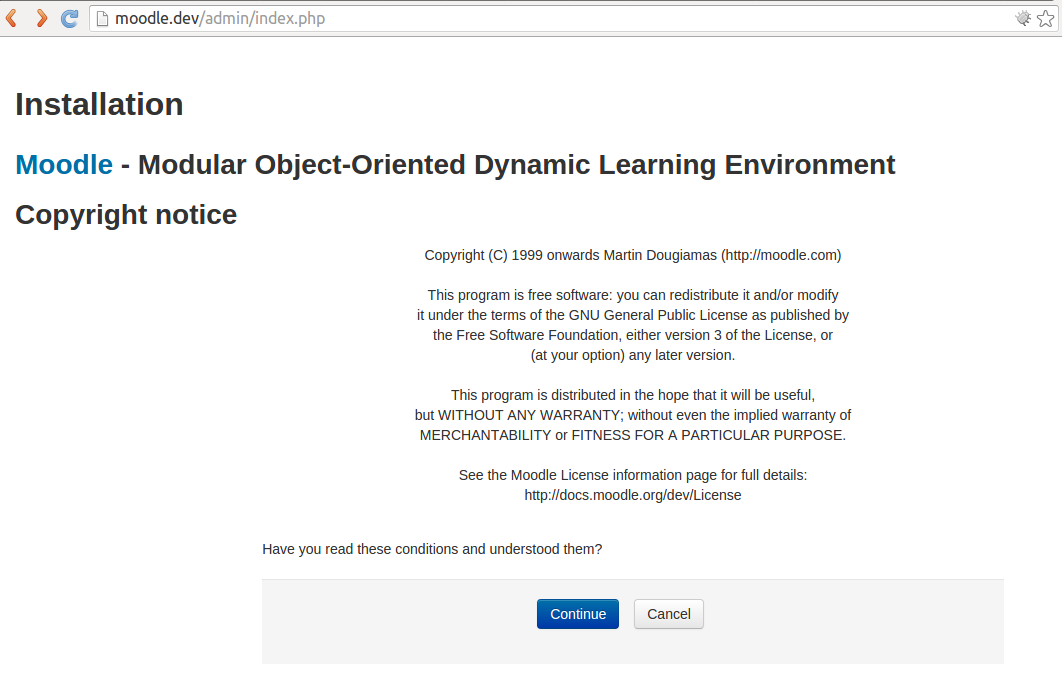
As we see - box is configured correctly.
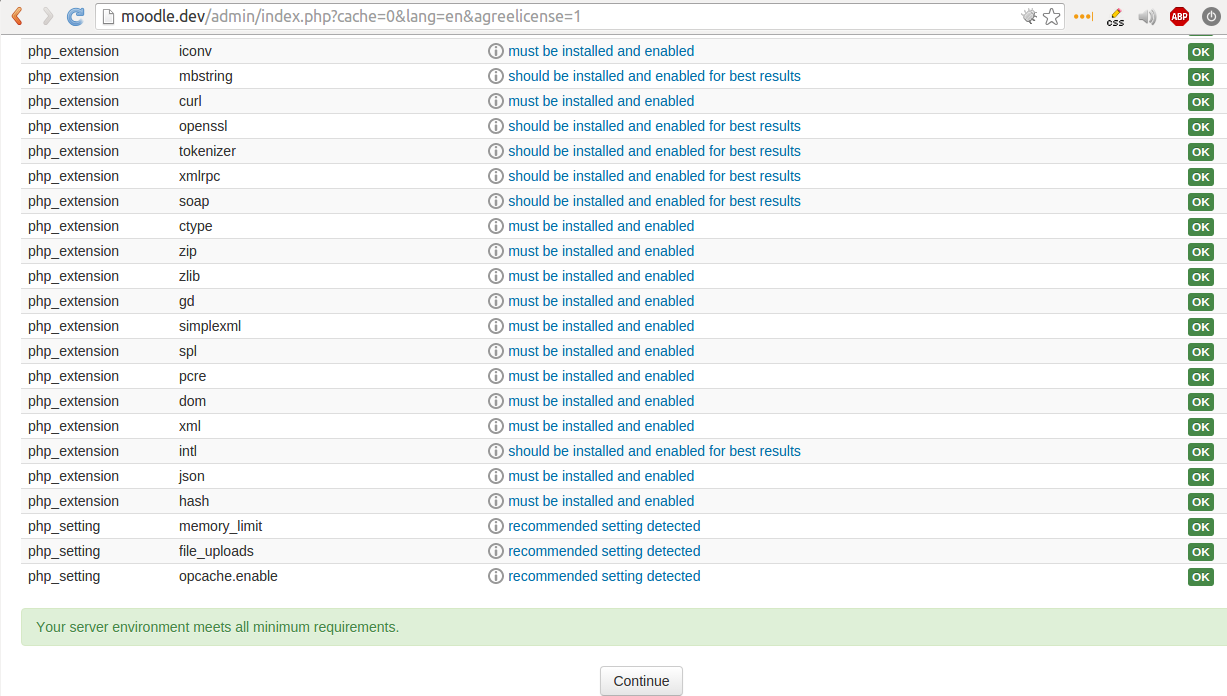
Initial setup goes smoothly
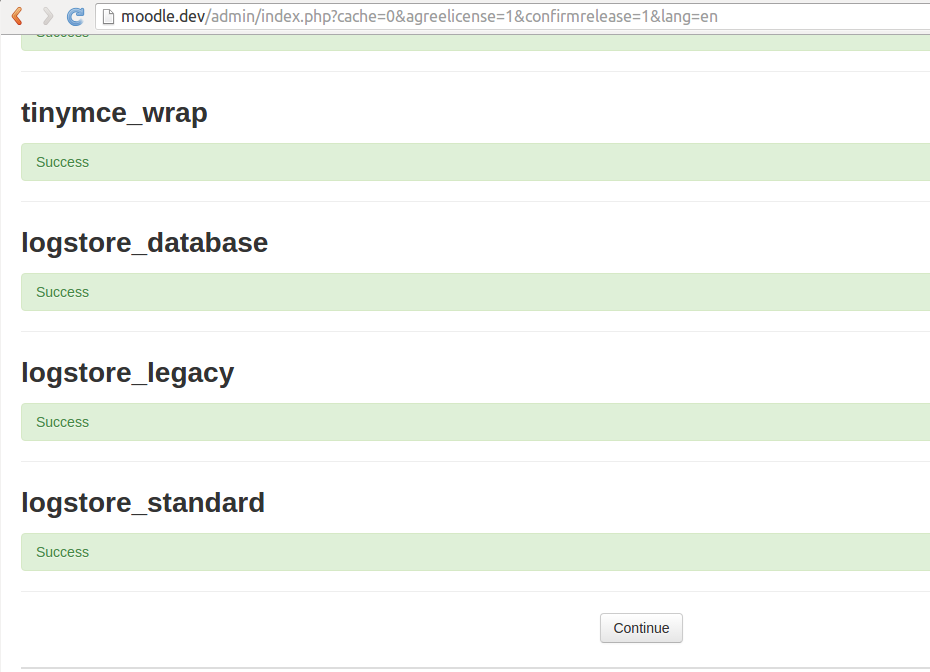
As we see all custom plugins and themes are in place, for example "Blocks: Level up!":
## What can be improved.
ideally, recipe can be extended to be fully non-interactive. Moodle seems to allow such setup in the future (looking at install.php)
Unfortunately, at present moment documentation does not provide clean way how to do it, unless you script configuration & DB of the existing moodle.
Readers are welcome to advise on options.