https://github.com/voronenko/win-k8s-croco
Fun POC on using kubernetes built-in into docker for windows
https://github.com/voronenko/win-k8s-croco
crocohunter docker k8s windows
Last synced: 2 months ago
JSON representation
Fun POC on using kubernetes built-in into docker for windows
- Host: GitHub
- URL: https://github.com/voronenko/win-k8s-croco
- Owner: Voronenko
- Created: 2018-07-27T13:06:19.000Z (almost 8 years ago)
- Default Branch: master
- Last Pushed: 2020-10-22T10:31:10.000Z (over 5 years ago)
- Last Synced: 2025-04-15T05:36:26.317Z (about 1 year ago)
- Topics: crocohunter, docker, k8s, windows
- Language: Makefile
- Size: 247 KB
- Stars: 3
- Watchers: 2
- Forks: 0
- Open Issues: 0
-
Metadata Files:
- Readme: Readme.md
Awesome Lists containing this project
README
# Built-in kubernetes in docker for windows as a quick alternative to minikube.
I am a linux guy, but one of my work boxes is Intel NUC under windows with quite good memory specs.
So far I was using it to offload docker builds and use some VMs on a hyperV. Latest docker update
has made things even more interesting - Docker for windows now is capable to run single node Kubernetes 1.1x
cluster, which you can use for your experiments as well.
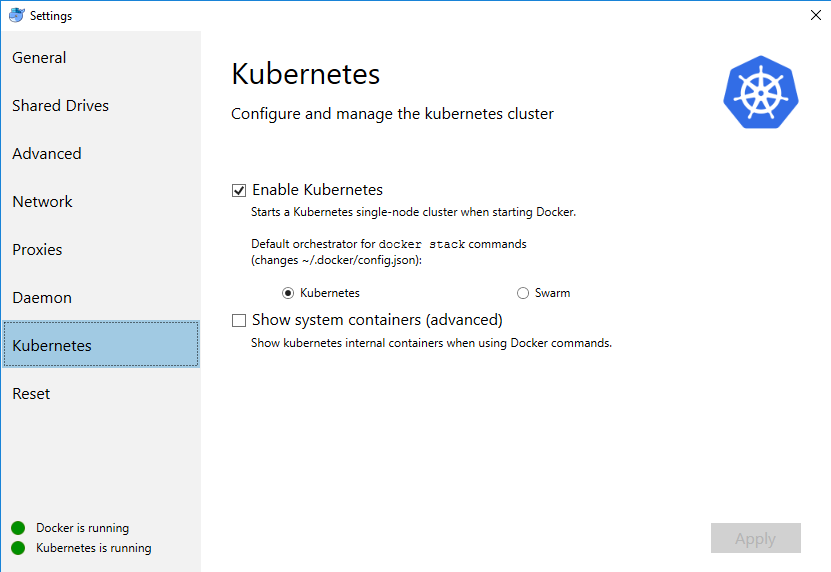
Even if Windows has WSL, it still does not behave in a way how my usual linux workplace does, this on my local lab first (note: insecure) step I do - is exposing my windows kubernetes and docker ports to my linux notebook
Expose docker tcp daemon on 2375
```cmd
SET EXTERNAL_IP=192.168.2.2
netsh interface portproxy add v4tov4 listenport=2375 connectaddress=127.0.0.1 connectport=2375 listenaddress=%EXTERNAL_IP% protocol=tcp
```
Expose
```
SET EXTERNAL_IP=192.168.2.2
netsh interface portproxy add v4tov4 listenport=6445 connectaddress=127.0.0.1 connectport=6445 listenaddress=%EXTERNAL_IP% protocol=tcp
```
## Accessing your cluster with kubectl from your linux machine:
by default docker patches your windows kube config with changes similar to below:
```
apiVersion: v1
clusters:
- cluster:
insecure-skip-tls-verify: true
server: https://localhost:6445
name: docker-for-desktop-cluster
contexts:
- context:
cluster: docker-for-desktop-cluster
user: docker-for-desktop
name: docker-for-desktop
current-context: docker-for-desktop-cluster
kind: Config
preferences: {}
users:
- name: docker-for-desktop
user:
client-certificate-data: REDACTED
client-key-data: REDACTED
```
What you need - is to replicate config on your linux box, and tune server address to external interface address of your box.
After that, you can see the context on your linux box
```shell
kubectx
docker-for-desktop
MINIKUBE
```
and control it using native kubectl tool
```shell
kubectl get pods
NAME READY STATUS RESTARTS AGE
dns-test 0/1 Completed 0 23h
```
Lets test install kubernetes dashboard, because docker for windows provides no specific UI for that part
```sh
kubectl apply -f https://raw.githubusercontent.com/kubernetes/dashboard/master/src/deploy/alternative/kubernetes-dashboard.yaml
echo kubectl create -f k8s/dashboard-admin.yaml
```
New release of dashboard comes with RBAC as a default, but for that specific case we can go on a simplier setup, and
get admin rights from the start : `kubectl create -f k8s/dashboard-admin.yaml` where dashboard-admin.yaml is
```yaml
apiVersion: rbac.authorization.k8s.io/v1beta1
kind: ClusterRoleBinding
metadata:
name: kubernetes-dashboard
labels:
k8s-app: kubernetes-dashboard
roleRef:
apiGroup: rbac.authorization.k8s.io
kind: ClusterRole
name: cluster-admin
subjects:
- kind: ServiceAccount
name: kubernetes-dashboard
namespace: kube-system
```
Now you can run `kubectl proxy` in some console, and also some better control over kubernetes cluster, accessible on
`http://localhost:8001/api/v1/namespaces/kube-system/services/http:kubernetes-dashboard:/proxy/#!/overview?namespace=default`

## Prof of concept deployment
Now lets test deploy CrocoHunter application
`kubectl create -f croc-hunter.yaml --save-config`
```yaml
apiVersion: v1
kind: Service
metadata:
name: croc-hunter
labels:
component: croc-hunter
spec:
ports:
- port: 8080
targetPort: 8080
selector:
component: croc-hunter
type: "ClusterIP"
---
apiVersion: extensions/v1beta1
kind: Deployment
metadata:
name: croc-hunter
labels:
component: croc-hunter
spec:
replicas: 1
strategy:
type: RollingUpdate
selector:
matchLabels:
component: "croc-hunter"
template:
metadata:
labels:
component: "croc-hunter"
spec:
containers:
- name: croc-hunter
image: "voronenko/docker-sample-image:47372c4"
imagePullPolicy: "Always"
ports:
- name: http
containerPort: 8080
resources:
requests:
cpu: "10m"
memory: "128Mi"
livenessProbe:
httpGet:
path: /healthz
port: http
readinessProbe:
httpGet:
path: /healthz
port: http
```
and ingress to it
```
apiVersion: extensions/v1beta1
kind: Ingress
metadata:
annotations:
kubernetes.io/ingress.class: nginx
name: croc-hunter
spec:
rules:
- http:
paths:
- path: /
backend:
serviceName: croc-hunter
servicePort: 8080
```
Now we can check, if application was deployed correctly:
```shell
kubectl get deployments
NAME DESIRED CURRENT UP-TO-DATE AVAILABLE AGE
croc-hunter 1 1 1 0 48s
kubectl get pods
NAME READY STATUS RESTARTS AGE
croc-hunter-55c74b5b69-sxn9b 1/1 Running 0 1m
```
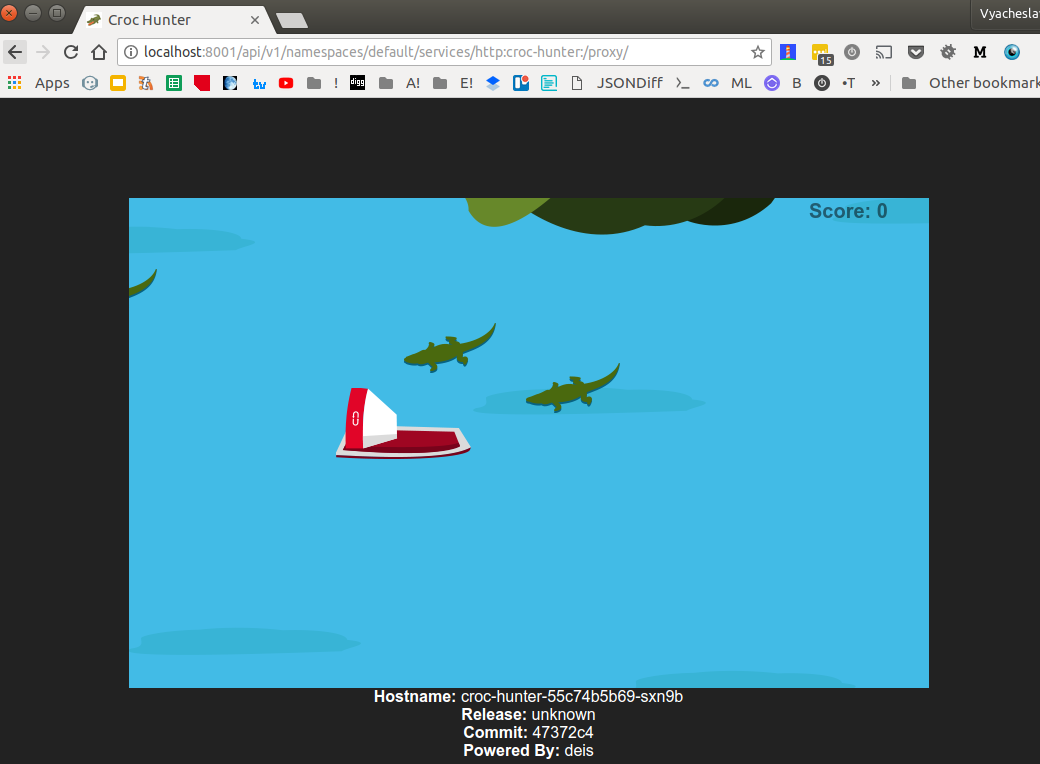
Definitely works. We can also access the application via kube proxy
`http://localhost:8001/api/v1/namespaces/default/services/http:croc-hunter:/proxy/`
## Exposing deployment externally
As usual application has at least one endpoint that can be accessed externally,
we would like to emulate also that functionality (note: redhat minishift does this out of the box).
We might to it dirty the console, like
```shell
kubectl expose deployment croc-hunter --type=NodePort --name=croc-hunter-dirty-cmd
service "croc-hunter-dirty-cmd" exposed
kubectl get services
NAME TYPE CLUSTER-IP EXTERNAL-IP PORT(S) AGE
croc-hunter ClusterIP 10.106.108.70 8080/TCP 29m
croc-hunter-dirty-cmd NodePort 10.105.89.88 8080:30815/TCP 31s
kubernetes ClusterIP 10.96.0.1 443/TCP 1d
```
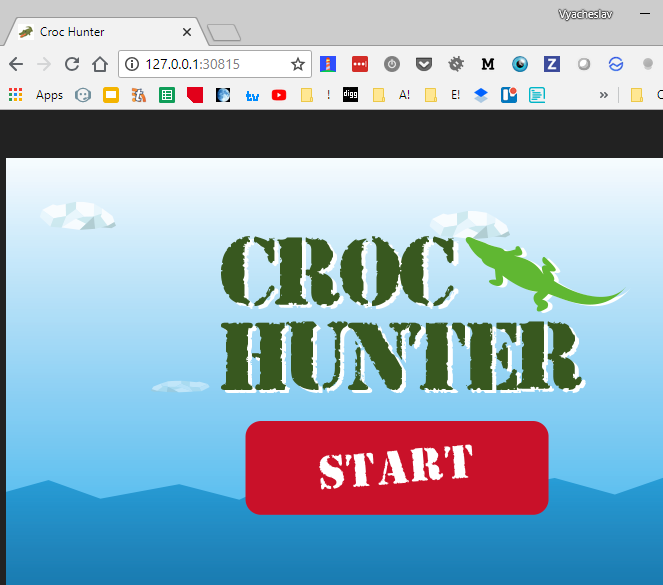
note tcp port 30815 above.
How you can access exposed ports?
Option (a), on the same windows box you can just navigate to http://127.0.0.1:30815/
We can achieve the same effect from the yaml definition
```yaml
apiVersion: v1
kind: Service
metadata:
name: croc-hunter-nodeport-service
labels:
component: croc-hunter
spec:
ports:
- port: 8080
targetPort: 8080
selector:
component: croc-hunter
type: NodePort
```
```shell
kubectl create -f croc-hunter-nodeport.yml --save-config
service "croc-hunter-nodeport-service" created
kubectl get services
NAME TYPE CLUSTER-IP EXTERNAL-IP PORT(S) AGE
croc-hunter ClusterIP 10.106.108.70 8080/TCP 31m
croc-hunter-nodeport-service NodePort 10.102.97.238 8080:30688/TCP 6s
kubernetes ClusterIP 10.96.0.1 443/TCP 1d
```
note tcp port as well `30688`.
Option(b) - basically I am also able to access port exposed on a box from
my external linux box as well:
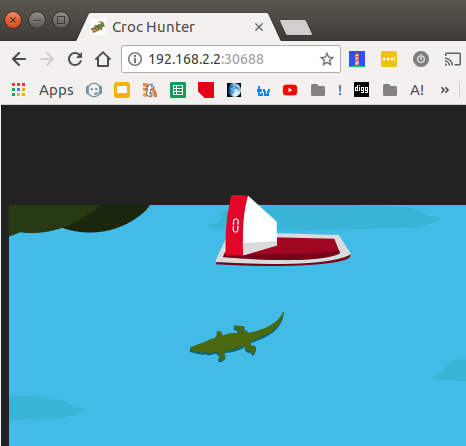
Which is kind of cool.
Summary: you can use built-in single node kubernetes node for small playground with
your kubernetes experiments not only locally, but also on remote using set of tools
you.
Thanks!
## Code in action:
Repository with code snippets above: https://github.com/Voronenko/win-k8s-croco
Croco game image: https://github.com/voronenko-p/docker-sample-image which is slightly modified https://github.com/lachie83/croc-hunter (fixed absolute references to resources to allow proper run under proxy)
for the first time
```sh
make deploy
```
for subsequent...
```sh
make apply
```
Debugging access - requires running `kubectl proxy` in background...
Launch kubernetes dashboard from url `http://localhost:8001/api/v1/namespaces/kube-system/services/http:kubernetes-dashboard:/proxy/#!/overview?namespace=default` if you have installed one
```sh
make dashboard
```
Launch deployed micro service `http://localhost:8001/api/v1/namespaces/default/services/http:croc-hunter:/proxy/`
```sh
make hunter
```