https://github.com/vtex-apps/add-to-cart-button
A button for adding items into the shopping cart
https://github.com/vtex-apps/add-to-cart-button
hacktoberfest store-framework vtex-io
Last synced: 6 months ago
JSON representation
A button for adding items into the shopping cart
- Host: GitHub
- URL: https://github.com/vtex-apps/add-to-cart-button
- Owner: vtex-apps
- Created: 2019-11-05T12:48:19.000Z (over 6 years ago)
- Default Branch: master
- Last Pushed: 2026-01-14T17:28:41.000Z (6 months ago)
- Last Synced: 2026-01-14T21:31:33.119Z (6 months ago)
- Topics: hacktoberfest, store-framework, vtex-io
- Language: TypeScript
- Homepage:
- Size: 652 KB
- Stars: 6
- Watchers: 39
- Forks: 34
- Open Issues: 7
-
Metadata Files:
- Readme: docs/README.md
- Changelog: CHANGELOG.md
- Codeowners: .github/CODEOWNERS
Awesome Lists containing this project
README
📢 Use this project, [contribute](https://github.com/vtex-apps/add-to-cart-button) to it or open issues to help evolve it using [Store Discussion](https://github.com/vtex-apps/store-discussion).
# Add To Cart Button
[](#contributors-)
The `add-to-cart-button` block is designed to add products to the [Minicart](https://developers.vtex.com/docs/apps/vtex.minicart/) (`minicart.v2`).
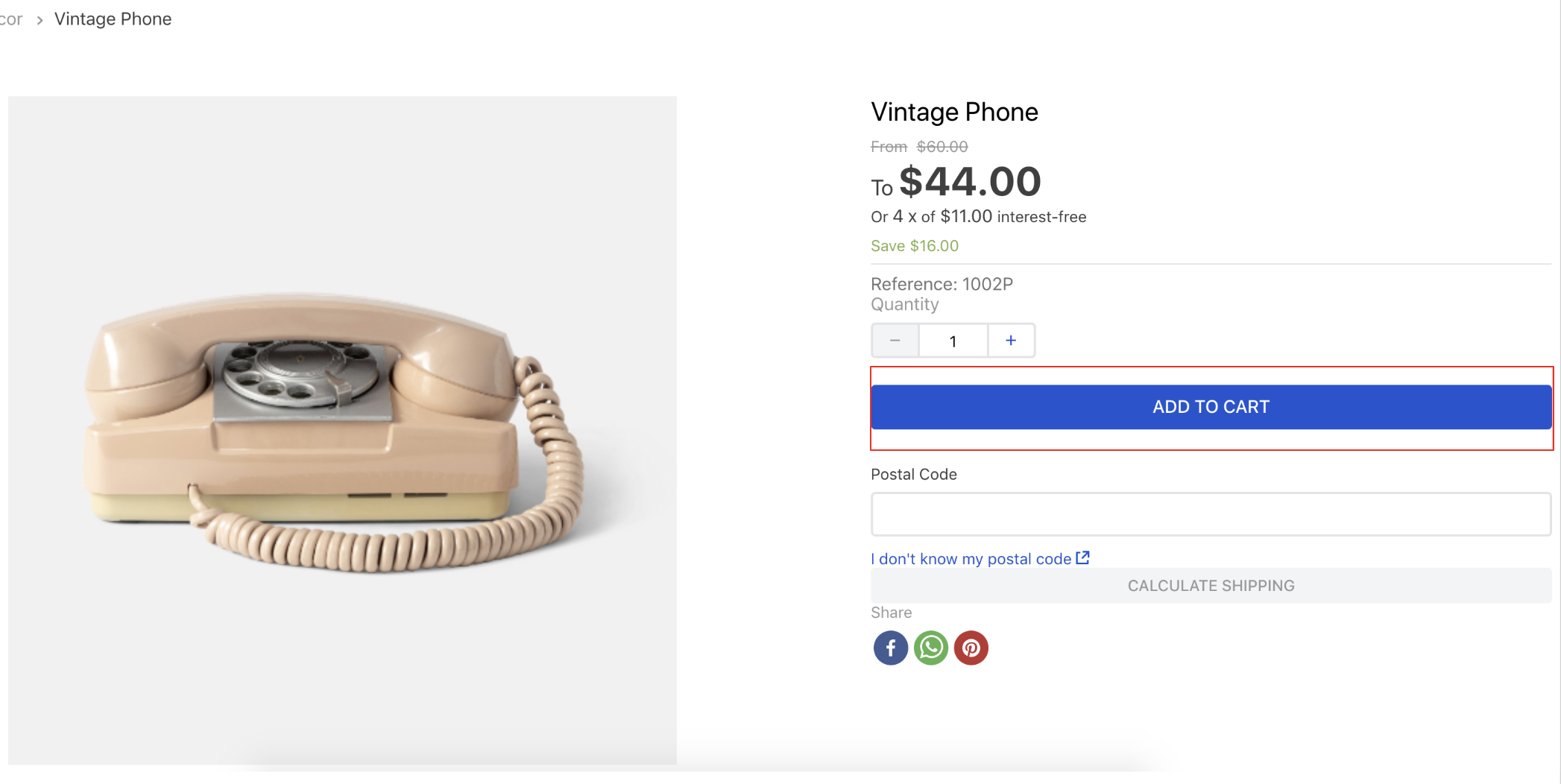
> ⚠️ The **Add to Cart** button is only compatible with stores using Minicart v2. For these stores, it will function correctly on the Shelf component and the Product Details page. If you are using [Minicart v1](https://github.com/vtex-apps/minicart/blob/383d7bbd3295f06d1b5854a0add561a872e1515c/docs/README.md), you should configure the [Buy Button block](https://developers.vtex.com/docs/apps/vtex.store-components/buybutton) on the Product Details page and the [Product Summary Buy button](https://developers.vtex.com/docs/apps/vtex.product-summary/productsummarybuybutton) on the Shelf component instead.
## Configuration
1. Import the `vtex.add-to-cart-button` app to your theme dependencies in the `manifest.json` file, as follows:
```json
"dependencies": {
"vtex.add-to-cart-button": "0.x"
}
```
2. Add the `add-to-cart-button` to another theme block using the product context, such as the `product-summary.shelf`. In the example below, the `add-to-cart-button` is added to the `flex-layout.row` block from the `store.product` template, which uses the product context:
```json
"store.product": {
"children": [
"flex-layout.row#product",
]
},
"flex-layout.row#product": {
"children": [
"add-to-cart-button"
]
}
```
| Prop name | Type | Description | Default value |
| - | - | - | - |
| `onClickBehavior` | `enum` | Controls what happens when users click the button. Possible values are: `go-to-product-page`, `add-to-cart`, `ensure-sku-selection` (if multiple SKUs are available, users will be redirected to the product page to select the desired one. If the product only has 1 SKU available, it will be automatically added to the cart when the button is clicked) and `add-to-cart-and-trigger-shipping-modal` (opens a modal for ZIP code input if none is provided; otherwise, it adds the item to the cart. See more in [vtex.shipping-option-components](https://github.com/vtex-apps/shipping-option-components)). | `add-to-cart` |
| `onClickEventPropagation` | `enum` | Controls whether the 'onClick' event, triggered upon user clicks, should propagate to the parent elements of the page. Possible values are: `disabled` and `enabled`. | `disabled` |
| `isOneClickBuy` | `boolean` | Determines whether the user should be redirected to the checkout page (`true`) or not (`false`) when the **Add to Cart** button is clicked. | `false` |
| `customOneClickBuyLink` | `string` | Defines the link to which users will be redirected when the **Add to Cart** button is clicked, and the `isOneClickBuy` prop is set to `true`. | `/checkout/#/cart` |
| `customToastUrl` | `string` | Defines the link to which users will be redirected when the toast (pop-up notification displayed when adding an item to the minicart) is clicked. | `/checkout/#/cart` |
| `text` | `string` | Defines a custom text message to be displayed on the **Add to Cart** button. | `Add to cart` _(automatic translation will be applied following your store default language)_ |
| `unavailableText` | `string` | Defines a custom text message to be displayed on the **Add to Cart** button when a product is unavailable. | `Unavailable` _(automatic translation will be applied following your store default language)_ |
| `customPixelEventId` | `string` | Defines the `id` for the event that the button will send upon user interaction. | `undefined` |
## Customization
To apply CSS customizations to this and other blocks, follow the instructions in [Using CSS Handles for store customization](https://developers.vtex.com/docs/guides/vtex-io-documentation-using-css-handles-for-store-customization).
| CSS Handles |
| --------------------- |
| `buttonText` |
| `buttonDataContainer` |
| `tooltipLabelText` |
## Contributors ✨
Thanks goes to these wonderful people:

Jean Nussenzveig
💻

Ygor Neves
💻

Lucas Pacheco
💻
This project follows the [all-contributors](https://github.com/all-contributors/all-contributors) specification. Contributions of any kind are welcome!